


 Home
HomeSlidesToVideos.com



Helps TikTok sellers, brands, MCNs, and TAPs discover winning products and find creators.

HelpLook is an AI-powered all-in-one knowledge base tool that helps businesses quickly build knowledge bases, help centers, and...

Your AI Workspace

302.AI is an enterprise-grade AI resource platform with pay-as-you-go pricing, API access to a full range of AI models, and ready-to-use online applications.

剧火AI — AI Screenwriter + Director, a One-Person Short Drama Studio In one sentence, what is it?
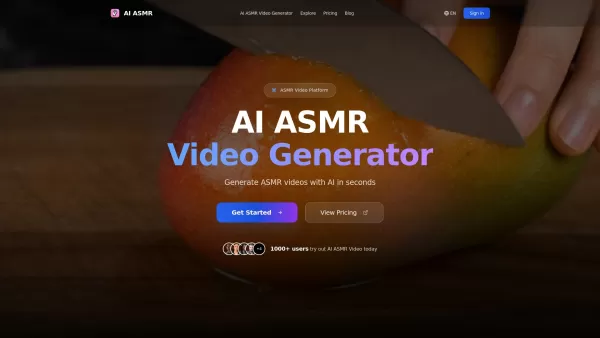
What is AI ASMR?AI ASMR represents the cutting edge of digital relaxation technology, blending artificial intelligence with autonomous sensory meridian response experiences. This innovative platform crafts mesmerizing ASMR videos where every whisper,
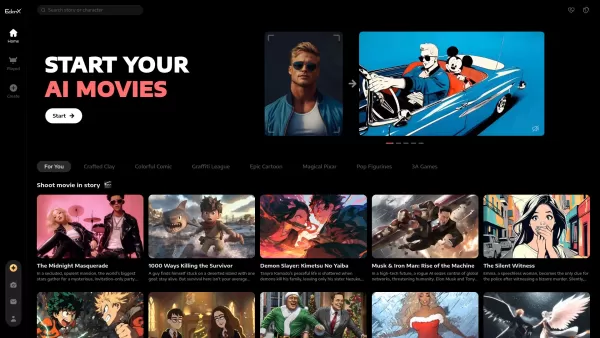
Ever wondered how you could dive into the world of visual storytelling without any prior skills? Enter EdenX, the AI-driven platform that's making waves by allowing anyone to create stunning visuals and interactive videos. It's like having a personal movi

Discover ShortFactory: Your Ultimate Tool for Short Video MagicHey there, video creators! Are you ready to dive into the world of short, snappy videos that can take your social media game to the next level? Let me introduce you to ShortFactory, a game-changing AI-powered platform that's here to make
What is vidu.studio?Vidu.studio is an advanced AI-powered platform that turns your creative concepts into engaging videos. By simply entering text prompts, uploading images, or providing reference materials, Vidu uses sophisticated artificial intelli

What is Chuang Yi AI? Chuang Yi AI is an intelligent short video creation assistant designed to help creators produce content efficiently. Its platform offers powerful AI features including video deconstruction, film analysis, short video and drama c
SlidesToVideos.com Product Information
What is SlidesToVideos.com?
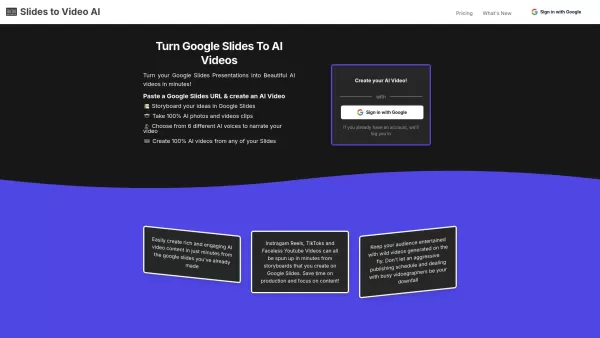
SlidesToVideos.com is an innovative platform that transforms your Google Slides presentations into captivating AI-generated videos. It enables users to storyboard ideas directly in Google Slides, generate AI photos and video clips, choose from a variety of AI voices for narration, and effortlessly produce high-quality videos from their slides. Ideal for social media content, marketing campaigns, educational tutorials, and more, it streamlines the creative process and boosts output.
Who will use SlidesToVideos.com?
- Content creators
- Marketers
- Educators
- YouTubers
- Podcasters
- Fundraisers
- Event planners
- Compliance officers
- Meme creators
How to use the SlidesToVideos.com?
- Step 1: Sign up with Google and grant necessary permissions to access Google Slides.
- Step 2: Select your plan and complete a secure payment via Stripe.
- Step 3: Click the 'New Video' button to begin.
- Step 4: Copy and paste your Google Slides URL into the provided form.
- Step 5: Choose your preferred AI voice, video style, privacy settings, and aspect ratio.
- Step 6: Create scenes for your slides using the generated images or animations.
- Step 7: Generate text-to-speech narration for your video.
- Step 8: Produce your first video scene.
- Step 9: Repeat the process for all remaining slides.
- Step 10: Click the 'Create Whole Video' button to compile everything.
- Step 11: Review, finalize, and download your completed AI-generated video.
Platform
- Web
SlidesToVideos.com's Core Features & Benefits
The Core Features
- Converts Google Slides into AI videos
- Integrated storyboarding within Google Slides
- AI-generated photos and video clips
- Multiple AI voice options for narration
- AI-powered video styling
The Benefits
- Saves significant time on video production
- Engages audiences with dynamic, creative videos
- Enhances content quality using advanced AI
- Simplifies video creation from existing slide decks
- Supports a wide range of applications and use cases
SlidesToVideos.com's Main Use Cases & Applications
- Fundraising campaign videos
- Marketing and sales presentations
- YouTube content creation
- Podcast video companions
- Educational tutorials and courses
- Storyboarding for filmmaking
- Compliance and training videos
- Event promotion videos
- Viral meme videos
SlidesToVideos.com's Pros & Cons
The Pros
Quickly and easily transforms Google Slides into AI-generated videos.
Offers a diverse selection of AI voices and video styles to match your brand.
Accommodates multiple use cases, including marketing, fundraising, and general content creation.
Saves time and reduces costs by eliminating the need for expensive video production teams.
Allows users to storyboard concepts and generate entirely AI-created photos and video clips.
The Cons
May require several attempts to achieve the optimal video result.
Some advanced features or specific voice customizations could be limited.
No open-source code or public GitHub repository is available for community development.
SlidesToVideos.com's Pricing
Has free plan | No |
|---|---|
Free trial details | |
Pricing model | Paid |
Is credit card required | No |
Paid from | 7.5 USD |
Has lifetime plan | No |
Billing frequency | Annually |
Details of Pricing Plan
Launch - Year
7.5 USD
- Create up to 20 videos per month
- AI Videos in all aspect ratios
- AI Video Clips
Launch
15 USD
- Create up to 20 videos per month
- AI Videos in all aspect ratios
- AI Video Clips
- Full access to all AI Voices
Discount:
Get 6+ months free when billed annually.
For the latest prices, please visit: https://slidestovideos.com/pricing
FAQs of SlidesToVideos.com
What is SlidesToVideos?
SlidesToVideos is a specialized tool that converts Google Slides presentations into engaging, AI-powered videos.
How do I start using SlidesToVideos?
Sign up with your Google account, choose a subscription plan, and follow the simple steps to paste your Slides URL and generate videos.
Can I customize the narration in my videos?
Yes, you can select from multiple, high-quality AI voices to narrate your videos.
Is there a free trial available?
Your first few creations are complimentary. We recommend checking the pricing page for full details.
What video resolutions and formats are supported?
SlidesToVideos supports multiple aspect ratios tailored for platforms like Instagram, YouTube, TikTok, and others.
Can I use it for commercial purposes?
Absolutely. The videos generated are suitable for various commercial uses, including marketing and event promotions.
Is video editing experience required?
No prior video editing experience is needed. SlidesToVideos simplifies the entire creation process.
Can I make videos in different styles?
Yes, you can apply different video styles such as plain, cinematic, noir, and more to match your content.
How long does it take to create a video?
Video creation typically takes just a few minutes, depending on the number of slides and their complexity.
Is customer support available?
Yes, customer support is provided. Please visit the website for contact information.
SlidesToVideos.com Company Information
- SlidesToVideos
- https://slidestovideos.com
SlidesToVideos.com Screenshot

2026 Latest Best Top-rated AI Object Removal Editors for portraits travel product shots! XIX.AI curates a powerful game-changing collection regularly updated with weekly rankings. These tools offer real-world tests to help you quickly remove unwanted elements, boost content quality, and save tons of time without compromising results. Must-try for anyone aiming to unlock their AI creation edge. Explore now!
 10 tools
 xix.ai

2026 Latest Best Top-rated AI Text to Speech Tools for Online Courses are curated by XIX.AI based on rigorous real-world tests and weekly updated rankings. These powerful tools help creators deliver crystal-clear audio content effortlessly, boosting writing efficiency and streamlining course production. Check out the free vs paid comparison to find your perfect fit. Explore now to unlock your AI edge in online education.
10 tools
xix.ai

2026 Latest Best Top-Rated AI Blog Title Tools for Higher Click Through Rates! XIX.AI has carefully curated a powerful, game-changing collection of top tools that go through rigorous real-world tests. You’ll find a free vs paid comparison, weekly updated rankings, and detailed insights to help you boost your blog’s traffic efficiently. Must-try options are highlighted to help you unlock your AI edge. Explore now!
10 tools
xix.ai

2026 Latest Best Top-rated AI Task Routing Tools for Support Workflows! XIX.AI has curated a highly powerful game-changing collection of must-try solutions, all undergoing rigorous real-world tests and updated weekly. These tools streamline workflows, boost productivity, and help teams deliver faster, more efficient support. Explore now to discover your perfect tool and unlock your AI edge!
17 tools
xix.ai

2026 Latest Best Top-Rated AI Citation and Paper Summary Tools Curated by XIX.AI. Get powerful game-changing solutions for quick content creation, improved writing efficiency, and boosting productivity. We offer a free vs paid comparison along with real-world tests and weekly updated rankings to help you find the must-try tool that fits your needs perfectly. Explore now to Unlock your AI edge.
10 tools
xix.ai

2026 Latest Best Top-Rated AI Productivity Tools for Daily Work! XIX.AI has curated a powerful, game-changing selection based on rigorous weekly updated rankings and real-world tests. You’ll find must-try options that boost writing efficiency, streamline content creation, and help you overcome daily work challenges. Get a free vs paid comparison to find the perfect fit for your needs. Explore now to unlock your AI edge!
9 tools
xix.ai


