


 Home
HomeSked
AI Scheduler: Effortless Meeting Management in Slack



Helps TikTok sellers, brands, MCNs, and TAPs discover winning products and find creators.

HelpLook is an AI-powered all-in-one knowledge base tool that helps businesses quickly build knowledge bases, help centers, and...

Your AI Workspace

302.AI is an enterprise-grade AI resource platform with pay-as-you-go pricing, API access to a full range of AI models, and ready-to-use online applications.

剧火AI — AI Screenwriter + Director, a One-Person Short Drama Studio In one sentence, what is it?
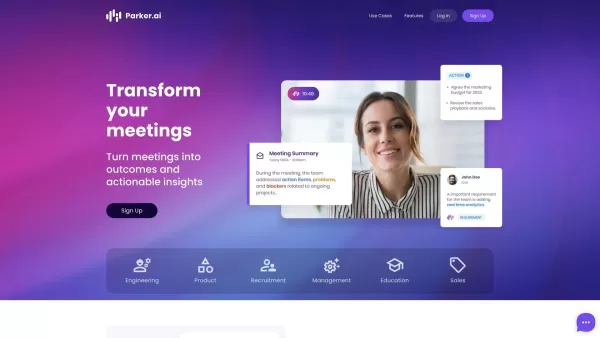
What is Parker AI?Parker AI is an advanced artificial intelligence meeting assistant created to streamline how product conversations are captured, analyzed, and managed. It connects with leading communication platforms like Zoom and Slack, documentin

Ever wondered what Pacely is all about? Well, let me break it down for you. Pacely isn't just another project management tool—it's a game-changer with an AI assistant that dives deep into your GitHub repositories, gets to know your codebase inside and out
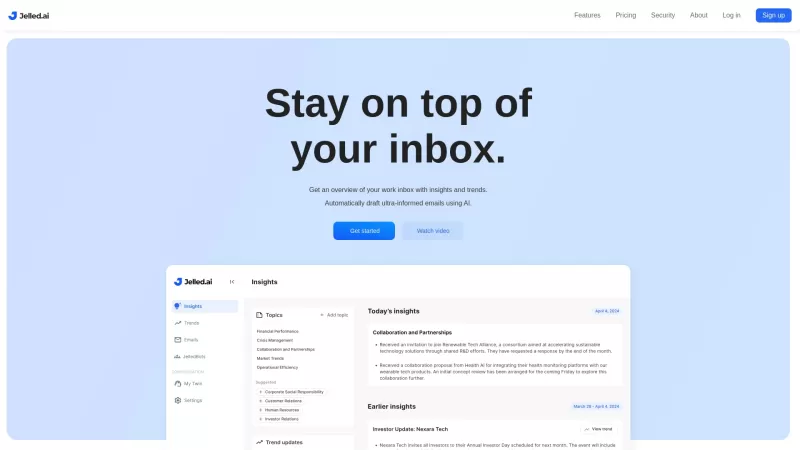
Jelled.ai is a game-changer in the world of workplace communication, harnessing the power of Generative AI to make your workday smoother. It's like having a smart assistant that dives deep into your email and Slack interactions, pulling out the most impor
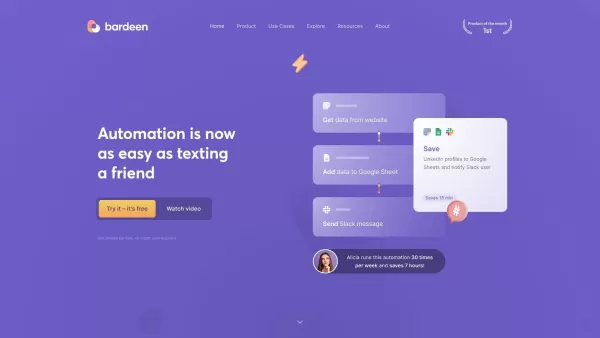
What is Bardeen?Bardeen is an AI-powered automation tool that operates through a Chrome extension to help you manage and automate repetitive tasks. It seamlessly integrates with popular applications like Google Sheets, Zoom, and Slack, delivering a s
Ever found yourself in a meeting, scribbling away furiously, trying to catch every important point? Well, let me introduce you to Superpowered—an AI notetaker that's changing the game. This isn't just any AI tool; it's like having a super-efficient, silen
Sked Product Information
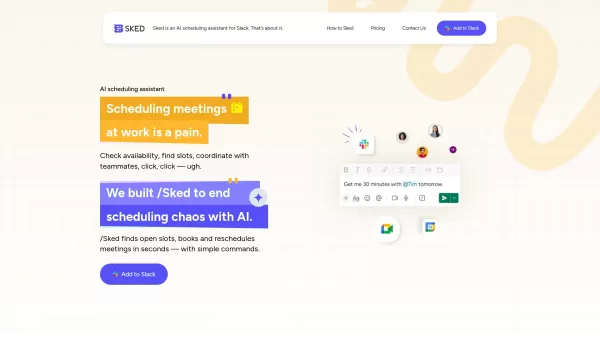
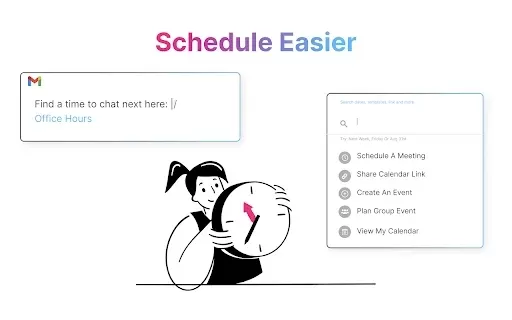
Ever found yourself juggling multiple tabs just to schedule a meeting? Well, say goodbye to that hassle with Sked, the nifty tool that integrates seamlessly into Slack. It's like having a personal assistant who's all about making your meeting life a breeze. With Sked, you can schedule, reschedule, and manage your meetings without breaking a sweat, thanks to its smart AI.
How to Get Started with Sked?
Getting started with Sked is as easy as pie. First, add the Sked app to your Slack workspace. Then, sign up using your Gmail account and sync it with your Google Calendar. Just like that, you're ready to streamline your meeting scheduling like a pro.
Sked's Core Features
Find Open Calendar Slots Effortlessly
Ever tried finding a time slot that works for everyone? It's like herding cats! But with Sked, finding open slots is a snap. No more endless back-and-forths.
Book and Reschedule Meetings Using Simple Commands
Need to book a meeting or reschedule one? Just type in a command, and Sked takes care of the rest. It's like magic, but better because it's real.
Manage Event Invites Directly from Slack
Why switch tabs when you can manage your event invites right from Slack? Sked lets you handle everything in one place, making your life so much easier.
Check Personal Calendar and Block Focus Time
Want to carve out some focus time? Sked lets you check your personal calendar and block off time so you can get things done without interruptions.
Sked's Use Cases
Schedule Meetings Within Slack Without Switching Tabs
Imagine scheduling meetings without ever leaving Slack. With Sked, it's not just a dream—it's your new reality.
Reschedule Meetings with a Single Command
Plans change, and that's okay. With Sked, rescheduling a meeting is as simple as a single command. No fuss, no muss.
Quickly Find Available Time Slots Across Teams
Need to find a time that works for everyone across different teams? Sked makes it quick and easy, so you can get back to what really matters.
FAQ from Sked
- How does Sked find meeting slots?
- Sked uses AI to scan calendars and find open slots that work for everyone involved. It's like having a super-smart assistant who knows everyone's schedule.
- Is Sked free to use?
- Sked offers a free version, but for more advanced features, you might want to check out their pricing plans. It's worth it, trust me!
- Can I use Sked if my team isn't using it?
- Absolutely! You can use Sked even if your team isn't on board yet. It's a great way to show them what they're missing out on.
For any questions or support, you can reach out to Sked's customer service at [email protected]. For more contact options, visit their contact us page.
Sked is brought to you by Sked, a company dedicated to making your work life smoother. If you're ready to give it a try, sign up at Sked's sign-up page. And if you're curious about the pricing, check out their pricing page.
Sked Screenshot

2026 Latest Best Manga AI Background Generators Ranked Top-Rated! This curated collection showcases powerful game-changing tools perfect for creating high-quality chapter backgrounds, book covers, and promotional art. Every option has undergone rigorous real-world tests to ensure reliability. Get a free vs paid comparison along with detailed insights. Explore now to discover your perfect tool and unlock your AI edge in manga creation.
 6 tools
 xix.ai

2026 Latest Best Top-rated AI Object Removal Editors for portraits travel product shots! XIX.AI curates a powerful game-changing collection regularly updated with weekly rankings. These tools offer real-world tests to help you quickly remove unwanted elements, boost content quality, and save tons of time without compromising results. Must-try for anyone aiming to unlock their AI creation edge. Explore now!
10 tools
xix.ai

2026 Latest Best Top-rated AI Text to Speech Tools for Online Courses are curated by XIX.AI based on rigorous real-world tests and weekly updated rankings. These powerful tools help creators deliver crystal-clear audio content effortlessly, boosting writing efficiency and streamlining course production. Check out the free vs paid comparison to find your perfect fit. Explore now to unlock your AI edge in online education.
10 tools
xix.ai

2026 Latest Best Top-Rated AI Blog Title Tools for Higher Click Through Rates! XIX.AI has carefully curated a powerful, game-changing collection of top tools that go through rigorous real-world tests. You’ll find a free vs paid comparison, weekly updated rankings, and detailed insights to help you boost your blog’s traffic efficiently. Must-try options are highlighted to help you unlock your AI edge. Explore now!
10 tools
xix.ai

2026 Latest Best Top-rated AI Task Routing Tools for Support Workflows! XIX.AI has curated a highly powerful game-changing collection of must-try solutions, all undergoing rigorous real-world tests and updated weekly. These tools streamline workflows, boost productivity, and help teams deliver faster, more efficient support. Explore now to discover your perfect tool and unlock your AI edge!
17 tools
xix.ai

2026 Latest Best Top-Rated AI Citation and Paper Summary Tools Curated by XIX.AI. Get powerful game-changing solutions for quick content creation, improved writing efficiency, and boosting productivity. We offer a free vs paid comparison along with real-world tests and weekly updated rankings to help you find the must-try tool that fits your needs perfectly. Explore now to Unlock your AI edge.
10 tools
xix.ai


Sked is absolutely brilliant! 🙌 I used to waste so much time hopping between tabs to set up meetings, but now it's all right there in Slack. The integration is seamless and it feels like a personal assistant. Highly recommend for anyone tired of scheduling chaos. A true productivity booster! 🚀


