


 Home
HomeSide Reader
PDF Reader and Chat Extension for Chrome



Helps TikTok sellers, brands, MCNs, and TAPs discover winning products and find creators.

HelpLook is an AI-powered all-in-one knowledge base tool that helps businesses quickly build knowledge bases, help centers, and...

Your AI Workspace

302.AI is an enterprise-grade AI resource platform with pay-as-you-go pricing, API access to a full range of AI models, and ready-to-use online applications.

剧火AI — AI Screenwriter + Director, a One-Person Short Drama Studio In one sentence, what is it?

Ever found yourself juggling multiple tabs, wishing you could just talk to them to get the info you need? Well, Tabchat AI might just be your new best friend. It's a nifty Chrome extension that lets you chat with your active browsing tabs and even scrape

Faith Forward isn't just another app; it's a personal companion for anyone looking to deepen their Christian faith. It harnesses the power of AI to deliver a tailor-made spiritual experience. Whether you're craving custom devotionals, need a daily dose of
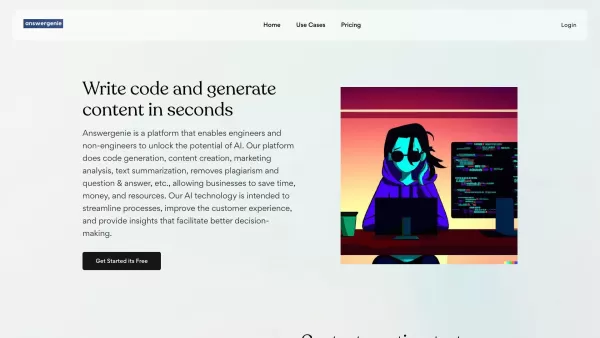
What is Answer Genie?AnswerGenie is an advanced AI-driven platform that delivers immediate, real-time answers to virtually any question you have. Available 24/7, it serves a diverse array of inquiries—from tech support and financial guidance to gener

Ever wondered how to make Computer Science education not just informative but truly engaging? Enter Profound Academy, a game-changer in the world of educational platforms. It's not just another tool; it's a revolution designed to transform how schools and
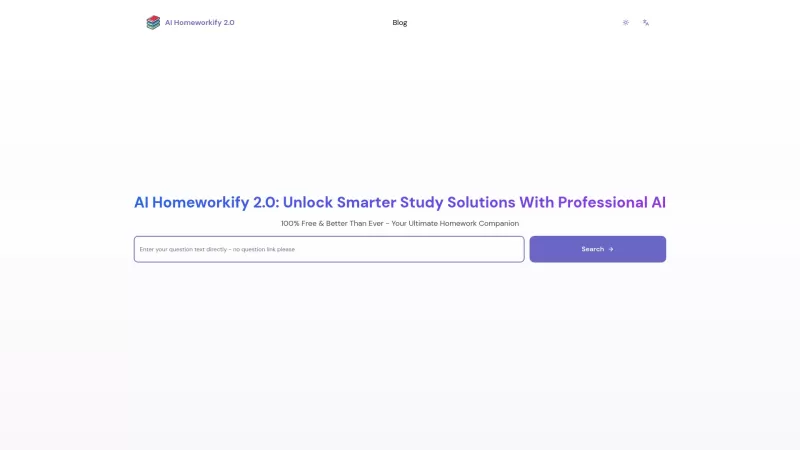
Ever stumbled upon a homework question that's got you scratching your head until the early hours? Well, let me introduce you to AI Homeworkify, your new late-night study buddy. This service is like a magic wand for students, offering instant, free homework help without even asking you to sign up. It
Side Reader Product Information
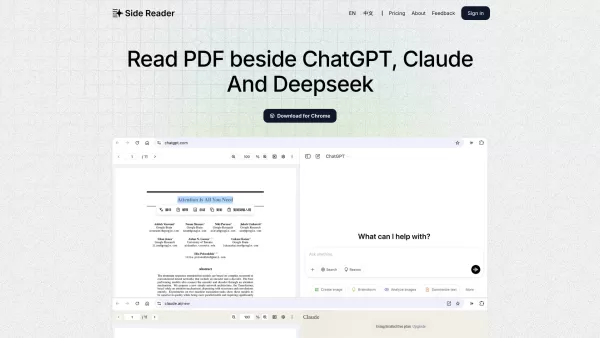
Ever found yourself juggling between a PDF and a chat window, trying to discuss or research its content? That's where Side Reader swoops in to save the day! This nifty Chrome extension is your new best friend for seamlessly interacting with PDFs on platforms like ChatGPT, Claude, and DeepSeek. What's even better? No API key needed! It's like having a sidekick that lets you read and chat side by side without any hassle.
How to Dive Into Side Reader?
Getting started with Side Reader is a breeze. Just download the Chrome extension, upload your PDF, and you're ready to roll. Imagine chatting with your document right next to your favorite AI platform—it's that easy and intuitive!
Side Reader's Superpowers
Side-by-Side PDF Reading
No more switching tabs or windows. Side Reader lets you keep your PDF in sight while you chat away.
No API Key? No Problem!
Forget about the hassle of managing API keys. Side Reader works its magic without one.
Efficiency Boost
Say goodbye to tedious copy-pasting. With Side Reader, your workflow gets a serious upgrade.
When to Use Side Reader?
Imagine you're knee-deep in academic research. With Side Reader, you can read and chat with those dense papers alongside ChatGPT. It's like having a research buddy that speeds up your work!
FAQ from Side Reader
- Is there a daily upload limit for PDFs?
- What is the maximum file size for uploads?
- What features do I get with the Pro plan?
For any questions or support, you can reach out to Side Reader's team. Their contact details are readily available, and you can visit the contact us page for more information.
Curious about the masterminds behind Side Reader? Check out the about us page to learn more about the company.
Ready to log in and start using Side Reader? Head over to the login page.
Interested in the pricing? You can find all the details at the pricing page.
Want to stay updated with the latest from Side Reader? Follow them on Twitter.
Side Reader Screenshot



2026 Latest Best Top-rated AI Text to Speech Tools for Natural Voiceovers are here on XIX.AI! This curated list features powerful, game-changing options that deliver crystal-clear voices for every use case, backed by real-world tests and weekly updated rankings. Get a free vs paid comparison to find the must-try solution that boosts your productivity instantly. Explore now to Unlock your AI edge!
 11 tools
 xix.ai

2026 Latest Best Manga AI Background Generators Ranked Top-Rated! This curated collection showcases powerful game-changing tools perfect for creating high-quality chapter backgrounds, book covers, and promotional art. Every option has undergone rigorous real-world tests to ensure reliability. Get a free vs paid comparison along with detailed insights. Explore now to discover your perfect tool and unlock your AI edge in manga creation.
6 tools
xix.ai

2026 Latest Best Top-rated AI Object Removal Editors for portraits travel product shots! XIX.AI curates a powerful game-changing collection regularly updated with weekly rankings. These tools offer real-world tests to help you quickly remove unwanted elements, boost content quality, and save tons of time without compromising results. Must-try for anyone aiming to unlock their AI creation edge. Explore now!
10 tools
xix.ai

2026 Latest Best Top-rated AI Text to Speech Tools for Online Courses are curated by XIX.AI based on rigorous real-world tests and weekly updated rankings. These powerful tools help creators deliver crystal-clear audio content effortlessly, boosting writing efficiency and streamlining course production. Check out the free vs paid comparison to find your perfect fit. Explore now to unlock your AI edge in online education.
10 tools
xix.ai

2026 Latest Best Top-Rated AI Blog Title Tools for Higher Click Through Rates! XIX.AI has carefully curated a powerful, game-changing collection of top tools that go through rigorous real-world tests. You’ll find a free vs paid comparison, weekly updated rankings, and detailed insights to help you boost your blog’s traffic efficiently. Must-try options are highlighted to help you unlock your AI edge. Explore now!
10 tools
xix.ai

2026 Latest Best Top-rated AI Task Routing Tools for Support Workflows! XIX.AI has curated a highly powerful game-changing collection of must-try solutions, all undergoing rigorous real-world tests and updated weekly. These tools streamline workflows, boost productivity, and help teams deliver faster, more efficient support. Explore now to discover your perfect tool and unlock your AI edge!
17 tools
xix.ai


¡Vaya, esto suena a una solución perfecta para los que estudiamos y trabajamos con PDF todo el día! Lo acabo de instalar en Chrome y siento que me dieron un superpoder. Es tan cómodo tener el chat justo al lado del texto en lugar de cambiar de pestaña, aunque a veces me da un poco de miedo enviar archivos confidenciales 😅 Probando su límite de 10 páginas por ahora, ¡funciona bastante bien!


