


 Home
HomeScanlt



Helps TikTok sellers, brands, MCNs, and TAPs discover winning products and find creators.

HelpLook is an AI-powered all-in-one knowledge base tool that helps businesses quickly build knowledge bases, help centers, and...

Your AI Workspace

302.AI is an enterprise-grade AI resource platform with pay-as-you-go pricing, API access to a full range of AI models, and ready-to-use online applications.

剧火AI — AI Screenwriter + Director, a One-Person Short Drama Studio In one sentence, what is it?

What is NOA?NOA Tech provides innovative technology solutions to enhance your business productivity. Utilizing advanced AI tools and custom automation, we identify operational bottlenecks, implement automation strategies, and empower your team to con
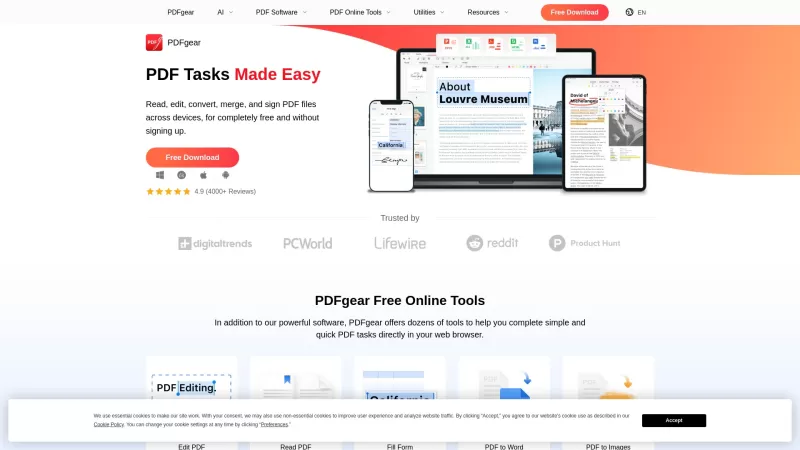
PDFgear is your go-to free PDF management tool, perfect for editing, converting, and managing your PDF files without any pesky watermarks or the need to sign up. It's designed to work seamlessly on Windows, Mac, and mobile devices, offering a full suite o
What is OCR Markdown? OCR Markdown is a powerful tool that transforms scanned images and PDF documents into editable Markdown text. It provides a free, client-side OCR solution for basic conversions and a Premium upgrade featuring AI-enhanced recogni
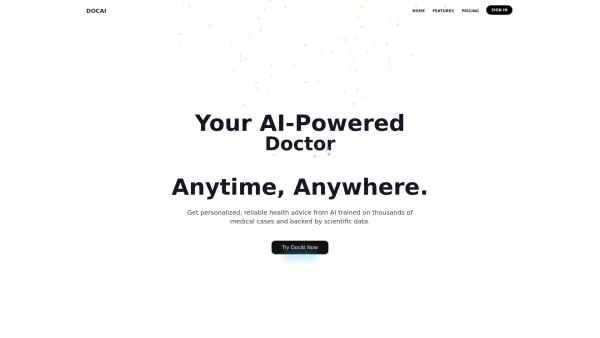
What is Doc AI?DocAI is an innovative platform that leverages advanced artificial intelligence to streamline and automate document processing. It provides a comprehensive solution for extracting data, analyzing content, and tackling diverse document-
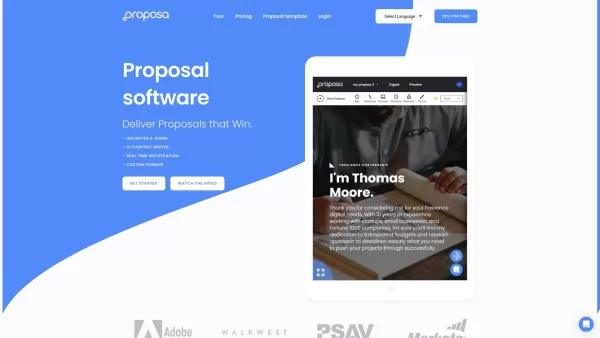
Proposa isn't just another tool in the vast sea of business software; it's a game-changer for anyone looking to streamline their proposal process. Imagine having a platform where you can whip up stunning sales proposals and documents with ease, all from t
Scanlt Product Information
What is ScanIt?
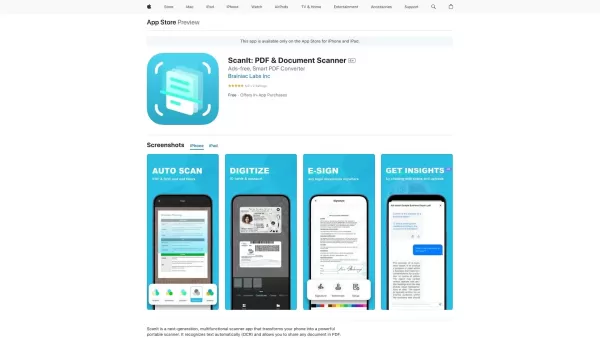
ScanIt transforms your device into a portable PDF scanner, letting you quickly scan any document, from receipts to multi-page contracts. It features smart document recognition, automatic cropping, and text adjustment even on curved surfaces. The app merges multiple pages into a single PDF and supports sharing in formats like PDF, JPG, Word, and TXT. With an ad‑free experience and a sleek, user‑friendly interface, ScanIt ensures efficient document management and effortless sharing on the go.
Who will use ScanIt?
- Students
- Professionals
- Small business owners
- Frequent travelers
- Remote workers
How to use ScanIt?
- Step 1: Download and install the ScanIt app from the App Store.
- Step 2: Open the app and grant the necessary camera and storage permissions.
- Step 3: Position your document correctly and tap the scan button.
- Step 4: Adjust the borders if needed and confirm your scan.
- Step 5: Save the scanned document as PDF, JPG, Word, or TXT.
- Step 6: Share the document directly via email or other apps on your device.
Platform
- iOS
ScanIt's Core Features & Benefits
The Core Features
- Smart document recognition
- Automatic text adjustment
- Multi‑page PDF synthesis
- OCR (Optical Character Recognition)
- Ad‑free experience
- Various sharing formats (PDF, JPG, Word, TXT)
The Benefits
- Effortless scanning and sharing
- High‑quality document preservation
- User‑friendly interface
- Enhanced productivity on the go
- Versatile document management
ScanIt's Main Use Cases & Applications
- Scanning receipts for reimbursable expenses
- Digitizing multi‑page contracts
- Sharing scanned documents quickly via email
- Archiving and organizing important documents
FAQs of ScanIt
How do I scan a document with ScanIt?
Open the app, position your document, and tap the scan button. Edit the scan if needed, then save it in your preferred format.
Can I scan multiple pages into a single PDF?
Yes, ScanIt lets you scan multiple pages and automatically combines them into one PDF document.
What formats can I save my scanned documents in?
You can save your documents in PDF, JPG, Word, or TXT formats.
Does ScanIt support OCR (Optical Character Recognition)?
Yes, ScanIt includes OCR functionality to convert scanned text into editable formats.
Is there an ad‑free version of ScanIt?
Yes, ScanIt provides an ad‑free experience.
Can I upload my scanned documents to cloud storage?
You can share documents via email and other apps on your device.
Do I need an internet connection to use ScanIt?
No internet connection is needed for scanning, but sharing documents requires one.
Is ScanIt available for Android?
Currently, ScanIt is only available for iOS devices.
How can I contact customer support for ScanIt?
You can contact ScanIt’s customer support through the support email provided on the app page.
Does ScanIt have a limit on the number of scans?
There is no specified limit on the number of scans you can perform.
ScanIt Company Information
Website:
https://5-letter-words.comCompany Name:
NASupport Email:
NAFacebook:
NAX(Twitter):
NAYouTube:
NAInstagram:
NATiktok:
NALinkedIn:
NA
Scanlt Screenshot

2026 Latest Best Top-rated AI Text to Speech Tools for Natural Voiceovers are here on XIX.AI! This curated list features powerful, game-changing options that deliver crystal-clear voices for every use case, backed by real-world tests and weekly updated rankings. Get a free vs paid comparison to find the must-try solution that boosts your productivity instantly. Explore now to Unlock your AI edge!
 11 tools
 xix.ai

2026 Latest Best Manga AI Background Generators Ranked Top-Rated! This curated collection showcases powerful game-changing tools perfect for creating high-quality chapter backgrounds, book covers, and promotional art. Every option has undergone rigorous real-world tests to ensure reliability. Get a free vs paid comparison along with detailed insights. Explore now to discover your perfect tool and unlock your AI edge in manga creation.
6 tools
xix.ai

2026 Latest Best Top-rated AI Object Removal Editors for portraits travel product shots! XIX.AI curates a powerful game-changing collection regularly updated with weekly rankings. These tools offer real-world tests to help you quickly remove unwanted elements, boost content quality, and save tons of time without compromising results. Must-try for anyone aiming to unlock their AI creation edge. Explore now!
10 tools
xix.ai

2026 Latest Best Top-rated AI Text to Speech Tools for Online Courses are curated by XIX.AI based on rigorous real-world tests and weekly updated rankings. These powerful tools help creators deliver crystal-clear audio content effortlessly, boosting writing efficiency and streamlining course production. Check out the free vs paid comparison to find your perfect fit. Explore now to unlock your AI edge in online education.
10 tools
xix.ai

2026 Latest Best Top-Rated AI Blog Title Tools for Higher Click Through Rates! XIX.AI has carefully curated a powerful, game-changing collection of top tools that go through rigorous real-world tests. You’ll find a free vs paid comparison, weekly updated rankings, and detailed insights to help you boost your blog’s traffic efficiently. Must-try options are highlighted to help you unlock your AI edge. Explore now!
10 tools
xix.ai

2026 Latest Best Top-rated AI Task Routing Tools for Support Workflows! XIX.AI has curated a highly powerful game-changing collection of must-try solutions, all undergoing rigorous real-world tests and updated weekly. These tools streamline workflows, boost productivity, and help teams deliver faster, more efficient support. Explore now to discover your perfect tool and unlock your AI edge!
17 tools
xix.ai


