


 Home
HomeSaga AI



Helps TikTok sellers, brands, MCNs, and TAPs discover winning products and find creators.

HelpLook is an AI-powered all-in-one knowledge base tool that helps businesses quickly build knowledge bases, help centers, and...

Your AI Workspace

302.AI is an enterprise-grade AI resource platform with pay-as-you-go pricing, API access to a full range of AI models, and ready-to-use online applications.

剧火AI — AI Screenwriter + Director, a One-Person Short Drama Studio In one sentence, what is it?

Ever wondered how to make the most out of large language models (LLMs)? That's where Vellum comes into play. It's not just a platform; it's a game-changer for anyone diving into the world of LLM apps. With Vellum, you get a suite of tools designed to
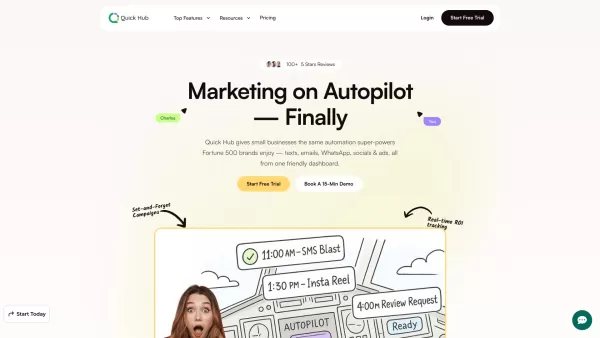
What is Quick Hub? Quick Hub empowers small business owners and marketing teams by automating their marketing with AI-driven social media, customer engagement, and promotional workflows. It provides small businesses with the same advanced automation
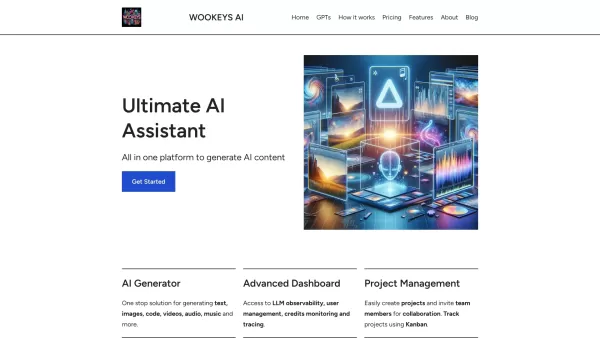
Ever wondered what the buzz around Ultimate AI Assistant is all about? Well, let me introduce you to WooKeys AI, a powerhouse platform designed to revolutionize your content creation game. It's not just another tool; it's your new best friend in the

Ever wondered what AI Search is all about? Well, let me break it down for you. AI Search is like your personal assistant in the world of AI—it helps you sift through the digital haystack to find the best AI tools, plugins, prompts, and services that can g
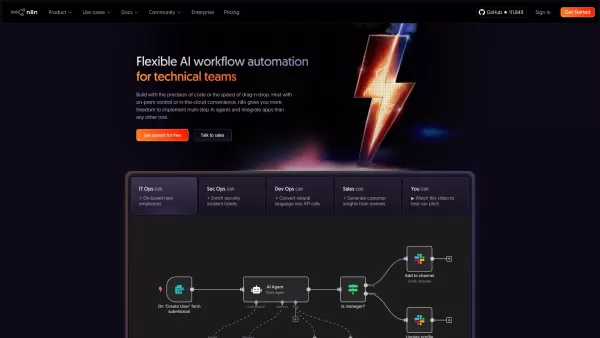
What is n8n? n8n is a powerful workflow automation platform that blends AI with process automation. It offers developers the control of code alongside the simplicity of a visual editor, empowering them to create sophisticated AI agents and connect to
Saga AI Product Information
What Is Saga AI?
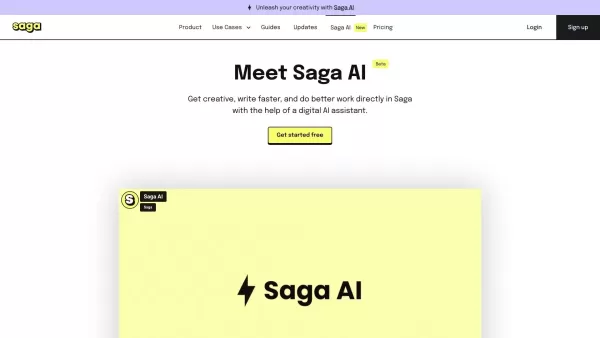
Saga is an AI-powered collaborative workspace that integrates notes, tasks, and tools in one unified platform. Designed for speed and simplicity, it helps teams organize information, collaborate on projects, and boost productivity. AI features prioritize and streamline work, making real-time management and updates effortless.
Who Can Use Saga AI?
- Teams
- Project Managers
- Remote Workers
- Small to Medium Enterprises
- Freelancers
- Collaborative Teams
How to Use Saga AI?
- Step 1: Sign up and create an account on Saga.
- Step 2: Set up your workspace.
- Step 3: Integrate your notes, tasks, and tools.
- Step 4: Invite team members to collaborate.
- Step 5: Start organizing, managing tasks, and collaborating in real-time.
Platform
- Web
Saga AI's Core Features and Benefits
The Core Features
- AI Integration
- Collaborative Workspace
- Real-Time Updates
- Task and Project Management
- Notes Organization
The Benefits
- Streamlined Workflow
- Enhanced Collaboration
- Increased Productivity
- Simplified Task Management
- Centralized Information
Saga AI's Main Use Cases and Applications
- Project Management
- Team Collaboration
- Task Organization
- Knowledge Management
- Freelance Project Tracking
Saga AI's Pros and Cons
The Pros
A unified workspace that seamlessly integrates notes, documents, tasks, and AI assistance.
Fast and intuitive with instant synchronization and a clean interface.
Real-time collaboration is free for teams of up to three members.
Powerful AI capabilities including autocomplete and knowledge linking.
Supports integrations with apps such as Google Drive and Linear.
The Cons
The free plan limits collaboration to only three members.
No public open-source code is available.
No official mobile app or Chrome extension links were found.
There may be a learning curve when adapting to a new AI-assisted workspace.
Saga AI's Pricing
Free Plan Available? | Yes |
|---|---|
Free Trial Details | |
Pricing Model | Freemium |
Is Credit Card Required? | No |
Paid From | 6 USD |
Has Lifetime Plan? | No |
Billing Frequency | Monthly |
Details of Pricing Plans
Free
0 USD
- Unlimited pages and tasks
- 3 members per workspace
- Saga AI with 5,000 words per month
- 7-day version history
- 1 integration: Google Drive or Linear
- Public pages and workspaces
- Invite up to 10 guests
- 10 MB maximum file size
- 250 MB file storage
- Mac and Windows apps
Standard
6 USD
- All Free features
- Unlimited workspace members
- Unlimited Saga AI
- Unlimited version history
- Google Drive and Linear integrations
- Admin permissions
- Invite up to 100 guests
- Unlimited pages and tasks
- Mac and Windows apps
- Public pages and workspaces
- 100 guests
- 250 MB maximum file size
- 5 GB file storage
- Admin and user permissions
- Custom Saga AI commands
- Saga AI can 'talk' to your pages
Business
12 USD
- All Standard features
- Saga AI search across tools
- Saga AI search across the web
- Advanced permissions
- Unlimited integrations
- Invite up to 250 guests
- Unlimited pages and tasks
- Mac and Windows apps
- Public pages and workspaces
- 500 MB maximum file size
- 100 GB file storage
- Advanced permissions
- Custom Saga AI commands
- Saga AI can 'talk' to your pages
- Saga AI search across tools
- Saga AI search across the web
Discount:
50% discount for non-profit and charitable organizations
For the latest prices, please visit: https://saga.so/pricing
FAQs of Saga AI
What Is Saga?
Saga is an AI-powered collaborative workspace that integrates notes, tasks, and tools for seamless management and collaboration.
Is Saga Free?
Yes, Saga provides a free plan for teams of up to five members, along with paid plans that include extra features.
Can I Invite Team Members to Saga?
Yes, you can invite team members to your workspace for real-time collaboration.
Does Saga Support Mobile Platforms?
Currently, Saga supports web platforms only; no mobile platform has been announced.
How Does Saga Use AI?
Saga leverages AI to prioritize tasks, organize notes, and deliver real-time updates, streamlining your workflow.
Who Can Benefit from Using Saga?
Teams, project managers, remote workers, SMEs, and freelancers can all benefit from Saga.
What Are the Core Features of Saga?
Core features include AI integration, a collaborative workspace, real-time updates, task and project management, and notes organization.
What Kind of Plans Does Saga Offer?
Saga offers a free plan for small teams, along with paid plans like Standard and Business that provide enhanced features.
Can I Manage Tasks in Saga?
Yes, Saga includes robust task and project management features to organize your workflow.
How Do I Start Using Saga?
Sign up on the website, set up your workspace, integrate your tools, invite your team, and begin collaborating.
Saga AI Company Information
Website:
https://saga.soCompany Name:
SagaSupport Email:
N/AFacebook:
N/AX (Twitter):
https://twitter.com/saga_hqYouTube:
N/AInstagram:
N/ATiktok:
N/ALinkedIn:
https://linkedin.com/company/saga-hq
Saga AI Screenshot


2026 Latest Best Top-rated AI Object Removal Editors for portraits travel product shots! XIX.AI curates a powerful game-changing collection regularly updated with weekly rankings. These tools offer real-world tests to help you quickly remove unwanted elements, boost content quality, and save tons of time without compromising results. Must-try for anyone aiming to unlock their AI creation edge. Explore now!
 10 tools
 xix.ai

2026 Latest Best Top-rated AI Text to Speech Tools for Online Courses are curated by XIX.AI based on rigorous real-world tests and weekly updated rankings. These powerful tools help creators deliver crystal-clear audio content effortlessly, boosting writing efficiency and streamlining course production. Check out the free vs paid comparison to find your perfect fit. Explore now to unlock your AI edge in online education.
10 tools
xix.ai

2026 Latest Best Top-Rated AI Blog Title Tools for Higher Click Through Rates! XIX.AI has carefully curated a powerful, game-changing collection of top tools that go through rigorous real-world tests. You’ll find a free vs paid comparison, weekly updated rankings, and detailed insights to help you boost your blog’s traffic efficiently. Must-try options are highlighted to help you unlock your AI edge. Explore now!
10 tools
xix.ai

2026 Latest Best Top-rated AI Task Routing Tools for Support Workflows! XIX.AI has curated a highly powerful game-changing collection of must-try solutions, all undergoing rigorous real-world tests and updated weekly. These tools streamline workflows, boost productivity, and help teams deliver faster, more efficient support. Explore now to discover your perfect tool and unlock your AI edge!
17 tools
xix.ai

2026 Latest Best Top-Rated AI Citation and Paper Summary Tools Curated by XIX.AI. Get powerful game-changing solutions for quick content creation, improved writing efficiency, and boosting productivity. We offer a free vs paid comparison along with real-world tests and weekly updated rankings to help you find the must-try tool that fits your needs perfectly. Explore now to Unlock your AI edge.
10 tools
xix.ai

2026 Latest Best Top-Rated AI Productivity Tools for Daily Work! XIX.AI has curated a powerful, game-changing selection based on rigorous weekly updated rankings and real-world tests. You’ll find must-try options that boost writing efficiency, streamline content creation, and help you overcome daily work challenges. Get a free vs paid comparison to find the perfect fit for your needs. Explore now to unlock your AI edge!
9 tools
xix.ai


