


 Home
HomeRightHair-AI-AGE
AI Age Filter: Transform Photo Age & Gender



Helps TikTok sellers, brands, MCNs, and TAPs discover winning products and find creators.

HelpLook is an AI-powered all-in-one knowledge base tool that helps businesses quickly build knowledge bases, help centers, and...

Your AI Workspace

302.AI is an enterprise-grade AI resource platform with pay-as-you-go pricing, API access to a full range of AI models, and ready-to-use online applications.

剧火AI — AI Screenwriter + Director, a One-Person Short Drama Studio In one sentence, what is it?

What Is Watermark PhD?Watermark PhD is a sophisticated free online tool that specializes in removing watermarks and intelligently erasing backgrounds from images. It offers an intuitive platform that enables users to effortlessly eliminate any undesi
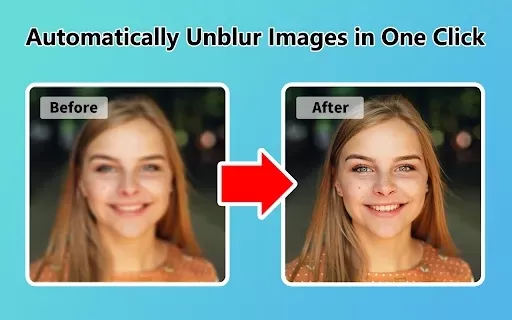
What is Unblur Image?Unblur Image is a smart Chrome extension that automatically sharpens blurry images. Leveraging advanced AI, it precisely identifies and corrects blurry sections in your photos, only enhancing the affected areas. Whether you're wo
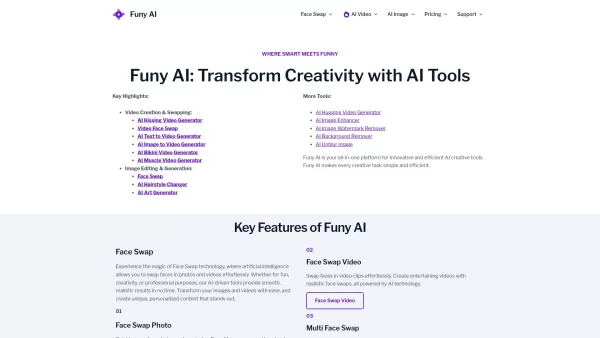
Welcome to the world of Funy AI—a playground for creators where imagination meets innovation. Whether you're looking to craft an AI kissing video, experiment with face swapping, or transform static images into dynamic stories, Funy AI has got you covered.
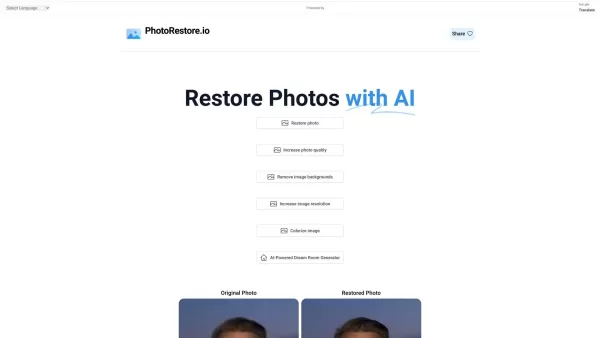
What is Photo Restore?PhotoRestore.io provides a specialized, free AI photo restoration service dedicated to reviving old, blurry, or damaged photographs. Utilizing advanced artificial intelligence, it repairs fading, enhances clarity, and improves o

What is Servant AI?Servant AI functions as your intelligent virtual assistant, integrating a wide array of tools and resources to simplify your daily tasks. Whether you're looking to erase backgrounds from photos, craft polished email signatures, or
RightHair-AI-AGE Product Information
What is RightHair-AI-AGE?
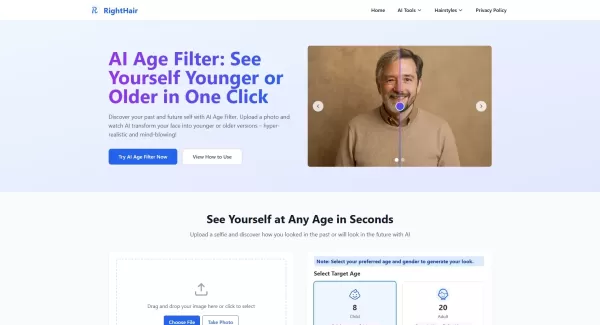
RightHair-AI-AGE is a free online tool that uses sophisticated AI models and scientifically established aging patterns to modify portraits, showing your appearance from the past or projecting it into the future. It handles all image processing on your device to ensure complete privacy, generating results instantly and allowing you to preview and download high-definition, age-transformed images without watermarks or usage limits. You can explore various age ranges from childhood to senior years and select a gender for a customized transformation.
Who will use RightHair-AI-AGE?
- Anyone curious to see realistic age progression or regression
- Social media enthusiasts looking for entertaining and believable age-morphed photos
- Creative professionals and artists working with age-related themes
- Families and individuals exploring hereditary traits and aging resemblances
- Tech and AI fans experimenting with next-generation imaging tools
How to use the RightHair-AI-AGE?
- Step 1: Upload a sharp, clear selfie in JPG, JPEG, PNG, or WebP format (max 20MB).
- Step 2: Pick your target age range and gender for the transformation.
- Step 3: Select 'Generate New Age' to create your modified photo.
- Step 4: Preview and then download the HD image or animated GIF.
- Step 5: Share your transformed photo on social platforms or save it for personal use.
Platform
- Web
RightHair-AI-AGE's Core Features & Benefits
The Core Features
- Instant age progression and regression powered by AI
- Supports various age brackets from child to elderly
- Gender selection for tailored results
- Local image processing with full privacy safeguards
- HD PNG and GIF downloads, free of watermarks
The Benefits
- Completely free, with unlimited transformations
- Lightning-fast processing, usually under 3 seconds
- Scientifically accurate aging, based on proven AI models
- No sign-up or subscription needed
- Full privacy—images stay on your device
RightHair-AI-AGE's Main Use Cases & Applications
- Crafting engaging social media content with age transformations
- Gaining personal insight by visualizing younger or older looks
- Fun, curiosity-driven photo editing and experimentation
- Inspiration and reference material for creative and art projects
- Educational examples of AI-driven facial modification technology
RightHair-AI-AGE's Pros & Cons
The Pros
Completely free, with no hidden costs or subscription fees
Highly accurate results powered by scientifically validated AI
Strong privacy controls with local-only image processing
Fast processing and a simple, intuitive interface
High-quality, watermark-free downloadable images
The Cons
Daily usage capped at two transformations per day
Only accessible via web; no dedicated mobile application
Limited to still photos—no video or live camera aging
Requires a clear, front-facing photo under good lighting for best results
Not intended for commercial API access or batch processing
FAQs of RightHair-AI-AGE
How accurate is the AI age progression?
The AI age progression is 95% accurate, relying on scientifically verified aging trends and advanced machine learning algorithms trained on thousands of real-life aging sequences.
Is my photo data safe and private?
Absolutely—all processing happens locally in your browser. Photos are never uploaded or stored externally.
What photo formats are supported?
Accepted formats are JPG, JPEG, PNG, and WebP. Maximum file size is 20MB.
Why is there a 2 times per day limit?
The daily limit helps us maintain server performance and offer a fast, free service to everyone.
Can I use the results commercially?
Yes—you hold full rights to use, share, and download your age-altered images for any purpose.
How long does processing take?
Most transformations finish in under 3 seconds, with more detailed images taking slightly longer.
What makes this AI Age Filter different?
It uses state-of-the-art Stable Diffusion technology, provides immediate results, processes images privately on-device, and is entirely free.
Can I see myself at any age?
Yes—choose from multiple age categories spanning childhood to senior years to see past or future versions of yourself.
Is registration required to use the tool?
No sign-up or registration is needed. Simply visit the site and start transforming photos instantly.
Can I download the results?
Yes—you can download results in high-definition PNG format or as animated GIFs.
RightHair-AI-AGE Company Information
- RightHair AI
- https://righthair.ai
- https://x.com/righthair_ai
- https://www.youtube.com/@righthair_ai
- https://www.instagram.com/righthair_ai
- https://www.tiktok.com/@righthair.ai
RightHair-AI-AGE Screenshot
2026 Curated Ranking: Explore top-rated AI video apps that transform your content. Must-try tools for creating engaging, viral-ready videos to boost your social media presence. XIX.AI tests performance, compares free vs paid, and provides weekly updates. Discover your perfect tool now.
 10 tools
 xix.ai


