


 Home
HomeRetouch4me
AI-powered retouching for natural-looking photos.



Helps TikTok sellers, brands, MCNs, and TAPs discover winning products and find creators.

HelpLook is an AI-powered all-in-one knowledge base tool that helps businesses quickly build knowledge bases, help centers, and...

Your AI Workspace

302.AI is an enterprise-grade AI resource platform with pay-as-you-go pricing, API access to a full range of AI models, and ready-to-use online applications.

剧火AI — AI Screenwriter + Director, a One-Person Short Drama Studio In one sentence, what is it?

What is VideoWatermarkRemover AI? VideoWatermarkRemover is a free, AI-powered online tool that quickly and easily removes watermarks from videos. It supports popular formats like MP4, MOV, and AVI, and can detect and erase both static and moving wate
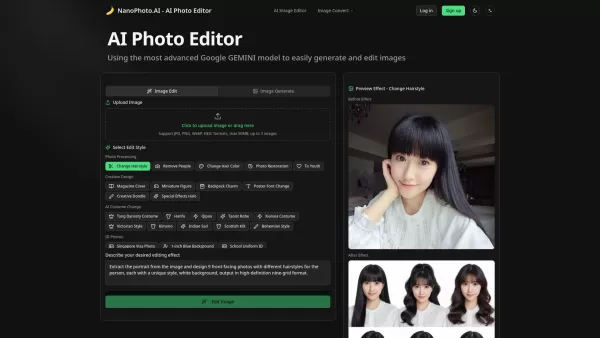
What is Nano Photo AI? NanoPhoto.AI is a professional AI photo editor, leveraging advanced AI models like Google GEMINI to deliver simple, efficient, and professional-grade photo processing. It provides a comprehensive suite of features, including AI
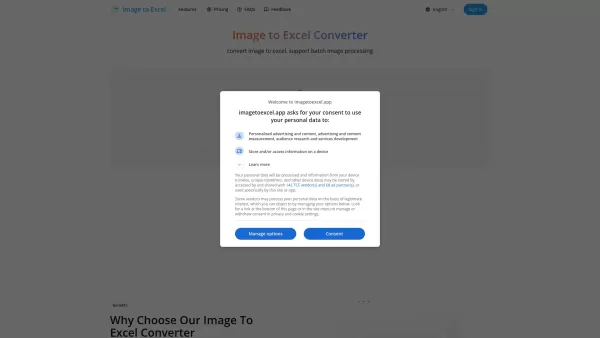
What is Image to Excel? imagetoexcel.app is a free online tool that transforms images with table data into editable Excel spreadsheets. It works with a range of image formats, including JPG, PNG, PDF, GIF, JFIF (JPEG), and HEIC. Powered by advanced A
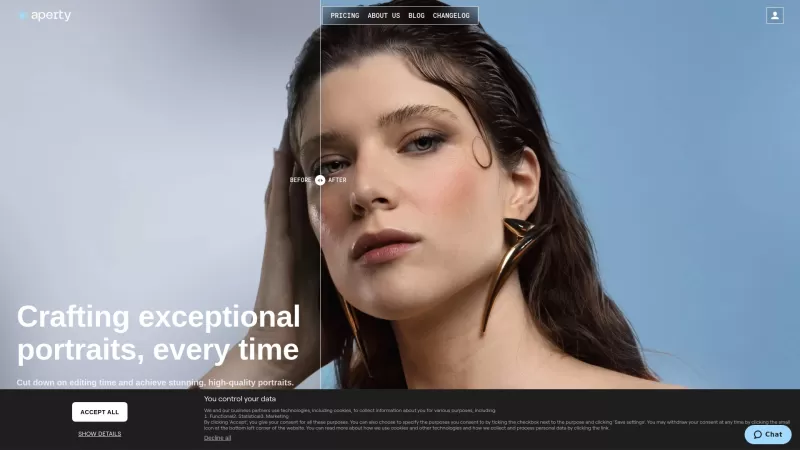
Ever wondered how photographers manage to make those portraits look so effortlessly stunning? Enter Aperty, a game-changer for portrait photographers. This isn't just another photo editor; it's your secret weapon to whip up high-quality portraits without
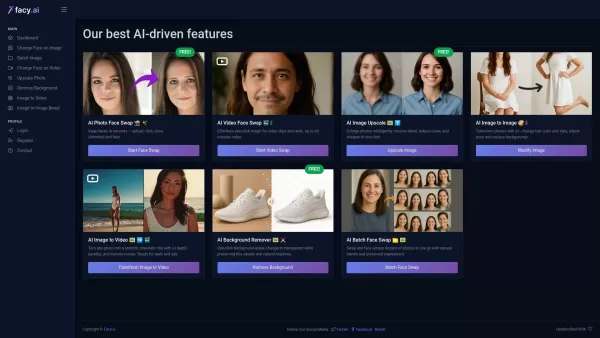
What is FACY AI - Face Swap Photos & Videos?FACY AI revolutionizes digital content creation with its cutting-edge artificial intelligence platform. This powerful toolset enables users to transform their visual content through photo and video manipula
Retouch4me Product Information
Ever wondered how to get that professional retouching look without spending hours in front of a screen? Enter Retouch4me, a suite of AI-powered plugins that mimic the finesse of a seasoned retoucher. What sets Retouch4me apart is its knack for preserving the original skin texture, ensuring your photos don't just look good—they look real.
How to Use Retouch4me?
Using Retouch4me is a breeze. Just upload your photos into the plugin, hit a button, and let the AI work its magic. Before you know it, you'll have beautifully retouched images ready to go.
Retouch4me's Core Features
Retouch4me isn't just about quick fixes; it's about giving you control and flexibility. With a user-friendly interface, you can tweak settings to your heart's content. The beauty of it? You can work with layers and keep your original file safe and sound. Plus, it's all about maintaining that natural look—no overdone, plastic-like results here. And the best part? It's all done with a single click, no internet needed, and you can even process multiple images at once. Talk about efficiency!
Retouch4me's Use Cases
Whether you're a photographer aiming for that professional polish or a retoucher looking to streamline your workflow, Retouch4me is your go-to. It's like having a retouching assistant that never sleeps, helping you save time and boost your productivity.
FAQ from Retouch4me
- What makes Retouch4me plugins different from other retouching software?
- Retouch4me stands out by mimicking the techniques of professional retouchers while keeping the skin texture natural and real.
- How do I use Retouch4me plugins?
- It's simple! Upload your photos, click a button, and let the AI do the retouching for you.
- Can I adjust the settings and go back to the original file?
- Absolutely! You can tweak settings and work with layers, all while keeping your original file intact.
- Do I need an internet connection to use Retouch4me plugins?
- Nope, no internet required. Retouch4me works offline, making it super convenient.
- Can I use Retouch4me plugins for batch processing?
- Yes, you can process multiple images at once, saving you heaps of time.
Need help or have questions? Drop a line to the Retouch4me support team at [email protected].
Retouch4me is brought to you by RELU OÜ, located at Vesivärava 50−201, Tallinn, Estonia 10 152. Curious about pricing? Check out their store at Retouch4me Pricing. And if you want to stay updated or see what they're up to, follow them on social media:
- Facebook: Retouch4me on Facebook
- YouTube: Retouch4me on YouTube
- LinkedIn: Retouch4me on LinkedIn
- Twitter: Retouch4me on Twitter
- Instagram: Retouch4me on Instagram
Retouch4me Screenshot

2026 Latest Best AI Body Reshape & Retouch Tools: Curated top-rated picks for natural realism. Adjust proportions and posture effortlessly. Our weekly updated rankings compare free vs paid options based on real-world tests. Discover powerful, game-changing tools to enhance your photos with must-try precision. Find your perfect match at XIX.AI and unlock your creative edge today.
 10 tools
 xix.ai
Discover the 2026 latest best AI tools to enhance smiles and whiten teeth in portraits. Explore our expertly curated, top-rated selection for flawless, natural-looking portrait edits. Get free vs paid comparisons, see real-world test results, and unlock your photo perfection. Start creating stunning portraits today with XIX.AI.
10 tools
xix.ai
2026 Latest: Explore our top-rated AI age reduction tools at XIX.AI. Discover must-try, powerful solutions for youthful image enhancements, including free vs paid comparisons and real-world tests. Curated weekly, these game-changing tools help you achieve natural, stunning results effortlessly. Unlock your best look today!
10 tools
xix.ai
2026 Latest: Explore our expert-curated list of the best AI photo editing software for natural body proportion enhancement. Uncover top-rated, game-changing tools compared in real-world tests to help you achieve polished, realistic edits. Find your perfect match with weekly updated rankings and explore free vs paid options. Discover your ideal editor now at XIX.AI.
10 tools
xix.ai
Discover the 2026 best AI body reshaping tools for stunning, natural proportion adjustments. XIX.AI delivers top-rated, curated comparisons and real-world tests to help you choose the perfect free or paid editor. Unlock your ideal look and explore our weekly updated rankings now.
10 tools
xix.ai
2026 Latest Selection of Top AI Tools for Natural Photo Enhancement. Discover the best AI photo editors that smartly beautify images, refine skin texture, and perfect lighting for stunning yet natural results. Our weekly updated ranking compares paid vs free options based on real-world tests. Explore these game-changing tools now on XIX.AI.
10 tools
xix.ai


