


 Home
HomeRemoteSpace
RemoteSpace: Secure Collaboration Platform



Helps TikTok sellers, brands, MCNs, and TAPs discover winning products and find creators.

HelpLook is an AI-powered all-in-one knowledge base tool that helps businesses quickly build knowledge bases, help centers, and...

Your AI Workspace

302.AI is an enterprise-grade AI resource platform with pay-as-you-go pricing, API access to a full range of AI models, and ready-to-use online applications.

剧火AI — AI Screenwriter + Director, a One-Person Short Drama Studio In one sentence, what is it?

What is Concisely?Concisely is a cutting-edge Chrome extension that redefines email reading by using advanced AI to deliver one-sentence summaries of entire email threads. It allows busy professionals to capture the main idea instantly, eliminating t

What is Lingban AI - Free AI Assistant?Lingban AI is a versatile, all-in-one AI solution designed for both individuals and professionals. It delivers a robust suite of tools including translation, interactive dialogue, writing assistance, AI-powered

What is Dosu?Dosu is an intelligent AI assistant that uses machine learning to simplify and automate user workflows. It handles repetitive activities, organizes emails, schedules appointments, and delivers tailored support. By utilizing natural langu

What is Rise?Rise is an advanced AI Agent designed to increase productivity by automating repetitive tasks and managing workflows effectively. It uses sophisticated algorithms to analyze user behavior, predict needs, and streamline operations. With R
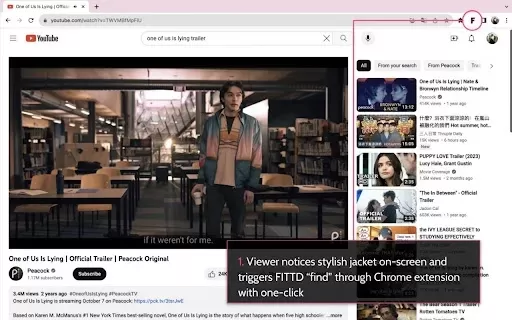
What is FITTD?FITTD is a powerful Chrome extension designed to help you get more done online. It provides a suite of features for managing tasks and automating workflows, keeping you organized and on track. From organizing bookmarks and tracking proj
RemoteSpace Product Information
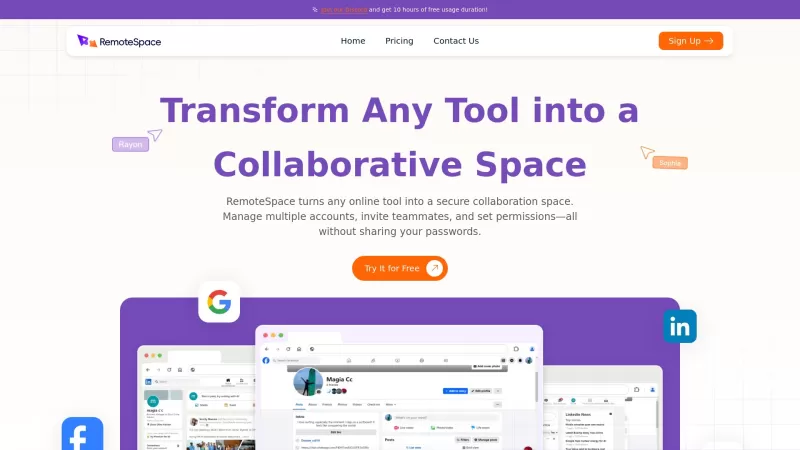
Ever wondered how you could turn your favorite online tools into a powerhouse of team collaboration? Let me introduce you to RemoteSpace—a game-changer in the world of digital teamwork. It's not just another platform; it's a revolutionary way to work together securely and efficiently, without the hassle of constantly sharing passwords.
With RemoteSpace, managing multiple accounts becomes a breeze. You can seamlessly switch between different accounts without the need to log in and out repeatedly. Imagine the boost in productivity when you can navigate your digital workspace with such ease! It's like having a super-efficient personal assistant, but for your entire team.
Collaboration? RemoteSpace has got you covered. It creates a dedicated space where your team can dive into projects, brainstorm, and even hold meetings in real-time, all without needing extra software. It's like having a virtual office where everyone can contribute, making communication smoother and more effective than ever.
The user interface? It's designed with you in mind. Whether you're part of a small startup or a large corporation, RemoteSpace's intuitive design ensures that everyone can jump right in without getting lost in a sea of confusing menus. It's all about keeping you focused on what matters—your work.
Security is no joke for RemoteSpace. They use top-notch security protocols, including AI diagnostics and a zero-trust architecture, to keep your data safe. Your activities stay isolated from your personal information, giving you peace of mind that your sensitive data is protected from prying eyes.
File management is another area where RemoteSpace shines. You can organize and manage files across various projects securely, ensuring that everyone has access to the documents they need, when they need them. Say goodbye to the chaos of lost files and hello to a more organized way of working.
And let's not forget about asynchronous collaboration. With RemoteSpace, your team can work together even if you're scattered across different time zones. It's all about flexibility, allowing everyone to contribute at their own pace, making sure no one feels left out.
Privacy is at the core of RemoteSpace. You can collaborate without worrying about your personal data being exposed. All interactions within the platform are kept confidential, ensuring that your team's discussions remain just that—private.
So, are you ready to transform the way your team collaborates? RemoteSpace is here to help you unlock new levels of productivity and creativity. It's an essential tool for any modern organization looking to stay ahead in today's competitive landscape. Embrace the future of teamwork with RemoteSpace, where the possibilities are endless!
RemoteSpace's Core Features
Ever wanted to share your tools without sharing your passwords? RemoteSpace lets you transform any tool into a collaborative space. You can set up a workspace and invite team members, sharing network login status securely. This means everyone can work together asynchronously, sharing data within the workspace without compromising security.
Staying logged into multiple accounts? No problem. Whether it's Gmail or Facebook, RemoteSpace allows you to access multiple accounts of the same type at once, without the need to switch browsers or profiles. It's like having multiple tabs open, but way more efficient.
Worried about privacy? RemoteSpace offers secure and anonymous browsing. Your personal data is completely isolated from the platform, and all connections are SSL-encrypted. This means you can browse anonymously, without fear of being tracked or targeted.
Each remote space operates independently in the cloud, ensuring that your data remains secure. This isolation means that even if something goes wrong in one space, it won't affect the others. It's like having a safety net for your digital workspace.
And when it comes to protecting your devices and network, RemoteSpace has you covered. With its zero-trust architecture and automatic restoration mechanism, even if a space gets infected, it won't spread to others. Plus, it'll automatically restore to a safe state next time you use it, keeping hackers at bay.
RemoteSpace's Use Cases
Imagine managing a marketing campaign across multiple platforms. With RemoteSpace, your team can access and manage these tools simultaneously without the headache of password sharing. It's like having a well-oiled machine, ensuring your campaign runs smoothly and efficiently.
In the world of e-commerce, maintaining a unified presence is key. RemoteSpace allows your team to manage product listings, respond to customer inquiries, and analyze sales data from a single account. It's like having a central hub for all your e-commerce activities, making your operations more responsive and efficient.
Customer support can be a challenge, but RemoteSpace makes it easier. Your team can share access to customer service tools, allowing everyone to address customer queries and issues without the need for cumbersome password sharing. It's like having a dedicated support team, all working together seamlessly.
Need to grant temporary access to third parties? RemoteSpace makes it simple. You can set permissions for consultants or freelancers, allowing them to contribute to projects without compromising sensitive data. It's like having a secure gateway for external collaboration.
And when it comes to training and onboarding new team members, RemoteSpace is a lifesaver. You can grant access to relevant accounts, allowing existing team members to guide newcomers through the tools and processes. It's like having a virtual mentor, ensuring a smooth transition into the team.
FAQ from RemoteSpace
- What does it mean to transform any tool into an online collaborative mode?
- Transforming any tool into an online collaborative mode with RemoteSpace means you can set up a shared workspace where team members can access and use the tool together. This allows for seamless collaboration without the need for password sharing, ensuring that everyone can work together efficiently and securely.
- In what scenarios can RemoteSpace be applied?
- RemoteSpace can be applied in various scenarios such as marketing campaign management, e-commerce operations, customer support coordination, granting temporary access to third parties, and team training and onboarding. It's versatile enough to fit into any collaborative workflow, making it a valuable tool for any organization.
- How do you ensure the security of my data in the cloud?
- RemoteSpace ensures the security of your data in the cloud through advanced security protocols, including AI diagnostics and a zero-trust architecture. Each remote space operates independently, ensuring data isolation. Additionally, all connections are SSL-encrypted, and the platform uses an automatic restoration mechanism to maintain a safe state, protecting your data from potential threats.
For more information on how to get in touch with RemoteSpace, including support email, customer service contact, and refund policies, please visit the contact us page.
RemoteSpace is a company dedicated to revolutionizing the way teams collaborate online. For more about RemoteSpace, please visit the about us page.
To log in to RemoteSpace, use the login link. If you're new to RemoteSpace, you can sign up using the sign up link.
Interested in RemoteSpace's pricing? Check out the pricing page for more details.
Stay connected with RemoteSpace on social media. Follow them on Facebook and subscribe to their YouTube channel. For direct communication, join their WhatsApp group.
RemoteSpace Screenshot

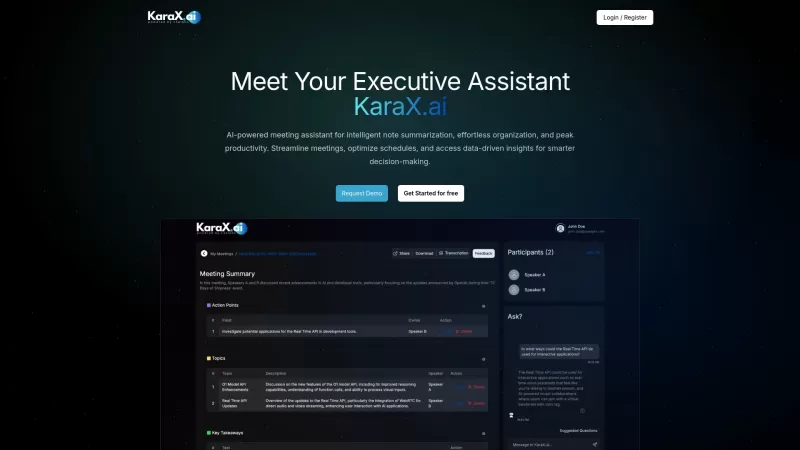
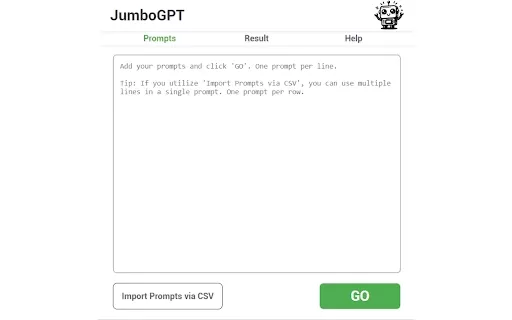

2026 Latest Best Top-rated AI Object Removal Editors for portraits travel product shots! XIX.AI curates a powerful game-changing collection regularly updated with weekly rankings. These tools offer real-world tests to help you quickly remove unwanted elements, boost content quality, and save tons of time without compromising results. Must-try for anyone aiming to unlock their AI creation edge. Explore now!
 10 tools
 xix.ai

2026 Latest Best Top-rated AI Text to Speech Tools for Online Courses are curated by XIX.AI based on rigorous real-world tests and weekly updated rankings. These powerful tools help creators deliver crystal-clear audio content effortlessly, boosting writing efficiency and streamlining course production. Check out the free vs paid comparison to find your perfect fit. Explore now to unlock your AI edge in online education.
10 tools
xix.ai

2026 Latest Best Top-Rated AI Blog Title Tools for Higher Click Through Rates! XIX.AI has carefully curated a powerful, game-changing collection of top tools that go through rigorous real-world tests. You’ll find a free vs paid comparison, weekly updated rankings, and detailed insights to help you boost your blog’s traffic efficiently. Must-try options are highlighted to help you unlock your AI edge. Explore now!
10 tools
xix.ai

2026 Latest Best Top-rated AI Task Routing Tools for Support Workflows! XIX.AI has curated a highly powerful game-changing collection of must-try solutions, all undergoing rigorous real-world tests and updated weekly. These tools streamline workflows, boost productivity, and help teams deliver faster, more efficient support. Explore now to discover your perfect tool and unlock your AI edge!
17 tools
xix.ai

2026 Latest Best Top-Rated AI Citation and Paper Summary Tools Curated by XIX.AI. Get powerful game-changing solutions for quick content creation, improved writing efficiency, and boosting productivity. We offer a free vs paid comparison along with real-world tests and weekly updated rankings to help you find the must-try tool that fits your needs perfectly. Explore now to Unlock your AI edge.
10 tools
xix.ai

2026 Latest Best Top-Rated AI Productivity Tools for Daily Work! XIX.AI has curated a powerful, game-changing selection based on rigorous weekly updated rankings and real-world tests. You’ll find must-try options that boost writing efficiency, streamline content creation, and help you overcome daily work challenges. Get a free vs paid comparison to find the perfect fit for your needs. Explore now to unlock your AI edge!
9 tools
xix.ai


RemoteSpace sounds like a game-changer for remote teams! I've tried so many collaboration tools that just add more complexity, but this seems to integrate everything we already use. The real test will be onboarding less tech-savvy team members 😅. Hoping it lives up to the hype and doesn't become another tab we forget to open!


