


 Home
HomeRelight Scene by Jector AI
AI Photo Enhancer: Professional Lighting & Shadows



Helps TikTok sellers, brands, MCNs, and TAPs discover winning products and find creators.

HelpLook is an AI-powered all-in-one knowledge base tool that helps businesses quickly build knowledge bases, help centers, and...

Your AI Workspace

302.AI is an enterprise-grade AI resource platform with pay-as-you-go pricing, API access to a full range of AI models, and ready-to-use online applications.

剧火AI — AI Screenwriter + Director, a One-Person Short Drama Studio In one sentence, what is it?
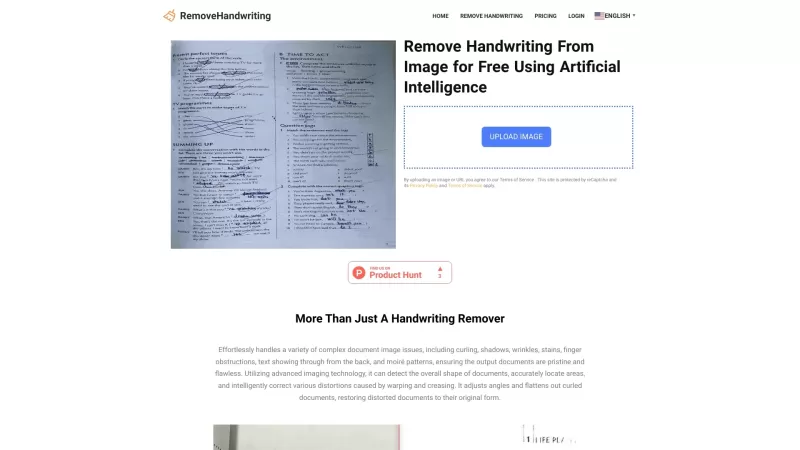
What is RemoveHandwriting?RemoveHandwriting is an innovative online AI tool designed to effortlessly remove handwriting from images and PDFs. It's like having a magic eraser for your documents, making them look clean and professional in no time!How to Use RemoveHandwriting?Using RemoveHandwriting is
What is Kontext AI? Kontext AI is a cutting-edge, free image generation and editing tool powered by FLUX Kontext technology. It uses context-aware artificial intelligence to produce, alter, and improve images with remarkable speed and precision. The
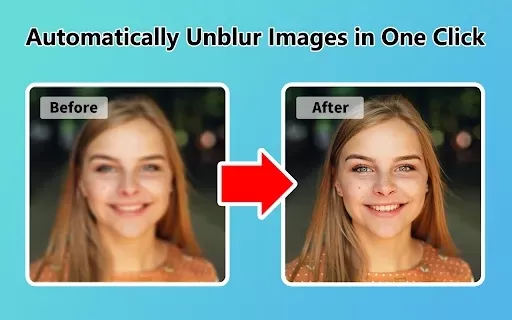
What is Unblur Image?Unblur Image is a smart Chrome extension that automatically sharpens blurry images. Leveraging advanced AI, it precisely identifies and corrects blurry sections in your photos, only enhancing the affected areas. Whether you're wo
What is Photo Restore?PhotoRestore.io provides a specialized, free AI photo restoration service dedicated to reviving old, blurry, or damaged photographs. Utilizing advanced artificial intelligence, it repairs fading, enhances clarity, and improves o

Ever wished you could transform your old, pixelated photos into crisp, stunning 4K masterpieces? Well, that's where the 4K AI Upscaler comes into play! This nifty online tool harnesses the power of advanced AI technology to breathe new life into your imag
Relight Scene by Jector AI Product Information
What is Relight Scene by Jector AI?
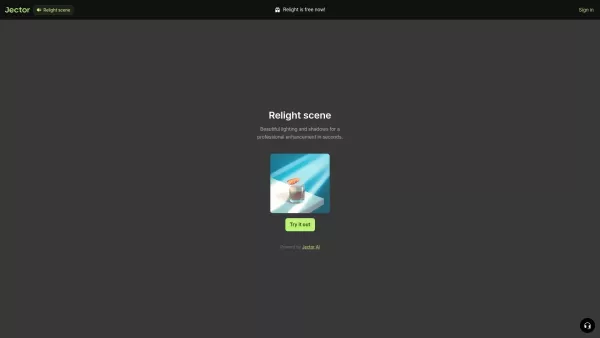
Relight is an advanced AI tool for fast and effective image enhancement. It uses dynamic lighting and shadow effects to turn everyday photos into professional-grade images. Ideal for product shots, portraits, or any visual content, this tool makes high-quality editing effortless. Upload your picture, pick from a range of lighting presets, and watch your image transform in seconds—perfect for e-commerce, marketing, or personal use.
Who uses Relight Scene by Jector AI?
- Photographers
- E-commerce sellers
- Content creators
- Marketers
- Social media influencers
How to use Relight Scene by Jector AI
- Step 1: Go to the Relight page on Jector AI.
- Step 2: Upload the image you want to improve.
- Step 3: Choose your preferred lighting and shadow effects.
- Step 4: Preview the result and tweak settings if needed.
- Step 5: Download the final image or share it online.
Platform
- Web
Relight Scene by Jector AI’s Core Features & Benefits
Core Features
- AI-powered lighting enhancements
- Customizable shadow controls
- Fast image processing
- User-friendly design
- High-resolution output
Key Benefits
- Saves time on photo editing
- Instant image quality improvement
- Boosts marketing appeal
- Works with diverse image types
- Easy to use for all experience levels
Main Use Cases & Applications
- Upgrading product photos
- Creating social media content
- Designing marketing visuals
- Enhancing real estate images
- Editing event photography
FAQs about Relight Scene by Jector AI
What types of images can I use with Relight?
It works with product photos, portraits, landscapes, and various other image types.
Do I need special skills to use Relight?
No, it's designed for everyone and requires no prior experience.
Can I use Relight commercially?
Yes, you can use it for commercial projects.
Is there a limit on image enhancements?
Refer to the official website for details on usage limits.
What formats does Relight support?
Relight supports standard formats like JPG and PNG.
Is there a trial version?
Visit Jector AI's website to learn about trial options.
What if I'm not happy with the final result?
You can re-edit your image as many times as necessary.
Does Relight offer real-time editing?
Yes, you can preview adjustments in real-time.
Do I need an account to use Relight?
An account may be needed for full access to features.
Can I download the enhanced images?
Yes, you can download your edited images.
Relight Scene by Jector AI Company Information
- Jector AI
- https://jector.ai/
- https://twitter.com/Jector_AI
- https://www.youtube.com/@jectorai/videos
- https://www.instagram.com/jector.ai/
- https://www.linkedin.com/showcase/jectorai/?trk=organization_guest_main-feed-card-text
Relight Scene by Jector AI Screenshot

Discover the 2026 latest best AI prompts for Midjourney on XIX.AI. Our top-rated, curated list helps you master hyper-realistic textures and commercial lighting styles. Explore must-try, powerful prompts based on real-world tests and weekly updated rankings. Unlock your creative edge and start creating stunning visuals today.
 10 tools
 xix.ai

Discover the 2026 best AI product relighting tools on XIX.AI. Our curated, top-rated selection helps you adjust studio lighting and reflections post-shoot seamlessly. Compare free vs paid options with real-world tests. Unlock your perfect editing tool today.
10 tools
xix.ai

Discover the 2026 best AI portrait relighting apps on XIX.AI. Our curated, top-rated picks help you fix harsh shadows and add stunning cinematic lighting to faces effortlessly. Compare free vs paid tools with real-world tests. Unlock your perfect photo-editing tool now!
10 tools
xix.ai
Discover the 2026 latest, top-rated AI prompts for 3D asset creation. XIX.AI's curated list helps you write precise descriptions for textures and 3D lighting, boosting your workflow efficiency. Explore our weekly updated, must-try prompts and unlock your creative potential today.
10 tools
xix.ai
2026 Latest Best AI 3D Scene Generators: Discover top-rated tools to instantly build photorealistic cinematic environments and lighting setups. Our curated list, powered by XIX.AI, features weekly updated rankings based on real-world tests and free vs paid comparisons. Unlock your creative potential and streamline your 3D workflow today. Explore now.
10 tools
xix.ai


