


 Home
HomeReiden AI
AI Workflow Optimization: Speed & Analysis



Helps TikTok sellers, brands, MCNs, and TAPs discover winning products and find creators.

HelpLook is an AI-powered all-in-one knowledge base tool that helps businesses quickly build knowledge bases, help centers, and...

Your AI Workspace

302.AI is an enterprise-grade AI resource platform with pay-as-you-go pricing, API access to a full range of AI models, and ready-to-use online applications.

剧火AI — AI Screenwriter + Director, a One-Person Short Drama Studio In one sentence, what is it?

Discover Plume AI: Your Ultimate Academic Writing AssistantAre you tired of struggling with your academic writing? Well, say hello to Plume AI, the innovative AI assistant that's here to revolutionize the way you write! Designed with students in mind, Plume AI harnesses the power of cutting-edge art

What is Toki? Toki is an AI-powered calendar assistant and time management tool that simplifies scheduling for both individuals and groups. It utilizes advanced AI to understand inputs from voice, text, images, and complex contexts, then organizes th
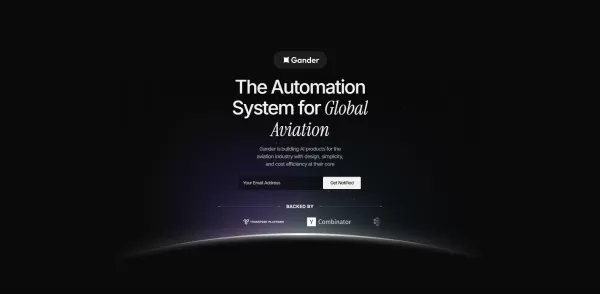
What is Gander AI?Gander AI utilizes advanced artificial intelligence to automate common tasks, boost efficiency, and deliver productivity-enhancing insights. It integrates into your workflow to handle scheduling, data entry, email communications, an
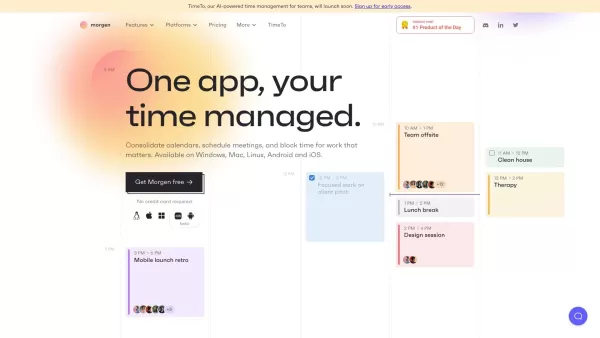
Ever feel like you're juggling a dozen calendars and to-do lists, trying to keep your life in order? Enter Morgen, your all-in-one solution for managing calendars, scheduling, and tasks. It's like having a personal assistant who's always on top of yo
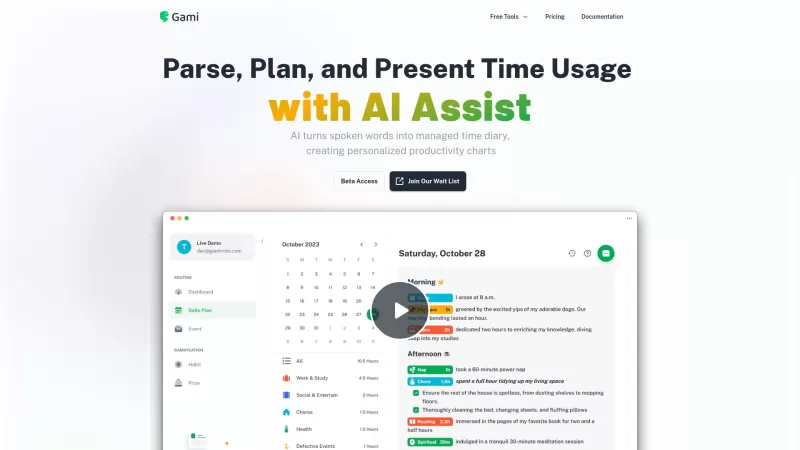
Ever felt like you're juggling too many tasks and losing track of time? Enter Gami—a nifty AI tool that's like a personal diary for your time management. It's not just about clocking hours; it's about understanding your day in a more natural, conversation
Reiden AI Product Information
What is Reiden AI?
Reiden AI is your intelligent keyboard shortcut assistant, designed to save you time by identifying opportunities to use shortcuts for enhanced efficiency. It operates seamlessly in the background, offering real-time analysis and personalized suggestions across more than 20 popular applications. Beyond boosting productivity, it helps minimize strain and lowers the risk of repetitive stress injuries.
Who uses Reiden AI?
- Software Engineers
- Graphic Designers
- Data Analysts
- Office Professionals
- Students
How to use Reiden AI
- Step 1: Install Reiden and allow it to run in the background.
- Step 2: Reiden monitors your workflow and suggests relevant keyboard shortcuts.
- Step 3: Apply the recommended shortcuts to save time and work more efficiently.
Platform
- Web
- macOS
- Windows
Reiden AI's Core Features & Benefits
Core Features
- Real-time Analysis
- Customized Suggestions
- Multi-App Support
- Ergonomic Efficiency
Benefits
- Boosted Productivity
- Less Strain
- Time Savings
- Streamlined Workflow
Reiden AI's Key Use Cases & Applications
- Office Productivity
- Software Development
- Graphic Design
- Data Analysis
- Educational Tasks
Reiden AI's Pros & Cons
Pros
Real-time workflow analysis offers immediate productivity gains
Personalized shortcut recommendations tailored to your usage patterns
Compatible with over 20 widely used applications
Focus on ergonomic design helps prevent repetitive strain injuries
Strong privacy protection, with data stored only on your device
Active Discord community for user interaction
Cons
No publicly accessible open-source code
Lack of transparent pricing information outside the main website
Currently no mobile app or browser extension
Limited details regarding platform compatibility and support
Pre-release status may involve stability or feature constraints
Reiden AI FAQs
What is Reiden AI?
Reiden AI is a productivity tool that analyzes your work in real time and recommends personalized keyboard shortcuts.
How does Reiden AI work?
Reiden AI runs quietly in the background, detects areas to boost efficiency, and suggests appropriate keyboard shortcuts.
Which platforms does Reiden AI support?
Reiden AI works on web, Windows, and macOS platforms.
Is my data safe with Reiden AI?
Yes, your data remains on your device unless you choose to share selective usage data for product improvement.
Can I use Reiden AI with multiple applications?
Yes, Reiden AI integrates smoothly with over 20 popular applications.
How much time can I save using Reiden AI?
Replacing just five clicks daily can save you an hour each year.
What type of suggestions does Reiden AI offer?
Reiden AI provides tailored keyboard shortcut recommendations based on your individual workflow.
Who can benefit from using Reiden AI?
Software engineers, graphic designers, data analysts, office professionals, and students can all benefit from Reiden AI.
How do I get started with Reiden AI?
Install Reiden, let it run in the background, and begin receiving personalized shortcut suggestions.
Can I join the Reiden community?
Yes, you can join the Reiden community on Discord to engage with other users and exchange tips.
Reiden AI Company Information
Reiden AI Screenshot




2026 Latest Best AI Technical SEO Tools: Discover top-rated solutions to automate schema markup generation and conduct comprehensive Core Web Vitals audits. Our curated list, powered by XIX.AI, compares free vs paid options based on real-world tests. Boost your site's performance and structured data effortlessly. Find your perfect technical SEO assistant today.
 10 tools
 xix.ai

2026 Latest best AI SEO platforms. Discover top-rated curated tools for complete end-to-end optimization and growth workflow. Get free vs paid comparisons with weekly updated rankings based on real-world tests. Streamline your SEO strategy, boost traffic, and dominate search rankings today. Find your perfect tool on XIX.AI!
10 tools
xix.ai


