


 Home
HomeRefact AI



Helps TikTok sellers, brands, MCNs, and TAPs discover winning products and find creators.

HelpLook is an AI-powered all-in-one knowledge base tool that helps businesses quickly build knowledge bases, help centers, and...

Your AI Workspace

302.AI is an enterprise-grade AI resource platform with pay-as-you-go pricing, API access to a full range of AI models, and ready-to-use online applications.

剧火AI — AI Screenwriter + Director, a One-Person Short Drama Studio In one sentence, what is it?
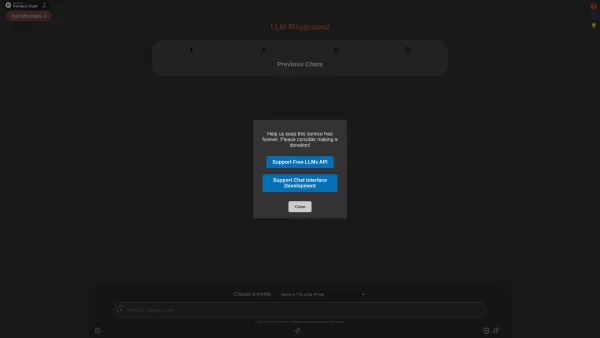
Ever wondered what the buzz about Large Language Models (LLMs) is all about? Well, let me introduce you to LLM Playground—your go-to spot for diving into the world of language models without spending a dime. This platform is like a sandbox where you can p

Build Your Own AI is your go-to resource for diving into the world of AI development. It's all about giving developers the tools and know-how to create real-world AI applications, with a special focus on Large Language Models (LLMs) and the art of prompt engineering. Whether you're a seasoned coder
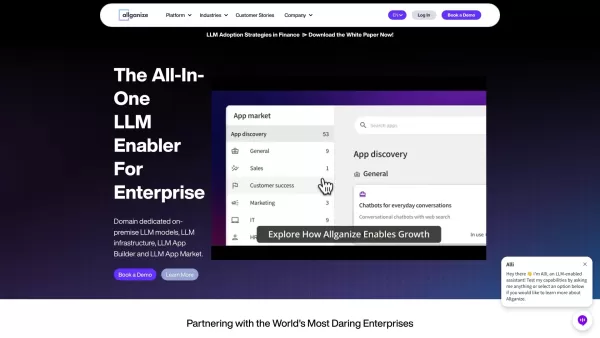
Who Is Allganize Inc.? Allganize Inc. stands out as a trailblazer in the world of enterprise AI solutions, specializing in creating tools that enable businesses to harness the power of large language models (LLMs). Their offerings go beyond just providing

Ever wondered how businesses can harness the power of AI to communicate and analyze data in a way that feels uniquely tailored to their needs? Enter ZBrain, a dynamic AI platform designed to do just that. Imagine having your very own personalized ChatGPT

What is LM Studio? Think of LM Studio as your personal assistant for all things AI. It’s a super user-friendly tool built to make working with open-source large language models (LLMs) a breeze. Instead of dealing with complicated setups or needing advance
Refact AI Product Information
What is Refact AI?
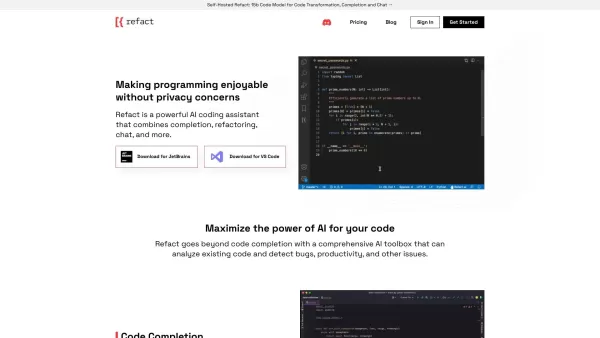
Refact AI is a powerful coding assistant that uses artificial intelligence to help developers work faster and smarter. It offers smart code suggestions, tools to improve your code, and a helpful chat feature, all while integrating smoothly with popular tools like VS Code and JetBrains.
Who will use Refact AI?
- Software Developers
- Engineering Teams
- Tech Startups
- Individual Programmers
How to use Refact AI?
- Step 1: Go to the Refact AI website and download the plugin for your IDE (like VS Code or JetBrains).
- Step 2: Install the plugin and follow the setup guide in your development environment.
- Step 3: Launch your project and begin writing code as usual.
- Step 4: Get AI-powered code completions by typing and accepting the suggestions that appear.
- Step 5: Use the built-in refactoring tools to clean up and enhance your code.
- Step 6: Ask the interactive chat for help with coding problems or best practices.
- Step 7: Always review and test the AI-generated code to make sure it works correctly.
Platform
- Web
- macOS
- Windows
- Linux
Refact AI's Core Features & Benefits
The Core Features
- Intelligent Code Completion
- Code Refactoring Tools
- Interactive AI Chat
- Support for Multiple AI Models
- Seamless IDE Integration
The Benefits
- Increases Developer Productivity
- Speeds Up Coding Tasks
- Enhances Code Quality
- Easy to Use in Your Existing Workflow
- Cost-Effective for Teams
Refact AI's Main Use Cases & Applications
- Writing Code Faster with Auto-Complete
- Restructuring and Improving Existing Code
- Getting Real-Time Programming Help
- Boosting Team Efficiency on Projects
Refact AI's Pros & Cons
The Pros
Open-source and offers self-hosting for full control and data privacy.
Works with many programming languages and major development tools.
Its autonomous agent can manage complete coding tasks, dramatically speeding up work.
Customizable AI that adapts and learns from how you use it.
Enterprise-ready with priority support and options for on-site deployment.
Includes multiple AI tools for generating, reviewing, and converting code.
The Cons
Setting up the self-hosted version may require technical knowledge.
The free plan has usage limits that might not suit high-volume users.
Relies on external AI services, which could lead to additional API costs.
No dedicated mobile apps or browser extension available at this time.
Refact AI's Pricing
Has free plan | YES |
|---|---|
Free trial details | |
Pricing model | Freemium |
Is credit card required | No |
Paid from | 10 USD |
Has lifetime plan | No |
Billing frequency | Monthly |
Details of Pricing Plan
Free
0 USD
- Access to all Autonomous AI Agent features
- 5,000 coins monthly for AI Agent & Chat
- In-IDE chat that understands your codebase
- Models like Claude 4, GPT 4.1, 4o, Gemini 2.5 Pro, and more
- Unlimited fast code auto-completion
- Codebase-aware search (RAG)
- Option to self-host
- Support via Discord
Pro
10 USD
- Everything in Free, plus:
- 10,000 coins refreshed every month
- Buy more coins from $5 minimum ($1 = 1,000 coins)
- Advanced reasoning capabilities
Enterprise
USD
- Private Server
- LLM fine-tuning on your company's code and data
- Optimized for multiple GPUs with load balancing
- Detailed access controls and usage statistics
- On-premises or private cloud deployment
- Full code privacy with no data sent out
- Priority customer support
For the latest prices, please visit: https://refact.ai/pricing/
FAQs of Refact AI
What is Refact?
Refact AI is an open-source coding assistant that uses AI to help developers write better code faster through completions, refactoring tools, and chat support.
Which IDEs does Refact support?
Refact AI supports popular integrated development environments like VS Code and JetBrains.
How does Refact improve coding efficiency?
It improves efficiency by offering real-time code suggestions, providing tools to refine your code, and giving instant answers via an AI chat assistant.
What programming languages are supported?
Refact AI supports a wide variety of programming languages, depending on the AI models it uses.
Is Refact suitable for teams?
Yes, it's excellent for teams, helping to increase overall productivity with features that improve code quality and streamline collaboration.
How can I install Refact?
Install it by visiting the official Refact AI website, downloading the plugin for your IDE, and following the simple setup instructions.
Can I customize the AI models used?
Yes, you can customize Refact AI with various open-source and proprietary large language models to fit your specific needs.
What are the pricing options?
Refact AI offers several plans, including custom enterprise solutions. Check their pricing page for the most current details.
Is there a free version available?
Yes, there is a free version with core features. More advanced capabilities are available in their paid plans.
How can I get support for Refact?
For support, you can contact Refact AI through their official website or support email for assistance and resources.
Refact AI Company Information
Website:
https://refact.aiCompany Name:
RefactSupport Email:
Facebook:
NAX(Twitter):
NAYouTube:
NAInstagram:
NATiktok:
NALinkedIn:
https://uk.linkedin.com/company/refactai
Refact AI Screenshot



2026 Latest Best Top-rated AI Text to Speech Tools for Online Courses are curated by XIX.AI based on rigorous real-world tests and weekly updated rankings. These powerful tools help creators deliver crystal-clear audio content effortlessly, boosting writing efficiency and streamlining course production. Check out the free vs paid comparison to find your perfect fit. Explore now to unlock your AI edge in online education.
 10 tools
 xix.ai

2026 Latest Best Top-Rated AI Blog Title Tools for Higher Click Through Rates! XIX.AI has carefully curated a powerful, game-changing collection of top tools that go through rigorous real-world tests. You’ll find a free vs paid comparison, weekly updated rankings, and detailed insights to help you boost your blog’s traffic efficiently. Must-try options are highlighted to help you unlock your AI edge. Explore now!
10 tools
xix.ai

2026 Latest Best Top-rated AI Task Routing Tools for Support Workflows! XIX.AI has curated a highly powerful game-changing collection of must-try solutions, all undergoing rigorous real-world tests and updated weekly. These tools streamline workflows, boost productivity, and help teams deliver faster, more efficient support. Explore now to discover your perfect tool and unlock your AI edge!
17 tools
xix.ai

2026 Latest Best Top-Rated AI Citation and Paper Summary Tools Curated by XIX.AI. Get powerful game-changing solutions for quick content creation, improved writing efficiency, and boosting productivity. We offer a free vs paid comparison along with real-world tests and weekly updated rankings to help you find the must-try tool that fits your needs perfectly. Explore now to Unlock your AI edge.
10 tools
xix.ai

2026 Latest Best Top-Rated AI Productivity Tools for Daily Work! XIX.AI has curated a powerful, game-changing selection based on rigorous weekly updated rankings and real-world tests. You’ll find must-try options that boost writing efficiency, streamline content creation, and help you overcome daily work challenges. Get a free vs paid comparison to find the perfect fit for your needs. Explore now to unlock your AI edge!
9 tools
xix.ai

2026 Latest Best Top-Rated AI Systematic Review Tools for Research Screening are here on XIX.AI! This curated collection includes powerful, game-changing solutions that go through rigorous real-world tests to deliver accurate results. We also offer a free vs paid comparison along with weekly updated rankings to help you find the must-try option that boosts your research efficiency significantly. Explore now to unlock your AI edge in academic work!
11 tools
xix.ai


