


 Home
HomeReceiptor.ai



Helps TikTok sellers, brands, MCNs, and TAPs discover winning products and find creators.

HelpLook is an AI-powered all-in-one knowledge base tool that helps businesses quickly build knowledge bases, help centers, and...

Your AI Workspace

302.AI is an enterprise-grade AI resource platform with pay-as-you-go pricing, API access to a full range of AI models, and ready-to-use online applications.

剧火AI — AI Screenwriter + Director, a One-Person Short Drama Studio In one sentence, what is it?
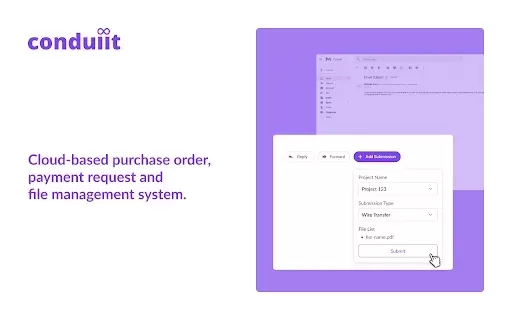
What is Conduiit?Conduiit revolutionizes your invoice workflow by automatically extracting and processing invoice attachments directly from your Gmail. It employs secure, read-only access to gather data and utilizes advanced Doc AI technology to prec
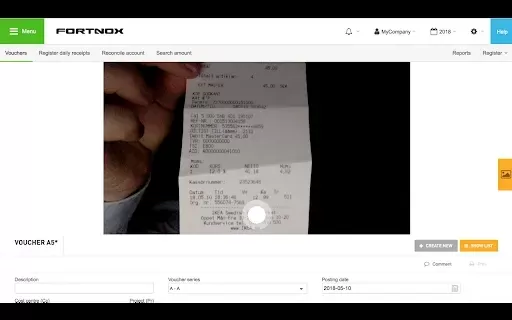
What is Astor.ai Data Entry for Chrome?Astor.ai Data Entry for Chrome is a powerful browser extension designed for financial document processing. It automatically extracts data from invoices and receipts, converting it into a structured format compat
What is RESIPT.AI?Resipt.ai offers an automated invoice management solution that uses artificial intelligence to simplify the process of adding invoices into various accounting platforms. It eliminates tedious manual data entry, minimizes errors, and
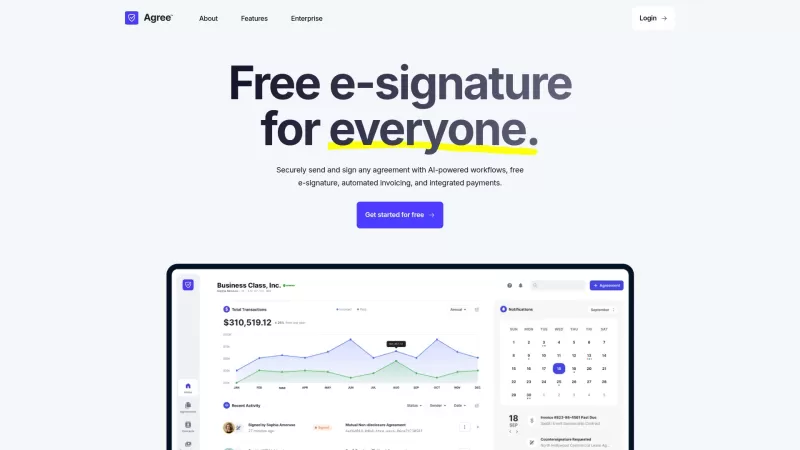
Ever found yourself tangled in the web of contract management? Well, let me introduce you to Agree.com—a game-changer in the world of digital agreements. This platform isn't just another tool; it's your new best friend for creating, managing, and signing

Ever found yourself tangled up in the mess of invoices and payments, wishing there was an easier way? Enter MyInvoicer, your new best friend for streamlining all things invoicing. Whether you're running a bustling business, freelancing, or managing an NGO
Receiptor.ai Product Information
What is Receiptor.ai?
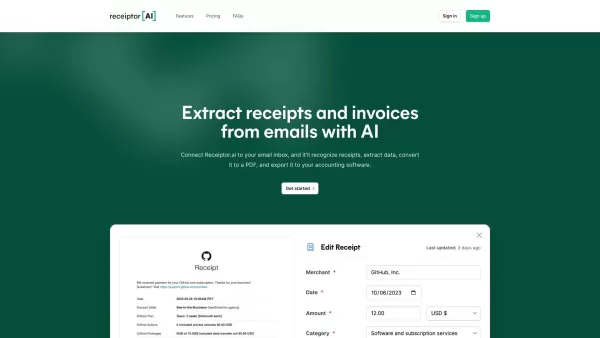
Receiptor.ai is an AI-driven tool that automates the extraction and sorting of receipts and invoices directly from your email. Using sophisticated algorithms, it scans your email history, detects relevant financial documents, and arranges them into a structured format that works seamlessly with major accounting platforms. Ideal for accountants, bookkeepers, and businesses of all sizes, Receiptor.ai enhances expense tracking and tax preparation, ensuring you never miss a document.
Who can benefit from Receiptor.ai?
- Accountants
- Bookkeepers
- Small Business Owners
- Freelancers
- Individuals handling personal finances
- Corporate Finance Teams
How to get started with Receiptor.ai
- Step 1: Create your Receiptor.ai account on their official site.
- Step 2: Link your email account securely to Receiptor.ai.
- Step 3: Let Receiptor.ai scan and retrieve receipts and invoices from your inbox.
- Step 4: Check and sort the extracted documents as required.
- Step 5: Connect with your chosen accounting software for streamlined financial management.
Platform
- Web
Receiptor.ai's Core Features & Benefits
The Core Features
- Automated receipt and invoice extraction
- Seamless email integration
- Smart document categorization
- Compatibility with popular accounting software
- Data export in ZIP and CSV formats
The Benefits
- Reduces manual work and saves time
- Ensures no receipt or invoice goes unnoticed
- Simplifies tax filing and expense monitoring
- Keeps financial documents neatly organized
Receiptor.ai's Main Use Cases & Applications
- Expense tracking for small businesses
- Tax preparation support for accountants
- Personal finance organization
- Automated bookkeeping for freelancers
- Support for corporate finance teams
Receiptor.ai's Pros & Cons
The Pros
Automates the extraction and categorization of receipts and invoices, saving valuable time.
Works with multiple email platforms and integrates with WhatsApp.
Scans past emails to capture historical receipts.
Integrates smoothly with leading accounting software for efficient workflows.
Supports multiple languages and currencies for global use.
Offers data export in various formats suitable for accounting needs.
Has passed security reviews and adheres to Google API policies.
The Cons
Not open source, which limits customization and community contributions.
No presence in public mobile or desktop app stores.
Pricing information requires visiting an external page; cost structure isn't fully detailed here.
No explicit drawbacks mentioned on the site; potential users might want more trial or demo access.
Receiptor.ai's Pricing
Has free plan | No |
|---|---|
Free trial details | |
Pricing model | One-time |
Is credit card required | No |
Paid from | 0 |
Has lifetime plan | YES |
Billing frequency | One-time |
Details of Pricing Plan
Retroactively scan all your past emails
0
- Scan emails from any time in the past
- Ideal for tax filing or clearing backlogs
- One-time payment, no ongoing charges
- Flexible pricing with options to exclude specific addresses or domains
- Unlimited document extraction
- Integration with Xero, QuickBooks, Expensify, and more
- Export to CSV, PDF, and ZIP
For the latest pricing, visit: https://receiptor.ai/pricing
FAQs of Receiptor.ai
What email platforms does Receiptor AI support?
Receiptor AI supports Gmail and Microsoft Outlook.
Can Receiptor AI integrate with my accounting software?
Yes, it integrates with leading accounting software like Xero, QuickBooks, and Expensify.
Is there a free trial available?
Yes, Receiptor AI provides a free trial for new users to explore its features.
How does Receiptor AI ensure the privacy of my email data?
Receiptor AI employs secure encryption to protect your email data and only extracts essential information.
What file formats can I export my data in?
You can export your data in ZIP and CSV formats.
How accurate is the receipt extraction process?
Receiptor AI uses advanced algorithms to deliver highly accurate extraction of receipts and invoices.
Can Receiptor AI handle receipts and invoices in different languages?
Currently, Receiptor AI mainly supports documents in English.
Are there any limits on the number of emails it can scan?
Scanning limits vary by subscription plan. Check the pricing page for specifics.
How do I contact customer support?
Reach customer support via email at [email protected] or through the support page on the website.
Does Receiptor AI offer any mobile applications?
Currently, Receiptor AI is accessible as a web application only.
Receiptor.ai Company Information
Website:
https://receiptor.aiCompany Name:
Receiptor AISupport Email:
Facebook:
https://m.facebook.com/61556799789378X(Twitter):
https://twitter.com/receiptoraiYouTube:
https://www.youtube.com/@ReceiptorAIInstagram:
https://www.instagram.com/romeobellon/Tiktok:
NALinkedIn:
https://www.linkedin.com/company/receiptor-ai
Receiptor.ai Screenshot


2026 Latest Best Manga AI Background Generators Ranked Top-Rated! This curated collection showcases powerful game-changing tools perfect for creating high-quality chapter backgrounds, book covers, and promotional art. Every option has undergone rigorous real-world tests to ensure reliability. Get a free vs paid comparison along with detailed insights. Explore now to discover your perfect tool and unlock your AI edge in manga creation.
 6 tools
 xix.ai

2026 Latest Best Top-rated AI Object Removal Editors for portraits travel product shots! XIX.AI curates a powerful game-changing collection regularly updated with weekly rankings. These tools offer real-world tests to help you quickly remove unwanted elements, boost content quality, and save tons of time without compromising results. Must-try for anyone aiming to unlock their AI creation edge. Explore now!
10 tools
xix.ai

2026 Latest Best Top-rated AI Text to Speech Tools for Online Courses are curated by XIX.AI based on rigorous real-world tests and weekly updated rankings. These powerful tools help creators deliver crystal-clear audio content effortlessly, boosting writing efficiency and streamlining course production. Check out the free vs paid comparison to find your perfect fit. Explore now to unlock your AI edge in online education.
10 tools
xix.ai

2026 Latest Best Top-Rated AI Blog Title Tools for Higher Click Through Rates! XIX.AI has carefully curated a powerful, game-changing collection of top tools that go through rigorous real-world tests. You’ll find a free vs paid comparison, weekly updated rankings, and detailed insights to help you boost your blog’s traffic efficiently. Must-try options are highlighted to help you unlock your AI edge. Explore now!
10 tools
xix.ai

2026 Latest Best Top-rated AI Task Routing Tools for Support Workflows! XIX.AI has curated a highly powerful game-changing collection of must-try solutions, all undergoing rigorous real-world tests and updated weekly. These tools streamline workflows, boost productivity, and help teams deliver faster, more efficient support. Explore now to discover your perfect tool and unlock your AI edge!
17 tools
xix.ai

2026 Latest Best Top-Rated AI Citation and Paper Summary Tools Curated by XIX.AI. Get powerful game-changing solutions for quick content creation, improved writing efficiency, and boosting productivity. We offer a free vs paid comparison along with real-world tests and weekly updated rankings to help you find the must-try tool that fits your needs perfectly. Explore now to Unlock your AI edge.
10 tools
xix.ai


