


 Home
HomeRecap AI
Recap.ai: Instant Meeting Summaries & Workflow Tool



Helps TikTok sellers, brands, MCNs, and TAPs discover winning products and find creators.

HelpLook is an AI-powered all-in-one knowledge base tool that helps businesses quickly build knowledge bases, help centers, and...

Your AI Workspace

302.AI is an enterprise-grade AI resource platform with pay-as-you-go pricing, API access to a full range of AI models, and ready-to-use online applications.

剧火AI — AI Screenwriter + Director, a One-Person Short Drama Studio In one sentence, what is it?

What is AI Excel Bot?AI Excel Bot uses advanced AI algorithms to help you build complex Excel and Google Sheets formulas in seconds. By leveraging natural language processing, it makes writing, editing, and understanding formulas much easier. Whether

What is GPT2Markdown?GPT2Markdown is a Chrome extension that streamlines the process of exporting your ChatGPT conversations into Markdown format. With a single click, it allows you to download your chat history as a Markdown (.md) file directly to y

AI Chatbot Hub is your go-to no-code platform for crafting and deploying AI chatbots that streamline customer interactions and boost internal operations. No need to be a coding whiz—just dive in and start creating chatbots that can capture leads, schedule

What is Sakura AI?Sakura AI harnesses cutting-edge artificial intelligence to provide a conversational interface that helps with a wide range of tasks, from managing schedules to answering questions. It uses advanced voice recognition and understandi

Ever wished for a trusty sidekick to boost your productivity while you surf the web? Well, say hello to the MaxAI AI Chrome extension! This little gem is your go-to for real-time suggestions and a whole suite of AI tools that can transform your online exp
Recap AI Product Information
What is Recap AI?
Recap.ai transforms your meetings into immediate, actionable summaries with the help of AI. It identifies and organizes the most critical moments from your conversations, delivering clear and concise summaries. This approach saves you valuable time, ensures you capture every important detail, and helps maintain peak productivity. Whether you're working solo or with a team, Recap.ai seamlessly fits into your process, making it an adaptable tool for any busy professional. You can access your summaries on any device, reviewing them whenever and wherever it's convenient for you.
Who will use Recap AI?
- Professionals with demanding schedules
- Entrepreneurs & business owners
- Managers and executives
- Team leaders and supervisors
- Project managers and coordinators
How to use the Recap AI?
- Step 1: Create an account on the Recap.ai website.
- Step 2: Record your meeting using the Recap.ai application.
- Step 3: Let Recap.ai analyze and generate a summary of the discussion.
- Step 4: Examine the automatically created meeting summary.
- Step 5: Implement next steps using the insights provided.
Platform
- Web
- iOS
Recap AI's Core Features & Benefits
The Core Features
- AI-generated meeting summaries
- Accessibility across devices
- Integrated workflow automation
- Automatic tracking of key discussion points
- Actionable insights and takeaways
The Benefits
- Reduces time spent on note-taking
- Helps you concentrate on priority tasks
- Boosts overall efficiency
- Flexible for individual or group projects
- Delivers impactful and useful meeting recaps
Recap AI's Main Use Cases & Applications
- Automating meeting minutes
- Streamlining project status updates
- Enhancing team collaboration
- Documenting client meetings
- Monitoring action items and next steps
Recap AI's Pros & Cons
The Pros
Get AI-powered meeting summaries instantly, saving time and boosting productivity.
Integrated workflows make it easy to track important moments without extra effort.
Seamless cross-device functionality guarantees access wherever you are.
Begin for free with clear, scalable pricing options for growing needs.
Built to support both solo professionals and collaborative teams.
Regular updates introduce new features for an improved experience.
The Cons
There is no indication the software is open-source.
Information regarding integrations with other tools or platforms is limited.
Pricing details beyond the free tier are not clearly specified.
No direct links to alternative app stores or community forums are provided.
Recap AI's Pricing
Has free plan | YES |
|---|---|
Free trial details | |
Pricing model | Freemium |
Is credit card required | No |
Paid from | |
Has lifetime plan | No |
Billing frequency |
For the latest pricing information, visit: https://getrecap.ai
FAQs of Recap AI
What is Recap.ai?
Recap.ai is an AI tool that instantly converts your meetings into practical, ready-to-use summaries.
How do I start using Recap.ai?
Simply register on the Recap.ai website, record your meeting, and allow the AI to create a summary for you.
Is Recap.ai compatible with all devices?
Recap.ai is accessible on both web browsers and iOS devices.
Can Recap.ai be used for team collaboration?
Absolutely, Recap.ai is designed to facilitate both individual work and team collaboration.
Is there a cost to get started with Recap.ai?
You can begin using Recap.ai at no cost, with pricing that scales transparently as your needs grow.
What kind of meetings can Recap.ai summarize?
Recap.ai can handle a variety of meetings, from project check-ins and client calls to internal team collaborations.
How does Recap.ai save time?
By automating the meeting summarization process, Recap.ai frees you up to concentrate on high-value tasks.
Does Recap.ai provide actionable insights?
Yes, it delivers detailed summaries designed to prompt specific actions and drive meaningful results.
How often does Recap.ai update its features?
The Recap.ai team frequently releases updates and new functionalities to improve the user experience.
Is Recap.ai suitable for solo entrepreneurs?
Yes, Recap.ai is perfectly suited for individuals and adjusts to fit your personal workflow.
Recap AI Company Information
- Recap AI
- https://getrecap.ai
Recap AI Screenshot
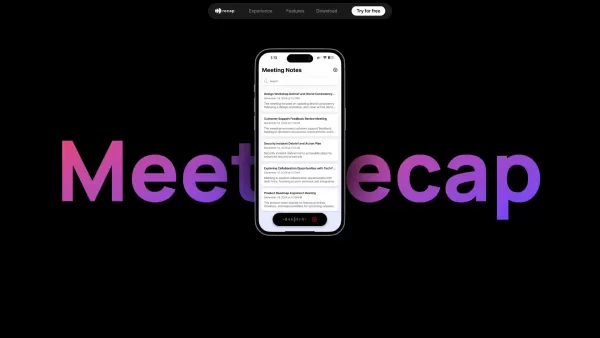
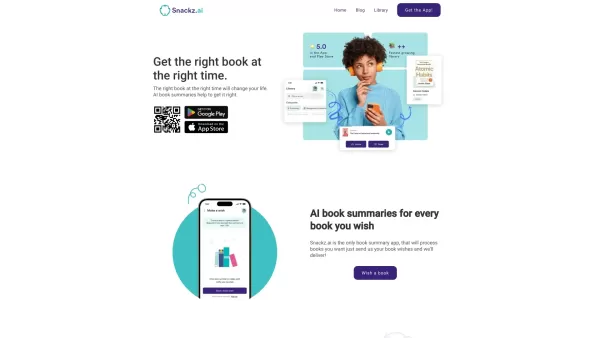
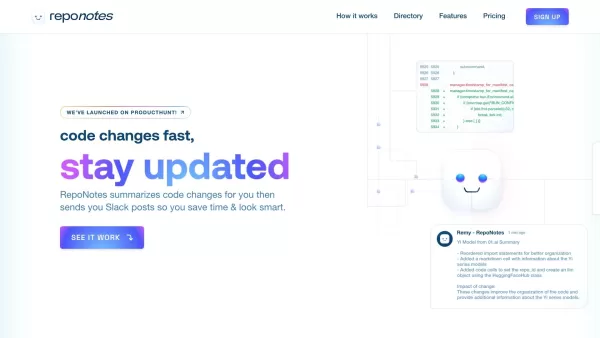
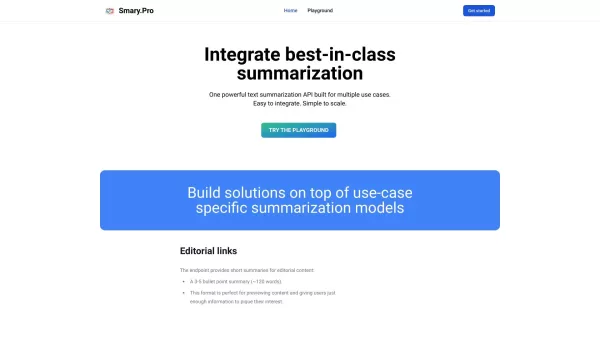
2026 Latest Best Google Meet AI Summary Tools Ranked Top-Rated! This curated collection features powerful game-changing solutions that automatically extract key action items, follow-ups, and clear shared recaps from every meeting. We conduct real-world tests to ensure reliability, offering a free vs paid comparison across all options. XIX.AI stands out as a must-try choice for boosting productivity. Explore now to discover your perfect tool and unlock your AI edge!
 12 tools
 xix.ai

Discover the 2026 best AI chat assistants for teams. Our curated, top-rated selection helps streamline Slack & Teams conversations with instant summaries, boosting productivity. Compare free vs paid options with real-world tests. Explore your perfect team collaboration tool now on XIX.AI.
10 tools
xix.ai

2026 Latest: Discover the best AI co-pilots for 1-on-1s, curated by XIX.AI. Our top-rated tools help managers generate confidential performance review summaries safely and efficiently. Compare free vs paid options with real-world tests. Unlock structured, productive conversations and streamline your feedback process today.
10 tools
xix.ai


