


 Home
HomeRead Something - Chrome Extension
AI Chrome Extension Enhances Web Reading



Helps TikTok sellers, brands, MCNs, and TAPs discover winning products and find creators.

HelpLook is an AI-powered all-in-one knowledge base tool that helps businesses quickly build knowledge bases, help centers, and...

Your AI Workspace

302.AI is an enterprise-grade AI resource platform with pay-as-you-go pricing, API access to a full range of AI models, and ready-to-use online applications.

剧火AI — AI Screenwriter + Director, a One-Person Short Drama Studio In one sentence, what is it?

Ever wondered what it's like to try on a whole new wardrobe without leaving your room? Grey's Secret Room brings that fantasy to life with its cutting-edge AI technology. This innovative platform allows you to experiment with different styles and even swa
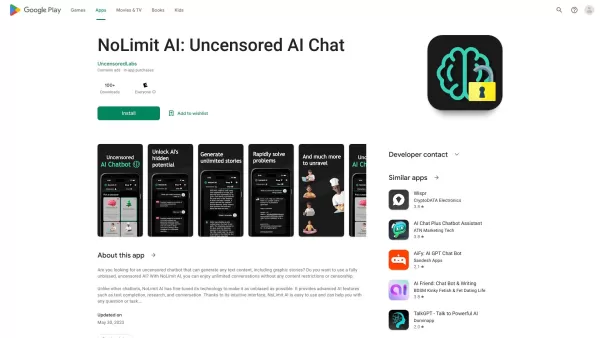
If you're looking for a chat experience that breaks the mold, let me introduce you to NoLimit IA—an app that promises to keep the conversation flowing without any boundaries. Think of it as your go-to place for engaging in unfiltered chats with AI ch
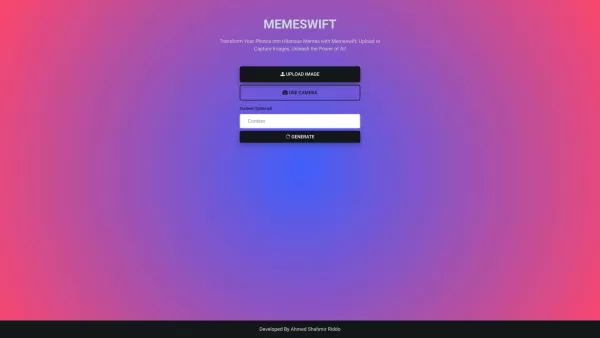
MemeSwift is like the Swiss Army knife of humor—it’s an AI-powered meme generator designed to turn your photos into laugh-out-loud-worthy memes. Whether you’re looking to poke fun at yourself or your friends, this tool makes it easy to craft something fun

Ever wished you had a magic wand for video editing? Meet AutoCut, the Premiere Pro plugin that's like your very own AI editing assistant. It does everything from adding those snazzy animated subtitles to cutting out those awkward silences. Whether you're
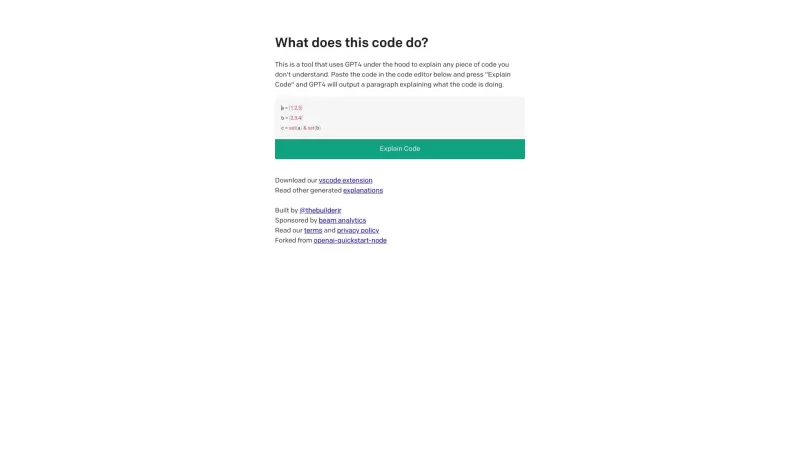
Ever found yourself staring at a piece of code, scratching your head and wondering, "What on earth does this do?" Well, that's where Code Explain comes in—your trusty AI-powered sidekick that's here to make sense of any code that's got you puzzled. It's l
Read Something - Chrome Extension Product Information
Ever found yourself knee-deep in an article, wishing you could tweak the way you're reading it? Enter Read Something, the AI-powered Chrome extension that's like having a personal reading assistant right in your browser. This nifty tool isn't just about reading—it's about enhancing your entire web experience. With customizable reader modes, you can tailor your reading environment to your liking, making those long articles feel less like a chore and more like a cozy reading session. But wait, there's more! With just one click, you can dive into thoughtful discussions, sparking conversations and exchanging ideas with ease. And if you're navigating the global web, fear not—Read Something breaks down language barriers by translating webpages across Chinese, English, and other languages. Plus, if you're the type who likes to save articles for later, you can export webpages to Markdown format, perfect for offline reading or further editing.
Using Read Something is a breeze. Once you've installed the Chrome extension, it springs into action the moment you open a webpage. You'll see a range of options pop up, inviting you to customize your reading experience. Fancy a different reader mode? Switch it up. Want to start a discussion? One click and you're in. Need to read in another language? Just translate. And if you're looking to save that page for later, exporting to Markdown is just a few clicks away.
Core Features of Read Something
Customizable Reader Modes
Dive into your articles with reader modes that suit your mood and environment.
One-Click Thoughtful Discussions
Engage in meaningful conversations with just a single click—perfect for those who love to discuss and debate.
Multilingual Translation
Navigate the web effortlessly with translations across Chinese, English, and other languages.
Export to Markdown
Save webpages in Markdown format for offline reading or further editing—ideal for the organized reader.
Use Cases for Read Something
Enhanced Reading Experience
Customize your reader modes and eliminate distractions for a more focused reading session.
Insightful Discussions
Generate insightful discussions with a single click, fostering a vibrant exchange of ideas and opinions.
Language Barrier Breaker
Easily translate webpages across multiple languages, making the internet truly global.
Offline Reading and Editing
Export webpages to Markdown format for offline reading or to tweak and edit as you see fit.
FAQ from Read Something
- Is Read Something compatible with other web browsers?
- Currently, Read Something is designed specifically for Google Chrome, but future expansions to other browsers could be on the horizon.
- Can I use Read Something on mobile devices?
- At the moment, Read Something is tailored for desktop use through Chrome. A mobile version might be something to look forward to in future updates.
- Is Read Something free to use?
- Yes, Read Something is free to use. It's an open-source project, so you can enjoy its features without spending a dime.
- Does Read Something require an internet connection for all features?
- While most features do require an internet connection, once you've exported a page to Markdown, you can read it offline.
- Can I export webpages to formats other than Markdown?
- Currently, Markdown is the supported format for exports. However, given its open-source nature, additional formats might be added in the future.
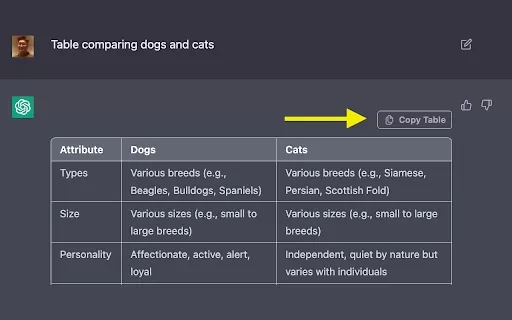
Read Something - Chrome Extension Screenshot



2026 Latest Best AI Pull Request Review Tools for GitHub Teams are here on XIX.AI! This top-rated curated list showcases powerful game-changing solutions that streamline refactoring, bug fixing, and security gap detection across all team workflows. Enjoy a free vs paid comparison along with real-world tests and detailed rankings to help you find the perfect tool that boosts productivity significantly. Explore now to unlock your AI edge!
 12 tools
 xix.ai

2026 Latest Best Top-rated AI Text to Speech Tools for Natural Voiceovers are here on XIX.AI! This curated list features powerful, game-changing options that deliver crystal-clear voices for every use case, backed by real-world tests and weekly updated rankings. Get a free vs paid comparison to find the must-try solution that boosts your productivity instantly. Explore now to Unlock your AI edge!
11 tools
xix.ai

2026 Latest Best Manga AI Background Generators Ranked Top-Rated! This curated collection showcases powerful game-changing tools perfect for creating high-quality chapter backgrounds, book covers, and promotional art. Every option has undergone rigorous real-world tests to ensure reliability. Get a free vs paid comparison along with detailed insights. Explore now to discover your perfect tool and unlock your AI edge in manga creation.
6 tools
xix.ai

2026 Latest Best Top-rated AI Object Removal Editors for portraits travel product shots! XIX.AI curates a powerful game-changing collection regularly updated with weekly rankings. These tools offer real-world tests to help you quickly remove unwanted elements, boost content quality, and save tons of time without compromising results. Must-try for anyone aiming to unlock their AI creation edge. Explore now!
10 tools
xix.ai

2026 Latest Best Top-rated AI Text to Speech Tools for Online Courses are curated by XIX.AI based on rigorous real-world tests and weekly updated rankings. These powerful tools help creators deliver crystal-clear audio content effortlessly, boosting writing efficiency and streamlining course production. Check out the free vs paid comparison to find your perfect fit. Explore now to unlock your AI edge in online education.
10 tools
xix.ai

2026 Latest Best Top-Rated AI Blog Title Tools for Higher Click Through Rates! XIX.AI has carefully curated a powerful, game-changing collection of top tools that go through rigorous real-world tests. You’ll find a free vs paid comparison, weekly updated rankings, and detailed insights to help you boost your blog’s traffic efficiently. Must-try options are highlighted to help you unlock your AI edge. Explore now!
10 tools
xix.ai


Read Something这个Chrome扩展真不错!最近看长文章常觉得累,它就像个私人阅读助手,能帮我调整阅读方式。AI加持下,体验很流畅,界面也简洁。唯一小担心是隐私问题,但整体值得试试。推荐给所有爱阅读的朋友!📖✨
Finally, an extension that actually understands my reading habits! 📚 Read Something has been a game-changer for me, especially when I'm drowning in long articles. The AI tweaks are spot-on, making complex texts way easier to digest. It feels like having a personal tutor in my browser. Highly recommend for anyone who loves reading but hates the clutter. 🚀✨
這個讀物助手擴展也太好用了吧!本來以為只是個簡單的調整字體工具,沒想到AI還能幫我總結文章重點,閱讀長文時效率直接翻倍🎉 不過偶爾會誤判段落重點,期待後續更新能更精準些~
This extension is a game-changer! I love how Read Something makes articles easier to digest with its AI tweaks. Super handy for late-night reading sessions when my brain’s half-asleep 😴. Only gripe? Sometimes it’s a bit slow to load on heavy pages.


