


 Home
HomeRaycast
Fast Customizable Launcher for Focus



Helps TikTok sellers, brands, MCNs, and TAPs discover winning products and find creators.

HelpLook is an AI-powered all-in-one knowledge base tool that helps businesses quickly build knowledge bases, help centers, and...

Your AI Workspace

302.AI is an enterprise-grade AI resource platform with pay-as-you-go pricing, API access to a full range of AI models, and ready-to-use online applications.

剧火AI — AI Screenwriter + Director, a One-Person Short Drama Studio In one sentence, what is it?
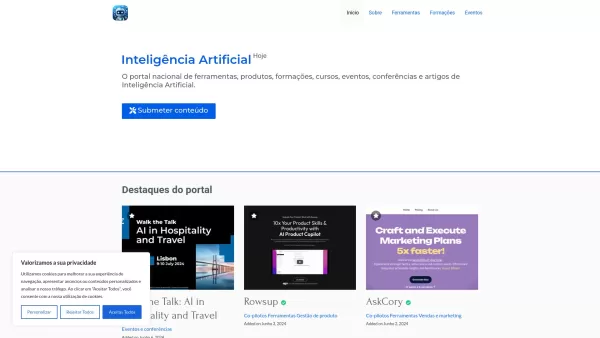
Ever wondered where to go for all things AI in Portugal? Look no further than Inteligência Artificial Hoje—your go-to hub for everything related to artificial intelligence in the country. This platform isn't just a website; it's a vibrant community that s

If you're a developer looking to streamline your workflow and connect your clients to Large Language Models (LLMs) without the hassle of setting up backend infrastructure, then Claient.io is your new best friend. This integration platform is designed to m

Ever wondered what the buzz about AI Horde is all about? Well, let me break it down for you. AI Horde is essentially a powerhouse of creativity, tapping into a crowdsourced network of both image and text generation workers. It's like having a legion
Ever stumbled upon a platform that feels like it's designed to make your professional life a breeze? That's Orca for you—a web platform packed with tools that seem to cover everything from data crunching to team coordination. It's like having a Swiss Army

Ever wondered what's buzzing in the world of AI art? Enter AI Art Weekly, your go-to free weekly newsletter that's like a treasure chest for anyone passionate about AI-generated art. Each week, it lands in your inbox packed with all the latest news, juicy
Raycast Product Information
Ever found yourself lost in a sea of apps, trying to juggle multiple tasks at once? Well, let me introduce you to Raycast—a game-changer for anyone looking to streamline their workflow on a Mac. This isn't just any launcher; it's a blazingly fast, fully customizable tool that's all about keeping you laser-focused. With Raycast, you're in control, using nothing but a few keystrokes to manage your tools, complete tasks, crunch numbers, share links, and so much more.
How to Get Started with Raycast
Getting your hands on Raycast is a breeze. Just head over to their site, download the app for your Mac, and install it. Once it's set up, you can summon the launcher with a hotkey. From there, the world is your oyster—or rather, your desktop is your playground. Use simple keystrokes to open apps, sift through files, run scripts, and dive into a host of other functions that make your digital life a whole lot smoother.
Raycast's Standout Features
Lightning-Fast Launcher
Raycast isn't just quick; it's lightning-fast. It's designed to get you where you need to go without any lag or fuss.
Keystroke Magic
Control your entire suite of tools with nothing but your keyboard. It's like having a superpower at your fingertips.
Task Master
Complete tasks faster than you can say "productivity." Raycast is your personal task-completion wizard.
Math Whiz
Need to do some quick calculations? Raycast turns your launcher into a pocket calculator, ready to solve your math problems on the fly.
Link Sharing Pro
Share common links with ease. Whether it's for work or play, Raycast makes it simple to send those URLs flying.
Script Commands
Automate your life with script commands. Run scripts with a keystroke and watch your efficiency soar.
File Finder
Never lose a file again. Raycast's file search function is like having a personal assistant dedicated to keeping your digital life organized.
Window Wizardry
Manage your app windows and keep your desktop tidy. Raycast helps you organize like a pro.
Clipboard Historian
Access your clipboard history effortlessly. No more copying and pasting the same thing over and over.
Snippet Savior
Speed up repetitive tasks with snippets. It's like having a set of shortcuts tailored just for you.
Quicklink Queen
Save and share common links with ease. Raycast turns you into a quicklink queen (or king).
Floating Note Taker
Take quick notes without interrupting your workflow. Raycast's floating notes keep you on track.
Theme Customizer
Personalize your Raycast experience with custom themes. Make it yours, and make it look good.
AI Chat Companion
Need a chat? Raycast's AI-powered chat feature is there to help. It's like having a smart friend in your corner.
Cloud Synced
Keep your Raycast settings synced across devices with cloud sync. Your productivity, anywhere you go.
Developer's Dream
With an API for extension development, Raycast is a developer's dream. Create and share your own extensions to supercharge your workflow.
Real-World Applications of Raycast
Raycast isn't just a tool; it's a productivity powerhouse. Use it to boost your efficiency, perform quick calculations, manage files like a pro, control your app windows, and keep your clipboard history at your fingertips. It's perfect for speeding up repetitive tasks with snippets, saving and sharing common links, and jotting down quick notes while you're in the zone.
Frequently Asked Questions About Raycast
- What exactly is Raycast?
- Raycast is a lightning-fast launcher for Mac that helps you stay focused and in control, using simple keystrokes to manage your digital life.
- How do I start using Raycast?
- Download the app from their website, install it on your Mac, and use a hotkey to access the launcher. From there, use keystrokes to navigate and perform tasks.
- What are the key features of Raycast?
- Raycast offers a range of features from a fast launcher to keystroke control, task completion, calculations, link sharing, script commands, file search, window management, clipboard history, snippets, quicklinks, floating notes, custom themes, AI chat, cloud sync, and an API for extension development.
- What can I use Raycast for?
- Raycast is perfect for boosting productivity, quick calculations, file management, window control, clipboard history management, speeding up repetitive tasks, sharing links, and taking notes while working.
For any support or inquiries, you can reach out to Raycast at [email protected]. For more contact options, visit their contact us page.
To log into Raycast, use this link: https://www.raycast.com/users/sign_in.
Interested in Raycast's pricing? Check it out here: https://www.raycast.com/pricing.
Follow Raycast on Twitter for the latest updates: https://twitter.com/raycastapp.
For developers looking to dive deeper, visit Raycast's GitHub page: https://github.com/raycast.
Raycast Screenshot






2026 Latest Best Top-rated AI Object Removal Editors for portraits travel product shots! XIX.AI curates a powerful game-changing collection regularly updated with weekly rankings. These tools offer real-world tests to help you quickly remove unwanted elements, boost content quality, and save tons of time without compromising results. Must-try for anyone aiming to unlock their AI creation edge. Explore now!
 10 tools
 xix.ai

2026 Latest Best Top-rated AI Text to Speech Tools for Online Courses are curated by XIX.AI based on rigorous real-world tests and weekly updated rankings. These powerful tools help creators deliver crystal-clear audio content effortlessly, boosting writing efficiency and streamlining course production. Check out the free vs paid comparison to find your perfect fit. Explore now to unlock your AI edge in online education.
10 tools
xix.ai

2026 Latest Best Top-Rated AI Blog Title Tools for Higher Click Through Rates! XIX.AI has carefully curated a powerful, game-changing collection of top tools that go through rigorous real-world tests. You’ll find a free vs paid comparison, weekly updated rankings, and detailed insights to help you boost your blog’s traffic efficiently. Must-try options are highlighted to help you unlock your AI edge. Explore now!
10 tools
xix.ai

2026 Latest Best Top-rated AI Task Routing Tools for Support Workflows! XIX.AI has curated a highly powerful game-changing collection of must-try solutions, all undergoing rigorous real-world tests and updated weekly. These tools streamline workflows, boost productivity, and help teams deliver faster, more efficient support. Explore now to discover your perfect tool and unlock your AI edge!
17 tools
xix.ai

2026 Latest Best Top-Rated AI Citation and Paper Summary Tools Curated by XIX.AI. Get powerful game-changing solutions for quick content creation, improved writing efficiency, and boosting productivity. We offer a free vs paid comparison along with real-world tests and weekly updated rankings to help you find the must-try tool that fits your needs perfectly. Explore now to Unlock your AI edge.
10 tools
xix.ai

2026 Latest Best Top-Rated AI Productivity Tools for Daily Work! XIX.AI has curated a powerful, game-changing selection based on rigorous weekly updated rankings and real-world tests. You’ll find must-try options that boost writing efficiency, streamline content creation, and help you overcome daily work challenges. Get a free vs paid comparison to find the perfect fit for your needs. Explore now to unlock your AI edge!
9 tools
xix.ai


RaycastはMacユーザーには必須のツールですね。アプリの切り替えが速すぎて最初は戸惑いましたが、今では手放せません。カスタマイズ性も高く、ショートカットキーを覚えれば作業効率が劇的に向上します。少し学習コストはありますが、その価値は十分にあります。🚀✨
Just started using Raycast this week and it's honestly a game-changer! No more clicking through folders or using Spotlight's sluggish search 🚀 The plugin ecosystem is fantastic too - the calendar integration saved me during a busy Monday. Still discovering new shortcuts daily!


