


 Home
HomeRay3
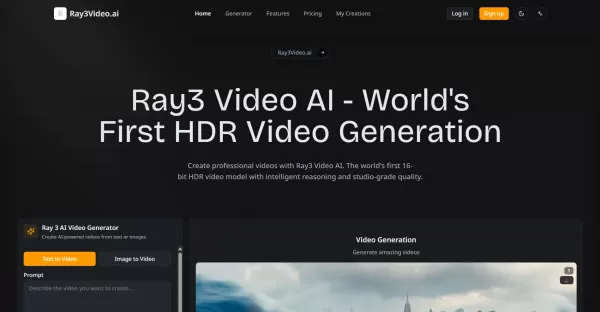
Ray3 Video AI: Professional 16-bit HDR Video Generation



Helps TikTok sellers, brands, MCNs, and TAPs discover winning products and find creators.

HelpLook is an AI-powered all-in-one knowledge base tool that helps businesses quickly build knowledge bases, help centers, and...

Your AI Workspace

302.AI is an enterprise-grade AI resource platform with pay-as-you-go pricing, API access to a full range of AI models, and ready-to-use online applications.

剧火AI — AI Screenwriter + Director, a One-Person Short Drama Studio In one sentence, what is it?

What is Deepfake Maker? Deepfake Maker is a comprehensive, browser-based AI tool for creating deepfakes, tailored for creators, marketers, and designers who need striking visuals without complicated software. It combines multiple AI capabilities: adv

What is Celebrity AI?CelebrityAI revolutionizes digital content creation with its cutting-edge artificial intelligence platform that generates lifelike celebrity videos and voice messages. Using sophisticated technologies including deep neural networ

What is Makefilm?Makefilm revolutionizes video creation as a comprehensive AI-powered platform that streamlines professional-quality video production. This innovative solution combines multiple smart tools into one seamless workflow - transforming te
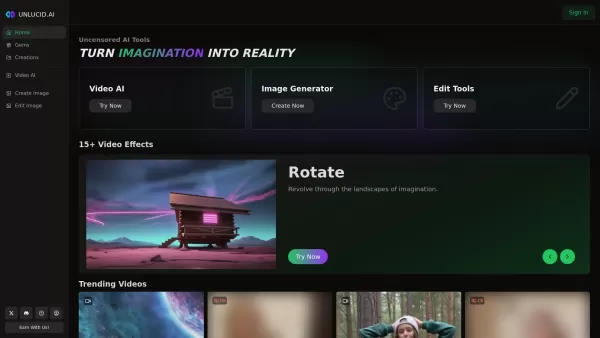
What is Unlucid AI? Unlucid AI provides free, uncensored AI tools empowering creators to craft, edit, and animate videos using advanced AI technology. It transforms imagination into reality with unres

What is AIShowX?AIShowX represents the next generation of creative tools - a comprehensive online platform powered by artificial intelligence that empowers anyone to produce professional-quality videos, images, and audio content with remarkable ease.
Ray3 Product Information
What is Ray3?
Ray3 Video AI is an advanced platform for generating video content. It merges intelligent visual reasoning with the creation of 16-bit High Dynamic Range (HDR) videos. Creators can use it to produce intricate scenes, realistic motion driven by physics, and professional-grade videos by providing text prompts, images, or visual notes. Its Draft Mode enables quick revisions, and it outputs in professional formats that fit standard industry pipelines.
Who uses Ray3?
- Professional videographers and filmmakers
- Film studios and production houses
- Cinematographers and directors
- Content creators needing top-tier visuals
- Post-production specialists
How do you use Ray3?
- Step 1: Go to the Ray3 Video AI platform at Ray3Video.ai.
- Step 2: Describe your idea using text, upload an image, or add visual annotations.
- Step 3: Select a mode: Draft for speed or full HDR for final-quality output.
- Step 4: Let Ray3 process your input using its visual reasoning and physics simulation.
- Step 5: Export your finished video in a pro format like 16-bit EXR or 4K HDR.
Platform
- Web browser
Ray3's Core Features & Benefits
The Core Features
- 16-bit HDR video creation using the ACESsg color space
- Sophisticated visual reasoning for understanding complex scenes
- Draft Mode for iterating videos 5 times faster
- Cutting-edge physics simulation for lifelike movement
- Multiple pro export options, including EXR and 4K HDR
The Benefits
- Exceptional color accuracy and broadcast-quality video
- Quickly test and refine creative concepts
- Greater creative precision with visual annotations
- Easy to use with existing post-production software
- Scales for individual creators to large studios
Ray3's Main Use Cases & Applications
- Producing cinematic films and videos
- Creating HDR content for TV and advertising
- Rapidly prototyping ideas for video projects
- Designing complex character actions and motion scenes
- Post-production tasks requiring high-quality exports
Ray3's Pros & Cons
The Pros
Innovative 16-bit HDR generation sets it apart from other tools
Advanced AI reasoning handles complex video scenarios
Draft Mode speeds up revisions, saving time and money
Wide range of pro integration and export choices
Accepts flexible inputs like text, images, and annotations
The Cons
No standalone mobile or desktop apps; web-only access
Not open source, reducing options for customization and transparency
Pricing may be a barrier for hobbyists
Has a steeper learning curve for users new to high-end video software
Ray3's Pricing
Free plan available | YES |
|---|---|
Free trial details | |
Pricing model | Paid |
Credit card required | No |
Paid plans start from | 7.99 USD |
Lifetime plan available | No |
Billing frequency | Monthly |
Details of Pricing Plan
Professional
7.99 USD
- Full access to Ray3 Video AI for professionals
- Cost per 100 credits is $0.53
Studio
23.99 USD
- Advanced Ray3 Video AI for studio teams
- Cost per 100 credits is $0.32
Enterprise
64.08 USD
- Custom Ray3 Video AI solutions for enterprises
- Cost per 100 credits is $0.27
Discount:
20% discount with annual billing
For the most current pricing, visit: https://ray3video.ai/pricing
FAQs about Ray3
What is Ray3 Video AI and how is it different from other video generators?
Ray3 Video AI is the first intelligent model that combines 16-bit HDR generation with visual reasoning, allowing for complex scene creation with studio-level quality.
Why is 16-bit HDR video generation crucial for professionals?
It offers superior color precision, advanced tone mapping, and professional EXR export for smooth integration into post-production workflows.
How does Draft Mode function and why is it useful for video creation?
Draft Mode enables concept generation that is 5 times faster and more cost-effective, letting you iterate rapidly before committing to full HDR quality.
What makes Ray3 Video AI's visual reasoning revolutionary?
Its visual reasoning engine understands creative intent and complex instructions, enabling multi-step interactions and higher-quality output.
How can professionals fit Ray3 Video AI into their current workflows?
By exporting in multiple professional formats and using API access for seamless compatibility with color grading and post-production software.
What creative controls does Ray3 Video AI offer?
Creative tools include visual annotations, keyframes, loops, extensions, and advanced physics simulation for precise control over motion and layout.
Is Ray3 Video AI open source?
No, Ray3 Video AI is not an open-source platform.
What platforms does Ray3 Video AI support?
Ray3 Video AI is accessible via a web platform.
What pricing plans does Ray3 Video AI offer?
Plans include Professional ($9.9/month), Studio ($29.9/month), and Enterprise ($79.9/month), each with different credit limits and features.
Can I use Ray3 Video AI for rapid concept iterations?
Yes, Draft Mode allows for creative iterations that are 5 times faster and more cost-efficient, perfect for testing ideas quickly.
Ray3 Company Information
- Ray3 Video AI
- https://ray3video.ai
Ray3 Screenshot

Discover the 2026 best AI virtual presenter tools for instantly creating high-quality, multilingual explainer videos. Our curated, weekly updated rankings feature top-rated, game-changing solutions with free vs paid comparisons and real-world tests. Unlock effortless video production and boost engagement with XIX.AI's expert picks. Find your perfect tool now!
 10 tools
 xix.ai
Discover the 2026 best AI avatars for corporate training. Our top-rated, curated list features powerful tools that generate professional presentation videos in 20+ languages. Compare free vs paid options with real-world tests. Unlock scalable, engaging training today.
10 tools
xix.ai
2026 Latest Best AI Video Tools for Short Dramas: Our curated top-rated list helps you generate consistent script-to-video sci-fi scenes effortlessly. Discover powerful, game-changing tools for cinematic storytelling, character consistency, and visual effects. Compare free vs paid options with weekly updated rankings and real-world tests. Unlock your creative potential with XIX.AI's expert picks. Find your perfect match and start producing today!
10 tools
xix.ai
2026 Latest Best AI Video Outpainting Tools: Discover top-rated solutions to seamlessly extend video aspect ratios beyond the original frame. Our curated list compares free vs paid options, featuring powerful tools for creators. Get weekly updated rankings based on real-world tests to unlock your perfect video editing ally. Explore now on XIX.AI.
10 tools
xix.ai
2026 Latest Top AI Storyboard Generators: Discover the best tools to effortlessly turn web novel chapters into continuous video previews. Our curated, weekly-updated rankings feature powerful, game-changing AI for creators. Compare free vs paid options based on real-world tests. Unlock your storytelling edge and visualize your narratives faster than ever. Explore the top-rated picks now at XIX.AI.
10 tools
xix.ai
2026 Latest Best AI Tools for Converting Text into Video: Discover top-rated, must-try solutions that add voiceover and subtitles automatically. Our curated, weekly updated list compares free vs paid options based on real-world tests. Find powerful, game-changing tools to create engaging videos from text effortlessly. Unlock your AI edge with XIX.AI's expert rankings.
10 tools
xix.ai


