


 Home
HomeRay3 AI
Ray3 AI Model for HDR Video Creation



Helps TikTok sellers, brands, MCNs, and TAPs discover winning products and find creators.

HelpLook is an AI-powered all-in-one knowledge base tool that helps businesses quickly build knowledge bases, help centers, and...

Your AI Workspace

302.AI is an enterprise-grade AI resource platform with pay-as-you-go pricing, API access to a full range of AI models, and ready-to-use online applications.

剧火AI — AI Screenwriter + Director, a One-Person Short Drama Studio In one sentence, what is it?

What is Deepfake Maker? Deepfake Maker is a comprehensive, browser-based AI tool for creating deepfakes, tailored for creators, marketers, and designers who need striking visuals without complicated software. It combines multiple AI capabilities: adv

What is Celebrity AI?CelebrityAI revolutionizes digital content creation with its cutting-edge artificial intelligence platform that generates lifelike celebrity videos and voice messages. Using sophisticated technologies including deep neural networ

What is Makefilm?Makefilm revolutionizes video creation as a comprehensive AI-powered platform that streamlines professional-quality video production. This innovative solution combines multiple smart tools into one seamless workflow - transforming te
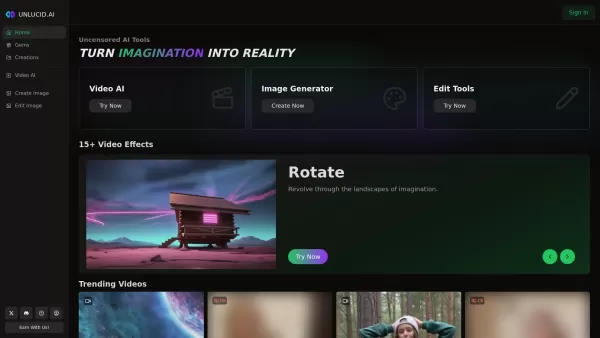
What is Unlucid AI? Unlucid AI provides free, uncensored AI tools empowering creators to craft, edit, and animate videos using advanced AI technology. It transforms imagination into reality with unres

What is AIShowX?AIShowX represents the next generation of creative tools - a comprehensive online platform powered by artificial intelligence that empowers anyone to produce professional-quality videos, images, and audio content with remarkable ease.
Ray3 AI Product Information
What is Ray3 AI?
Ray3 AI is a state-of-the-art video generation platform that produces native 16-bit ACEScg High Dynamic Range (HDR) videos with outstanding color depth and realism. It employs visual reasoning to interpret and refine creative prompts, enabling users to create consistent, studio-quality video content. The platform includes annotation features for precise adjustments and a draft mode to explore concepts rapidly and affordably, catering to both professionals and enthusiasts.
Who will use Ray3 AI?
- Video Content Creators
- Digital Artists
- Film Producers
- Marketing Professionals
- Hobbyists
- Animators
How to use the Ray3 AI?
- Step 1: Upload an image or choose an optional input.
- Step 2: Provide a descriptive video prompt to direct the AI.
- Step 3: Adjust video parameters like aspect ratio, quality, and duration.
- Step 4: Utilize annotation tools to define motion and effects accurately.
- Step 5: Generate the video and evaluate the result.
- Step 6: Switch to draft mode for quicker, more economical revisions if necessary.
- Step 7: Download the videos, which come with commercial usage rights.
Platform
- Web
Ray3 AI's Core Features & Benefits
The Core Features
- Studio-grade 16-bit ACEScg HDR video generation
- Advanced visual reasoning and self-assessment
- Annotation tools for fine-tuned control
- Draft mode for swift and cost-effective exploration
- Cutting-edge physics and character consistency
The Benefits
- Produce premium, lifelike videos
- Enhance storytelling with AI-powered analysis
- Experiment freely using draft mode for fast iteration
- Exert precise motion control without relying on prompt engineering
- Commercial license included for professional applications
Ray3 AI's Main Use Cases & Applications
- Marketing video production
- Film and animation projects
- Social media content creation
- Product visualization
- Creative storytelling
Ray3 AI's Pros & Cons
The Pros
High-fidelity HDR video output
Intelligent visual reasoning
Versatile annotation-based editing
Quick iterations via draft mode
Commercial rights included
The Cons
Requires credits for video generation
Currently limited to the web platform
Certain features are still under development
No mobile application available at this time
Ray3 AI's Pricing
Has free plan | No |
|---|---|
Free trial details | |
Pricing model | Paid |
Is credit card required | No |
Paid from | 7.9 USD |
Has lifetime plan | No |
Billing frequency | Monthly, Annually |
Details of Pricing Plan
Basic
7.9 USD
- 100 credits monthly
- 50 high-quality images per month
- Standard generation speed
- Basic customer support
- All downloadable formats
- 1,200 credits provided immediately with annual billing
- Commercial license and full usage rights
Standard
15.9 USD
- 500 credits monthly
- 250 high-quality images per month
- Priority generation queue
- Priority support
- All downloadable formats
- 6,000 credits provided immediately with annual billing
- Commercial license with image editing tools
Pro
63.9 USD
- 2,000 credits monthly
- 1,000 high-quality images per month
- Fastest generation speed
- Dedicated account manager
- All downloadable formats
- 24,000 credits provided immediately with annual billing
- Commercial license with advanced editing tools
Large Add-on Package
100 USD
- 1,600 credits
- No subscription required
- Accelerated image generation
- Permanent access to history
- Commercial license
Small Add-on Package
50 USD
- 800 credits
- No subscription required
- Faster image generation
- Permanent history retention
- Commercial license
Discount:
Save 50% with annual billing (Limited Time Offer)
For the most current pricing, visit: https://www.ray3ai.com/pricing
FAQs of Ray3 AI
What makes Ray3 different from other video models?
Ray3 offers studio-grade HDR output, integrated visual reasoning, self-assessment capabilities, and superior physics that set it apart from competitors.
What is Draft Mode in Ray3?
Draft Mode allows for near real-time exploration of video concepts, operating 5x faster and at a 5x lower cost for iterative work.
Can I use Ray3 for commercial projects?
Yes, Ray3 includes a commercial license, making it ideal for professional marketing, filmmaking, and content development.
What is the Annotation feature?
The Annotation tool enables users to draw directly on images to pinpoint motion and effects, eliminating the need for intricate prompt engineering.
How does Ray3’s visual reasoning work?
It analyzes concepts and visual elements, comprehends user objectives, assesses the results, and iterates to enhance output quality.
Is Ray3 available on mobile platforms?
Ray3 is currently only available through its web platform.
What kind of videos can Ray3 produce?
Ray3 creates HDR videos with a broad dynamic range, realistic physics, and consistent character rendering.
How do I start using Ray3?
Register for an account, upload your images, input your prompts, adjust your settings, and generate videos directly from the web dashboard.
Does Ray3 support API access?
API access is not currently detailed; the service is primarily accessed via the web interface.
What payment plans are available?
Ray3 provides Basic, Standard, and Pro subscription tiers, alongside one-time credit packages.
Ray3 AI Company Information
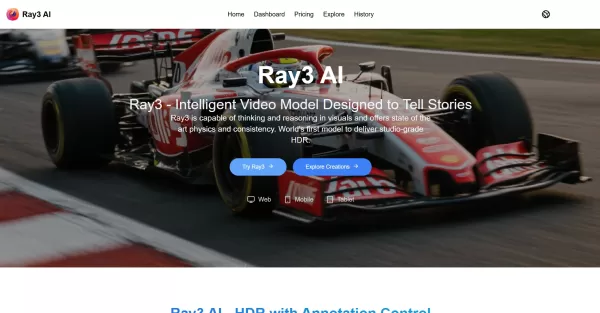
Ray3 AI Screenshot



2026 Latest Best Top-rated AI Object Removal Editors for portraits travel product shots! XIX.AI curates a powerful game-changing collection regularly updated with weekly rankings. These tools offer real-world tests to help you quickly remove unwanted elements, boost content quality, and save tons of time without compromising results. Must-try for anyone aiming to unlock their AI creation edge. Explore now!
 10 tools
 xix.ai

2026 Latest Best Top-rated AI Text to Speech Tools for Online Courses are curated by XIX.AI based on rigorous real-world tests and weekly updated rankings. These powerful tools help creators deliver crystal-clear audio content effortlessly, boosting writing efficiency and streamlining course production. Check out the free vs paid comparison to find your perfect fit. Explore now to unlock your AI edge in online education.
10 tools
xix.ai

2026 Latest Best Top-Rated AI Blog Title Tools for Higher Click Through Rates! XIX.AI has carefully curated a powerful, game-changing collection of top tools that go through rigorous real-world tests. You’ll find a free vs paid comparison, weekly updated rankings, and detailed insights to help you boost your blog’s traffic efficiently. Must-try options are highlighted to help you unlock your AI edge. Explore now!
10 tools
xix.ai

2026 Latest Best Top-rated AI Task Routing Tools for Support Workflows! XIX.AI has curated a highly powerful game-changing collection of must-try solutions, all undergoing rigorous real-world tests and updated weekly. These tools streamline workflows, boost productivity, and help teams deliver faster, more efficient support. Explore now to discover your perfect tool and unlock your AI edge!
17 tools
xix.ai

2026 Latest Best Top-Rated AI Citation and Paper Summary Tools Curated by XIX.AI. Get powerful game-changing solutions for quick content creation, improved writing efficiency, and boosting productivity. We offer a free vs paid comparison along with real-world tests and weekly updated rankings to help you find the must-try tool that fits your needs perfectly. Explore now to Unlock your AI edge.
10 tools
xix.ai

2026 Latest Best Top-Rated AI Productivity Tools for Daily Work! XIX.AI has curated a powerful, game-changing selection based on rigorous weekly updated rankings and real-world tests. You’ll find must-try options that boost writing efficiency, streamline content creation, and help you overcome daily work challenges. Get a free vs paid comparison to find the perfect fit for your needs. Explore now to unlock your AI edge!
9 tools
xix.ai


Finally tried Ray3 AI and wow, the HDR color depth is insane 🤯 The visual reasoning actually understands my weird prompts, no more fighting with the AI. Only downside: my GPU is crying 😂 Still, best video generator I've used for realism.
Just tried Ray3 AI for a quick video clip, and the HDR output is honestly mind-blowing! The colors pop so naturally, it feels like a leap from SDR. The 'visual reasoning' bit seems to make it understand prompts better than some other tools I've used. A bit worried about the compute power needed for longer videos though 😅. Can't wait to see what creators do with this!


