


 Home
HomeRachel
Rachel AI: Chat & Copywrite Chrome Extension



Helps TikTok sellers, brands, MCNs, and TAPs discover winning products and find creators.

HelpLook is an AI-powered all-in-one knowledge base tool that helps businesses quickly build knowledge bases, help centers, and...

Your AI Workspace

302.AI is an enterprise-grade AI resource platform with pay-as-you-go pricing, API access to a full range of AI models, and ready-to-use online applications.

剧火AI — AI Screenwriter + Director, a One-Person Short Drama Studio In one sentence, what is it?

Ever stumbled upon Cherry Studio AI and wondered what it's all about? Well, let me break it down for you. Cherry Studio AI isn't just another run-of-the-mill AI tool; it's a powerhouse desktop client that lets you dive into advanced AI interactions across

Discover Plume AI: Your Ultimate Academic Writing AssistantAre you tired of struggling with your academic writing? Well, say hello to Plume AI, the innovative AI assistant that's here to revolutionize the way you write! Designed with students in mind, Plume AI harnesses the power of cutting-edge art

Ever wondered how to turn your jumbled thoughts and complex queries into something you can actually grasp? Enter The Visualizer, your new best friend in the world of learning and creativity. This nifty tool takes your written queries, URLs, and even PDFs,

Ever wished for a trusty sidekick to help you navigate the digital world with ease? Enter Sider, your personal AI companion designed to seamlessly blend into your daily routine. Starting off as a handy Chrome/Edge extension, Sider transforms your browsing

Ever wondered what Ninja AI is all about? Well, let me tell you, it's like having a Swiss Army knife for your digital needs! Ninja AI isn't just another AI tool; it's a powerhouse that brings together over 24 top-notch Large Language Models (LLMs) to help
Rachel Product Information
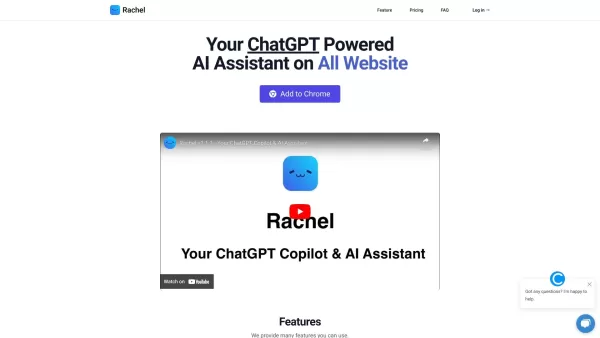
Rachel isn't just your run-of-the-mill AI; she's a personal assistant powered by the mighty ChatGPT, and she's here to make your life easier as a handy Chrome extension. Think of her as your go-to buddy for all things chat and copywriting, right at your fingertips.
How to Make the Most Out of Rachel
Getting started with Rachel is a breeze. Just add the Chrome extension, and you're good to go. Whenever you're on any website, hit ⌘+M (or Ctrl+M if you're on a PC), and voila! Rachel pops up, ready to chat or help you whip up some stellar copywriting. It's like having a creative partner in crime, no matter where you are online.
Rachel's Awesome Features
Chat with Rachel About Anything
Whether you're pondering life's big questions or need a quick brainstorming session, Rachel's always down to chat. She's like that friend who's always there to listen, except she's powered by AI and doesn't need coffee breaks.
Create Copywriting with Rachel's AI
Struggling with writer's block? Rachel's AI can help you craft compelling copy in no time. From catchy headlines to engaging content, she's got your back, making your writing tasks feel like a walk in the park.
Easy Access to Rachel AI on Any Website
No need to switch tabs or apps. With Rachel, you can tap into her AI magic right from any webpage. It's like having a superpower that you can use anywhere online.
When to Use Rachel
Chat with Rachel for Personal or Professional Inquiries
Whether you're sorting out your weekend plans or need a quick consult on a work project, Rachel's ready to help. She's versatile, making her perfect for both your personal and professional life.
Simplify Copywriting Tasks with Rachel's AI
Got a deadline looming? Rachel can turn your copywriting tasks from daunting to done in no time. Her AI capabilities mean you can focus on the big picture while she handles the nitty-gritty.
Reclaim Your Time with Rachel's Productivity Boost
By letting Rachel take care of the small stuff, you free up more time for what really matters. Whether it's more time with family, pursuing hobbies, or just chilling out, Rachel's here to help you make the most of your day.
FAQ from Rachel
- What is Rachel?
- Rachel is a personal AI assistant powered by ChatGPT, designed to assist with chatting and copywriting as a Chrome extension.
- How does Rachel work?
- Rachel uses ChatGPT's AI to provide real-time assistance and generate copywriting content when you activate her on any website using ⌘+M or Ctrl+M.
- How can I use Rachel?
- Install the Chrome extension, and use the shortcut ⌘+M or Ctrl+M on any website to start chatting or create copywriting with Rachel's help.
- Is Rachel free?
- Yes, Rachel is free to use as a Chrome extension, making it an accessible tool for everyone looking to boost their productivity and creativity.
Rachel Screenshot



2026 Latest Best Top-rated AI Object Removal Editors for portraits travel product shots! XIX.AI curates a powerful game-changing collection regularly updated with weekly rankings. These tools offer real-world tests to help you quickly remove unwanted elements, boost content quality, and save tons of time without compromising results. Must-try for anyone aiming to unlock their AI creation edge. Explore now!
 10 tools
 xix.ai

2026 Latest Best Top-rated AI Text to Speech Tools for Online Courses are curated by XIX.AI based on rigorous real-world tests and weekly updated rankings. These powerful tools help creators deliver crystal-clear audio content effortlessly, boosting writing efficiency and streamlining course production. Check out the free vs paid comparison to find your perfect fit. Explore now to unlock your AI edge in online education.
10 tools
xix.ai

2026 Latest Best Top-Rated AI Blog Title Tools for Higher Click Through Rates! XIX.AI has carefully curated a powerful, game-changing collection of top tools that go through rigorous real-world tests. You’ll find a free vs paid comparison, weekly updated rankings, and detailed insights to help you boost your blog’s traffic efficiently. Must-try options are highlighted to help you unlock your AI edge. Explore now!
10 tools
xix.ai

2026 Latest Best Top-rated AI Task Routing Tools for Support Workflows! XIX.AI has curated a highly powerful game-changing collection of must-try solutions, all undergoing rigorous real-world tests and updated weekly. These tools streamline workflows, boost productivity, and help teams deliver faster, more efficient support. Explore now to discover your perfect tool and unlock your AI edge!
17 tools
xix.ai

2026 Latest Best Top-Rated AI Citation and Paper Summary Tools Curated by XIX.AI. Get powerful game-changing solutions for quick content creation, improved writing efficiency, and boosting productivity. We offer a free vs paid comparison along with real-world tests and weekly updated rankings to help you find the must-try tool that fits your needs perfectly. Explore now to Unlock your AI edge.
10 tools
xix.ai

2026 Latest Best Top-Rated AI Productivity Tools for Daily Work! XIX.AI has curated a powerful, game-changing selection based on rigorous weekly updated rankings and real-world tests. You’ll find must-try options that boost writing efficiency, streamline content creation, and help you overcome daily work challenges. Get a free vs paid comparison to find the perfect fit for your needs. Explore now to unlock your AI edge!
9 tools
xix.ai


