


 Home
HomePristina.ai - Render Realism Fast



Helps TikTok sellers, brands, MCNs, and TAPs discover winning products and find creators.

HelpLook is an AI-powered all-in-one knowledge base tool that helps businesses quickly build knowledge bases, help centers, and...

Your AI Workspace

302.AI is an enterprise-grade AI resource platform with pay-as-you-go pricing, API access to a full range of AI models, and ready-to-use online applications.

剧火AI — AI Screenwriter + Director, a One-Person Short Drama Studio In one sentence, what is it?
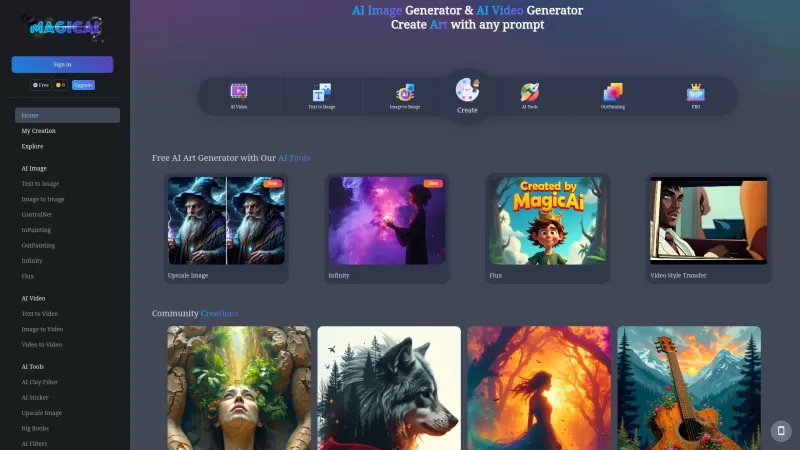
Ever stumbled upon MagicAI and wondered what it's all about? Well, let me tell you, it's a game-changer for anyone into anime art and multimedia creation. MagicAI is this cool, free online tool that lets you whip up stunning anime images and videos with j
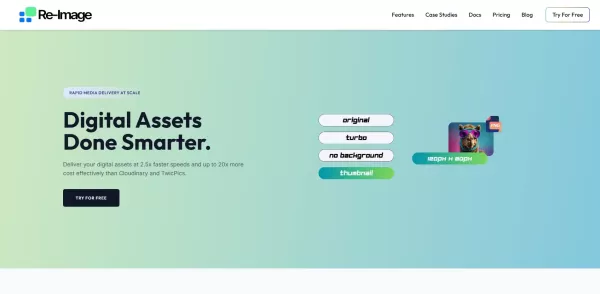
What is Re-Image?Re-Image is an advanced AI-powered agent for creating and improving images. It leverages cutting-edge machine learning to generate high-quality visuals from text descriptions or by refining existing photos. You can easily edit images
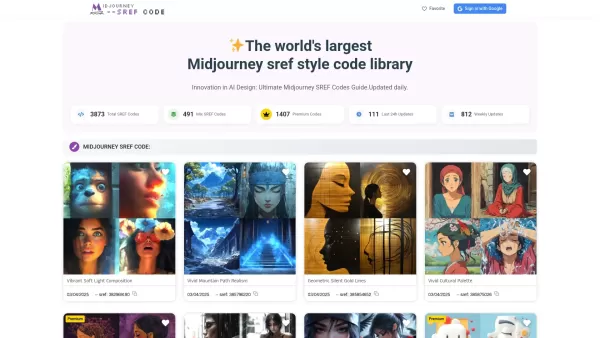
What are Midjourney SREF Codes?MJSREFCODES offers an extensive collection of Midjourney style reference codes, enabling creators to produce AI-generated images with unique visual aesthetics. The platform features over 4,997 distinct codes, with daily
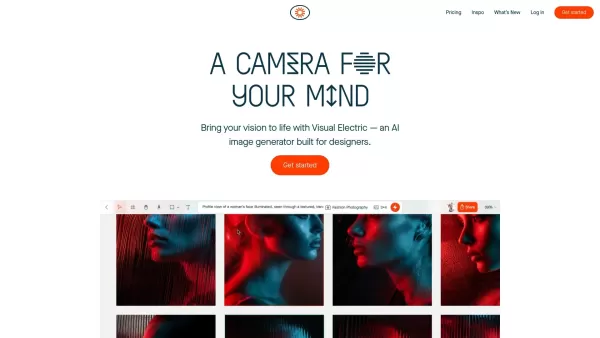
What is VE2?Visual Electric is an advanced AI-powered tool that generates images from user prompts. It offers over 60 preset styles to create anything from cinematic scenes to minimalist designs. Designed with designers in mind, the platform is excep
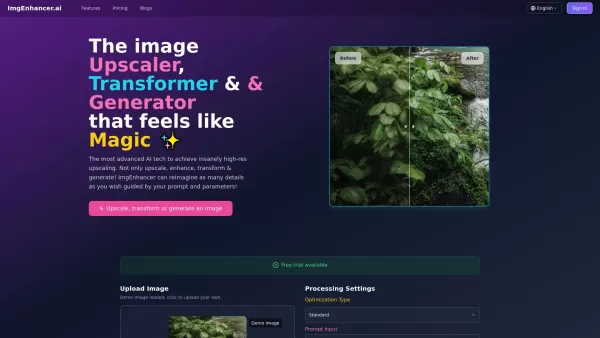
What is ImgEnhancer?ImgEnhancer.ai harnesses cutting-edge artificial intelligence to revolutionize your images. This powerful platform goes beyond basic editing - it intelligently boosts quality, increases resolution, and breathes new life into visua
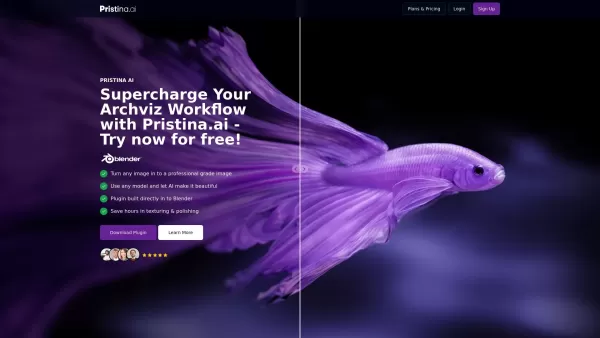
Pristina.ai - Render Realism Fast Product Information
What Is Pristina.ai - Render Realism Fast?
Pristina.ai is a groundbreaking AI-powered plugin built for 3D artists, enabling them to transform any 3D model into a photorealistic image with ease. Integrated directly into Blender and 3ds Max, this tool streamlines texturing and rendering without the need for masking, exporting, or re-creating scenes. By using Pristina.ai, artists save hours on texturing and finishing, allowing more focus on creativity and less on manual adjustments. It also lets users take low-quality models and enhance them to produce agency-grade images ready for presentation.
Who Will Use Pristina.ai - Render Realism Fast?
- 3D Artists
- Architectural Visualization Experts
- Graphic Designers
- Product Visualization Specialists
- Creative Agencies
How to Use Pristina.ai - Render Realism Fast?
- Step 1: Install the Pristina.ai plugin into Blender or 3ds Max.
- Step 2: Import or create your 3D scene with any models.
- Step 3: Mask the objects you want to render realistically.
- Step 4: Configure Pristina with your desired prompt.
- Step 5: Start the rendering process to generate high-fidelity images.
- Step 6: Review and refine the rendered image directly within your scene.
Platform
- Web
- Mac
- Windows
Pristina.ai - Render Realism Fast's Core Features & Benefits
The Core Features
- Blender and 3ds Max integration
- Photorealistic rendering
- Texturing automation
- High-fidelity image generation
- Model and scene enhancement
The Benefits
- Saves time
- Enhances image quality
- Improves workflow efficiency
- Allows for easy model enhancement
- Integrates seamlessly into existing tools
Pristina.ai - Render Realism Fast's Main Use Cases & Applications
- Architectural Renders
- Product Visualization
- Creative Projects
- 3D Model Polishing
- Animation Texturing
Pristina.ai - Render Realism Fast's Pros & Cons
The Pros
Direct integration with popular 3D software like Blender and 3ds Max
Significantly reduces rendering time from hours to seconds
Enhances photorealistic quality of 3D renders automatically
User-friendly workflow that requires minimal manual intervention
Provides free credits with no credit card required for trial
The Cons
Currently in Alpha stage, which may lack some stability or features
No open-source availability limits customization or community contributions
No explicit information on support for animations or multi-user collaboration
Pristina.ai - Render Realism Fast's Pricing
Free Plan Available | Yes |
|---|---|
Free Trial Details | First 500 credits free with no credit card required |
Pricing Model | Freemium |
Credit Card Required | No |
Paid From | 22.5 USD |
Lifetime Plan Available | No |
Billing Frequency | Monthly |
Details of Pricing Plan
Discovery
22.5 USD
- 1500 Credits per Month
- ~150 Individual Objects per Month
- Maintain 3D Geometric Accuracy
- Speedy Cloud Rendering
- 2X Accurate Upscaling
- Restore Human Faces
- Ultra Quality, Dual Pass Refiner
- Export Transparent PNG Masks
Professional
37.5 USD
- 4000 Credits per Month
- ~400 Individual Objects per Month
- Maintain 3D Geometric Accuracy
- Speedy Cloud Rendering
- 2X Accurate Upscaling
- Restore Human Faces
- Ultra Quality, Dual Pass Refiner
- Export Transparent PNG Masks
Studio
62.5 USD
- 7000 Credits per Month
- ~700 Individual Objects per Month
- Maintain 3D Geometric Accuracy
- Speedy Cloud Rendering
- 2X Accurate Upscaling
- Restore Human Faces
- Ultra Quality, Dual Pass Refiner
- Export Transparent PNG Masks
For the latest prices, visit: https://www.pristina.ai/pricing
FAQs of Pristina.ai - Render Realism Fast
Does Pristina.ai use the internet?
Yes, Pristina.ai requires an internet connection for some of its features.
Do I need a powerful computer to run Pristina.ai?
A computer with decent specifications is recommended for optimal performance, especially for heavy rendering tasks.
What's the maximum resolution Pristina can render?
Pristina.ai can render images at very high resolutions suitable for most professional uses.
Can Pristina.ai be used for animation?
Pristina.ai is primarily designed for static image renders, but it can assist in texturing and scene preparation for animations.
Can multiple users use Pristina.ai?
Yes, Pristina.ai supports multiple users, but each user needs a separate account.
Who is Pristina.ai for?
Pristina.ai is for 3D artists, designers, and professionals needing high-quality photorealistic rendering.
Can Pristina render styles other than photorealistic?
Pristina.ai is mainly designed for photorealistic rendering but can be adjusted for different stylistic needs.
Does Pristina have any copyright claims on the results?
No, users retain ownership of their rendered images generated by Pristina.ai.
How long does it take to learn how to use Pristina.ai?
Pristina.ai is user-friendly and integrates seamlessly, so the learning curve is minimal.
Who made Pristina.ai and why?
Pristina.ai was developed by a team of technology and design experts to streamline and enhance the rendering workflow for 3D artists.
Pristina.ai - Render Realism Fast Company Information
- Pristina AI
- https://www.pristina.ai
Pristina.ai - Render Realism Fast Screenshot



2026 Latest Best Top-rated AI Object Removal Editors for portraits travel product shots! XIX.AI curates a powerful game-changing collection regularly updated with weekly rankings. These tools offer real-world tests to help you quickly remove unwanted elements, boost content quality, and save tons of time without compromising results. Must-try for anyone aiming to unlock their AI creation edge. Explore now!
 10 tools
 xix.ai

2026 Latest Best Top-rated AI Text to Speech Tools for Online Courses are curated by XIX.AI based on rigorous real-world tests and weekly updated rankings. These powerful tools help creators deliver crystal-clear audio content effortlessly, boosting writing efficiency and streamlining course production. Check out the free vs paid comparison to find your perfect fit. Explore now to unlock your AI edge in online education.
10 tools
xix.ai

2026 Latest Best Top-Rated AI Blog Title Tools for Higher Click Through Rates! XIX.AI has carefully curated a powerful, game-changing collection of top tools that go through rigorous real-world tests. You’ll find a free vs paid comparison, weekly updated rankings, and detailed insights to help you boost your blog’s traffic efficiently. Must-try options are highlighted to help you unlock your AI edge. Explore now!
10 tools
xix.ai

2026 Latest Best Top-rated AI Task Routing Tools for Support Workflows! XIX.AI has curated a highly powerful game-changing collection of must-try solutions, all undergoing rigorous real-world tests and updated weekly. These tools streamline workflows, boost productivity, and help teams deliver faster, more efficient support. Explore now to discover your perfect tool and unlock your AI edge!
17 tools
xix.ai

2026 Latest Best Top-Rated AI Citation and Paper Summary Tools Curated by XIX.AI. Get powerful game-changing solutions for quick content creation, improved writing efficiency, and boosting productivity. We offer a free vs paid comparison along with real-world tests and weekly updated rankings to help you find the must-try tool that fits your needs perfectly. Explore now to Unlock your AI edge.
10 tools
xix.ai

2026 Latest Best Top-Rated AI Productivity Tools for Daily Work! XIX.AI has curated a powerful, game-changing selection based on rigorous weekly updated rankings and real-world tests. You’ll find must-try options that boost writing efficiency, streamline content creation, and help you overcome daily work challenges. Get a free vs paid comparison to find the perfect fit for your needs. Explore now to unlock your AI edge!
9 tools
xix.ai


