


 Home
HomePrint Perfect AI Text Editor



Helps TikTok sellers, brands, MCNs, and TAPs discover winning products and find creators.

HelpLook is an AI-powered all-in-one knowledge base tool that helps businesses quickly build knowledge bases, help centers, and...

Your AI Workspace

302.AI is an enterprise-grade AI resource platform with pay-as-you-go pricing, API access to a full range of AI models, and ready-to-use online applications.

剧火AI — AI Screenwriter + Director, a One-Person Short Drama Studio In one sentence, what is it?

Ever wondered how to get a leg up in *Call of Duty: Mobile*? Well, redeem codes are your golden ticket to a whole bunch of in-game goodies. These codes can give you a sweet boost to your Weapon XP or Battle Pass XP, making it a breeze to level up your arsenal and unlock those coveted new weapons, at
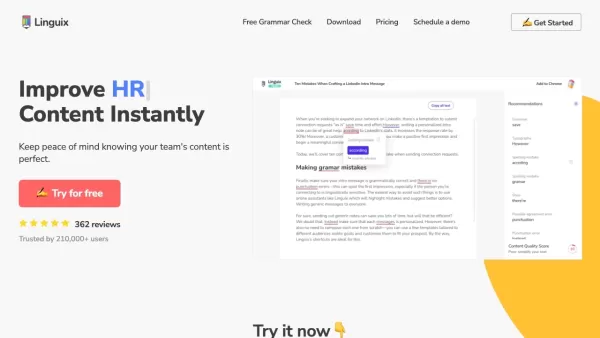
Ever find yourself staring at a blank screen, trying to craft the perfect email or nail that final paper? Enter Linguix, your new best friend in the world of writing. This free writing assistant isn't just another tool; it's like having a personal ed
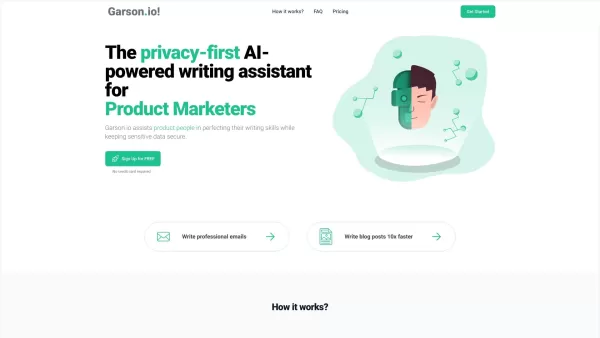
What is Garson.io? Garson.io offers a secure AI writing assistant specifically crafted for professionals who prioritize data privacy. This intelligent tool enhances your writing quality while maintaining strict confidentiality over sensitive informat
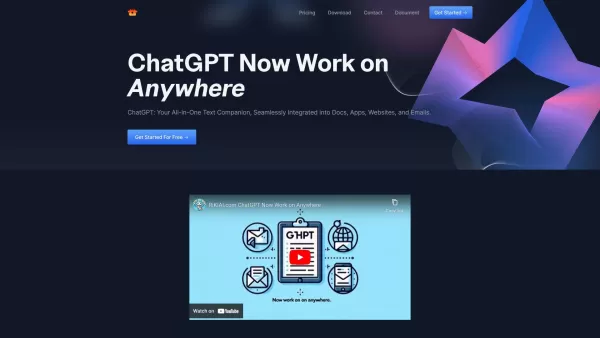
Riki AI is a game-changing tool designed to bring the power of ChatGPT directly into your workflow, no matter where you are or what you’re doing. Imagine having a personal assistant that helps you write, edit, summarize, translate, and even debug—all at t
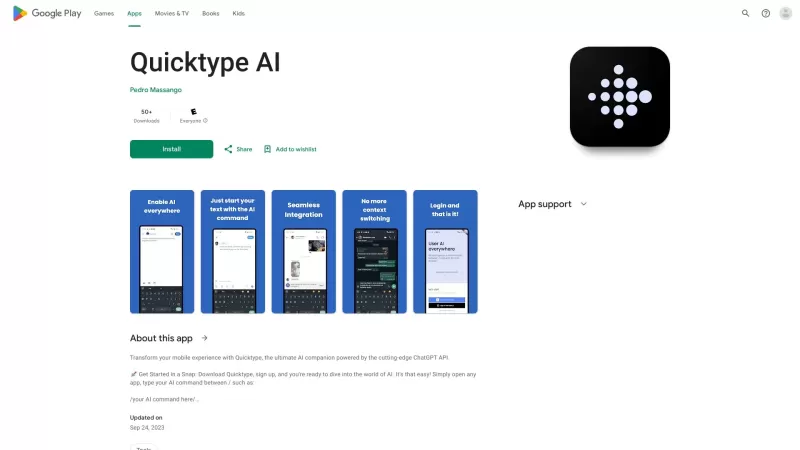
Ever found yourself juggling between different apps and tabs while trying to type something out? It's a real hassle, right? Well, let me introduce you to Elevate—an AI-powered tool designed to revolutionize your typing experience by cutting down on that annoying context switching. Imagine a world wh
Print Perfect AI Text Editor Product Information
What is Print Perfect AI Text Editor?
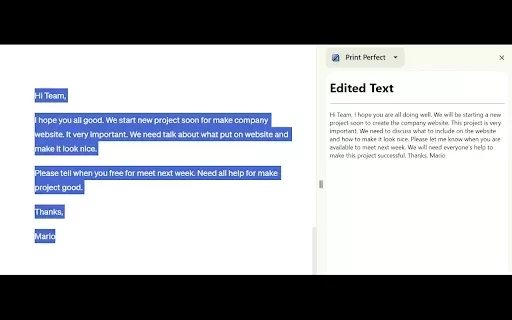
The Print Perfect AI Text Editor is a sophisticated tool engineered to transform your writing. Built on OpenAI's cutting-edge technology, it fixes grammatical mistakes, improves sentence construction, and perfects the overall narrative flow. Ideal for students, working professionals, or anyone aiming to sharpen their communication, Print Perfect empowers you to create coherent, impactful text that delivers your message with natural fluency. Its user-friendly design integrates effortlessly into your routine, delivering real-time insights and refinements as you write.
Who Should Use Print Perfect AI Text Editor?
- Students
- Professionals
- Writers
- Non-native English Speakers
- Content Creators
How to Use the Print Perfect AI Text Editor
- Step 1: Add the Print Perfect AI Text Editor extension from the Chrome Web Store.
- Step 2: Navigate to the text you want to improve in any supported text field.
- Step 3: Click the Print Perfect icon to launch the editing panel.
- Step 4: Evaluate the AI-generated recommendations and adjustments.
- Step 5: Accept the edits with a single click to perfect your final draft.
Platform
- Chrome
Print Perfect AI Text Editor's Core Features & Benefits
Core Features
- Grammar & Spelling Correction
- Sentence Structure Optimization
- Readability Enhancement
- Real-Time Editing Suggestions
Key Benefits
- Elevates Writing Clarity & Impact
- Dramatically Reduces Editing Time
- Boosts the Professional Tone of Any Document
- Essential Support for Non-Native English Speakers
Primary Use Cases & Applications
- Perfecting Academic Papers & Essays
- Polishing Business Correspondence & Professional Emails
- Refining Blog Posts & Web Content
- Enhancing Personal Writing & Creative Projects
Print Perfect AI Text Editor FAQs
Can I switch languages?
The editor currently specializes in enhancing English text.
Can I uninstall the extension easily?
Yes, you can quickly uninstall it anytime through your Chrome browser settings.
Is my data safe with Print Perfect?
Absolutely. User privacy and data security are our top priorities.
Will Print Perfect improve my writing skills?
Yes. Its consistent feedback and suggestions will help you develop stronger writing habits over time.
What type of texts can I edit with Print Perfect?
You can edit text in most web-based inputs, including documents, emails, and forms.
Is Print Perfect free to use?
Yes, it offers a robust set of free features, with advanced options available for premium users.
Can I trust the corrections it provides?
Yes. The editor employs advanced AI models to ensure accurate and reliable suggestions.
Does it work in real-time?
Yes. It provides suggestions and corrections instantly as you type.
Is there a limit to the text size I can edit?
No hard limit exists, though extremely long documents may affect performance.
Is it suitable for academic writing?
Yes, it is exceptionally well-suited for academic and formal writing.
Print Perfect AI Text Editor Company Information
Website:
https://chromewebstore.google.com/detail/print-perfect-ai-text-edi/fjjnddjflkokgpmehdojmplbjadhidffCompany Name:
Print PerfectSupport Email:
NAFacebook:
NAX (Twitter):
NAYouTube:
NAInstagram:
NATikTok:
NALinkedIn:
NA
Print Perfect AI Text Editor Screenshot

2026 Latest Best Top-rated AI Text to Speech Tools for Natural Voiceovers are here on XIX.AI! This curated list features powerful, game-changing options that deliver crystal-clear voices for every use case, backed by real-world tests and weekly updated rankings. Get a free vs paid comparison to find the must-try solution that boosts your productivity instantly. Explore now to Unlock your AI edge!
 11 tools
 xix.ai

2026 Latest Best Manga AI Background Generators Ranked Top-Rated! This curated collection showcases powerful game-changing tools perfect for creating high-quality chapter backgrounds, book covers, and promotional art. Every option has undergone rigorous real-world tests to ensure reliability. Get a free vs paid comparison along with detailed insights. Explore now to discover your perfect tool and unlock your AI edge in manga creation.
6 tools
xix.ai

2026 Latest Best Top-rated AI Object Removal Editors for portraits travel product shots! XIX.AI curates a powerful game-changing collection regularly updated with weekly rankings. These tools offer real-world tests to help you quickly remove unwanted elements, boost content quality, and save tons of time without compromising results. Must-try for anyone aiming to unlock their AI creation edge. Explore now!
10 tools
xix.ai

2026 Latest Best Top-rated AI Text to Speech Tools for Online Courses are curated by XIX.AI based on rigorous real-world tests and weekly updated rankings. These powerful tools help creators deliver crystal-clear audio content effortlessly, boosting writing efficiency and streamlining course production. Check out the free vs paid comparison to find your perfect fit. Explore now to unlock your AI edge in online education.
10 tools
xix.ai

2026 Latest Best Top-Rated AI Blog Title Tools for Higher Click Through Rates! XIX.AI has carefully curated a powerful, game-changing collection of top tools that go through rigorous real-world tests. You’ll find a free vs paid comparison, weekly updated rankings, and detailed insights to help you boost your blog’s traffic efficiently. Must-try options are highlighted to help you unlock your AI edge. Explore now!
10 tools
xix.ai

2026 Latest Best Top-rated AI Task Routing Tools for Support Workflows! XIX.AI has curated a highly powerful game-changing collection of must-try solutions, all undergoing rigorous real-world tests and updated weekly. These tools streamline workflows, boost productivity, and help teams deliver faster, more efficient support. Explore now to discover your perfect tool and unlock your AI edge!
17 tools
xix.ai


Just tried Print Perfect AI Text Editor for my blog post draft. It's like having a supercharged grammar checker that actually understands context! The sentence restructuring suggestions are surprisingly good, though I wish it had more style options. Still, a huge time-saver for non-native speakers like me. 🤖✍️
Just tried this AI editor for a final polish on my report. It caught a couple of awkward phrases I'd totally missed! Makes my writing sound smoother, almost like I hired a pro. The 'perfect' in the name is a bit much though, haha. Still, a solid tool for non-native speakers like me. ✍️


