


 Home
HomePonder AI
AI Thinking & Research Space



Helps TikTok sellers, brands, MCNs, and TAPs discover winning products and find creators.

HelpLook is an AI-powered all-in-one knowledge base tool that helps businesses quickly build knowledge bases, help centers, and...

Your AI Workspace

302.AI is an enterprise-grade AI resource platform with pay-as-you-go pricing, API access to a full range of AI models, and ready-to-use online applications.

剧火AI — AI Screenwriter + Director, a One-Person Short Drama Studio In one sentence, what is it?
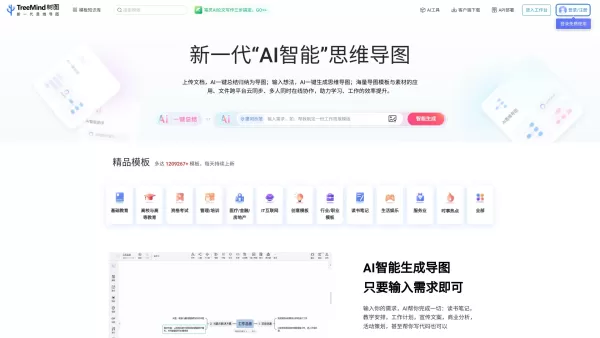
What is shutu.cn?TreeMind, accessible at shutu.cn, is an AI-driven online solution that helps users create mind maps and various other diagrams, such as logical diagrams, tree diagrams, fishbone diagrams, organizational charts, and timelines. Offerin
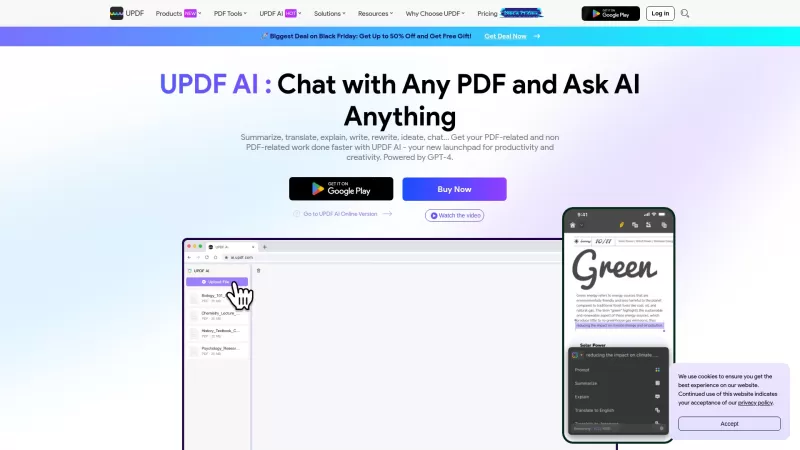
UPDF AI: Your Ultimate PDF AssistantHey there, PDF lovers! Are you tired of sifting through endless pages of text? Do you wish there was a way to make sense of those dense documents without pulling your hair out? Well, let me introduce you to UPDF AI, your new best friend in the world of PDFs!What i
Ponder AI Product Information
What is Ponder AI?
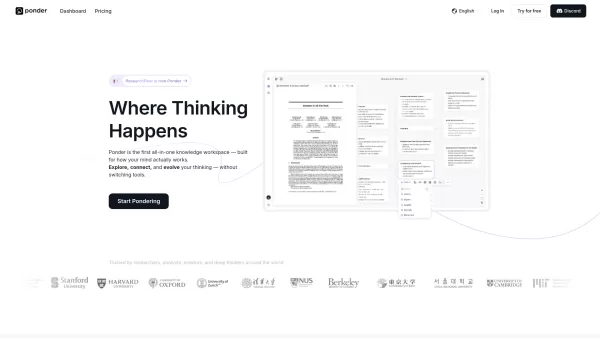
Ponder is an AI-powered thinking space designed to help knowledge workers transform scattered ideas into clear, organized insights. It consolidates your workflow into a single visual workspace, eliminating the need to jump between tools like ChatGPT and Notion. Here, you can research, brainstorm, and build knowledge maps—all in one place. Think of it as your AI thinking partner: ask questions, upload documents, and watch your ideas connect visually on an infinite canvas. The built-in AI assistant, Ponder Agent, helps you explore different perspectives, uncover hidden connections, and dive deeper into complex topics—going beyond generic answers. It's perfect for anyone engaged in serious thinking, from analysts crafting recommendations and consultants preparing client presentations to researchers synthesizing sources and professionals making high-stakes decisions. Ponder guides you from having fragmented information to achieving confident understanding and clear explanation. The company is backed by over $6 million in seed funding and is available worldwide.
How to use Ponder AI?
1. Begin with a question, topic, or by uploading your files.
2. Watch your ideas materialize as visual nodes on an infinite canvas.
3. Chat with the AI to explore different angles, ask follow-up questions, and challenge assumptions.
4. Allow Ponder to connect related ideas and surface insights you might have missed.
5. Organize your thoughts into a clear knowledge map.
6. Export your work or create deliverables directly from your workspace.
Ponder AI's Core Features
Smart Research Assistant – Ask questions, get answers, and see how everything connects
AI-Powered Mind Mapping – Visualize ideas on an infinite canvas that grows with your thinking
Ponder Agent – Your AI companion that guides exploration and suggests new directions
All-in-One Workspace – No more switching between research, note-taking, and chat tools
Visual Knowledge Maps – See the big picture while diving into the details
File & Document Support – Upload PDFs, documents, and notes to build upon existing work
Ponder AI's Use Cases
Researching complex topics and synthesizing multiple sources
Preparing client presentations with solid, organized thinking
Building investment theses or strategic recommendations
Academic research and literature review organization
Brainstorming and exploring new business ideas
Making sense of large amounts of information quickly
FAQ from Ponder AI
What is Ponder used for?
Ponder assists you in thinking through complex work—be it research, analysis, presentations, or strategic decisions. It combines AI chat, visual mind mapping, and knowledge organization in a single workspace, enabling you to explore ideas deeply and produce work you can stand behind with confidence.
Do I need to be technical to use Ponder?
Not at all. Simply start with a question or upload your files. The AI guides you from there, and the intuitive visual interface makes organizing your thoughts effortless, with no steep learning curve.
Can I use my own documents and files?
Yes. You can directly upload PDFs, documents, and notes into Ponder to build your knowledge map around your existing research materials.
Ponder AI Support Email & Customer service contact & Refund contact etc.
For more contact options, please visit the contact us page().
Ponder AI Company
Ponder AI Company name: .
Ponder AI Company address: .
To learn more about Ponder AI, please visit the about us page().
Ponder AI Login
Ponder AI Login Link:
Ponder AI Sign up
Ponder AI Sign up Link:
Ponder AI Screenshot

2026 Latest Best AI Quiz Builder Platforms for Teachers, Tutors, and Cohort-Based Learning Programs! XIX.AI has curated a top-rated list of powerful game-changing tools that go through real-world tests to deliver accurate rankings. These must-try platforms help boost writing efficiency, streamline content creation, and simplify quiz design across all learning scenarios. Explore now to discover your perfect tool for unlocking your AI edge in teaching!
 13 tools
 xix.ai

2026 Latest Best AI Pull Request Review Tools for GitHub Teams are here on XIX.AI! This top-rated curated list showcases powerful game-changing solutions that streamline refactoring, bug fixing, and security gap detection across all team workflows. Enjoy a free vs paid comparison along with real-world tests and detailed rankings to help you find the perfect tool that boosts productivity significantly. Explore now to unlock your AI edge!
12 tools
xix.ai

2026 Latest Best Top-rated AI Text to Speech Tools for Natural Voiceovers are here on XIX.AI! This curated list features powerful, game-changing options that deliver crystal-clear voices for every use case, backed by real-world tests and weekly updated rankings. Get a free vs paid comparison to find the must-try solution that boosts your productivity instantly. Explore now to Unlock your AI edge!
11 tools
xix.ai

2026 Latest Best Manga AI Background Generators Ranked Top-Rated! This curated collection showcases powerful game-changing tools perfect for creating high-quality chapter backgrounds, book covers, and promotional art. Every option has undergone rigorous real-world tests to ensure reliability. Get a free vs paid comparison along with detailed insights. Explore now to discover your perfect tool and unlock your AI edge in manga creation.
6 tools
xix.ai

2026 Latest Best Top-rated AI Object Removal Editors for portraits travel product shots! XIX.AI curates a powerful game-changing collection regularly updated with weekly rankings. These tools offer real-world tests to help you quickly remove unwanted elements, boost content quality, and save tons of time without compromising results. Must-try for anyone aiming to unlock their AI creation edge. Explore now!
10 tools
xix.ai

2026 Latest Best Top-rated AI Text to Speech Tools for Online Courses are curated by XIX.AI based on rigorous real-world tests and weekly updated rankings. These powerful tools help creators deliver crystal-clear audio content effortlessly, boosting writing efficiency and streamlining course production. Check out the free vs paid comparison to find your perfect fit. Explore now to unlock your AI edge in online education.
10 tools
xix.ai


