


 Home
HomePinster
AI Bookmark Manager for Knowledge Organization



Helps TikTok sellers, brands, MCNs, and TAPs discover winning products and find creators.

HelpLook is an AI-powered all-in-one knowledge base tool that helps businesses quickly build knowledge bases, help centers, and...

Your AI Workspace

302.AI is an enterprise-grade AI resource platform with pay-as-you-go pricing, API access to a full range of AI models, and ready-to-use online applications.

剧火AI — AI Screenwriter + Director, a One-Person Short Drama Studio In one sentence, what is it?

What is AI Excel Bot?AI Excel Bot uses advanced AI algorithms to help you build complex Excel and Google Sheets formulas in seconds. By leveraging natural language processing, it makes writing, editing, and understanding formulas much easier. Whether

What is GPT2Markdown?GPT2Markdown is a Chrome extension that streamlines the process of exporting your ChatGPT conversations into Markdown format. With a single click, it allows you to download your chat history as a Markdown (.md) file directly to y

AI Chatbot Hub is your go-to no-code platform for crafting and deploying AI chatbots that streamline customer interactions and boost internal operations. No need to be a coding whiz—just dive in and start creating chatbots that can capture leads, schedule

What is Sakura AI?Sakura AI harnesses cutting-edge artificial intelligence to provide a conversational interface that helps with a wide range of tasks, from managing schedules to answering questions. It uses advanced voice recognition and understandi

Ever wished for a trusty sidekick to boost your productivity while you surf the web? Well, say hello to the MaxAI AI Chrome extension! This little gem is your go-to for real-time suggestions and a whole suite of AI tools that can transform your online exp
Pinster Product Information
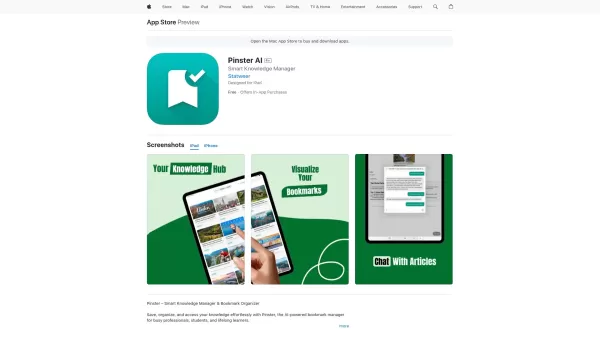
Pinster AI isn't just your average bookmark manager; it's like having a smart assistant that helps you keep your digital life in order. Imagine having a tool that not only saves your links, PDFs, and images but also organizes them in a way that makes sense to you, thanks to the power of AI. It's like having a personal librarian for your online world.
How to Use Pinster?
Getting started with Pinster AI is a breeze. First, you'll want to install the app and set up your account. Once you're in, you can start saving all sorts of content—links, PDFs, images, you name it. The AI will then work its magic, sorting everything into neat categories that make it easy for you to find what you need when you need it.
Pinster's Core Features
AI Smart Organization
Ever felt overwhelmed by the sheer volume of bookmarks you've accumulated? Pinster's AI steps in to sort your chaos into order, grouping similar content together so you can navigate your digital library with ease.
AI-Powered Summaries
Who has time to read everything they save? With Pinster, you don't have to. The AI generates concise summaries of your saved content, giving you the gist without the hassle.
Chat with Your Bookmarks
Imagine being able to ask questions about your saved articles or documents and getting instant answers. Pinster's chat feature lets you do just that, turning your bookmarks into a dynamic knowledge base.
Save More Than Links
Pinster isn't limited to just web links. You can save PDFs, images, and more, making it a versatile tool for all your digital storage needs.
Pinster's Use Cases
Organizing Research Materials for Students
For students, Pinster is a game-changer. It helps you keep all your research materials organized, so you can focus on learning rather than searching for that one article you saved last week.
Bookmarking Articles for Easy Reference
Whether you're a journalist, a blogger, or just someone who loves to read, Pinster makes it easy to bookmark articles and access them whenever you need a quick reference.
Extracting Insights from Saved Web Pages
With Pinster, you can go beyond just saving pages. The AI helps you extract valuable insights from your saved content, turning it into actionable knowledge.
FAQ from Pinster
- What data can I save using Pinster AI?
- You can save links, PDFs, images, and more with Pinster AI, making it a versatile tool for all your digital storage needs.
- Is there a mobile version of Pinster AI?
- Yes, Pinster AI is available on mobile devices, ensuring you can access your bookmarks on the go.
- How does AI enhance the bookmarking process?
- AI enhances the bookmarking process by organizing your content smartly, providing summaries, and allowing you to interact with your bookmarks through chat, making your digital life more efficient and insightful.
Pinster Support Email & Customer service contact & Refund contact etc.
More Contact, visit the contact us page()
Pinster Company
Pinster Company name: .
Pinster Company address: .
More about Pinster, Please visit the about us page()
Pinster Login
Pinster Login Link:
Pinster Sign up
Pinster Sign up Link:
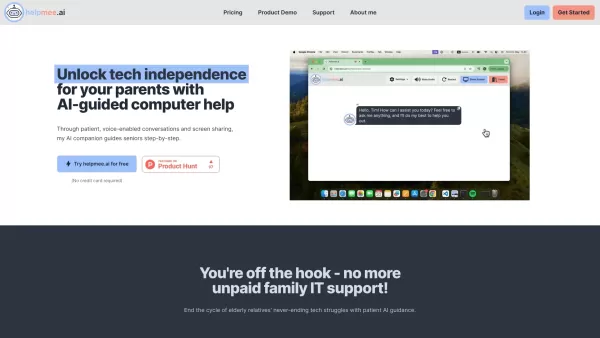
Pinster Screenshot

2026 Latest Best Top-rated AI Second-Brain Organizers for Notes, Bookmarks, Tasks, and Research Capture are here on XIX.AI! This curated list features powerful game-changing tools that help you boost productivity significantly through real-world tests. You’ll find a free vs paid comparison, detailed rankings, and must-try options to unlock your AI edge. Explore now to discover your perfect tool for streamlining all your work tasks.
 10 tools
 xix.ai
2026 Latest Best Notion AI Workspace Assistants ranking covers top-rated tools that offer powerful game-changing support for organizing notes, managing tasks, building wikis, and creating weekly planning systems. This curated list includes a free vs paid comparison along with real-world tests to help you find the must-try solution that boosts your productivity significantly. XIX.AI delivers expert insights to streamline your workflow. Explore now to discover your perfect tool!
12 tools
xix.ai


