


 Home
HomePictory
AI Video Creation with Pictory



Helps TikTok sellers, brands, MCNs, and TAPs discover winning products and find creators.

HelpLook is an AI-powered all-in-one knowledge base tool that helps businesses quickly build knowledge bases, help centers, and...

Your AI Workspace

302.AI is an enterprise-grade AI resource platform with pay-as-you-go pricing, API access to a full range of AI models, and ready-to-use online applications.

剧火AI — AI Screenwriter + Director, a One-Person Short Drama Studio In one sentence, what is it?
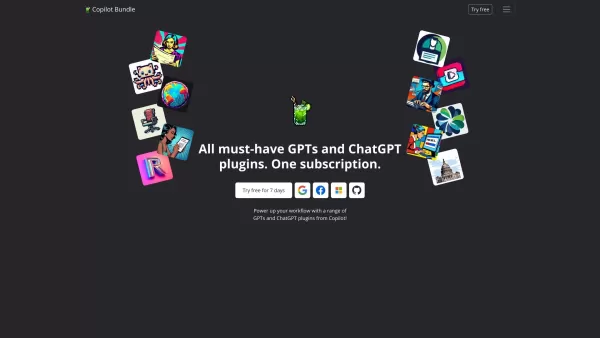
Copilot is an innovative suite of plugins and tools designed to enhance productivity and streamline various tasks within the ChatGPT platform. It's like having a digital assistant that's specialized in boosting your workflow, whether you're summarizing documents, searching the web, or managing job a

Ever wondered how to effortlessly turn your audio and video files into text? Enter Clipto, the powerhouse of AI transcription on the web. Imagine harnessing the same cutting-edge tech that fuels ChatGPT to convert your Zoom meetings, interviews, and

What is Revoldiv AI Chrome Extension? Revoldiv is a Chrome browser extension that instantly transcribes audio and video directly in your browser. It lets users follow along by reading live transcriptions and search for specific spoken words within po
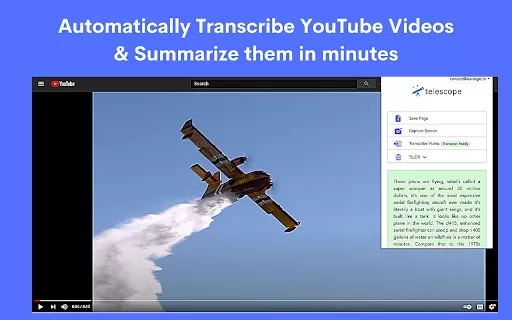
What is the Telescope AI Chrome Extension? Telescope is an AI-powered knowledge base and natural language search tool. It helps users save information, ask questions, and extract knowledge from documents, websites, and videos. Its goal is to deliver
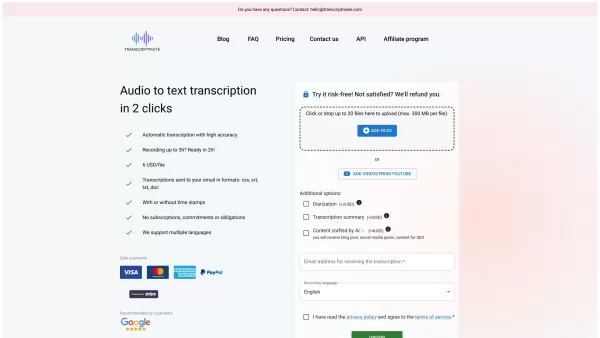
What is Transcriptmate? Transcriptmate is an online service that transcribes your audio and video files. It operates on a convenient 'Pay-As-You-Go' basis, meaning no sign-ups, subscriptions, or monthly fees. You simply pay per file, not per minute,
Pictory Product Information
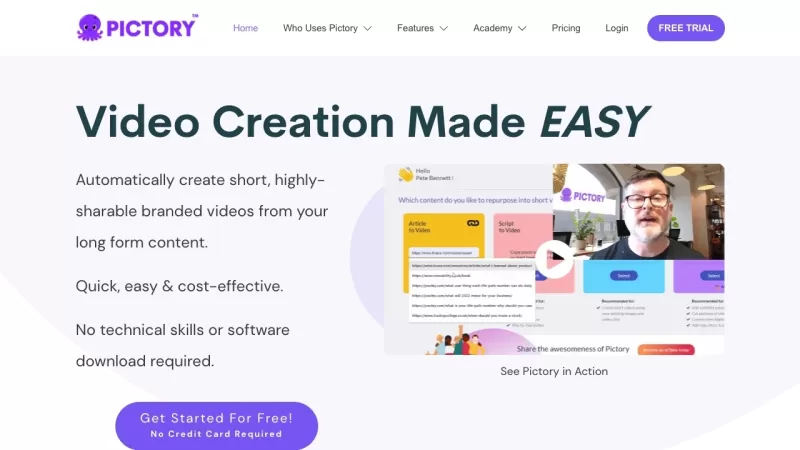
Ever wondered how to whip up professional-looking videos without breaking a sweat? Enter Pictory, your new best friend in the world of video creation. This nifty online platform harnesses the power of AI to transform your text into stunning videos. No need to be a tech wizard or download clunky software—Pictory makes video marketing a breeze for everyone.
How to Use Pictory?
Getting started with Pictory is as easy as pie. Just sign up for a free trial and log in. Once you're in, you can start crafting your masterpiece by simply typing in your text. Pictory's AI does the heavy lifting, analyzing your words to pick out the perfect visuals and adding captions to boot. Feel like tweaking things? No problem! You can edit the text, swap out graphics and videos, and fine-tune the timing until it's just right. When you're happy with your creation, hit download and share it far and wide.
Pictory's Core Features
- Edit videos using text: Transform your written content into dynamic videos with ease.
- Create video highlights: Pull out the best parts of your videos to keep your audience hooked.
- Auto summarize long videos: Let Pictory do the work of condensing your long videos into bite-sized summaries.
- Convert scripts to videos: Turn your scripts into engaging visual stories.
- Transform blog posts into videos: Give your blog posts a new life as captivating videos.
- Auto caption videos: Make your videos accessible with automatic captions.
- Auto transcribe videos: Easily transcribe your videos for better reach and SEO.
Pictory's Use Cases
Pictory isn't just for the pros. Whether you're part of a team, a YouTube creator, a marketer, or even a blogger, Pictory has got you covered. Teams can jazz up internal communications and training videos. YouTube creators can turn their written content into eye-catching videos to boost engagement. Marketers can create visually stunning videos that drive conversions. Social media managers can whip up shareable content in a snap. Agencies can save time and resources by creating client videos efficiently. Bloggers can repurpose their posts into engaging videos to reach a wider audience. Course creators and coaches can make their materials more interactive and engaging. And if you're a Vidnami user, Pictory offers a more user-friendly and feature-rich experience.
FAQ from Pictory
- Do I need any technical skills or software downloads to use Pictory?
- Nope! Pictory is designed to be user-friendly, so no technical skills or software downloads are needed.
- What kind of videos can I create with Pictory?
- You can create a wide range of videos, from marketing content to educational videos, all from text.
- Can I customize the videos created by Pictory?
- Absolutely! You can edit the text, choose different graphics and videos, and adjust the timing to your liking.
- Can I add my own graphics and videos to the videos created by Pictory?
- Yes, you can personalize your videos by adding your own graphics and videos.
- Is there a limit on the length of the videos I can create with Pictory?
- No limits here! You can create videos of any length that suits your needs.
Need help or have questions? Drop a line to Pictory's support team at [email protected]. Want to know more about Pictory? Check out their about us page. Ready to dive in? Log in at Pictory Login or sign up at Pictory Sign up. Curious about the pricing? Visit Pictory Pricing. And don't forget to connect with Pictory on social media: Facebook, YouTube, LinkedIn, and Twitter.
Pictory Screenshot


2026 Latest Best Top-rated AI Text to Speech Tools for Natural Voiceovers are here on XIX.AI! This curated list features powerful, game-changing options that deliver crystal-clear voices for every use case, backed by real-world tests and weekly updated rankings. Get a free vs paid comparison to find the must-try solution that boosts your productivity instantly. Explore now to Unlock your AI edge!
 11 tools
 xix.ai

2026 Latest Best Manga AI Background Generators Ranked Top-Rated! This curated collection showcases powerful game-changing tools perfect for creating high-quality chapter backgrounds, book covers, and promotional art. Every option has undergone rigorous real-world tests to ensure reliability. Get a free vs paid comparison along with detailed insights. Explore now to discover your perfect tool and unlock your AI edge in manga creation.
6 tools
xix.ai

2026 Latest Best Top-rated AI Object Removal Editors for portraits travel product shots! XIX.AI curates a powerful game-changing collection regularly updated with weekly rankings. These tools offer real-world tests to help you quickly remove unwanted elements, boost content quality, and save tons of time without compromising results. Must-try for anyone aiming to unlock their AI creation edge. Explore now!
10 tools
xix.ai

2026 Latest Best Top-rated AI Text to Speech Tools for Online Courses are curated by XIX.AI based on rigorous real-world tests and weekly updated rankings. These powerful tools help creators deliver crystal-clear audio content effortlessly, boosting writing efficiency and streamlining course production. Check out the free vs paid comparison to find your perfect fit. Explore now to unlock your AI edge in online education.
10 tools
xix.ai

2026 Latest Best Top-Rated AI Blog Title Tools for Higher Click Through Rates! XIX.AI has carefully curated a powerful, game-changing collection of top tools that go through rigorous real-world tests. You’ll find a free vs paid comparison, weekly updated rankings, and detailed insights to help you boost your blog’s traffic efficiently. Must-try options are highlighted to help you unlock your AI edge. Explore now!
10 tools
xix.ai

2026 Latest Best Top-rated AI Task Routing Tools for Support Workflows! XIX.AI has curated a highly powerful game-changing collection of must-try solutions, all undergoing rigorous real-world tests and updated weekly. These tools streamline workflows, boost productivity, and help teams deliver faster, more efficient support. Explore now to discover your perfect tool and unlock your AI edge!
17 tools
xix.ai


Just tried Pictory for a quick promo video and it's honestly mind-blowing! Turned my blog post into a slick video in minutes. The AI really gets the pacing and visuals right. Only wish there were more music options, but overall, a game-changer for small creators like me. 🚀
Pictory é incrível para fazer vídeos rápidos! É tão fácil transformar minhas ideias em clipes legais. A única coisa é que, às vezes, a IA escolhe imagens estranhas, mas, no geral, é uma ótima ferramenta! 🎥✨
Pictory is awesome for making quick videos! It's so easy to turn my ideas into cool clips. The only thing is, sometimes the AI picks weird images, but overall, it's a great tool! 🎥✨
Pictory é um achado! Transforma texto em vídeos profissionais com uma facilidade incrível. Às vezes a escolha das imagens não é perfeita, mas para quem precisa de vídeos rápidos, é perfeito. Recomendo muito!
¡Pictory es una maravilla! Puedo crear videos profesionales a partir de texto sin esfuerzo. La IA a veces no acierta con las imágenes, pero en general es una herramienta fantástica para producir videos rápidamente. ¡Muy recomendado!


