


 Home
HomePhotoHero



Helps TikTok sellers, brands, MCNs, and TAPs discover winning products and find creators.

HelpLook is an AI-powered all-in-one knowledge base tool that helps businesses quickly build knowledge bases, help centers, and...

Your AI Workspace

302.AI is an enterprise-grade AI resource platform with pay-as-you-go pricing, API access to a full range of AI models, and ready-to-use online applications.

剧火AI — AI Screenwriter + Director, a One-Person Short Drama Studio In one sentence, what is it?

What is Deepfake Maker? Deepfake Maker is a comprehensive, browser-based AI tool for creating deepfakes, tailored for creators, marketers, and designers who need striking visuals without complicated software. It combines multiple AI capabilities: adv
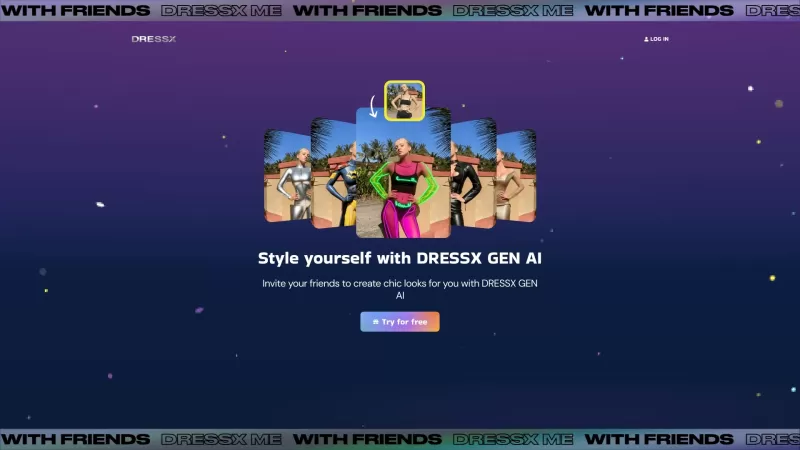
Ever wondered what it would be like to step into a world where fashion is just a click away? Well, DRESSX GEN AI is here to make that dream a reality. This nifty tool lets you upload a photo of yourself and, in a snap, you're digitally dressed in an outfi

What is PixelDojo?Pixel Dojo is an innovative creative platform that offers a comprehensive suite of generative art tools. It empowers users to generate images from scratch, improve them with advanced upscaling technology, design consistent character

What is Banana AI - Free AI Photo Editor?Banana AI is a free, AI-driven photo editor that uses Google's Nano Banana technology (Gemini 2.5 Flash Image) to transform your pictures with simple text commands. Easily remove unwanted objects, swap backgro
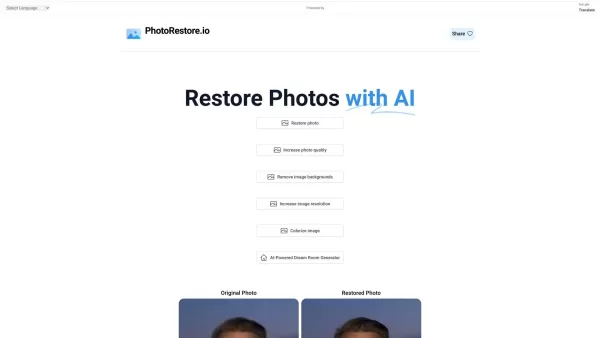
What is Photo Restore?PhotoRestore.io provides a specialized, free AI photo restoration service dedicated to reviving old, blurry, or damaged photographs. Utilizing advanced artificial intelligence, it repairs fading, enhances clarity, and improves o
PhotoHero Product Information
What is PhotoHero?
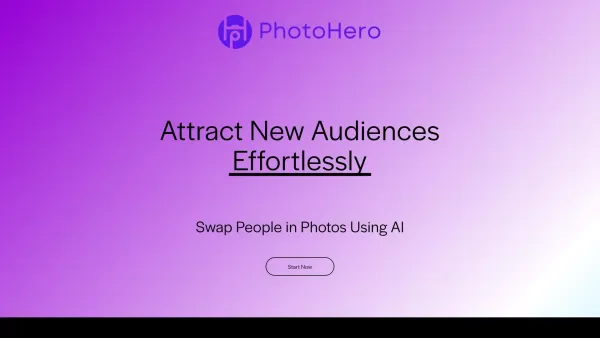
PhotoHero AI leverages artificial intelligence to effortlessly manipulate your photos. You can seamlessly swap people, faces, or backgrounds, unlocking new creative possibilities. Ideal for personal projects, social media, or e-commerce, this tool is designed to be intuitive, fast, and secure, delivering professional-grade results with ease for photographers, marketers, and content creators of all levels.
Who will use PhotoHero?
- Amateur photographers
- Professional photographers
- Social media marketers
- E-commerce businesses
- Content creators
How to use PhotoHero?
- Step 1: Go to the PhotoHero AI website.
- Step 2: Sign up or log into your account.
- Step 3: Upload the photo you wish to edit.
- Step 4: Select the swap type: person, face, or background.
- Step 5: Adjust the settings to fit your vision.
- Step 6: Let the AI process your image.
- Step 7: Download or share your final photo.
Platform
- Web
PhotoHero's Core Features & Benefits
The Core Features
- AI face swap
- AI person swap
- AI background swap
- Customizable swap options
- Secure processing
The Benefits
- Diversify photo content
- Enhance creativity
- Easy to use
- Fast processing
- High-quality results
PhotoHero's Main Use Cases & Applications
- Social media posts
- Marketing campaigns
- E-commerce product photos
- Personal photo albums
- Creative projects
PhotoHero's Pros & Cons
The Pros
AI-powered automatic face and background swapping
Quick and easy content refresh with one click
Secure data handling based in San Francisco
No credit card required to start
Supports text prompt-based editing
The Cons
No clear information on open-source availability
No direct links to apps or community platforms
Pricing details not explicitly outlined on the main page
Potential limitations for free-tier usage are not stated
PhotoHero's Pricing
Has free plan | YES |
|---|---|
Free trial details | 100% Free to Start, No Credit Card Required |
Pricing model | Freemium |
Is credit card required | No |
Paid from | |
Has lifetime plan | No |
Billing frequency |
For the latest prices, please visit: https://photohero.ai
FAQs of PhotoHero
What is PhotoHero AI?
PhotoHero AI is a tool that uses artificial intelligence to swap people, faces, and backgrounds in your photos.
Is PhotoHero AI free to use?
Yes, PhotoHero AI offers a free version.
Can I use PhotoHero AI on my mobile device?
Currently, PhotoHero AI is accessible via the web.
How secure is PhotoHero AI?
PhotoHero AI ensures secure processing, and your data is not shared with third parties.
What types of edits can I make using PhotoHero AI?
You can swap faces, people, and backgrounds in your photos.
Do I need an account to use PhotoHero AI?
Yes, you need to create an account or log in to use the service.
What are the supported file formats?
PhotoHero AI supports common image formats like JPG, PNG, and BMP.
How long does it take to process a photo?
Processing is very fast, typically completing in just a few seconds.
Can I edit multiple photos at once?
Currently, PhotoHero AI processes one photo at a time.
Where can I get support if I encounter issues?
You can contact support via email or through the website.
PhotoHero Company Information
Website:
https://www.photohero.ai/Company Name:
PhotoHero AISupport Email:
Facebook:
NAX(Twitter):
https://twitter.com/photohero_aiYouTube:
NAInstagram:
NATiktok:
NALinkedIn:
NA
PhotoHero Screenshot



2026 Latest Best AI Quiz Builder Platforms for Teachers, Tutors, and Cohort-Based Learning Programs! XIX.AI has curated a top-rated list of powerful game-changing tools that go through real-world tests to deliver accurate rankings. These must-try platforms help boost writing efficiency, streamline content creation, and simplify quiz design across all learning scenarios. Explore now to discover your perfect tool for unlocking your AI edge in teaching!
 13 tools
 xix.ai

2026 Latest Best AI Pull Request Review Tools for GitHub Teams are here on XIX.AI! This top-rated curated list showcases powerful game-changing solutions that streamline refactoring, bug fixing, and security gap detection across all team workflows. Enjoy a free vs paid comparison along with real-world tests and detailed rankings to help you find the perfect tool that boosts productivity significantly. Explore now to unlock your AI edge!
12 tools
xix.ai

2026 Latest Best Top-rated AI Text to Speech Tools for Natural Voiceovers are here on XIX.AI! This curated list features powerful, game-changing options that deliver crystal-clear voices for every use case, backed by real-world tests and weekly updated rankings. Get a free vs paid comparison to find the must-try solution that boosts your productivity instantly. Explore now to Unlock your AI edge!
11 tools
xix.ai

2026 Latest Best Manga AI Background Generators Ranked Top-Rated! This curated collection showcases powerful game-changing tools perfect for creating high-quality chapter backgrounds, book covers, and promotional art. Every option has undergone rigorous real-world tests to ensure reliability. Get a free vs paid comparison along with detailed insights. Explore now to discover your perfect tool and unlock your AI edge in manga creation.
6 tools
xix.ai

2026 Latest Best Top-rated AI Object Removal Editors for portraits travel product shots! XIX.AI curates a powerful game-changing collection regularly updated with weekly rankings. These tools offer real-world tests to help you quickly remove unwanted elements, boost content quality, and save tons of time without compromising results. Must-try for anyone aiming to unlock their AI creation edge. Explore now!
10 tools
xix.ai

2026 Latest Best Top-rated AI Text to Speech Tools for Online Courses are curated by XIX.AI based on rigorous real-world tests and weekly updated rankings. These powerful tools help creators deliver crystal-clear audio content effortlessly, boosting writing efficiency and streamlining course production. Check out the free vs paid comparison to find your perfect fit. Explore now to unlock your AI edge in online education.
10 tools
xix.ai


PhotoHero is a game-changer for quick edits! Swapping faces and backgrounds with AI is surprisingly seamless. Perfect for social media posts or fixing awkward group photos. Just be mindful of privacy when uploading personal images. Overall, a fun and powerful tool for creative projects! 📸✨


