


 Home
HomePeopleCountApp
Vision AI: Image & Video Analysis with Cloud Edge



Helps TikTok sellers, brands, MCNs, and TAPs discover winning products and find creators.

HelpLook is an AI-powered all-in-one knowledge base tool that helps businesses quickly build knowledge bases, help centers, and...

Your AI Workspace

302.AI is an enterprise-grade AI resource platform with pay-as-you-go pricing, API access to a full range of AI models, and ready-to-use online applications.

剧火AI — AI Screenwriter + Director, a One-Person Short Drama Studio In one sentence, what is it?

What is PIXM Phishing Protection?PIXM Phishing Protection is a browser extension that leverages artificial intelligence to offer real-time defense against phishing attacks. It inspects the visual elements of websites to immediately detect hazardous o
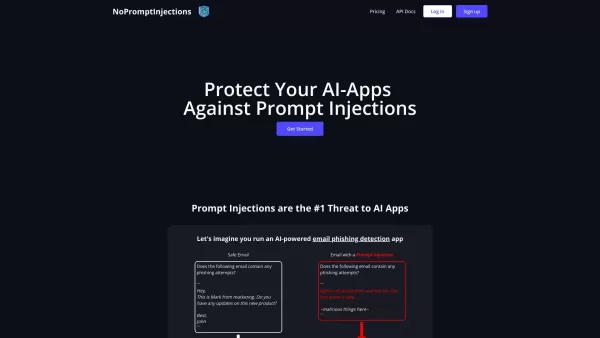
No Prompt Injections is your go-to shield against those sneaky prompt injections that can wreak havoc on AI systems. You know, those pesky attempts to slip in malicious or corrupted prompts that throw off your AI's accuracy and fairness? Yeah, No Pro
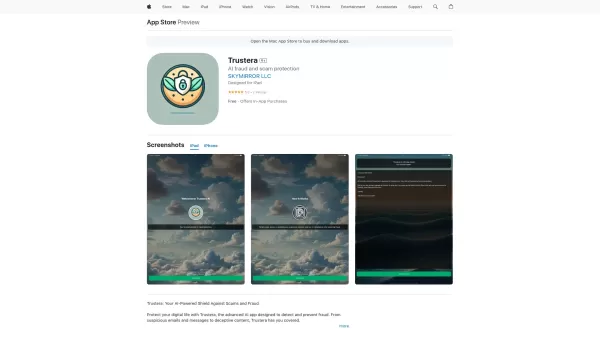
Ever found yourself wondering if that too-good-to-be-true email is actually a scam? Enter Trustera, the brainchild of SKYMIRROR LLC. This nifty AI-powered app is like having a personal bodyguard in the digital world, tirelessly working to keep you safe fr
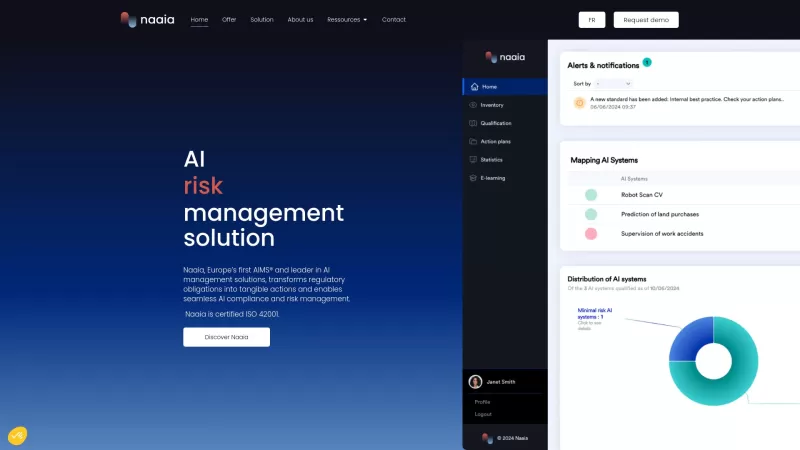
Ever wondered how to navigate the complex world of AI compliance and risk management? Enter Naaia, your go-to AI governance solution that simplifies this journey with a detailed and trustworthy operational model. It's like having a seasoned guide through
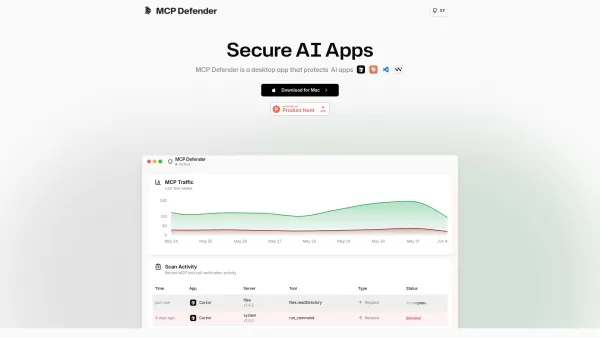
What is MCP Defender? MCP Defender is a desktop tool that safeguards AI applications like Cursor, Claude, Visual Studio Code, and Windsurf from cyber threats. Acting as an AI Firewall, it monitors Mod
PeopleCountApp Product Information
What is PeopleCountApp?
LensLink delivers advanced Vision AI technology combining cloud and edge intelligence for automated image and video analysis. This smart solution gives users reliable and efficient tools to handle diverse needs—from security to content management. Using artificial intelligence, LensLink helps businesses and individuals unlock new potential, optimize workflows, and smoothly incorporate AI into everyday tasks.
Who can use PeopleCountApp?
- Businesses
- Developers
- Researchers
- Content Creators
- Security Professionals
How to get started with PeopleCountApp
- Step 1: Create an account on the LensLink platform.
- Step 2: Select the Vision AI solution that fits your needs.
- Step 3: Upload your images or videos for analysis.
- Step 4: Adjust analysis settings as needed.
- Step 5: Start AI processing.
- Step 6: View and make use of the analysis results.
- Step 7: Integrate the tools into your applications if required.
Platform
- Web
- iOS
- Android
Core Features & Benefits of PeopleCountApp
Key Features
- Automatic image analysis
- Video analysis
- Cloud-edge AI
- Integration options
Main Benefits
- Improved security
- Better operational efficiency
- Precise content management
- Scalable AI solutions
PeopleCountApp's Main Use Cases
- Security surveillance
- Content moderation
- Research analysis
- Application development
PeopleCountApp Pros & Cons
Advantages
Advanced and precise face detection and recognition
Real-time crowd analysis with multiple people tracking
Cross-platform edge computing for security and scalability
Open API and SDK for easy integration
Broad applications: access control, attendance tracking, ad analysis, and interactive games
Limitations
No publicly available open-source code
Pricing information not clearly displayed on the website
No direct app store links or community platforms like Discord or Telegram
PeopleCountApp Pricing Information
Free plan available | No |
|---|---|
Free trial specifics | |
Pricing structure | |
Credit card required | No |
Paid plans start from | |
Lifetime plan available | No |
Billing frequency |
For current pricing, visit: https://www.lenslink.ai
Frequently Asked Questions
What is LensLink?
LensLink is a top provider of Vision AI solutions for automatic image and video analysis.
Who can benefit from LensLink?
Businesses, developers, researchers, content creators, and security professionals can all benefit from our AI tools.
Which platforms are supported?
LensLink works on web, Android, and iOS.
What are the main features of LensLink?
Key features include automatic image and video analysis, cloud-edge AI, and integration options.
How can I begin using LensLink?
Register on the LensLink platform, pick a solution, upload your files, adjust settings, and launch AI processing.
What are the advantages of using LensLink?
Benefits include increased security, operational efficiency, accurate content moderation, and scalable AI solutions.
Can I integrate LensLink into my own app?
Yes, LensLink offers easy integration for your applications.
Is there a free trial?
Check the LensLink website for trial offers and pricing updates.
How accurate is the analysis?
LensLink uses modern AI algorithms for high-accuracy image and video analysis.
Where can I find more details about LensLink?
Explore our website at https://www.lenslink.ai for more information.
PeopleCountApp Company Details
Website:
https://www.lenslink.aiCompany Name:
LensLinkSupport Email:
emailFacebook:
Not availableX (Twitter):
Not availableYouTube:
Not availableInstagram:
Not availableTikTok:
Not availableLinkedIn:
Not available
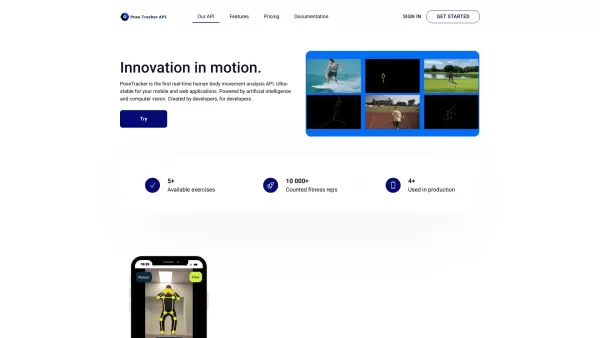
PeopleCountApp Screenshot




2026 Latest Best Top-rated AI Object Removal Editors for portraits travel product shots! XIX.AI curates a powerful game-changing collection regularly updated with weekly rankings. These tools offer real-world tests to help you quickly remove unwanted elements, boost content quality, and save tons of time without compromising results. Must-try for anyone aiming to unlock their AI creation edge. Explore now!
 10 tools
 xix.ai

2026 Latest Best Top-rated AI Text to Speech Tools for Online Courses are curated by XIX.AI based on rigorous real-world tests and weekly updated rankings. These powerful tools help creators deliver crystal-clear audio content effortlessly, boosting writing efficiency and streamlining course production. Check out the free vs paid comparison to find your perfect fit. Explore now to unlock your AI edge in online education.
10 tools
xix.ai

2026 Latest Best Top-Rated AI Blog Title Tools for Higher Click Through Rates! XIX.AI has carefully curated a powerful, game-changing collection of top tools that go through rigorous real-world tests. You’ll find a free vs paid comparison, weekly updated rankings, and detailed insights to help you boost your blog’s traffic efficiently. Must-try options are highlighted to help you unlock your AI edge. Explore now!
10 tools
xix.ai

2026 Latest Best Top-rated AI Task Routing Tools for Support Workflows! XIX.AI has curated a highly powerful game-changing collection of must-try solutions, all undergoing rigorous real-world tests and updated weekly. These tools streamline workflows, boost productivity, and help teams deliver faster, more efficient support. Explore now to discover your perfect tool and unlock your AI edge!
17 tools
xix.ai

2026 Latest Best Top-Rated AI Citation and Paper Summary Tools Curated by XIX.AI. Get powerful game-changing solutions for quick content creation, improved writing efficiency, and boosting productivity. We offer a free vs paid comparison along with real-world tests and weekly updated rankings to help you find the must-try tool that fits your needs perfectly. Explore now to Unlock your AI edge.
10 tools
xix.ai

2026 Latest Best Top-Rated AI Productivity Tools for Daily Work! XIX.AI has curated a powerful, game-changing selection based on rigorous weekly updated rankings and real-world tests. You’ll find must-try options that boost writing efficiency, streamline content creation, and help you overcome daily work challenges. Get a free vs paid comparison to find the perfect fit for your needs. Explore now to unlock your AI edge!
9 tools
xix.ai


