


 Home
HomeParaphrasing



Helps TikTok sellers, brands, MCNs, and TAPs discover winning products and find creators.

HelpLook is an AI-powered all-in-one knowledge base tool that helps businesses quickly build knowledge bases, help centers, and...

Your AI Workspace

302.AI is an enterprise-grade AI resource platform with pay-as-you-go pricing, API access to a full range of AI models, and ready-to-use online applications.

剧火AI — AI Screenwriter + Director, a One-Person Short Drama Studio In one sentence, what is it?
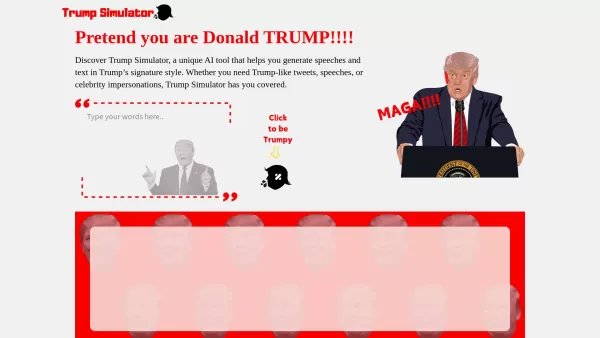
Ever wondered what it would be like to channel the unique flair of Donald Trump in your own words? Enter the Trump Simulator—an AI tool that's all about capturing the essence of Trump's distinctive style in speeches, tweets, and dialogues. It's like
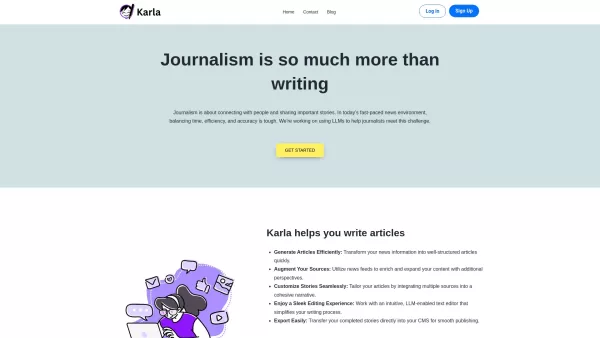
If you're a journalist navigating the fast-paced world of news, Karla might just be your new best friend. This nifty text editor is designed to take the chaos of raw information and mold it into beautifully structured articles, all thanks to the power of
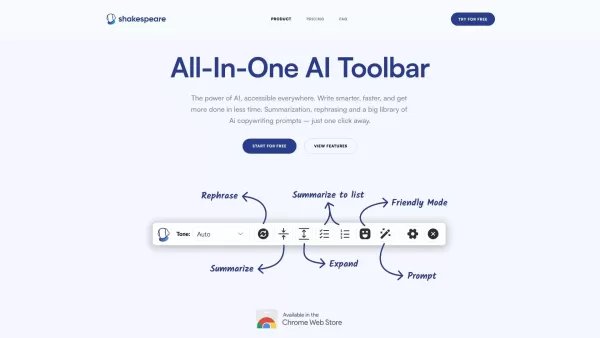
What is the Shakespeare AI Writing Toolbar?The Shakespeare Toolbar is a Chrome extension powered by AI that enhances your writing efficiency and quality. It provides tools for summarization, rewording, and other functions, helping you generate excell
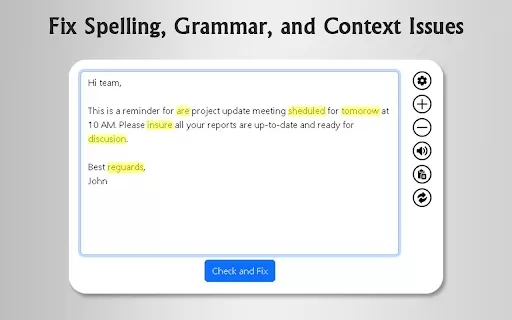
What is GrammFix?GrammFix is a cutting-edge browser extension that helps users elevate their writing. Leveraging advanced AI, it instantly identifies and fixes grammar, spelling, and punctuation errors. Ideal for students, professionals, and anyone l
Ever found yourself staring at a blank screen, unsure of how to make your words sparkle? Well, let me introduce you to the Mita Writing Cat AI Chrome Extension, a nifty little tool that's like having a personal writing coach right in your browser. It's de
Paraphrasing Product Information
What Is Paraphrasing?
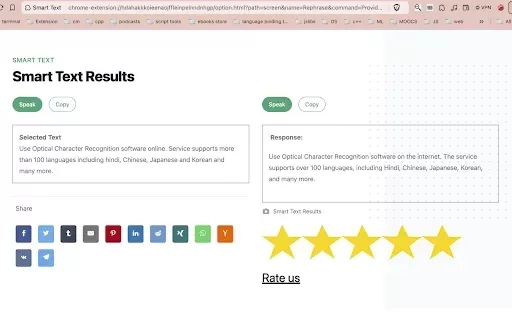
Paraphrasing is a free Chrome extension that leverages advanced AI to help users rewrite text effortlessly. Whether you're working on articles, essays, or emails, this tool enables you to rephrase your content with ease. By using AI, it not only improves readability but also minimizes the risk of plagiarism, making it an invaluable resource for students, professionals, and anyone aiming to refine their writing.
Who Benefits from Paraphrasing?
- Students
- Professionals
- Content Creators
- Researchers
- Bloggers
How to Use Paraphrasing
- Step 1: Install the Paraphrasing extension from the Chrome Web Store.
- Step 2: Open the text you want to rephrase.
- Step 3: Highlight the content you wish to rewrite.
- Step 4: Click the extension icon in your browser toolbar.
- Step 5: Select your preferred paraphrasing mode.
- Step 6: Click "Paraphrase" to generate the rewritten text.
Platform
- Web
- Chrome
Paraphrasing's Core Features & Benefits
Core Features
- AI-powered paraphrasing
- Rewording capabilities
- Sentence restructuring
- Plagiarism reduction
Benefits
- Improved writing quality
- Enhanced readability
- Time-saving content creation
- Plagiarism avoidance
Main Use Cases & Applications
- Academic writing
- Content creation
- Professional emails
- Social media posts
- Research papers
FAQs About Paraphrasing
What is the main function of the Paraphrasing extension?
The extension helps users rephrase and rewrite their content using AI.
Is the Paraphrasing tool free to use?
Yes, it is a free extension available on the Chrome Web Store.
Can I use this tool for academic writing?
Absolutely—it’s ideal for rewriting essays, papers, and other academic materials.
How does the AI optimize my writing?
The AI analyzes your text and suggests rewording to improve clarity and readability.
Will it help avoid plagiarism?
Yes, by rephrasing content, it significantly reduces the risk of plagiarism.
What types of content can I paraphrase?
You can paraphrase articles, essays, emails, and much more.
Is it easy to install the extension?
Yes, installation is straightforward via the Chrome Web Store.
Can I use it on mobile devices?
Currently, it is only available as a Chrome extension for desktop use.
Does it require an internet connection?
Yes, an internet connection is needed to access the AI features.
Are there any premium features?
The extension is free, but additional features may be available in other products.
Paraphrasing Company Information
Website:
https://chromewebstore.google.comCompany Name:
Chrome Web StoreSupport Email:
Facebook:
NAX (Twitter):
NAYouTube:
NAInstagram:
NATikTok:
NALinkedIn:
NA
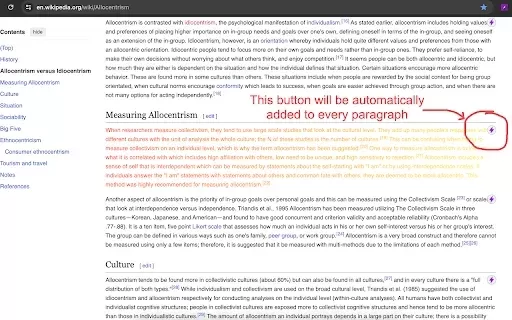
Paraphrasing Screenshot

2026 Latest Best Top-rated AI Text to Speech Tools for Natural Voiceovers are here on XIX.AI! This curated list features powerful, game-changing options that deliver crystal-clear voices for every use case, backed by real-world tests and weekly updated rankings. Get a free vs paid comparison to find the must-try solution that boosts your productivity instantly. Explore now to Unlock your AI edge!
 11 tools
 xix.ai

2026 Latest Best Manga AI Background Generators Ranked Top-Rated! This curated collection showcases powerful game-changing tools perfect for creating high-quality chapter backgrounds, book covers, and promotional art. Every option has undergone rigorous real-world tests to ensure reliability. Get a free vs paid comparison along with detailed insights. Explore now to discover your perfect tool and unlock your AI edge in manga creation.
6 tools
xix.ai

2026 Latest Best Top-rated AI Object Removal Editors for portraits travel product shots! XIX.AI curates a powerful game-changing collection regularly updated with weekly rankings. These tools offer real-world tests to help you quickly remove unwanted elements, boost content quality, and save tons of time without compromising results. Must-try for anyone aiming to unlock their AI creation edge. Explore now!
10 tools
xix.ai

2026 Latest Best Top-rated AI Text to Speech Tools for Online Courses are curated by XIX.AI based on rigorous real-world tests and weekly updated rankings. These powerful tools help creators deliver crystal-clear audio content effortlessly, boosting writing efficiency and streamlining course production. Check out the free vs paid comparison to find your perfect fit. Explore now to unlock your AI edge in online education.
10 tools
xix.ai

2026 Latest Best Top-Rated AI Blog Title Tools for Higher Click Through Rates! XIX.AI has carefully curated a powerful, game-changing collection of top tools that go through rigorous real-world tests. You’ll find a free vs paid comparison, weekly updated rankings, and detailed insights to help you boost your blog’s traffic efficiently. Must-try options are highlighted to help you unlock your AI edge. Explore now!
10 tools
xix.ai

2026 Latest Best Top-rated AI Task Routing Tools for Support Workflows! XIX.AI has curated a highly powerful game-changing collection of must-try solutions, all undergoing rigorous real-world tests and updated weekly. These tools streamline workflows, boost productivity, and help teams deliver faster, more efficient support. Explore now to discover your perfect tool and unlock your AI edge!
17 tools
xix.ai


