


 Home
HomePangram Labs AI Detection
AI Text Detection: Pangram Labs Extension | Browser Tool



Helps TikTok sellers, brands, MCNs, and TAPs discover winning products and find creators.

HelpLook is an AI-powered all-in-one knowledge base tool that helps businesses quickly build knowledge bases, help centers, and...

Your AI Workspace

302.AI is an enterprise-grade AI resource platform with pay-as-you-go pricing, API access to a full range of AI models, and ready-to-use online applications.

剧火AI — AI Screenwriter + Director, a One-Person Short Drama Studio In one sentence, what is it?

What is Originality?Originality.AI is an advanced AI-powered platform built to identify AI-generated text and detect plagiarism. It serves writers, publishers, and educators by verifying the authenticity and originality of content. The tool utilizes

What is Altsite?Altsite is a browser extension that helps users find websites similar to the one they're currently visiting. Using advanced AI technology, it analyzes website content and instantly generates a list of related sites. This tool is ideal

What is Hive AI Detector?Hive AI Detector uses advanced machine learning to analyze various types of media and determine whether they were generated or altered by artificial intelligence. This tool is ideal for journalists, educators, marketers, and

What is Lilybank AI? Lilybank AI is a game-changer in the world of content creation. It's like having a team of AI wizards at your fingertips, ready to churn out high-quality content faster than you can say "publish." From crafting compelling blog posts t
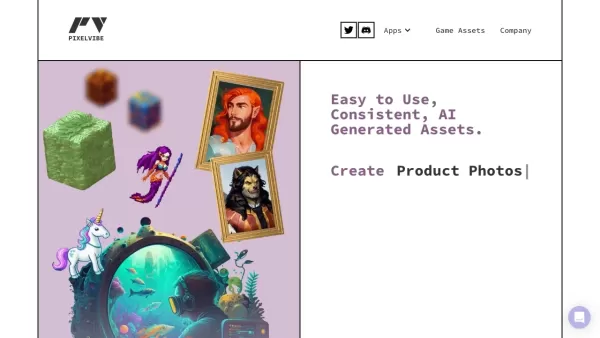
What is Rosebud?Rosebud.ai is a cutting-edge platform that uses generative AI to streamline the game development workflow. It offers a suite of tools to produce game assets—including characters, environments, and textures—and to animate avatars using
Pangram Labs AI Detection Product Information
What is Pangram Labs AI Detection?
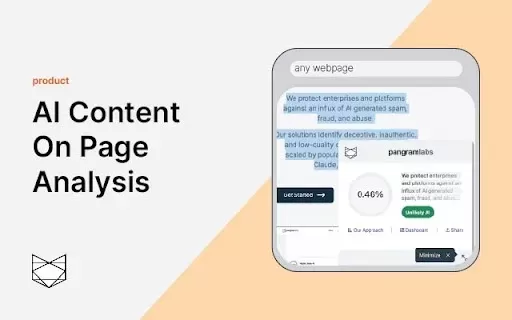
Pangram Labs offers a streamlined solution to detect AI-generated content right in your browser. The Pangram AI Detection extension identifies text produced by AI models like ChatGPT, Claude, and Gemini. Just highlight any passage, right-click, and use the context menu option to instantly check if content was AI-authored. Ideal for educators, content creators, and anyone focused on content integrity.
Who Benefits from Pangram Labs AI Detection?
- Teachers and Academic Staff
- Digital Content Creators
- Media Professionals and Journalists
- Academic and Industry Researchers
How to Use Pangram Labs AI Detection
- Step 1: Install the extension from the Chrome Web Store and pin it to your toolbar.
- Step 2: Sign up for a Pangram account at https://www.pangramlabs.com/.
- Step 3: Retrieve your API key from https://www.pangramlabs.com/apikey.
- Step 4: Open the extension, enter your API key, and save your settings.
- Step 5: Select the text you wish to analyze, right-click, and choose "Check for AI content."
- Step 6: View the AI detection results in the bottom-right corner of your screen.
Platform
- Google Chrome
Pangram Labs AI Detection: Core Features & Benefits
Key Features
- Accurate AI-Generated Text Detection
- Seamless Browser Integration
- Broad Support for Popular AI Models
Primary Benefits
- Guarantees Content Authenticity
- Intuitive and Easy to Use
- Speeds Up Content Verification
Primary Uses & Applications
- Confirming Originality of Written Content
- Detecting and Preventing Plagiarism
- Screening User-Generated Content for AI Involvement
Frequently Asked Questions
How do I add the extension to Chrome?
Select "Add to Chrome" and then pin the extension to your browser's toolbar for easy access.
Do I need an account to use the extension?
Yes, you must create a free account at https://www.pangramlabs.com/.
Where do I find my API key?
Your unique API key is available at https://www.pangramlabs.com/apikey after signing in.
How do I check a text for AI content?
Highlight the relevant text, right-click, and select the "Check for AI content" option.
Where will the detection results appear?
Results are displayed in a notification pop-up at the bottom right of the webpage.
Can I change the visibility of the floating icon?
Yes, open the extension menu and toggle the "Show Floating Icon" setting on or off.
Which AI models does this tool detect?
It detects content from various AI models, including ChatGPT, Claude, Gemini, and others.
Is the extension available on other browsers?
At this time, the extension is exclusively available for Google Chrome.
How accurate is Pangram Labs' AI detection?
Pangram Labs utilizes one of the industry's most precise AI detection models.
Who can benefit from this tool?
This tool is highly valuable for educators, content creators, journalists, and researchers.
Company Details
- Pangram Labs
- https://pangram.com
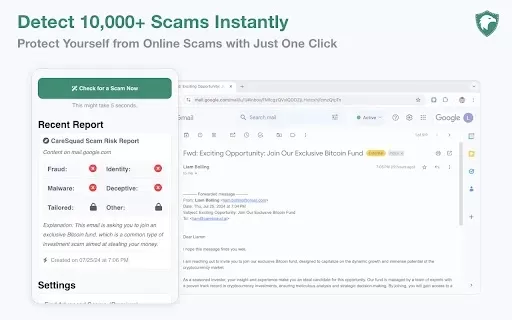
Pangram Labs AI Detection Screenshot


2026 Latest Best Top-rated AI Browser RPA Platforms for Repetitive Back-Office Tasks in Ops and Finance. This curated list features powerful game-changing tools that boost productivity significantly through real-world tests and rigorous weekly updated rankings. It includes a free vs paid comparison to help you find the perfect match. XIX.AI offers exceptional solutions to streamline your workflows and unlock your AI edge. Explore now!
 8 tools
 xix.ai


