


 Home
HomePage Copilot



Helps TikTok sellers, brands, MCNs, and TAPs discover winning products and find creators.

HelpLook is an AI-powered all-in-one knowledge base tool that helps businesses quickly build knowledge bases, help centers, and...

Your AI Workspace

302.AI is an enterprise-grade AI resource platform with pay-as-you-go pricing, API access to a full range of AI models, and ready-to-use online applications.

剧火AI — AI Screenwriter + Director, a One-Person Short Drama Studio In one sentence, what is it?
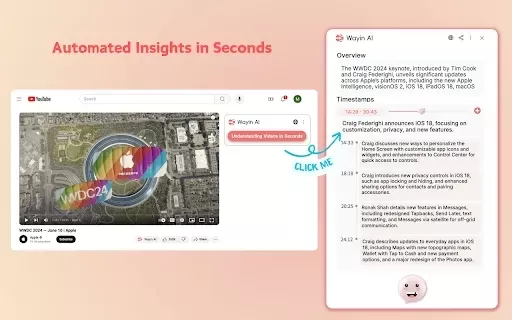
What is Wayin AI?Wayin AI is a robust tool that helps you understand videos quickly and effectively. Using advanced AI, it generates summaries of YouTube content so you can grasp the key points without watching the full video. This solution is ideal
What is Ollama?Ollama is an innovative platform that makes AI models easier to use by offering a streamlined command-line interface. It lets users effortlessly access, run, and manage a variety of AI models, eliminating complicated installation or co
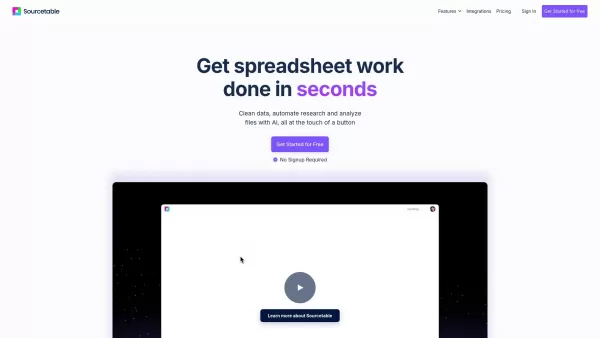
What is Sourcetable?Sourcetable is an AI-powered spreadsheet tool designed to streamline your data work. It lets you analyze files, create interactive charts, build complex formulas, clean large datasets, and perform research—all within a familiar sp
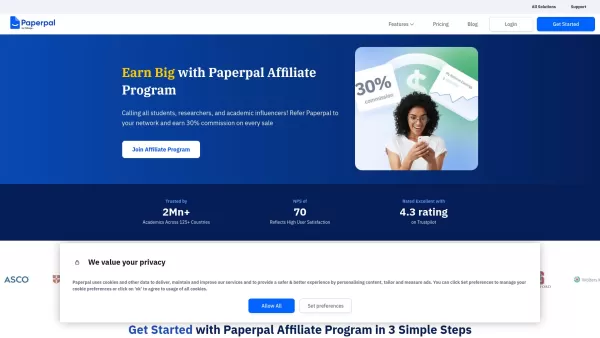
What is Paperpal? Paperpal is an AI-driven academic writing tool tailored for researchers and students, assisting at every stage of the writing process. It provides comprehensive language editing, smart rewriting, plagiarism screening, AI-generated w
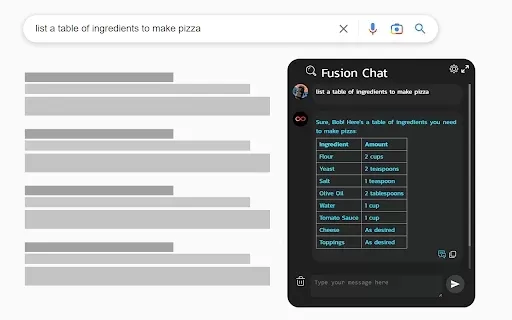
What is ChatGPT 4 for Google - ChatGPT Everywhere?The ChatGPT-4 for Google Chat extension brings the power of OpenAI's ChatGPT directly into your Google Chat workspace. It empowers you to craft replies, pull key information, and optimize your workflo
Page Copilot Product Information
What is Page Copilot?
Page Copilot is a powerful Chrome extension that elevates your web browsing by enabling interactive conversations with any webpage. It leverages advanced AI to understand and answer your questions about the content you're viewing. Whether you're tackling a long article, doing research, or just exploring, this tool breaks down complex information into clear, easy-to-digest insights. Ask for summaries, get explanations, and uncover key points—all to make your online experience more productive and insightful.
Who will use Page Copilot?
- Students
- Researchers
- Professionals
- Content Creators
- Web Developers
How to use the Page Copilot?
- Step 1: Install the Page Copilot extension from the Chrome Web Store.
- Step 2: Navigate to any webpage you wish to interact with.
- Step 3: Click the Page Copilot icon in your Chrome toolbar.
- Step 4: Enter your question or request about the page's content.
- Step 5: Receive and review the AI-generated response for valuable insights.
Platform
- Chrome
Page Copilot's Core Features & Benefits
The Core Features
- Interactive conversations with webpages
- Content summarization
- Insightful responses to inquiries
- User-friendly interface
The Benefits
- Improves understanding of complex topics
- Saves time during research
- Enhances productivity
- Assists in summarizing long articles
Page Copilot's Main Use Cases & Applications
- Enhancing research capabilities
- Simplifying complex article content
- Increasing productivity in web browsing
- Assisting content creators in summarizing sources
FAQs of Page Copilot
What does Page Copilot do?
Page Copilot lets you have a dialogue with webpages using conversational AI.
How do I install Page Copilot?
Install it directly from the Chrome Web Store.
Is Page Copilot free?
Page Copilot is free to install, with potential premium features available.
Who can benefit from Page Copilot?
Students, researchers, and professionals will find it particularly useful.
Can I use Page Copilot offline?
No, an active internet connection is required for Page Copilot to work.
What platforms does Page Copilot support?
Page Copilot is currently available exclusively for the Chrome browser.
How does Page Copilot enhance productivity?
It boosts productivity by summarizing content and delivering instant answers.
Can Page Copilot understand any webpage?
Yes, its AI is designed to analyze and respond to a wide range of web content.
What type of questions can I ask?
You can ask any question directly related to the webpage's content.
Is there customer support for Page Copilot?
Yes, customer support is accessible via the provided contact email.
Page Copilot Company Information
Website:
https://chromewebstore.google.com/detail/page-copilot/njhehcfdijfoehnefflpbiannmehkffiCompany Name:
Page CopilotSupport Email:
Facebook:
NAX(Twitter):
NAYouTube:
NAInstagram:
NATiktok:
NALinkedIn:
NA
Page Copilot Screenshot



2026 Latest Best Top-rated AI Text to Speech Tools for Online Courses are curated by XIX.AI based on rigorous real-world tests and weekly updated rankings. These powerful tools help creators deliver crystal-clear audio content effortlessly, boosting writing efficiency and streamlining course production. Check out the free vs paid comparison to find your perfect fit. Explore now to unlock your AI edge in online education.
 10 tools
 xix.ai

2026 Latest Best Top-Rated AI Blog Title Tools for Higher Click Through Rates! XIX.AI has carefully curated a powerful, game-changing collection of top tools that go through rigorous real-world tests. You’ll find a free vs paid comparison, weekly updated rankings, and detailed insights to help you boost your blog’s traffic efficiently. Must-try options are highlighted to help you unlock your AI edge. Explore now!
10 tools
xix.ai

2026 Latest Best Top-rated AI Task Routing Tools for Support Workflows! XIX.AI has curated a highly powerful game-changing collection of must-try solutions, all undergoing rigorous real-world tests and updated weekly. These tools streamline workflows, boost productivity, and help teams deliver faster, more efficient support. Explore now to discover your perfect tool and unlock your AI edge!
17 tools
xix.ai

2026 Latest Best Top-Rated AI Citation and Paper Summary Tools Curated by XIX.AI. Get powerful game-changing solutions for quick content creation, improved writing efficiency, and boosting productivity. We offer a free vs paid comparison along with real-world tests and weekly updated rankings to help you find the must-try tool that fits your needs perfectly. Explore now to Unlock your AI edge.
10 tools
xix.ai

2026 Latest Best Top-Rated AI Productivity Tools for Daily Work! XIX.AI has curated a powerful, game-changing selection based on rigorous weekly updated rankings and real-world tests. You’ll find must-try options that boost writing efficiency, streamline content creation, and help you overcome daily work challenges. Get a free vs paid comparison to find the perfect fit for your needs. Explore now to unlock your AI edge!
9 tools
xix.ai

2026 Latest Best Top-Rated AI Systematic Review Tools for Research Screening are here on XIX.AI! This curated collection includes powerful, game-changing solutions that go through rigorous real-world tests to deliver accurate results. We also offer a free vs paid comparison along with weekly updated rankings to help you find the must-try option that boosts your research efficiency significantly. Explore now to unlock your AI edge in academic work!
11 tools
xix.ai


