


 Home
HomeOpenChit
AI Chat Client with Text-to-Speech Playback



Helps TikTok sellers, brands, MCNs, and TAPs discover winning products and find creators.

HelpLook is an AI-powered all-in-one knowledge base tool that helps businesses quickly build knowledge bases, help centers, and...

Your AI Workspace

302.AI is an enterprise-grade AI resource platform with pay-as-you-go pricing, API access to a full range of AI models, and ready-to-use online applications.

剧火AI — AI Screenwriter + Director, a One-Person Short Drama Studio In one sentence, what is it?
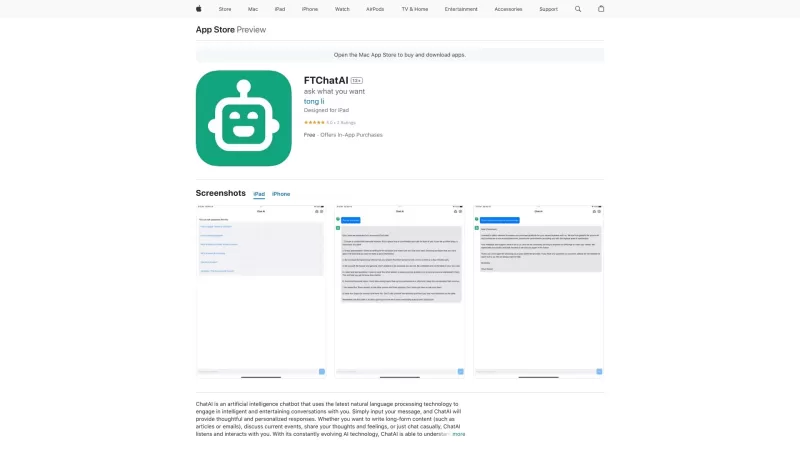
FTChatAI isn't just your average AI chat client—it's a game-changer for iOS users. Imagine having a personal assistant that not only chats with you but also brings a whole suite of features to make your digital life easier and more fun.How to Dive into FT

What is Stableoutput?Stableoutput revolutionizes AI interaction as a premium chat client that lets you connect with leading AI models. This versatile platform eliminates complex setups - simply bring your API keys and enjoy seamless communication wit

OctopusAI is not just your average chatbot client—it's an all-in-one powerhouse that lets you dive into conversations with a variety of LLM Chat models right from one convenient web app. Imagine having the ability to chat with ChatGPT, Gemini, Claude, and
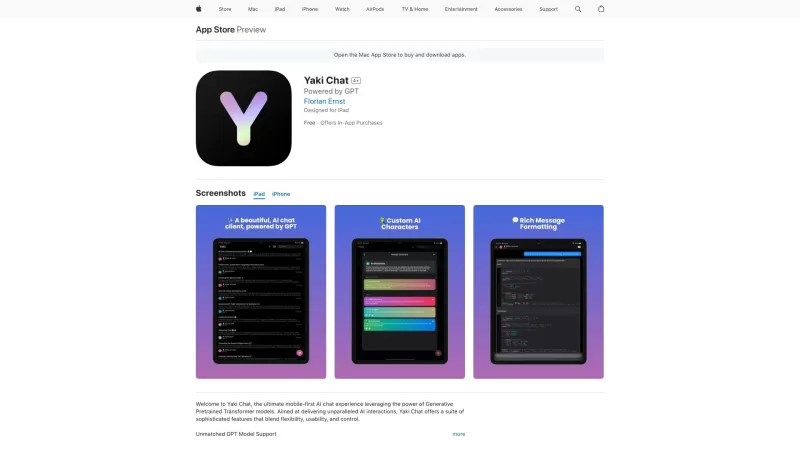
Ever stumbled upon Yaki and wondered what it's all about? Well, let me break it down for you! Yaki is this nifty iOS-first AI chat client that taps into the power of OpenAI's GPT. It's like having a super-smart friend right in your pocket, but without the

If you're curious about what GPT4oMini is all about, let me break it down for you. This nifty tool is a free AI-powered chat client that's here to answer just about any question you throw at it. But wait, there's more! It also serves up a buffet of niche
OpenChit Product Information
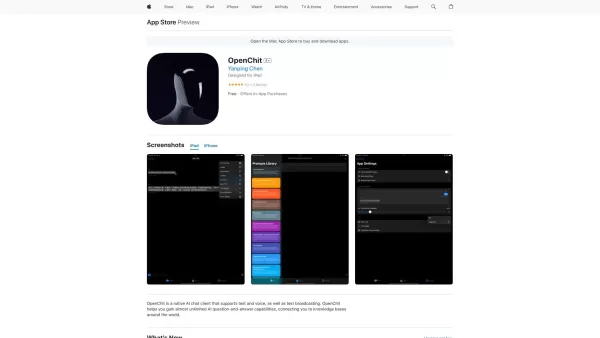
Ever heard of OpenChit? It’s a pretty cool tool that’s been making waves lately. Think of it as your personal assistant, but better. OpenChit is an AI-powered chat client that lets you interact using both text and voice. It even has text-to-speech capabilities, meaning it can read out its responses to you—perfect if you’re multitasking or just prefer listening over reading.
To get started, all you need to do is download the app on your device and hit launch. Once it’s up and running, you can chat away either by typing your messages or speaking directly into your device. It’s like having a conversation with a real person, except this one doesn’t need coffee breaks.
What Makes OpenChit Stand Out?
- Text and Voice Interaction: Whether you prefer typing or talking, OpenChit has got you covered.
- Text-to-Speech Playback: Thanks to integration with tools like Siri and Azure TTS, you can hear what the AI has to say.
- ‘Jarvis’ Feature: Yes, just like the iconic AI from the movies, OpenChit offers something similar—though we won’t spoil the details here.
- Embedding Capability: The app is designed to integrate seamlessly into other platforms, giving you more flexibility.
Frequently Asked Questions
- Can I use OpenChit on my mobile phone?
- Absolutely! OpenChit works across multiple devices, including smartphones. Just ensure you have the latest version installed.
- Does OpenChit support voice commands?
- Of course! You can issue voice commands, and the AI will respond accordingly. No more typing—just speak your mind.
- Can I use OpenChit to listen to the AI's responses?
- Yes, thanks to its text-to-speech functionality, you can sit back and let the AI talk to you. It’s incredibly handy when you’re busy or simply want a hands-free experience.
So, whether you’re looking to streamline your day or explore new ways to interact with technology, OpenChit is definitely worth checking out. Give it a try—you might find yourself relying on it more than you thought!
OpenChit Screenshot




2026 Latest Best Top-rated AI Text to Speech Tools for Natural Voiceovers are here on XIX.AI! This curated list features powerful, game-changing options that deliver crystal-clear voices for every use case, backed by real-world tests and weekly updated rankings. Get a free vs paid comparison to find the must-try solution that boosts your productivity instantly. Explore now to Unlock your AI edge!
 11 tools
 xix.ai

2026 Latest Best Manga AI Background Generators Ranked Top-Rated! This curated collection showcases powerful game-changing tools perfect for creating high-quality chapter backgrounds, book covers, and promotional art. Every option has undergone rigorous real-world tests to ensure reliability. Get a free vs paid comparison along with detailed insights. Explore now to discover your perfect tool and unlock your AI edge in manga creation.
6 tools
xix.ai

2026 Latest Best Top-rated AI Object Removal Editors for portraits travel product shots! XIX.AI curates a powerful game-changing collection regularly updated with weekly rankings. These tools offer real-world tests to help you quickly remove unwanted elements, boost content quality, and save tons of time without compromising results. Must-try for anyone aiming to unlock their AI creation edge. Explore now!
10 tools
xix.ai

2026 Latest Best Top-rated AI Text to Speech Tools for Online Courses are curated by XIX.AI based on rigorous real-world tests and weekly updated rankings. These powerful tools help creators deliver crystal-clear audio content effortlessly, boosting writing efficiency and streamlining course production. Check out the free vs paid comparison to find your perfect fit. Explore now to unlock your AI edge in online education.
10 tools
xix.ai

2026 Latest Best Top-Rated AI Blog Title Tools for Higher Click Through Rates! XIX.AI has carefully curated a powerful, game-changing collection of top tools that go through rigorous real-world tests. You’ll find a free vs paid comparison, weekly updated rankings, and detailed insights to help you boost your blog’s traffic efficiently. Must-try options are highlighted to help you unlock your AI edge. Explore now!
10 tools
xix.ai

2026 Latest Best Top-rated AI Task Routing Tools for Support Workflows! XIX.AI has curated a highly powerful game-changing collection of must-try solutions, all undergoing rigorous real-world tests and updated weekly. These tools streamline workflows, boost productivity, and help teams deliver faster, more efficient support. Explore now to discover your perfect tool and unlock your AI edge!
17 tools
xix.ai


Tried OpenChit and the voice interaction is surprisingly fluid! The TTS feature makes it feel like I'm actually chatting with someone. A bit worried about privacy with voice data though 😅. Super handy for quick hands-free tasks!


