


 Home
HomeNoota



Helps TikTok sellers, brands, MCNs, and TAPs discover winning products and find creators.

HelpLook is an AI-powered all-in-one knowledge base tool that helps businesses quickly build knowledge bases, help centers, and...

Your AI Workspace

302.AI is an enterprise-grade AI resource platform with pay-as-you-go pricing, API access to a full range of AI models, and ready-to-use online applications.

剧火AI — AI Screenwriter + Director, a One-Person Short Drama Studio In one sentence, what is it?
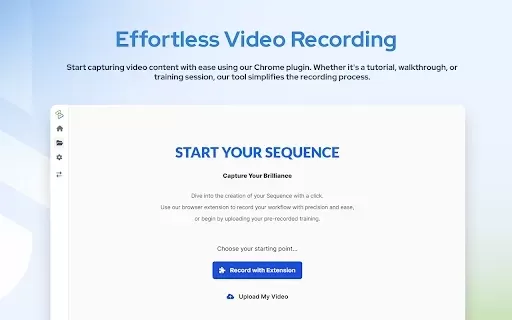
What is AdoptSequence Video Capture?AdoptSequence Video Capture is an AI-powered tool that records and translates your screen activity. It enables full-screen, window, and tab recording in up to 4K quality, improves audio clarity, and translates cont
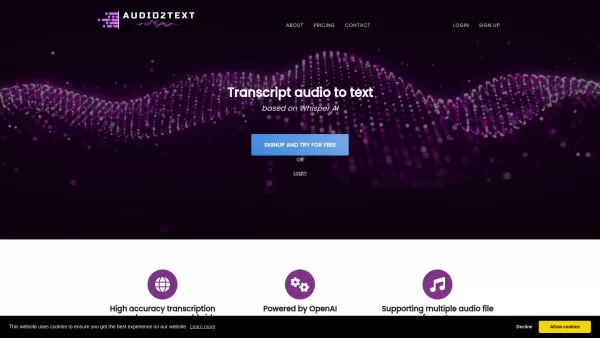
Ever found yourself needing to convert audio into text? That's where Audio2Text comes into play, a nifty service from OpenAI that turns your audio files into accurate text transcripts. It's not just about English; this tool supports a whopping 58 language
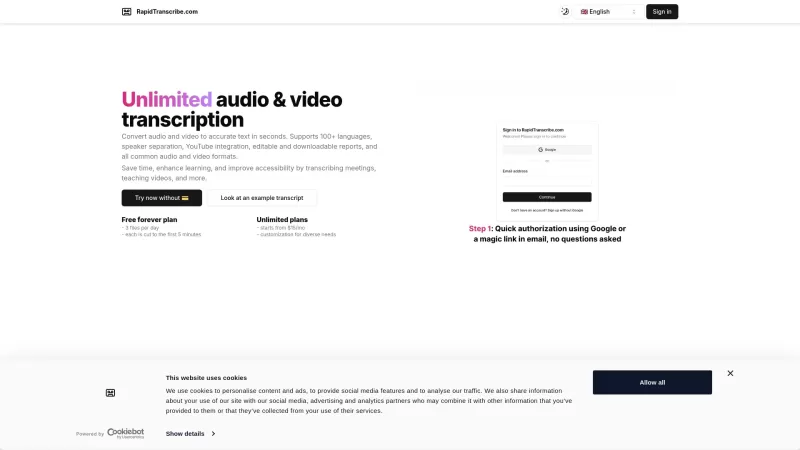
Ever found yourself wishing you could magically turn your audio and video files into text? Well, RapidTranscribe is here to make that wish come true! This AI-powered service is like a wizard, transforming your audio and video into accurate text in the bli
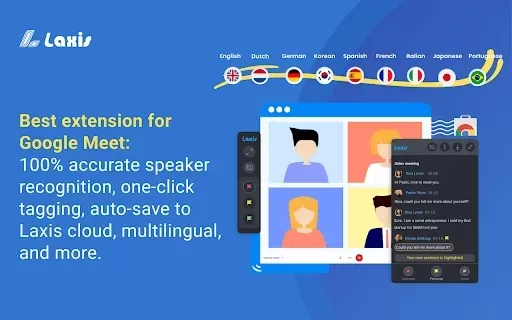
What is Google Meet Transcripts?Google Meet Transcripts is a Chrome extension that boosts productivity for Google Meet users. It automatically records meeting conversations and converts them into structured transcripts. You can revisit these transcri
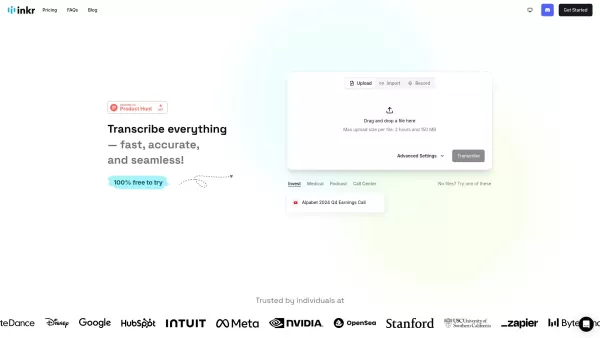
Ever found yourself in need of a quick and reliable way to turn audio into text? That's where Inkr comes in handy! This transcription service is your go-to for converting audio from meetings, lectures, interviews, and more into crisp, accurate text. And t
Noota Product Information
What is Noota?
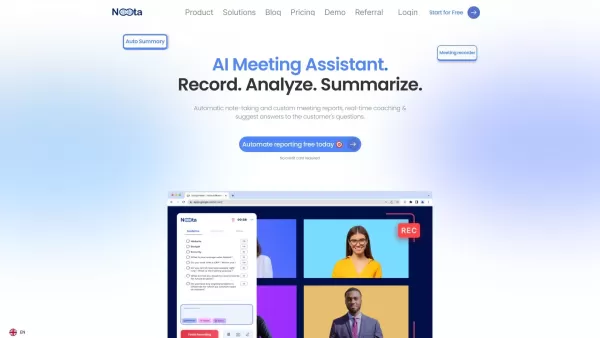
Noota is an advanced AI platform that transforms how you document meetings. It records and transcribes meeting audio in real time, delivering precise minutes that save you time and effort. Whether your meetings are online or in person, Noota captures every critical detail. With seamless integration into popular productivity tools, it's an essential resource for professionals aiming to boost their efficiency.
Who uses Noota?
- Business Professionals
- HR Managers
- Recruiters
- Project Managers
- Freelancers
- Students
How to use Noota
- Step 1: Create an account on the Noota platform.
- Step 2: Schedule or join your meeting using Noota.
- Step 3: Activate the recording and transcription feature before the meeting begins.
- Step 4: Hold your meeting as you normally would.
- Step 5: After the meeting, access the transcribed notes and minutes on your Noota dashboard.
- Step 6: Edit and export the notes as needed.
Platform
- Web
Noota's Core Features & Benefits
Core Features
- Real-Time Recording
- Automated Transcription
- Meeting Minutes Generation
- Editing Tools
- Tool Integrations
- Multi-Language Support
Benefits
- Save time with automated note-taking
- Accurate and comprehensive meeting records
- Easy access and editing of transcripts
- Smooth integration with your existing productivity tools
- Supports multiple languages
Noota's Main Use Cases & Applications
- Meeting Documentation
- Interview Recording
- Academic Note-Taking
- Project Management Sessions
- Client Consultations
Noota's Pros & Cons
Pros
Fully automated transcription and summarization saves significant time on manual note-taking.
Supports multiple platforms including Zoom, Google Meet, Microsoft Teams, and in-person meetings.
Offers over 1,000 integrations with popular CRM, ATS, and productivity tools for a seamless workflow.
Provides transcription and translation in numerous languages, facilitating global use.
AI-powered reports and follow-up email generation enhance team productivity and communication.
Strong data security with encryption and compliance with standards like GDPR.
User-friendly interface with minimal setup time required.
Cons
Not an open-source solution; it is a proprietary platform.
No direct links to mobile apps or community channels like Discord or Telegram were found.
Some users may desire more customization options than are currently detailed.
Specific pricing details require contacting the company, as only a general link is provided.
Noota Pricing
Has Free Plan | YES |
|---|---|
Free Trial Details | 14-day free trial of the Business plan; keep Free plan essentials forever at no cost |
Pricing Model | Freemium with Free Trial |
Is Credit Card Required | No |
Paid From | 19 USD |
Has Lifetime Plan | No |
Billing Frequency | Monthly |
Details of Pricing Plans
Free
0 USD
- Unlimited Meetings
- 300 Minutes per Month
- 50+ AI Reports
- Workspace (up to 3)
- 10 AI Credits
- App iOS & Android
- Call Recorder (VoIP)
Pro
19 USD
- All Free Features
- 1000 Minutes per Month
- Unlimited Ask Noota
- Workspace (up to 10)
- Unlimited AI Credits
- Standard Integrations
- Download & Export
Business
39 USD
- All Pro Features
- Unlimited Usage
- Custom AI Summaries
- Unlimited Workspaces
- Unlimited AI Agent
- Unlimited Integrations
- Custom Settings (Brand, Admin & Rules)
Enterprise
Contact for Pricing
- All Business Features
- Custom Integrations
- Dedicated Support
- Payment by Invoice
- Custom DPA
- SSO (SAML & Azure)
For the latest pricing, please visit: https://www.noota.io/pricing
Noota FAQs
What is Noota?
Noota is an AI-powered platform for recording, transcribing, and generating meeting minutes.
How does Noota work?
Noota records your meetings and uses AI to transcribe the audio in real time, creating detailed minutes.
Can I edit the transcriptions?
Yes, you can edit both the transcriptions and meeting minutes after the session.
Is Noota free?
Noota offers several pricing plans, including a free tier and a free trial option.
Which platforms does Noota support?
Noota is currently available as a web application.
Can Noota integrate with other tools?
Yes, Noota integrates with a wide range of productivity and meeting tools.
Is Noota secure?
Yes, Noota employs encryption and other security measures to protect your data.
How accurate is Noota's transcription?
Noota delivers highly accurate transcriptions powered by advanced AI algorithms.
Does Noota support multiple languages?
Yes, Noota supports transcription in multiple languages.
How can I contact Noota support?
You can contact Noota support via email at [email protected].
Noota Company Information
Website:
https://www.noota.ioCompany Name:
NootaSupport Email:
Facebook:
https://www.facebook.com/mynoota.io/X (Twitter):
https://twitter.com/noota_io?lang=enYouTube:
https://www.youtube.com/@noota_io/aboutInstagram:
https://www.instagram.com/noota_io/?locale=dehttpsTikTok:
https://www.tiktok.com/@wbtagency/video/7124732555290529029LinkedIn:
https://www.linkedin.com/company/noota/
Noota Screenshot

2026 Latest Best Top-rated AI Text to Speech Tools for Online Courses are curated by XIX.AI based on rigorous real-world tests and weekly updated rankings. These powerful tools help creators deliver crystal-clear audio content effortlessly, boosting writing efficiency and streamlining course production. Check out the free vs paid comparison to find your perfect fit. Explore now to unlock your AI edge in online education.
 10 tools
 xix.ai

2026 Latest Best Top-Rated AI Blog Title Tools for Higher Click Through Rates! XIX.AI has carefully curated a powerful, game-changing collection of top tools that go through rigorous real-world tests. You’ll find a free vs paid comparison, weekly updated rankings, and detailed insights to help you boost your blog’s traffic efficiently. Must-try options are highlighted to help you unlock your AI edge. Explore now!
10 tools
xix.ai

2026 Latest Best Top-rated AI Task Routing Tools for Support Workflows! XIX.AI has curated a highly powerful game-changing collection of must-try solutions, all undergoing rigorous real-world tests and updated weekly. These tools streamline workflows, boost productivity, and help teams deliver faster, more efficient support. Explore now to discover your perfect tool and unlock your AI edge!
17 tools
xix.ai

2026 Latest Best Top-Rated AI Citation and Paper Summary Tools Curated by XIX.AI. Get powerful game-changing solutions for quick content creation, improved writing efficiency, and boosting productivity. We offer a free vs paid comparison along with real-world tests and weekly updated rankings to help you find the must-try tool that fits your needs perfectly. Explore now to Unlock your AI edge.
10 tools
xix.ai

2026 Latest Best Top-Rated AI Productivity Tools for Daily Work! XIX.AI has curated a powerful, game-changing selection based on rigorous weekly updated rankings and real-world tests. You’ll find must-try options that boost writing efficiency, streamline content creation, and help you overcome daily work challenges. Get a free vs paid comparison to find the perfect fit for your needs. Explore now to unlock your AI edge!
9 tools
xix.ai

2026 Latest Best Top-Rated AI Systematic Review Tools for Research Screening are here on XIX.AI! This curated collection includes powerful, game-changing solutions that go through rigorous real-world tests to deliver accurate results. We also offer a free vs paid comparison along with weekly updated rankings to help you find the must-try option that boosts your research efficiency significantly. Explore now to unlock your AI edge in academic work!
11 tools
xix.ai


