


 Home
Homenexpost



Helps TikTok sellers, brands, MCNs, and TAPs discover winning products and find creators.

HelpLook is an AI-powered all-in-one knowledge base tool that helps businesses quickly build knowledge bases, help centers, and...

Your AI Workspace

302.AI is an enterprise-grade AI resource platform with pay-as-you-go pricing, API access to a full range of AI models, and ready-to-use online applications.

剧火AI — AI Screenwriter + Director, a One-Person Short Drama Studio In one sentence, what is it?
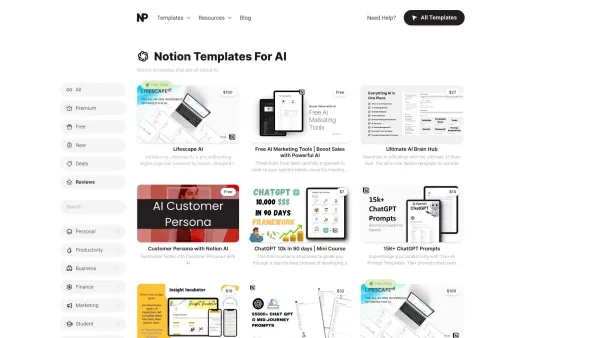
What Are Notion Templates for AI? Notion Templates for AI Integration to Supercharge Productivity Looking to harness the power of AI within your workflow? Notion Templates for AI Integration offers tailored solutions designed to streamline your day-to-day
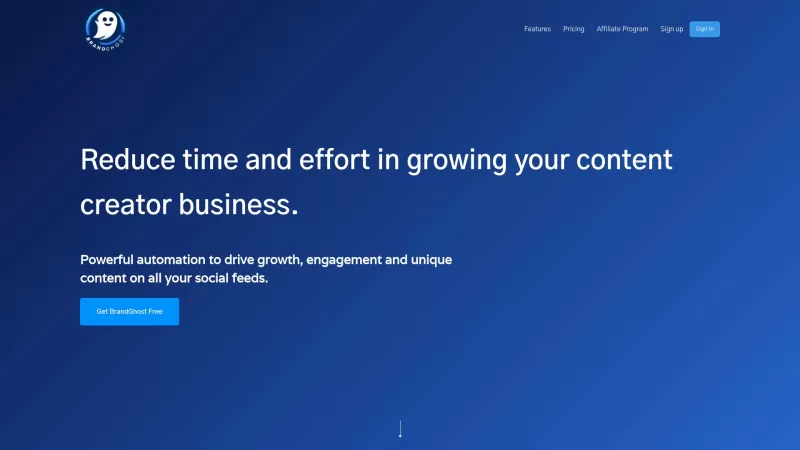
BrandGhost is a game-changer for content creators, offering a slick social media automation platform that makes managing your online presence across various networks a breeze. It's like having a personal assistant dedicated to keeping your social media ga
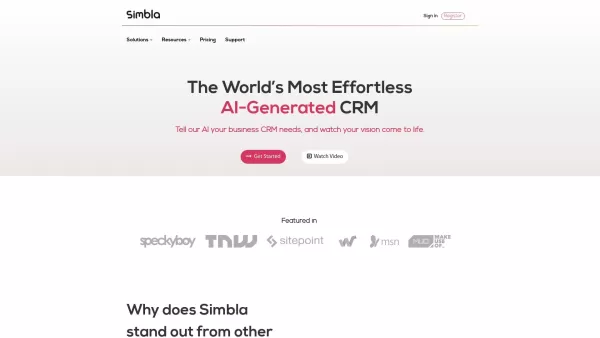
What is Simbla?Simbla is a cloud-based no-code platform that allows users of any skill level to build professional websites and applications. Its intuitive drag-and-drop interface and responsive templates enable the creation of visually appealing, fu
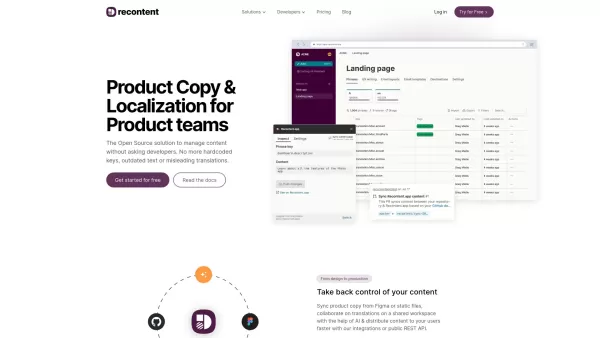
What is Recontent.app?Recontent.app is an open-source solution that empowers product teams to efficiently manage and localize their product copy. By connecting with tools like Figma and GitHub, it enables teams to synchronize text, collaborate on tra
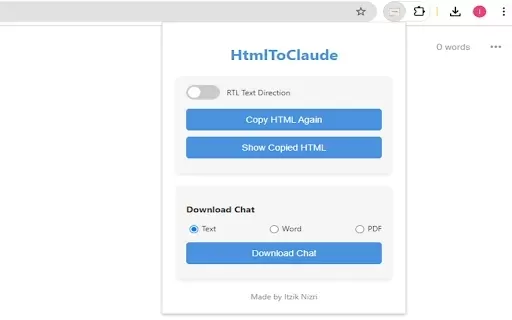
What is HtmlToClaude?HtmlToClaude is a Chrome extension that simplifies your work with Claude AI. It enables you to effortlessly capture HTML content from any webpage and paste it directly into your conversations with Claude. The tool also lets you d
nexpost Product Information
What is Nexpost?
Nexpost is an AI-powered tool that helps you effortlessly create and share content on LinkedIn and Twitter. It automates content creation, suggests relevant hashtags, and adapts the writing style to match your unique voice. It also includes content history management to help you maintain a consistent social media presence. Professionals and marketers can save time and boost engagement, making their social media strategy more efficient and effective.
Who uses Nexpost?
- Professionals
- Marketers
- Social Media Managers
- Content Creators
How to use Nexpost
- Step 1: Install the Nexpost browser extension.
- Step 2: Go to LinkedIn or Twitter.
- Step 3: Click the Nexpost icon in your browser's toolbar.
- Step 4: Use the AI tools to generate a post.
- Step 5: Customize the content to fit your personal style.
- Step 6: Add the suggested hashtags.
- Step 7: Review and edit your post.
- Step 8: Share it directly to your social media account.
Platform
- Chrome
Nexpost's Core Features & Benefits
Core Features
- Automated Content Generation
- Style Customization
- Hashtag Suggestions
- Post Personalization
- Content History Management
Key Benefits
- Saves time on post creation
- Ensures consistent branding
- Increases post engagement
- Simplifies social media management
Main Use Cases & Applications
- Crafting professional LinkedIn posts
- Generating engaging Twitter content
- Managing content for social media campaigns
- Enhancing personal branding efforts
Nexpost FAQs
What is Nexpost?
Nexpost is an AI-powered tool for creating and sharing content on LinkedIn and Twitter.
How do I install Nexpost?
Install it as a Chrome extension from the Chrome Web Store.
Can I customize my posts?
Yes, you can customize both the style and content of your posts.
Does Nexpost suggest hashtags?
Yes, it provides intelligent hashtag recommendations to help increase engagement.
Can I manage my post history?
Yes, Nexpost includes features for managing your content history.
Is Nexpost suitable for marketers?
Yes, it's an excellent tool for marketers seeking AI-driven content creation and management.
What platforms does Nexpost support?
Nexpost is currently available as a Chrome extension.
Does Nexpost save my data?
No, the developer states that it does not collect or use your data.
Is there a cost to using Nexpost?
The extension offers in-app purchases; some advanced features may require payment.
How can I contact support?
You can email the developer at [email protected].
Nexpost Company Information
nexpost Screenshot

2026 Latest Best Top-rated AI Object Removal Editors for portraits travel product shots! XIX.AI curates a powerful game-changing collection regularly updated with weekly rankings. These tools offer real-world tests to help you quickly remove unwanted elements, boost content quality, and save tons of time without compromising results. Must-try for anyone aiming to unlock their AI creation edge. Explore now!
 10 tools
 xix.ai

2026 Latest Best Top-rated AI Text to Speech Tools for Online Courses are curated by XIX.AI based on rigorous real-world tests and weekly updated rankings. These powerful tools help creators deliver crystal-clear audio content effortlessly, boosting writing efficiency and streamlining course production. Check out the free vs paid comparison to find your perfect fit. Explore now to unlock your AI edge in online education.
10 tools
xix.ai

2026 Latest Best Top-Rated AI Blog Title Tools for Higher Click Through Rates! XIX.AI has carefully curated a powerful, game-changing collection of top tools that go through rigorous real-world tests. You’ll find a free vs paid comparison, weekly updated rankings, and detailed insights to help you boost your blog’s traffic efficiently. Must-try options are highlighted to help you unlock your AI edge. Explore now!
10 tools
xix.ai

2026 Latest Best Top-rated AI Task Routing Tools for Support Workflows! XIX.AI has curated a highly powerful game-changing collection of must-try solutions, all undergoing rigorous real-world tests and updated weekly. These tools streamline workflows, boost productivity, and help teams deliver faster, more efficient support. Explore now to discover your perfect tool and unlock your AI edge!
17 tools
xix.ai

2026 Latest Best Top-Rated AI Citation and Paper Summary Tools Curated by XIX.AI. Get powerful game-changing solutions for quick content creation, improved writing efficiency, and boosting productivity. We offer a free vs paid comparison along with real-world tests and weekly updated rankings to help you find the must-try tool that fits your needs perfectly. Explore now to Unlock your AI edge.
10 tools
xix.ai

2026 Latest Best Top-Rated AI Productivity Tools for Daily Work! XIX.AI has curated a powerful, game-changing selection based on rigorous weekly updated rankings and real-world tests. You’ll find must-try options that boost writing efficiency, streamline content creation, and help you overcome daily work challenges. Get a free vs paid comparison to find the perfect fit for your needs. Explore now to unlock your AI edge!
9 tools
xix.ai


