


 Home
HomeMy StoryBot



Helps TikTok sellers, brands, MCNs, and TAPs discover winning products and find creators.

HelpLook is an AI-powered all-in-one knowledge base tool that helps businesses quickly build knowledge bases, help centers, and...

Your AI Workspace

302.AI is an enterprise-grade AI resource platform with pay-as-you-go pricing, API access to a full range of AI models, and ready-to-use online applications.

剧火AI — AI Screenwriter + Director, a One-Person Short Drama Studio In one sentence, what is it?

What is Originality?Originality.AI is an advanced AI-powered platform built to identify AI-generated text and detect plagiarism. It serves writers, publishers, and educators by verifying the authenticity and originality of content. The tool utilizes

What is Altsite?Altsite is a browser extension that helps users find websites similar to the one they're currently visiting. Using advanced AI technology, it analyzes website content and instantly generates a list of related sites. This tool is ideal

What is Hive AI Detector?Hive AI Detector uses advanced machine learning to analyze various types of media and determine whether they were generated or altered by artificial intelligence. This tool is ideal for journalists, educators, marketers, and

What is Lilybank AI? Lilybank AI is a game-changer in the world of content creation. It's like having a team of AI wizards at your fingertips, ready to churn out high-quality content faster than you can say "publish." From crafting compelling blog posts t
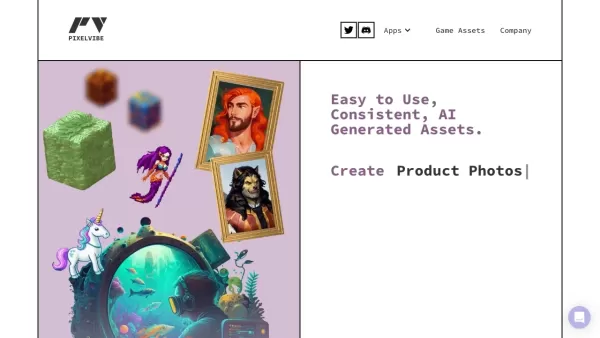
What is Rosebud?Rosebud.ai is a cutting-edge platform that uses generative AI to streamline the game development workflow. It offers a suite of tools to produce game assets—including characters, environments, and textures—and to animate avatars using
My StoryBot Product Information
What is My StoryBot?
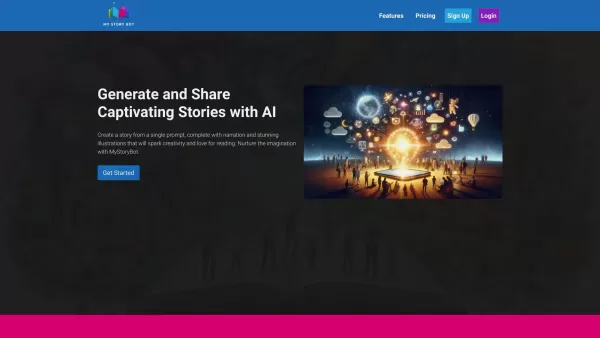
MyStoryBot is a creative platform that uses artificial intelligence to help users create and share engaging stories. It offers automated narration and high-quality illustrations, making it perfect for parents, teachers, writers, and anyone who loves storytelling. With MyStoryBot, you can effortlessly produce professional-quality stories and customize them to fit your specific needs.
Who will use My StoryBot?
- Parents
- Teachers
- Writers
- Storytelling Enthusiasts
- Children
How to use My StoryBot
- Step 1: Sign up or log in to your MyStoryBot account.
- Step 2: Choose a story template or start a new story from scratch.
- Step 3: Use the AI to generate narration and illustrations.
- Step 4: Customize the text and images to your liking.
- Step 5: Preview and edit your story.
- Step 6: Save or share your finished story.
Platform
- Web
My StoryBot's Core Features & Benefits
The Core Features
- AI-generated narration
- High-quality illustrations
- Customizable templates
- Easy sharing options
- User-friendly interface
The Benefits
- Boosts creativity
- Saves time
- Delivers professional-quality stories
- Engages young readers
- Supports educational activities
My StoryBot's Main Use Cases & Applications
- Educational storytelling in classrooms
- Bedtime stories for kids
- Creative writing exercises
- Sharing stories with friends and family
- Digital storytelling projects
FAQs of My StoryBot
How do I sign up for MyStoryBot?
Go to the MyStoryBot website and click the sign-up button. Then, follow the instructions to create your account.
Is MyStoryBot free to use?
MyStoryBot offers both free and premium plans. Access to some advanced features may require a paid subscription.
Can I customize the generated stories?
Yes, you can edit the text and swap out illustrations to match your vision.
What age group is MyStoryBot suitable for?
MyStoryBot is suitable for all ages but is especially great for children and young storytellers.
Can I share my stories with others?
Yes, MyStoryBot makes it easy to share your stories across various online platforms.
What languages does MyStoryBot support?
MyStoryBot currently supports English as its primary language.
Is there an app available for MyStoryBot?
MyStoryBot is currently a web-based platform and does not have a dedicated mobile app at this time.
How can I contact customer support?
You can contact customer support by sending an email to [email protected].
Are there any tutorials for using MyStoryBot?
Yes, the website provides a variety of tutorials and guides to help you begin.
Can educators use MyStoryBot in classrooms?
Absolutely. MyStoryBot is an excellent tool for educational purposes and classroom storytelling activities.
My StoryBot Company Information
Website:
https://www.mystorybot.comCompany Name:
MyStoryBotSupport Email:
Facebook:
NAX(Twitter):
NAYouTube:
NAInstagram:
NATiktok:
NALinkedIn:
NA
My StoryBot Screenshot


2026 Latest Best AI Quiz Builder Platforms for Teachers, Tutors, and Cohort-Based Learning Programs! XIX.AI has curated a top-rated list of powerful game-changing tools that go through real-world tests to deliver accurate rankings. These must-try platforms help boost writing efficiency, streamline content creation, and simplify quiz design across all learning scenarios. Explore now to discover your perfect tool for unlocking your AI edge in teaching!
 13 tools
 xix.ai

2026 Latest Best AI Pull Request Review Tools for GitHub Teams are here on XIX.AI! This top-rated curated list showcases powerful game-changing solutions that streamline refactoring, bug fixing, and security gap detection across all team workflows. Enjoy a free vs paid comparison along with real-world tests and detailed rankings to help you find the perfect tool that boosts productivity significantly. Explore now to unlock your AI edge!
12 tools
xix.ai

2026 Latest Best Top-rated AI Text to Speech Tools for Natural Voiceovers are here on XIX.AI! This curated list features powerful, game-changing options that deliver crystal-clear voices for every use case, backed by real-world tests and weekly updated rankings. Get a free vs paid comparison to find the must-try solution that boosts your productivity instantly. Explore now to Unlock your AI edge!
11 tools
xix.ai

2026 Latest Best Manga AI Background Generators Ranked Top-Rated! This curated collection showcases powerful game-changing tools perfect for creating high-quality chapter backgrounds, book covers, and promotional art. Every option has undergone rigorous real-world tests to ensure reliability. Get a free vs paid comparison along with detailed insights. Explore now to discover your perfect tool and unlock your AI edge in manga creation.
6 tools
xix.ai

2026 Latest Best Top-rated AI Object Removal Editors for portraits travel product shots! XIX.AI curates a powerful game-changing collection regularly updated with weekly rankings. These tools offer real-world tests to help you quickly remove unwanted elements, boost content quality, and save tons of time without compromising results. Must-try for anyone aiming to unlock their AI creation edge. Explore now!
10 tools
xix.ai

2026 Latest Best Top-rated AI Text to Speech Tools for Online Courses are curated by XIX.AI based on rigorous real-world tests and weekly updated rankings. These powerful tools help creators deliver crystal-clear audio content effortlessly, boosting writing efficiency and streamlining course production. Check out the free vs paid comparison to find your perfect fit. Explore now to unlock your AI edge in online education.
10 tools
xix.ai


