


 Home
HomeMuse
LinkedIn Posts Generator



Helps TikTok sellers, brands, MCNs, and TAPs discover winning products and find creators.

HelpLook is an AI-powered all-in-one knowledge base tool that helps businesses quickly build knowledge bases, help centers, and...

Your AI Workspace

302.AI is an enterprise-grade AI resource platform with pay-as-you-go pricing, API access to a full range of AI models, and ready-to-use online applications.

剧火AI — AI Screenwriter + Director, a One-Person Short Drama Studio In one sentence, what is it?

Discover Plume AI: Your Ultimate Academic Writing AssistantAre you tired of struggling with your academic writing? Well, say hello to Plume AI, the innovative AI assistant that's here to revolutionize the way you write! Designed with students in mind, Plume AI harnesses the power of cutting-edge art

Ever found yourself juggling different AI models to get the perfect response? Enter MultipleChat, a game-changer in the world of AI interaction. This platform lets you chat with big names like ChatGPT, Claude, and Gemini all at once, right from one s

Introducing CloseChat: The Pay-As-You-Go AI Chat PlatformCloseChat is here, and it’s making waves as an AI-driven chat platform that feels like a hybrid between ChatGPT and Claude Pro—but with a twist. Instead of locking you into a monthly subscripti

Ever heard of CleverAI? It's not just another AI tool; it's like a Swiss Army knife for all your digital needs. Whether you're into creating content, whipping up stunning graphics, or even need a helping hand with coding, CleverAI has got your back. It's
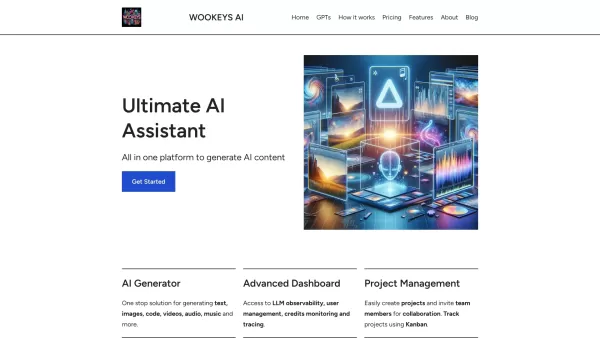
Ever wondered what the buzz around Ultimate AI Assistant is all about? Well, let me introduce you to WooKeys AI, a powerhouse platform designed to revolutionize your content creation game. It's not just another tool; it's your new best friend in the
Muse Product Information
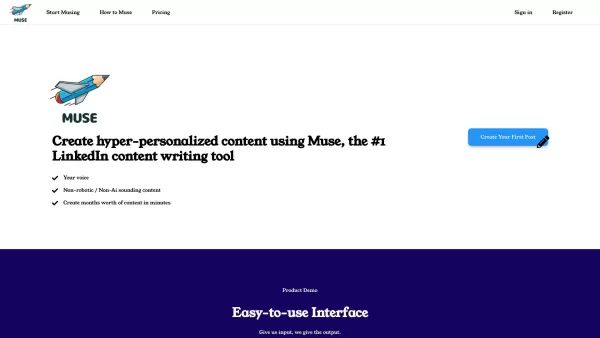
Ever felt like you're stuck in a rut with your LinkedIn posts, struggling to catch the eye of potential clients? Well, say hello to Muse, your new best friend for crafting LinkedIn content that doesn't just grab attention but turns those silent lurkers into active clients. And guess what? You can do it in less than 30 seconds!
How to Use Muse?
Getting started with Muse is a breeze. Just hop onto their website and either sign in if you're already a member or register if you're new to the scene. Once you're in, you'll find yourself in a user-friendly environment where creating hyper-personalized content for LinkedIn becomes a walk in the park. Muse works its magic by instantly whipping up well-formatted posts tailored to your desired tone. You can even generate posts and save them for later, ensuring you're always ready to strike when the iron's hot.
Muse's Core Features
Create Hyper-Personalized Content for LinkedIn
Muse is all about making your LinkedIn content resonate with your audience. It helps you craft posts that feel like they're speaking directly to your followers, turning your profile into a magnet for engagement.
Instant, Well-Formatted LinkedIn Content in Your Desired Tone
Forget about spending hours tweaking your posts to sound just right. With Muse, you get content that's not only formatted to perfection but also mirrors the tone you want to set—whether it's professional, friendly, or something in between.
Generate and Save Posts for Later
Got a brilliant idea but not the time to post it right away? No problem. Muse lets you generate and store your posts for future use, so you never miss a chance to share your insights.
Skimmable Formatting for Easy Reading
In a world where everyone's scrolling at lightning speed, Muse ensures your posts are easy on the eyes. The skimmable format means your message gets across without overwhelming your readers.
FAQ from Muse
- What is Muse?
- Muse is a tool designed to help LinkedIn users create engaging, personalized content quickly and efficiently.
- How do I use Muse?
- Sign in or register on the Muse website, then use the intuitive interface to generate LinkedIn posts tailored to your needs.
- What are the pricing options for Muse?
- For detailed pricing information, check out the Muse Pricing page at Muse Pricing.
- Is there a cancellation policy for Muse?
- Yes, Muse does have a cancellation policy. For specifics, you'll need to reach out to their support team.
- Who owns The Muse Tool?
- The Muse Tool is owned by its creators, who are dedicated to enhancing the LinkedIn experience for professionals.
- How can I contact Muse for further inquiries?
- You can get in touch with Muse through their website or connect with them on LinkedIn at Muse LinkedIn.
- Muse Login
Muse Login Link: Muse Login
- Muse Sign Up
Muse Sign Up Link: Muse Sign Up
- Muse Pricing
Muse Pricing Link: Muse Pricing
- Muse LinkedIn
Muse LinkedIn Link: Muse LinkedIn
Muse Screenshot




2026 Latest Best Top-rated AI Text to Speech Tools for Natural Voiceovers are here on XIX.AI! This curated list features powerful, game-changing options that deliver crystal-clear voices for every use case, backed by real-world tests and weekly updated rankings. Get a free vs paid comparison to find the must-try solution that boosts your productivity instantly. Explore now to Unlock your AI edge!
 11 tools
 xix.ai

2026 Latest Best Manga AI Background Generators Ranked Top-Rated! This curated collection showcases powerful game-changing tools perfect for creating high-quality chapter backgrounds, book covers, and promotional art. Every option has undergone rigorous real-world tests to ensure reliability. Get a free vs paid comparison along with detailed insights. Explore now to discover your perfect tool and unlock your AI edge in manga creation.
6 tools
xix.ai

2026 Latest Best Top-rated AI Object Removal Editors for portraits travel product shots! XIX.AI curates a powerful game-changing collection regularly updated with weekly rankings. These tools offer real-world tests to help you quickly remove unwanted elements, boost content quality, and save tons of time without compromising results. Must-try for anyone aiming to unlock their AI creation edge. Explore now!
10 tools
xix.ai

2026 Latest Best Top-rated AI Text to Speech Tools for Online Courses are curated by XIX.AI based on rigorous real-world tests and weekly updated rankings. These powerful tools help creators deliver crystal-clear audio content effortlessly, boosting writing efficiency and streamlining course production. Check out the free vs paid comparison to find your perfect fit. Explore now to unlock your AI edge in online education.
10 tools
xix.ai

2026 Latest Best Top-Rated AI Blog Title Tools for Higher Click Through Rates! XIX.AI has carefully curated a powerful, game-changing collection of top tools that go through rigorous real-world tests. You’ll find a free vs paid comparison, weekly updated rankings, and detailed insights to help you boost your blog’s traffic efficiently. Must-try options are highlighted to help you unlock your AI edge. Explore now!
10 tools
xix.ai

2026 Latest Best Top-rated AI Task Routing Tools for Support Workflows! XIX.AI has curated a highly powerful game-changing collection of must-try solutions, all undergoing rigorous real-world tests and updated weekly. These tools streamline workflows, boost productivity, and help teams deliver faster, more efficient support. Explore now to discover your perfect tool and unlock your AI edge!
17 tools
xix.ai


Muse salvou minha vida no LinkedIn! Criar posts que chamam atenção e geram engajamento nunca foi tão fácil. O único ponto negativo é que às vezes pode parecer repetitivo. Mesmo assim, é essencial para quem quer se destacar no LinkedIn. Super indicado! 🌟
Muse hat mein LinkedIn-Spiel gerettet! Es ist so einfach, auffällige Beiträge zu erstellen, die tatsächlich Engagement generieren. Das Einzige, was stört, ist, dass es manchmal ein bisschen repetitiv wirkt. Trotzdem ein Muss für jeden, der es auf LinkedIn ernst meint! 🌐
¡Muse ha transformado mi experiencia en LinkedIn! Crear publicaciones atractivas es tan fácil y realmente genera interacción. El único problema es que a veces parece repetitivo. Pero es imprescindible para cualquiera que quiera destacar en LinkedIn. ¡Recomendado! 💼
Muse has been a lifesaver for my LinkedIn game! It's so easy to create eye-catching posts that actually get engagement. The only thing is, sometimes it feels a bit repetitive. Still, it's a must-have for anyone serious about LinkedIn! 🚀
MuseはLinkedInでの私の救世主です!注目を集める投稿を作るのが簡単で、実際にエンゲージメントが得られます。ただ、時々少し繰り返しが感じられるのが難点です。でも、LinkedInで成功したいなら必須です!👍


