


 Home
HomeMods
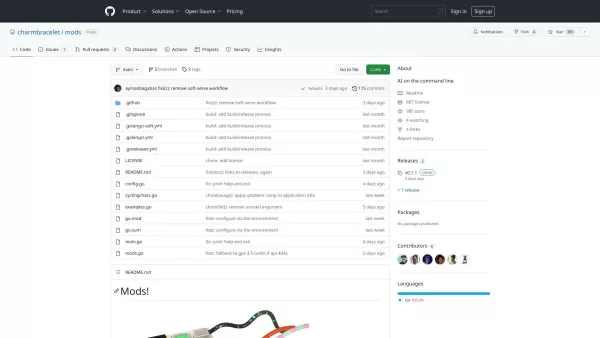
Charm CLI: Intuitive Terminal Utilities



Helps TikTok sellers, brands, MCNs, and TAPs discover winning products and find creators.

HelpLook is an AI-powered all-in-one knowledge base tool that helps businesses quickly build knowledge bases, help centers, and...

Your AI Workspace

302.AI is an enterprise-grade AI resource platform with pay-as-you-go pricing, API access to a full range of AI models, and ready-to-use online applications.

剧火AI — AI Screenwriter + Director, a One-Person Short Drama Studio In one sentence, what is it?

Ever wondered how to make the most out of large language models (LLMs)? That's where Vellum comes into play. It's not just a platform; it's a game-changer for anyone diving into the world of LLM apps. With Vellum, you get a suite of tools designed to
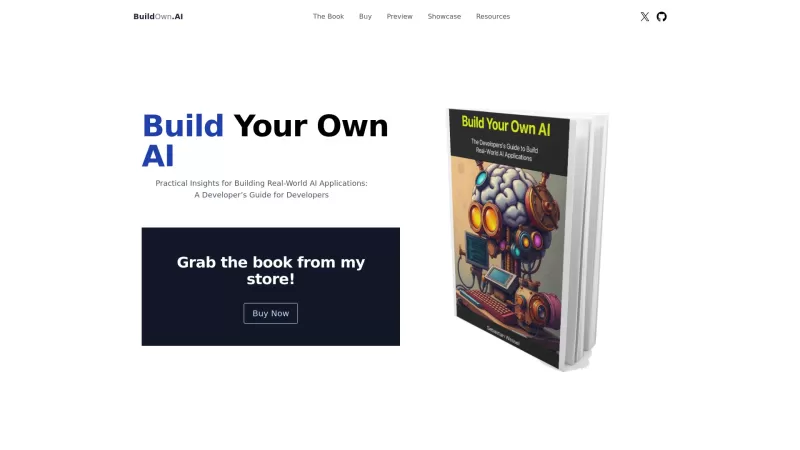
Build Your Own AI is your go-to resource for diving into the world of AI development. It's all about giving developers the tools and know-how to create real-world AI applications, with a special focus on Large Language Models (LLMs) and the art of prompt engineering. Whether you're a seasoned coder
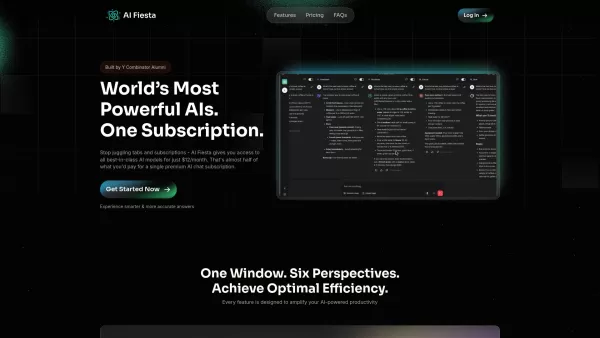
What is AI Fiesta? AI Fiesta revolutionizes AI access by bringing together the world's leading AI models under one roof. Rather than juggling multiple subscriptions, users can seamlessly switch between powerhouse models like ChatGPT, Gemini Pro, Clau
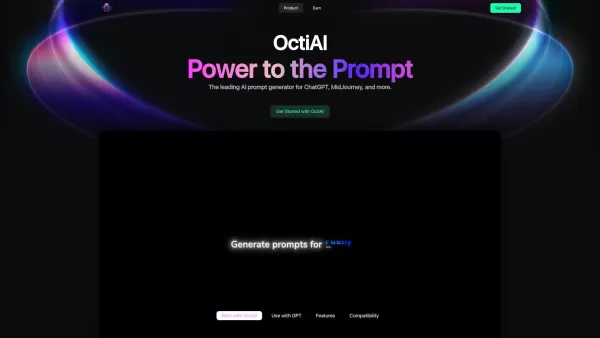
Ever stumbled upon a tool that just sparks your creativity and makes you go, "Wow, this is exactly what I needed"? That's OctiAI for you—a nifty AI prompt generator tailored for ChatGPT, MidJourney, and a bunch of other cool content creation AI models. It
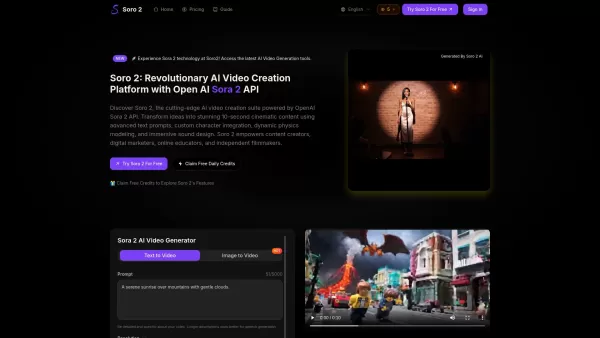
What is Soro2? Soro2 is a state-of-the-art AI video creation platform, powered by the OpenAI Sora 2 API. It helps users turn their ideas into breathtaking 20-second cinematic videos. By using advanced text prompts, custom character integration, dynam
Mods Product Information
What Are Mods?
Charm is a collection of command-line tools built to elevate the terminal experience. It offers capabilities such as creating stylish shell scripts, hosting your own Git server, and more. The suite includes applications like Gum for crafting elegant shell scripts, Soft Serve for self-hosted Git servers, and Bubble Tea for developing terminal applications. These tools are engineered to make the command line more user-friendly and visually appealing, ideal for developers who frequently work in terminal environments.
Who is Mods For?
- Software Developers
- Systems Administrators
- DevOps Professionals
- Technology Enthusiasts
How to Use Mods
- Step 1: Go to the Charm website at https://charm.sh
- Step 2: Select the tool you wish to use (such as Gum, Soft Serve, or Bubble Tea)
- Step 3: Follow the platform-specific installation guide
- Step 4: Begin using the tool with the provided commands
- Step 5: Consult the official documentation for advanced setup and usage advice
Platform Compatibility
- Web
- macOS
- Windows
- Linux
Mods's Core Features & Benefits
Core Features
- Stylish shell scripting
- Self-hostable Git server
- Terminal application framework
- Command-line email client
Key Benefits
- Improves the terminal interface
- Boosts development efficiency
- Cross-platform compatibility
- Open-source and highly customizable
Primary Use Cases & Applications
- Streamlining development processes
- Hosting private Git repositories
- Creating terminal-based apps
- Sending emails directly from the command line
Mods's Pros & Cons
Advantages
Open-source project with a large, active community
Modular and composable terminal UI libraries and utilities
Includes CLI tools integrated with AI models (Mods)
Comprehensive documentation and robust, tested projects
Simplifies building modern terminal applications
Limitations
Primarily focused on terminal/CLI, which may limit appeal outside developer tools
No clear pricing details for business-oriented features on the main website
Advanced AI capabilities are exclusive to the Mods project
FAQs about Mods
What is Charm?
Charm is a set of tools created to improve the terminal experience for developers.
Is Charm open-source?
Yes, Charm tools are open-source and allow for customization.
Which platforms does Charm support?
Charm is compatible with web, macOS, Windows, and Linux platforms.
How do I install Charm tools?
Installation guides are available on the official Charm website: https://charm.sh.
What tools are part of the Charm suite?
The Charm suite features tools like Gum for shell scripting, Soft Serve for Git hosting, and Bubble Tea for building terminal apps.
Who can benefit from using Charm?
Software developers, system administrators, DevOps engineers, and technology enthusiasts can all benefit from Charm.
Can I customize Charm tools?
Yes, as open-source software, Charm tools can be tailored to meet specific requirements.
Are there tutorials available for Charm?
Yes, the Charm website offers detailed documentation and tutorials to help users get started.
Is technical support available?
For support, contact [email protected].
Can Charm tools integrate with other applications?
Yes, Charm tools are designed to integrate seamlessly with other command-line applications and workflows.
Mods Company Details
Website:
https://charm.shCompany Name:
CharmSupport Email:
Facebook:
Not AvailableX (Twitter):
https://twitter.com/charmcliYouTube:
https://www.youtube.com/c/charmcliInstagram:
https://www.instagram.com/charm_cli/TikTok:
Not AvailableLinkedIn:
https://www.linkedin.com/company/charmbracelet
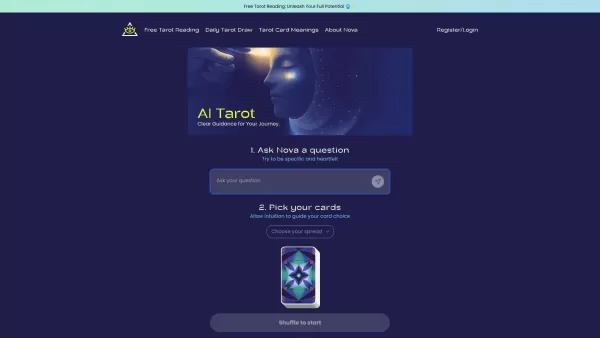
Mods Screenshot

2026 Latest Best Top-rated AI Object Removal Editors for portraits travel product shots! XIX.AI curates a powerful game-changing collection regularly updated with weekly rankings. These tools offer real-world tests to help you quickly remove unwanted elements, boost content quality, and save tons of time without compromising results. Must-try for anyone aiming to unlock their AI creation edge. Explore now!
 10 tools
 xix.ai

2026 Latest Best Top-rated AI Text to Speech Tools for Online Courses are curated by XIX.AI based on rigorous real-world tests and weekly updated rankings. These powerful tools help creators deliver crystal-clear audio content effortlessly, boosting writing efficiency and streamlining course production. Check out the free vs paid comparison to find your perfect fit. Explore now to unlock your AI edge in online education.
10 tools
xix.ai

2026 Latest Best Top-Rated AI Blog Title Tools for Higher Click Through Rates! XIX.AI has carefully curated a powerful, game-changing collection of top tools that go through rigorous real-world tests. You’ll find a free vs paid comparison, weekly updated rankings, and detailed insights to help you boost your blog’s traffic efficiently. Must-try options are highlighted to help you unlock your AI edge. Explore now!
10 tools
xix.ai

2026 Latest Best Top-rated AI Task Routing Tools for Support Workflows! XIX.AI has curated a highly powerful game-changing collection of must-try solutions, all undergoing rigorous real-world tests and updated weekly. These tools streamline workflows, boost productivity, and help teams deliver faster, more efficient support. Explore now to discover your perfect tool and unlock your AI edge!
17 tools
xix.ai

2026 Latest Best Top-Rated AI Citation and Paper Summary Tools Curated by XIX.AI. Get powerful game-changing solutions for quick content creation, improved writing efficiency, and boosting productivity. We offer a free vs paid comparison along with real-world tests and weekly updated rankings to help you find the must-try tool that fits your needs perfectly. Explore now to Unlock your AI edge.
10 tools
xix.ai

2026 Latest Best Top-Rated AI Productivity Tools for Daily Work! XIX.AI has curated a powerful, game-changing selection based on rigorous weekly updated rankings and real-world tests. You’ll find must-try options that boost writing efficiency, streamline content creation, and help you overcome daily work challenges. Get a free vs paid comparison to find the perfect fit for your needs. Explore now to unlock your AI edge!
9 tools
xix.ai


