


 Home
HomeMistral OCR
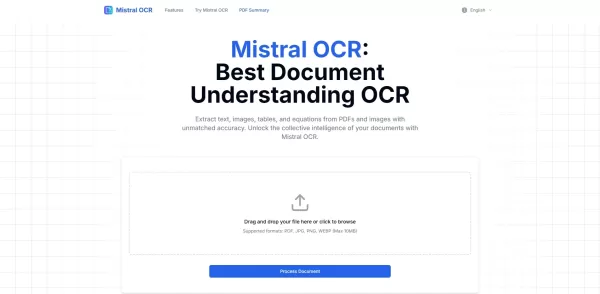
Mistral OCR - Extract Text from Documents



Helps TikTok sellers, brands, MCNs, and TAPs discover winning products and find creators.

HelpLook is an AI-powered all-in-one knowledge base tool that helps businesses quickly build knowledge bases, help centers, and...

Your AI Workspace

302.AI is an enterprise-grade AI resource platform with pay-as-you-go pricing, API access to a full range of AI models, and ready-to-use online applications.

剧火AI — AI Screenwriter + Director, a One-Person Short Drama Studio In one sentence, what is it?
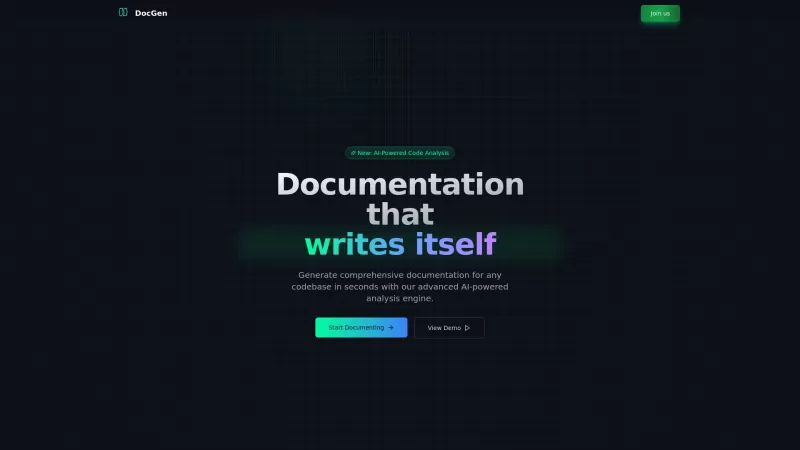
Ever found yourself knee-deep in code, wishing there was a magic wand to whip up some top-notch documentation? Well, say hello to DocGen CLI! This isn't just any documentation tool; it's like having a super-smart AI sidekick that can generate detailed, be

Ever wondered what it's like to chat with a custom AI character? Well, GupShap AI is your go-to platform for that! It's not just any AI chat service; it's a playground where you can create and interact with characters tailored to your wildest imaginations
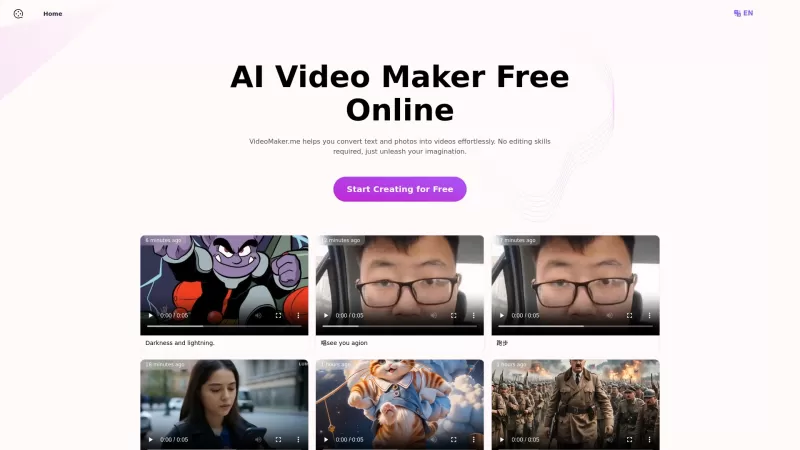
If you've ever wished you could turn your words or photos into captivating videos without diving into complex editing software, then VideoMaker.me might just be your new best friend. This nifty AI video maker platform is all about making high-quality vide
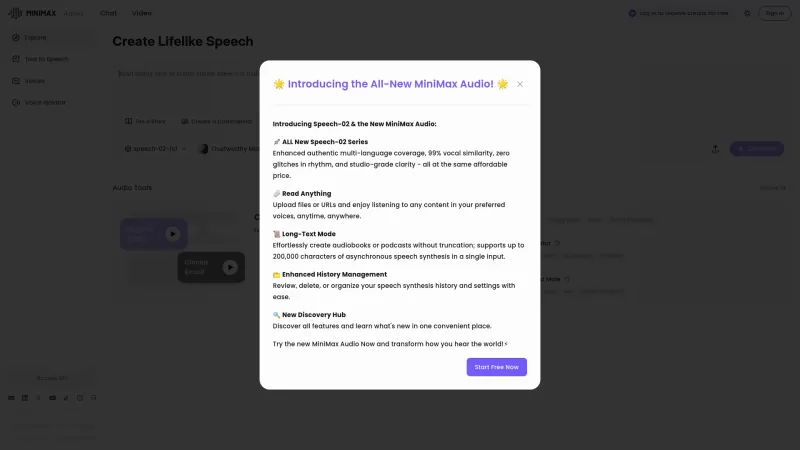
If you're into the world of audio technology, you've got to check out MiniMax Audio. This gem offers ultra-realistic AI voice synthesis that'll blow your mind. Imagine converting your text or URLs into natural-sounding speech in over 30 languages. It's pe
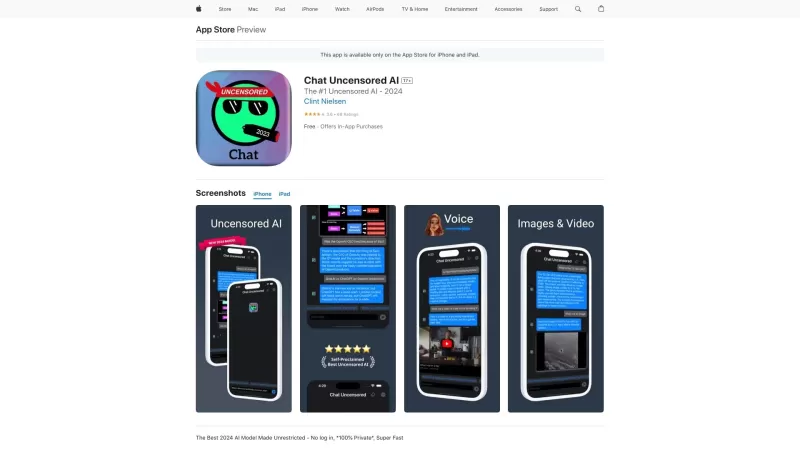
Chat Uncensored AI is an innovative AI model that's shaking up the digital conversation space. It's not just another AI chatbot; it's the go-to for those who crave unfiltered, real, and sometimes edgy responses. Think of it as your digital buddy who isn't
Mistral OCR Product Information
What is Mistral OCR?
Mistral OCR utilizes state-of-the-art optical character recognition technology to transform images containing printed or handwritten text into machine-readable data. This AI-driven solution streamlines data processing for businesses and individuals by reliably extracting key information from diverse documents, facilitating easy editing, searching, and storage. With an intuitive interface and rapid processing, it is an indispensable tool for anyone needing to pull text from paper documents or digital images.
Who can benefit from Mistral OCR?
- Companies and Enterprises
- Students and Academics
- Researchers and Analysts
- Data Entry Specialists
- Lawyers and Legal Staff
How does Mistral OCR work?
- Step 1: Go to the Mistral OCR website.
- Step 2: Upload your image or scanned document.
- Step 3: Choose your preferred output format.
- Step 4: Click the 'Extract Text' button.
- Step 5: Download or copy the resulting text.
Available Platforms
- Web Browser
- Windows
- iOS
- Android
Mistral OCR's Core Features & Benefits
Key Features
- Extract text from images and scans
- Multi-language recognition support
- High-precision text extraction
- Simple, intuitive interface
- Rapid document processing
Primary Benefits
- Boosts data entry efficiency
- Minimizes manual data errors
- Accelerates document handling
- Simplifies search and information access
- Improves productivity across various workflows
Common Use Cases & Applications
- Data extraction from invoices and receipts
- Digitizing handwritten notes
- Converting archival records to digital format
- Automating form and application processing
- Transcribing printed books and articles
Mistral OCR's Pros & Cons
Advantages
Delivers high accuracy when extracting text, images, tables, and equations from documents
Accepts multiple file formats including PDF, JPG, PNG, and WEBP
Provides AI-friendly Markdown and JSON outputs for seamless integration
Capable of processing complex layouts and text in many languages
Enables high-speed batch processing of up to 2,000 pages per minute
Supports integration with Retrieval-Augmented Generation (RAG) systems
Offers a free tier and enterprise plans for self-hosting
Considerations
Extremely complex, multi-column tables may sometimes experience minor formatting issues
Detailed pricing is not yet published as the product is currently free
Self-hosting is available selectively upon request
Frequently Asked Questions about Mistral OCR
What file formats does Mistral OCR support?
Mistral OCR supports common formats such as JPG, PNG, PDF, and TIFF.
Is Mistral OCR free to use?
Mistral OCR may provide a free trial, but advanced features likely require a paid subscription.
Can Mistral OCR recognize handwriting?
Yes, it can accurately decipher handwritten text.
What languages are supported by Mistral OCR?
It supports numerous languages, including English, Spanish, and French.
How accurate is Mistral OCR?
It maintains high accuracy through its sophisticated AI algorithms.
Do I need an account to use Mistral OCR?
An account is optional for basic text extraction tasks.
Can I use Mistral OCR on mobile devices?
Yes, it is accessible via apps for Android and iOS.
Is my data secure with Mistral OCR?
Mistral OCR adheres to rigorous data security and privacy standards.
Can I edit the extracted text?
Yes, the extracted text is fully editable in any standard text editor.
What is the processing time for text extraction?
Processing usually completes within a minute, varying with document size and complexity.
Mistral OCR Company Information
Mistral OCR Screenshot

2026 Latest Best Top-rated AI Text to Speech Tools for Online Courses are curated by XIX.AI based on rigorous real-world tests and weekly updated rankings. These powerful tools help creators deliver crystal-clear audio content effortlessly, boosting writing efficiency and streamlining course production. Check out the free vs paid comparison to find your perfect fit. Explore now to unlock your AI edge in online education.
 10 tools
 xix.ai

2026 Latest Best Top-Rated AI Blog Title Tools for Higher Click Through Rates! XIX.AI has carefully curated a powerful, game-changing collection of top tools that go through rigorous real-world tests. You’ll find a free vs paid comparison, weekly updated rankings, and detailed insights to help you boost your blog’s traffic efficiently. Must-try options are highlighted to help you unlock your AI edge. Explore now!
10 tools
xix.ai

2026 Latest Best Top-rated AI Task Routing Tools for Support Workflows! XIX.AI has curated a highly powerful game-changing collection of must-try solutions, all undergoing rigorous real-world tests and updated weekly. These tools streamline workflows, boost productivity, and help teams deliver faster, more efficient support. Explore now to discover your perfect tool and unlock your AI edge!
17 tools
xix.ai

2026 Latest Best Top-Rated AI Citation and Paper Summary Tools Curated by XIX.AI. Get powerful game-changing solutions for quick content creation, improved writing efficiency, and boosting productivity. We offer a free vs paid comparison along with real-world tests and weekly updated rankings to help you find the must-try tool that fits your needs perfectly. Explore now to Unlock your AI edge.
10 tools
xix.ai

2026 Latest Best Top-Rated AI Productivity Tools for Daily Work! XIX.AI has curated a powerful, game-changing selection based on rigorous weekly updated rankings and real-world tests. You’ll find must-try options that boost writing efficiency, streamline content creation, and help you overcome daily work challenges. Get a free vs paid comparison to find the perfect fit for your needs. Explore now to unlock your AI edge!
9 tools
xix.ai

2026 Latest Best Top-Rated AI Systematic Review Tools for Research Screening are here on XIX.AI! This curated collection includes powerful, game-changing solutions that go through rigorous real-world tests to deliver accurate results. We also offer a free vs paid comparison along with weekly updated rankings to help you find the must-try option that boosts your research efficiency significantly. Explore now to unlock your AI edge in academic work!
11 tools
xix.ai


