


 Home
HomeMissive
Missive: Streamline Team Communication



Helps TikTok sellers, brands, MCNs, and TAPs discover winning products and find creators.

HelpLook is an AI-powered all-in-one knowledge base tool that helps businesses quickly build knowledge bases, help centers, and...

Your AI Workspace

302.AI is an enterprise-grade AI resource platform with pay-as-you-go pricing, API access to a full range of AI models, and ready-to-use online applications.

剧火AI — AI Screenwriter + Director, a One-Person Short Drama Studio In one sentence, what is it?
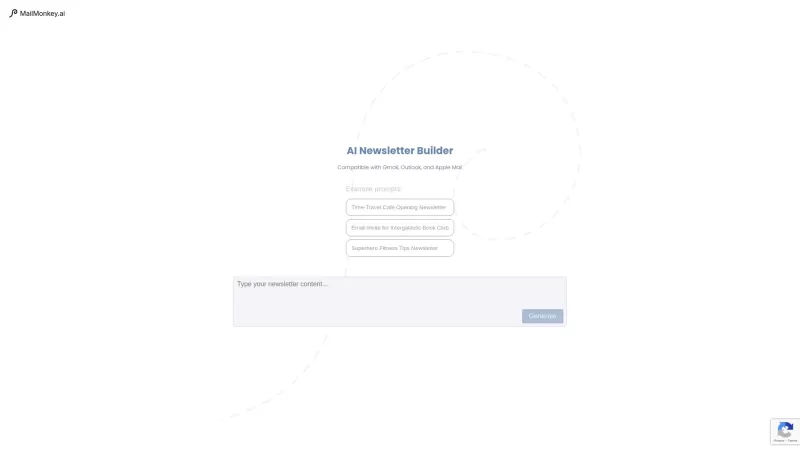
Ever wished you could whip up a stunning newsletter without spending hours on design? Enter MailMonkey.ai, your new best friend for crafting eye-catching email newsletters. This AI-powered tool is a game-changer for anyone using Gmail or Outlook. Just toss in a prompt, and voilà! MailMonkey.ai craft
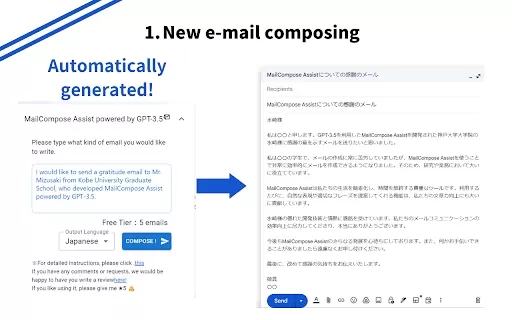
What is the Mail Composition Assist AI Chrome Extension? Mail Composition Assist is a tool designed to save you time when writing emails in Gmail and Outlook. It helps users navigate the complexities of formal language and culturally-specific email e

If you're constantly drowning in emails and looking for a lifeline, let me introduce you to the Supercharge AI Chrome extension. This nifty tool is a game-changer for anyone using Gmail or Outlook. Imagine having an AI sidekick that not only crafts emails
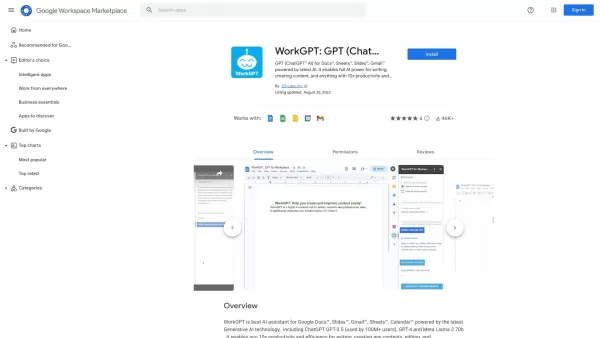
Imagine having a super-smart sidekick right in your Google Docs, Slides, Gmail, and Sheets. That's what the GPT AI Assistant is all about! Powered by the likes of GPT-3.5, GPT-4, and LIama2, this add-on is here to supercharge your productivity. Whether yo
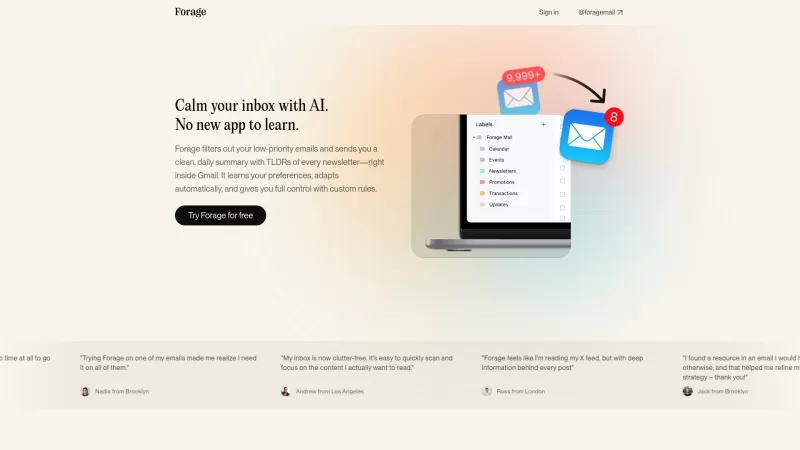
Ever feel like your Gmail inbox is a chaotic mess of newsletters and low-priority emails? Enter Forage Mail, your new best friend in the world of email management. This nifty AI assistant dives into your Gmail, sifts through the clutter, and hands you a n
Missive Product Information
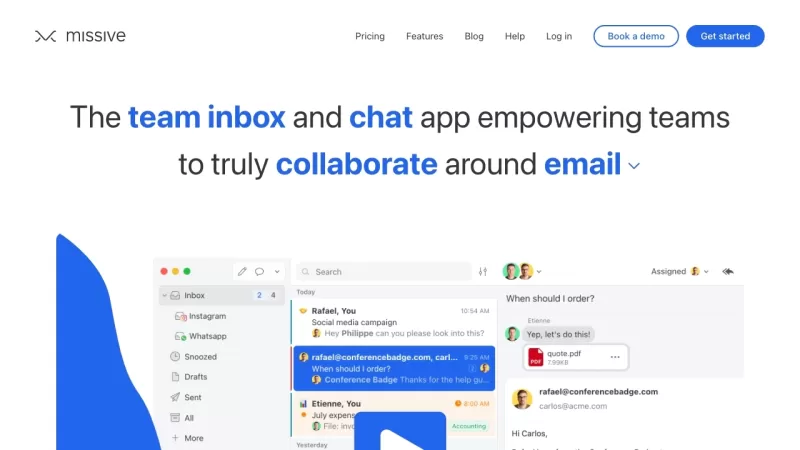
Ever felt like juggling emails, chats, and tasks is turning your workday into a circus? Enter Missive, your one-stop shop for team collaboration. This nifty platform melds email, group chat, and task management into a single, streamlined app. It's all about keeping your team's internal and external communications in one place, making teamwork smoother and more efficient. Trust me, once you get the hang of it, you'll wonder how you ever managed without it.
How to Dive Into Missive?
Getting started with Missive is as easy as pie. First off, sign up for an account and get your team on board by inviting them. Then, connect your email accounts and set up shared inboxes. From there, you're ready to roll! Use the team chat to bounce ideas off each other in real-time, keep conversations tidy with threaded chats, and always know who's tackling what. Missive pulls all your communication channels together, so you're never left wondering what's going on or who's responsible for what.
Missive's Core Features
Team Email
Say goodbye to the headache of managing multiple email accounts. With Missive, you can handle all your emails and shared inboxes in one convenient app.
Group Chat
Need to hash out ideas quickly? Jump into a group chat and get everyone on the same page, instantly.
Tasks
Keep your projects moving forward by assigning tasks, tracking progress, and collaborating with your team. It's like having a project manager in your pocket.
Work Management
Stay laser-focused on your work with conversations that are scoped to keep you on track.
Threaded Chat
Organize your discussions and never lose track of those crucial conversations again.
Team Inbox
Collaborate around any shared inbox, be it email, SMS, or webchat. It's teamwork made simple.
Gmail Integration
Already a Gmail fan? No problem. Connect your Gmail account and access your emails directly within Missive.
Web and OSX Apps
Whether you're on the go or at your desk, use Missive on the web or download the OSX app for a seamless desktop experience.
Shared Mailboxes
Share email inboxes with your team for efficient collaboration. It's like having a shared brain for your emails.
Missive's Use Cases
Missive isn't just for one thing; it's a versatile tool that fits into various scenarios:
- Internal team collaboration - Keep your team in sync and working like a well-oiled machine.
- External communication with clients or partners - Manage all those external emails without breaking a sweat.
- Task and project management - From start to finish, keep your projects on track.
- Shared inbox management - Collaborate on shared inboxes and keep everyone in the loop.
- Real-time team chat - Instant communication that keeps the team connected.
- Email management and organization - Say goodbye to email clutter and hello to organization.
For any support or to get in touch with Missive, head over to their contact us page. Want to learn more about the company? Check out their about us page.
Ready to log in? Here's your link: Missive Login. New to Missive? Sign up here: Missive Sign up. Curious about the cost? Check out their pricing: Missive Pricing.
Stay connected with Missive on social media:
- Facebook: Missive Facebook
- YouTube: Missive YouTube
- LinkedIn: Missive LinkedIn
- Twitter: Missive Twitter
Missive Screenshot




2026 Latest Best Top-rated AI Text to Speech Tools for Natural Voiceovers are here on XIX.AI! This curated list features powerful, game-changing options that deliver crystal-clear voices for every use case, backed by real-world tests and weekly updated rankings. Get a free vs paid comparison to find the must-try solution that boosts your productivity instantly. Explore now to Unlock your AI edge!
 11 tools
 xix.ai

2026 Latest Best Manga AI Background Generators Ranked Top-Rated! This curated collection showcases powerful game-changing tools perfect for creating high-quality chapter backgrounds, book covers, and promotional art. Every option has undergone rigorous real-world tests to ensure reliability. Get a free vs paid comparison along with detailed insights. Explore now to discover your perfect tool and unlock your AI edge in manga creation.
6 tools
xix.ai

2026 Latest Best Top-rated AI Object Removal Editors for portraits travel product shots! XIX.AI curates a powerful game-changing collection regularly updated with weekly rankings. These tools offer real-world tests to help you quickly remove unwanted elements, boost content quality, and save tons of time without compromising results. Must-try for anyone aiming to unlock their AI creation edge. Explore now!
10 tools
xix.ai

2026 Latest Best Top-rated AI Text to Speech Tools for Online Courses are curated by XIX.AI based on rigorous real-world tests and weekly updated rankings. These powerful tools help creators deliver crystal-clear audio content effortlessly, boosting writing efficiency and streamlining course production. Check out the free vs paid comparison to find your perfect fit. Explore now to unlock your AI edge in online education.
10 tools
xix.ai

2026 Latest Best Top-Rated AI Blog Title Tools for Higher Click Through Rates! XIX.AI has carefully curated a powerful, game-changing collection of top tools that go through rigorous real-world tests. You’ll find a free vs paid comparison, weekly updated rankings, and detailed insights to help you boost your blog’s traffic efficiently. Must-try options are highlighted to help you unlock your AI edge. Explore now!
10 tools
xix.ai

2026 Latest Best Top-rated AI Task Routing Tools for Support Workflows! XIX.AI has curated a highly powerful game-changing collection of must-try solutions, all undergoing rigorous real-world tests and updated weekly. These tools streamline workflows, boost productivity, and help teams deliver faster, more efficient support. Explore now to discover your perfect tool and unlock your AI edge!
17 tools
xix.ai


終於有個可以整合郵件、聊天跟待辦的協作工具了!Missive 把所有工具都放在同個介面,真的有種把繁雜流程簡化的感覺😌 只是擔心剛轉移的時候,團隊需要花時間適應,還有如果整合的App太多會不會反而變混亂?期待試用看看!
Been using Missive for a month now and it's legit changed the game! 🔥 No more tab-hopping between email, Slack, and Trello. My only gripe? Sometimes notifications get buried when things get hectic. But man, being able to assign emails as tasks to teammates? Chef's kiss 💯


