


 Home
HomeMinutes: AI Meeting Notes & Transcripts



Helps TikTok sellers, brands, MCNs, and TAPs discover winning products and find creators.

HelpLook is an AI-powered all-in-one knowledge base tool that helps businesses quickly build knowledge bases, help centers, and...

Your AI Workspace

302.AI is an enterprise-grade AI resource platform with pay-as-you-go pricing, API access to a full range of AI models, and ready-to-use online applications.

剧火AI — AI Screenwriter + Director, a One-Person Short Drama Studio In one sentence, what is it?
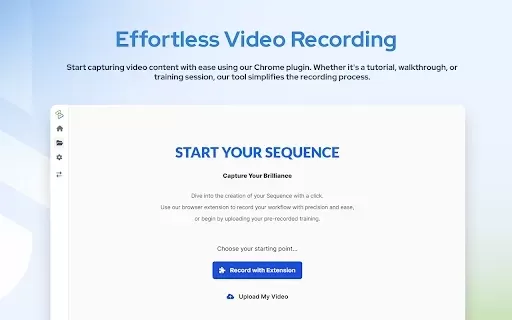
What is AdoptSequence Video Capture?AdoptSequence Video Capture is an AI-powered tool that records and translates your screen activity. It enables full-screen, window, and tab recording in up to 4K quality, improves audio clarity, and translates cont
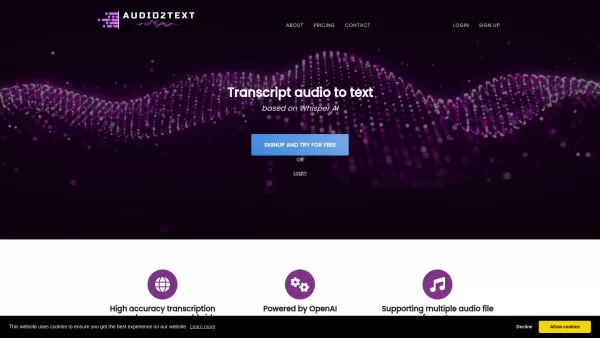
Ever found yourself needing to convert audio into text? That's where Audio2Text comes into play, a nifty service from OpenAI that turns your audio files into accurate text transcripts. It's not just about English; this tool supports a whopping 58 language
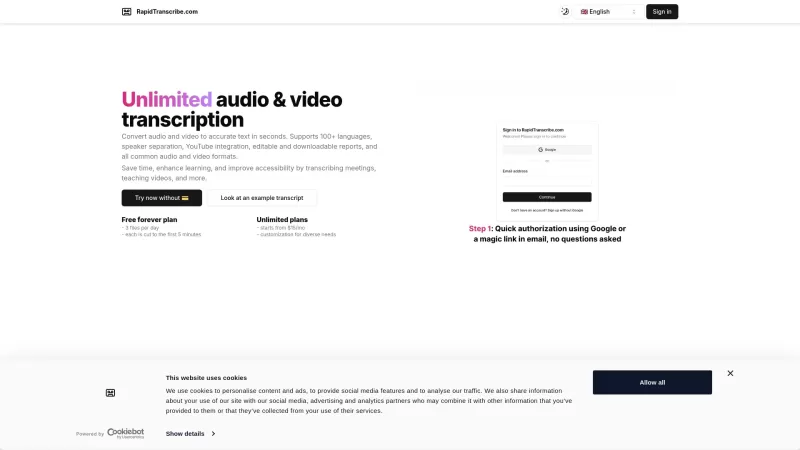
Ever found yourself wishing you could magically turn your audio and video files into text? Well, RapidTranscribe is here to make that wish come true! This AI-powered service is like a wizard, transforming your audio and video into accurate text in the bli
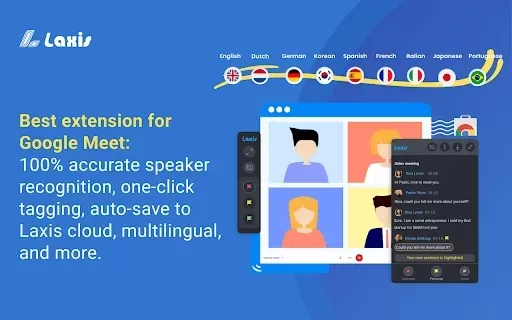
What is Google Meet Transcripts?Google Meet Transcripts is a Chrome extension that boosts productivity for Google Meet users. It automatically records meeting conversations and converts them into structured transcripts. You can revisit these transcri
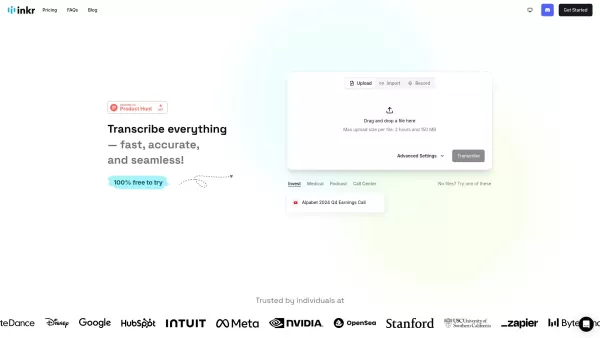
Ever found yourself in need of a quick and reliable way to turn audio into text? That's where Inkr comes in handy! This transcription service is your go-to for converting audio from meetings, lectures, interviews, and more into crisp, accurate text. And t
Minutes: AI Meeting Notes & Transcripts Product Information
What is Minutes: AI Meeting Notes & Transcripts?
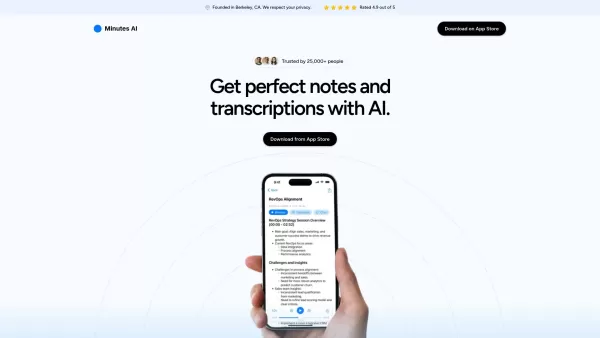
Minutes AI is an advanced artificial intelligence platform that streamlines note-taking for meetings and lectures. It transforms live audio or uploaded recordings into structured, formatted notes and transcripts. With capabilities like keyword search and action item identification, it boosts productivity and minimizes the manual effort of traditional note-taking. Ideal for diverse professional environments, it helps users capture key insights and share them effortlessly.
Who uses Minutes: AI Meeting Notes & Transcripts?
- Professionals in meetings
- Students attending lectures
- Distributed remote teams
- Conference and event participants
- HR professionals conducting interviews
How to use Minutes: AI Meeting Notes & Transcripts
- Step 1: Create an account on the Minutes AI website.
- Step 2: Upload an audio file or begin a live recording during your session.
- Step 3: Allow the AI to process the audio and create a transcript.
- Step 4: Review and make any necessary edits to the auto-generated notes.
- Step 5: Save, download, or share the finalized notes with your team.
Platform
- Web
- iOS
- Android
Minutes: AI Meeting Notes & Transcripts Core Features & Benefits
Core Features
- Real-time audio transcription
- Formatted meeting notes
- Action item extraction
- Keyword search functionality
- Multi-language support
Key Benefits
- Saves time on manual note-taking
- Improves accuracy of captured information
- Enhances collaboration with easily shareable notes
- Increases productivity by letting you focus on the discussion
- Reduces the chance of missing important details
Main Use Cases & Applications
- Corporate meetings
- Educational lectures
- Job interviews
- Training workshops
- Online webinars
Minutes: AI Meeting Notes & Transcripts Pros & Cons
Pros
Automates meeting transcription and summarization
Improves team communication and record-keeping accuracy
Supports integration with various communication platforms
Provides actionable insights from meetings
Cons
No information about open-source availability
Pricing details are not explicitly listed on the homepage
Limited information on supported languages or user customization options
Minutes: AI Meeting Notes & Transcripts Pricing
Has free plan | No |
|---|---|
Free trial details | |
Pricing model | |
Is credit card required | No |
Paid from | |
Has lifetime plan | No |
Billing frequency |
For the latest prices, please visit: https://myminutes.ai
FAQs About Minutes: AI Meeting Notes & Transcripts
What types of audio files can be uploaded?
You can upload various popular audio file formats including MP3 and WAV.
How accurate are the transcriptions?
The transcriptions are highly accurate, leveraging advanced AI technology.
Is it easy to edit the generated notes?
Yes, you can easily edit the notes after they are generated.
Can I share the notes with others?
Absolutely, you can download and share your notes with anyone.
Are there any subscription fees?
Yes, Minutes AI offers different subscription plans to suit various needs.
Does it support multiple languages?
Yes, the platform supports transcription in multiple languages.
Is there a mobile app available?
Yes, Minutes AI is available on both iOS and Android platforms.
Can it integrate with other applications?
Yes, Minutes AI integrates with various tools for enhanced functionality.
Is my data secure?
Yes, all data is securely stored and managed to ensure privacy.
Can I use it for personal notes as well?
Yes, Minutes AI is versatile and can be used for personal note-taking.
Minutes: AI Meeting Notes & Transcripts Company Information
- Minutes AI
- https://myminutes.ai
Minutes: AI Meeting Notes & Transcripts Screenshot

2026 Latest Best Top-rated AI Object Removal Editors for portraits travel product shots! XIX.AI curates a powerful game-changing collection regularly updated with weekly rankings. These tools offer real-world tests to help you quickly remove unwanted elements, boost content quality, and save tons of time without compromising results. Must-try for anyone aiming to unlock their AI creation edge. Explore now!
 10 tools
 xix.ai

2026 Latest Best Top-rated AI Text to Speech Tools for Online Courses are curated by XIX.AI based on rigorous real-world tests and weekly updated rankings. These powerful tools help creators deliver crystal-clear audio content effortlessly, boosting writing efficiency and streamlining course production. Check out the free vs paid comparison to find your perfect fit. Explore now to unlock your AI edge in online education.
10 tools
xix.ai

2026 Latest Best Top-Rated AI Blog Title Tools for Higher Click Through Rates! XIX.AI has carefully curated a powerful, game-changing collection of top tools that go through rigorous real-world tests. You’ll find a free vs paid comparison, weekly updated rankings, and detailed insights to help you boost your blog’s traffic efficiently. Must-try options are highlighted to help you unlock your AI edge. Explore now!
10 tools
xix.ai

2026 Latest Best Top-rated AI Task Routing Tools for Support Workflows! XIX.AI has curated a highly powerful game-changing collection of must-try solutions, all undergoing rigorous real-world tests and updated weekly. These tools streamline workflows, boost productivity, and help teams deliver faster, more efficient support. Explore now to discover your perfect tool and unlock your AI edge!
17 tools
xix.ai

2026 Latest Best Top-Rated AI Citation and Paper Summary Tools Curated by XIX.AI. Get powerful game-changing solutions for quick content creation, improved writing efficiency, and boosting productivity. We offer a free vs paid comparison along with real-world tests and weekly updated rankings to help you find the must-try tool that fits your needs perfectly. Explore now to Unlock your AI edge.
10 tools
xix.ai

2026 Latest Best Top-Rated AI Productivity Tools for Daily Work! XIX.AI has curated a powerful, game-changing selection based on rigorous weekly updated rankings and real-world tests. You’ll find must-try options that boost writing efficiency, streamline content creation, and help you overcome daily work challenges. Get a free vs paid comparison to find the perfect fit for your needs. Explore now to unlock your AI edge!
9 tools
xix.ai


