


 Home
HomeMeet2text - Chrome Extension
Extract and manage subtitles and comments



Helps TikTok sellers, brands, MCNs, and TAPs discover winning products and find creators.

HelpLook is an AI-powered all-in-one knowledge base tool that helps businesses quickly build knowledge bases, help centers, and...

Your AI Workspace

302.AI is an enterprise-grade AI resource platform with pay-as-you-go pricing, API access to a full range of AI models, and ready-to-use online applications.

剧火AI — AI Screenwriter + Director, a One-Person Short Drama Studio In one sentence, what is it?
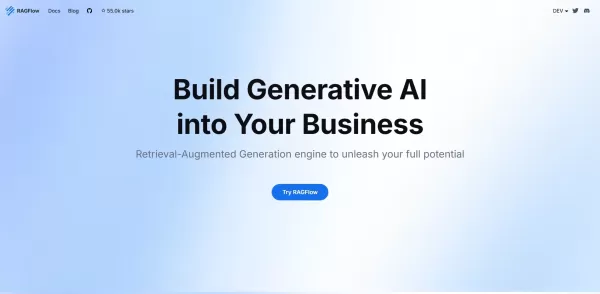
What is RAGFlow?RAGFlow is an open-source RAG (Retrieval-Augmented Generation) engine designed to simplify the creation and deployment of AI agents. It merges intelligent document processing with vector search to convert unstructured data from PDFs,
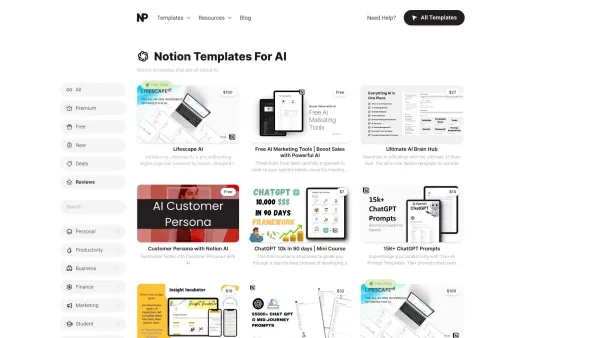
What Are Notion Templates for AI? Notion Templates for AI Integration to Supercharge Productivity Looking to harness the power of AI within your workflow? Notion Templates for AI Integration offers tailored solutions designed to streamline your day-to-day

What is QuickBox AI?QuickBox AI offers a handy browser extension that integrates a suite of AI tools directly into your browser. Pressing cmd+k (or ctrl+k) brings up a compact overlay on your current tab, enabling instant access to AI utilities. You
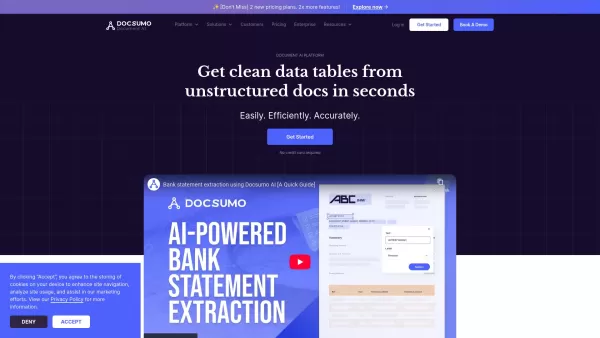
Docsumo is more than just another tech tool—it’s a powerhouse for businesses looking to streamline their document workflows. At its core, Docsumo uses advanced AI to effortlessly pull critical data from messy, unstructured documents like invoices, contrac
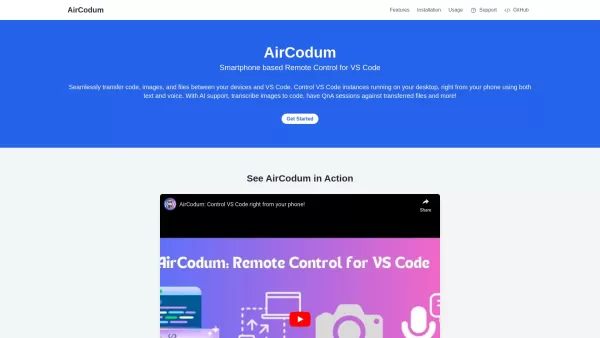
Ever wished you could control your VS Code from your phone? Enter CodeAir, the nifty mobile companion app that lets you do just that. It's like having a remote control for your coding environment, complete with file transfer capabilities right from your s
Meet2text - Chrome Extension Product Information
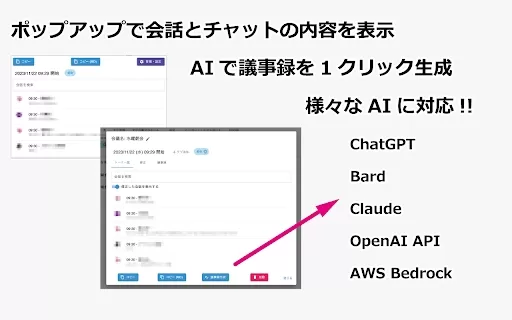
The Meet2text AI Chrome extension is your go-to tool for managing conversation and comment contents within Google Meet. It's like having a personal assistant that keeps everything in order, making your virtual meetings a breeze.
How to Use Meet2text AI Chrome Extension?
Getting started with Meet2text is a snap. Just make sure to set your Google Meet's subtitle settings to Japanese. Why Japanese? Well, it's the secret sauce that helps the extension work its magic. Once you've got that sorted, you're all set to dive into the world of efficient meeting management.
Meet2text AI Chrome Extension's Core Features
Unlimited Storage of Meeting Data
Ever wished you could keep every detail from your meetings? With Meet2text, you can. It offers unlimited storage for your meeting data, so you'll never lose an important point again. It's like having a digital memory bank for all your meetings.
Tag Management
Organizing your meeting data just got a whole lot easier. Meet2text lets you tag and categorize your notes, making it a breeze to find what you need later. It's like having a filing system that actually works for you.
Automatic Tagging
Who has time to manually tag everything? Not you, that's for sure. Meet2text steps in with automatic tagging, saving you time and effort. It's like having an AI assistant that knows exactly what tags to use.
Data Import and Export
Need to move your meeting data around? No problem. Meet2text offers smooth data import and export options, so you can take your notes wherever you need them. It's like having a portable meeting archive at your fingertips.
Meet2text AI Chrome Extension's Use Cases
View Past Meeting Data from the Management Interface
Ever needed to revisit a past meeting? With Meet2text, you can easily access all your previous meeting data from a user-friendly management interface. It's like having a time machine for your meetings.
Generate Meeting Minutes Using AI from ChatGPT, Google Bard, Anthropic Claude, OpenAI API, and AWS Bedrock
Say goodbye to the hassle of writing meeting minutes. Meet2text uses AI powerhouses like ChatGPT, Google Bard, Anthropic Claude, OpenAI API, and AWS Bedrock to generate your meeting minutes automatically. It's like having a team of AI scribes at your service.
FAQ from Meet2text
- How can I access past meeting data?
Accessing past meeting data is a breeze with Meet2text. Just head over to the management interface, and you'll find all your previous meetings neatly organized and ready for review. It's like flipping through a digital notebook of your meeting history.
Meet2text - Chrome Extension Screenshot

2026 Latest Best AI Quiz Builder Platforms for Teachers, Tutors, and Cohort-Based Learning Programs! XIX.AI has curated a top-rated list of powerful game-changing tools that go through real-world tests to deliver accurate rankings. These must-try platforms help boost writing efficiency, streamline content creation, and simplify quiz design across all learning scenarios. Explore now to discover your perfect tool for unlocking your AI edge in teaching!
 13 tools
 xix.ai

2026 Latest Best AI Pull Request Review Tools for GitHub Teams are here on XIX.AI! This top-rated curated list showcases powerful game-changing solutions that streamline refactoring, bug fixing, and security gap detection across all team workflows. Enjoy a free vs paid comparison along with real-world tests and detailed rankings to help you find the perfect tool that boosts productivity significantly. Explore now to unlock your AI edge!
12 tools
xix.ai

2026 Latest Best Top-rated AI Text to Speech Tools for Natural Voiceovers are here on XIX.AI! This curated list features powerful, game-changing options that deliver crystal-clear voices for every use case, backed by real-world tests and weekly updated rankings. Get a free vs paid comparison to find the must-try solution that boosts your productivity instantly. Explore now to Unlock your AI edge!
11 tools
xix.ai

2026 Latest Best Manga AI Background Generators Ranked Top-Rated! This curated collection showcases powerful game-changing tools perfect for creating high-quality chapter backgrounds, book covers, and promotional art. Every option has undergone rigorous real-world tests to ensure reliability. Get a free vs paid comparison along with detailed insights. Explore now to discover your perfect tool and unlock your AI edge in manga creation.
6 tools
xix.ai

2026 Latest Best Top-rated AI Object Removal Editors for portraits travel product shots! XIX.AI curates a powerful game-changing collection regularly updated with weekly rankings. These tools offer real-world tests to help you quickly remove unwanted elements, boost content quality, and save tons of time without compromising results. Must-try for anyone aiming to unlock their AI creation edge. Explore now!
10 tools
xix.ai

2026 Latest Best Top-rated AI Text to Speech Tools for Online Courses are curated by XIX.AI based on rigorous real-world tests and weekly updated rankings. These powerful tools help creators deliver crystal-clear audio content effortlessly, boosting writing efficiency and streamlining course production. Check out the free vs paid comparison to find your perfect fit. Explore now to unlock your AI edge in online education.
10 tools
xix.ai


Meet2text、試してみました!会議の議事録作成がすごく楽になりました😊 Google Meetの字幕をそのまま保存できるのは便利だけど、AIがキーワードを自動でハイライトしてくれるのも助かるな。ただ、プライバシーが少し心配…会話データはどう扱われるんだろう?無料版でここまで使えるなら十分かも!


