


 Home
HomeMayo Studio
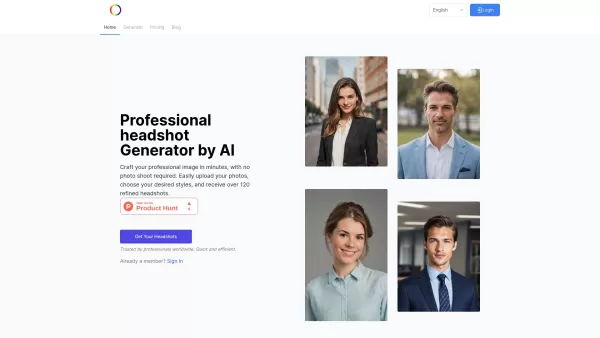
"AI Portrait Generator: Turn Photos into Professional Portraits"



Helps TikTok sellers, brands, MCNs, and TAPs discover winning products and find creators.

HelpLook is an AI-powered all-in-one knowledge base tool that helps businesses quickly build knowledge bases, help centers, and...

Your AI Workspace

302.AI is an enterprise-grade AI resource platform with pay-as-you-go pricing, API access to a full range of AI models, and ready-to-use online applications.

剧火AI — AI Screenwriter + Director, a One-Person Short Drama Studio In one sentence, what is it?
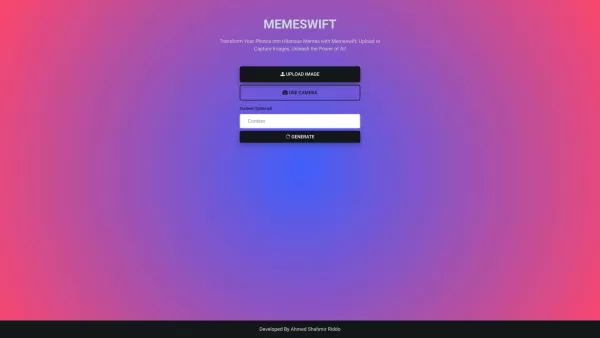
MemeSwift is like the Swiss Army knife of humor—it’s an AI-powered meme generator designed to turn your photos into laugh-out-loud-worthy memes. Whether you’re looking to poke fun at yourself or your friends, this tool makes it easy to craft something fun
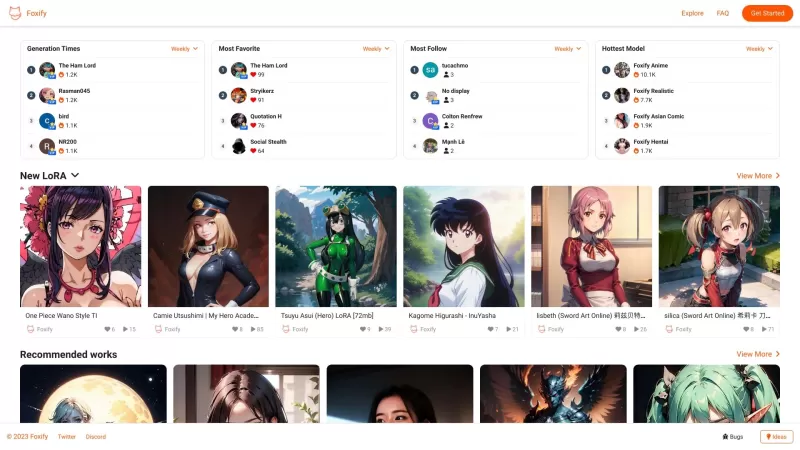
Ever stumbled upon Foxify and wondered what it's all about? Well, let me tell you, Foxify is your go-to online AI image creator, and the best part? It's absolutely free! Whether you're a budding artist or just looking to spice up your social media posts,
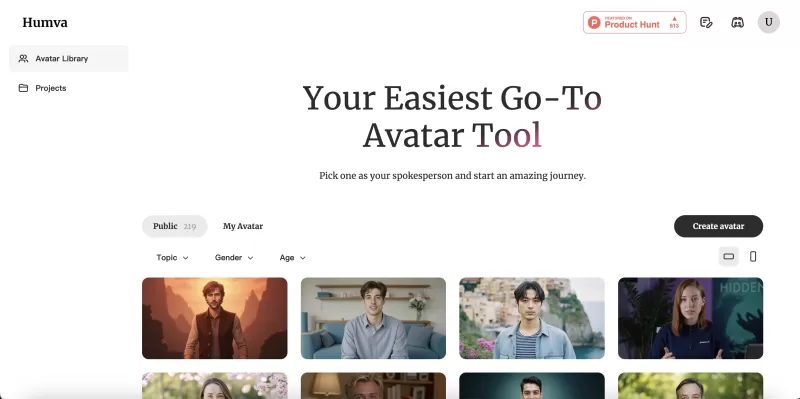
Ever wondered what Humva is all about? Let me tell you, it's a game-changer in the world of digital avatars! Humva.ai is this cool tool that's all set to shake up the talent market with its easy-to-use platform for crafting professional or custom digital

Ever stumbled upon FaceHi and wondered what it's all about? Well, let me give you the lowdown: FaceHi is your go-to spot for some hilarious face-swapping action, whether you're using their snazzy video templates or uploading your own videos. It's like hav
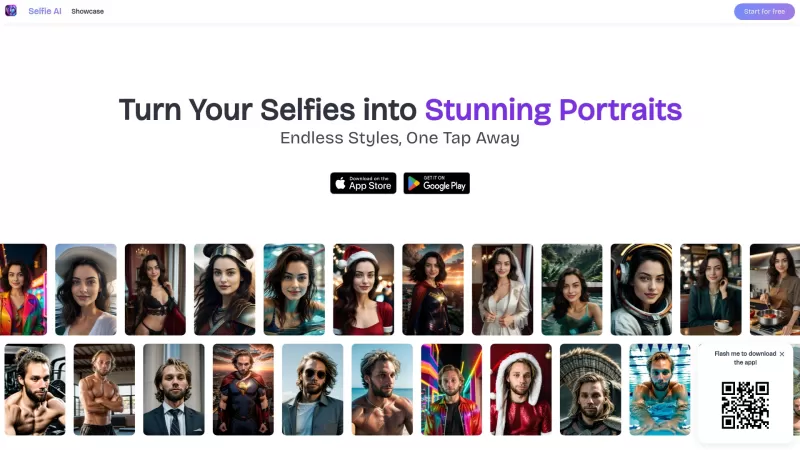
Ever wondered how to turn your everyday selfies into something extraordinary? Enter Selfie AI, the app that's revolutionizing the way we look at our selfies. This nifty tool uses cutting-edge AI technology to transform your ordinary selfies into stunning,
Mayo Studio Product Information
What is Mayo Studio?
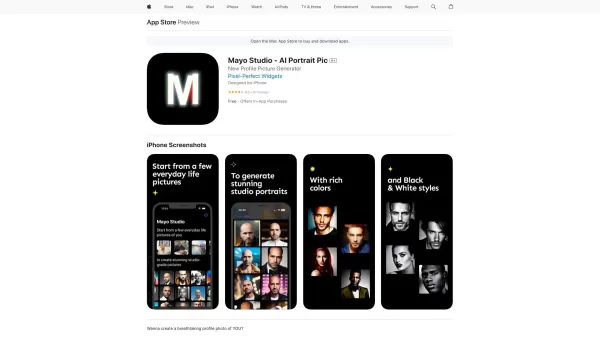
Mayo Studio is kind of like a digital magician that turns ordinary snapshots into something extraordinary—professional-grade profile pictures. Imagine having a personal studio right at your fingertips, but instead of dragging yourself to one, you just upload a bunch of casual photos from your phone. Poof! Out comes a polished, studio-quality image perfect for anything from social media to business profiles.
How to Use Mayo Studio
Using Mayo Studio is simpler than you’d think. All you need to do is grab a handful of random everyday photos—say, a dozen or more—and upload them. That’s it. The platform takes over from there, crunching data and creating custom, super-realistic profile pictures tailored just for you. No fancy equipment, no hours spent posing—it’s like outsourcing your photo shoot to the cloud.
Core Features of Mayo Studio
- Create professional-grade profile pictures
- Upload simple everyday life photos
- Generate unique and ultra-realistic images
- Get high-quality, studio-grade output
Use Cases for Mayo Studio
Mayo Studio isn’t just for one thing—it’s got endless possibilities. Need to spruce up your social media? Done. Want a killer avatar for your online gaming persona? Boom. Even professionals can benefit—whether it’s beefing up their LinkedIn profile or designing sleek brand assets. Oh, and let’s not forget dating apps—because who doesn’t want a great first impression?
Frequently Asked Questions About Mayo Studio
- How many photos are required to generate a profile picture?
- There’s no strict number, but the more diverse your photos, the better the results. Think variety—different angles, lighting, and settings.
- Do I need any professional photography skills?
- Absolutely not! Anyone can do this. Just snap a few candid shots and let Mayo Studio work its magic.
- Can I download and use the generated images without any limitations?
- Yes! Once you’re happy with the final product, you can download it and use it however you like.
- What resolution are the profile pictures generated in?
- You’ll get high-resolution images suitable for both print and digital use. Perfect for anything from business cards to Instagram posts.
Mayo Studio Screenshot
2026 Latest Top Hyper-Realistic AI Human Generators: Discover the best tools to create stunning fake model photos and professional headshots. Our curated, weekly-updated rankings compare free vs paid options based on real-world tests. Find your perfect solution for generating lifelike portraits, enhancing branding, and unlocking creative potential. Explore the top-rated picks at XIX.AI.
 10 tools
 xix.ai
Discover the 2026 best AI profile picture generators at XIX.AI. Our curated list features top-rated, game-changing tools for creating high-converting, professional headshots. Get weekly updated rankings, free vs paid comparisons, and real-world tests to boost your social media presence. Find your perfect tool today!
10 tools
xix.ai
2026 Latest: Discover the best free & paid AI portrait editors at XIX.AI. Read our expertly curated rankings with real-world tests, weekly updated! Quickly enhance photos, master lighting/filters, and unlock professional edits. Explore the top-rated tools now & find your perfect editing partner.
10 tools
xix.ai


