


 Home
HomeManipulist
Text and Data Manipulation Tool



Helps TikTok sellers, brands, MCNs, and TAPs discover winning products and find creators.

HelpLook is an AI-powered all-in-one knowledge base tool that helps businesses quickly build knowledge bases, help centers, and...

Your AI Workspace

302.AI is an enterprise-grade AI resource platform with pay-as-you-go pricing, API access to a full range of AI models, and ready-to-use online applications.

剧火AI — AI Screenwriter + Director, a One-Person Short Drama Studio In one sentence, what is it?
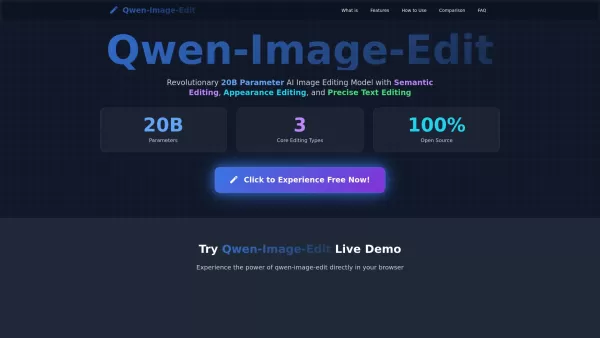
What is Qwen-Image-Edit? Qwen-Image-Edit is a groundbreaking 20-billion-parameter AI image editing foundation model from Alibaba's Qwen team. Developed from the Qwen-Image generative model, it brings unique text rendering power to image editing, allo

What is Yomu?Yomu is your go-to AI-powered writing buddy, designed specifically for students and academics tackling those hefty research papers. It's like having a smart assistant that not only helps you write but also polishes your work with features like document assistance, auto-complete, text ed

Ever felt like you could use a little boost in your writing game? That's where HIX.AI comes into play. It's not just another tool; it's your all-in-one AI writing copilot, ready to take your content creation to the next level. Whether you're whipping up ads, crafting emails, or churning out blog pos

Figma AI is essentially a game-changer for designers who rely on Figma as their go-to design tool. At its core, it’s a plugin that harnesses the intelligence of ChatGPT to handle tasks like text editing and writing. The beauty of Figma AI lies in its vers
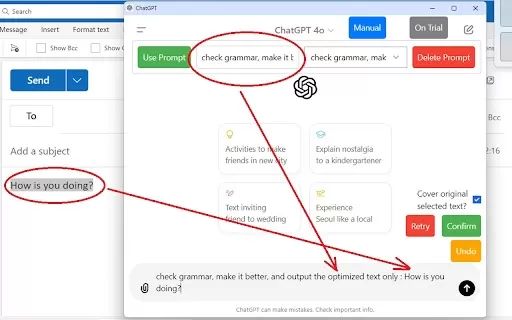
What is the ChatGPT Enhancer for Extensive Text Operations AI Chrome Extension? The ChatGPT Enhancer for Extensive Text Operations is a browser tool that integrates directly with ChatGPT to optimize your text workflow. Simply select text on any webpa
Manipulist Product Information
Ever found yourself wrestling with a tangled mess of text or lists, wishing there was a magic tool to sort it all out? Enter Manipulist, a nifty browser-based Text/List Manipulator & Scraper brought to you by Engiweb Ltd. This gem of a tool lets you juggle your input text like a pro, transforming it into the polished output you crave. And the best part? You don't need to download a thing—just fire up your web browser and you're good to go!
How to Dive into Manipulist?
Using Manipulist is as easy as pie. Just hop onto your favorite web browser, and you're ready to roll. No downloads, no fuss—just pure, unadulterated text manipulation at your fingertips.
Unveiling Manipulist's Core Features
Text Manipulation
Manipulist isn't just any text editor; it's your personal text wizard. Whether you're tweaking, trimming, or transforming your text, this tool has got you covered.
List Manipulation
Got a list that's driving you up the wall? Manipulist can sort, filter, and rearrange it with ease, turning chaos into order in no time.
Data Scraping
Need to pull content from websites? Manipulist's scraping feature is like having a digital magnet, effortlessly extracting the data you need.
Real-World Magic with Manipulist
Data Cleaning and Formatting
Ever inherited a dataset that looks like it's been through a blender? Manipulist can clean it up and format it to perfection, making your data analysis a breeze.
Batch Text Editing
Need to edit a mountain of text? Manipulist lets you do it in batches, saving you hours of tedious work.
Content Extraction from Websites
Whether you're a researcher or just curious, Manipulist can help you extract content from websites, making it easier to gather the information you need.
Frequently Asked Questions about Manipulist
- Is Manipulist compatible with all web browsers?
- Yes, Manipulist plays nicely with all major web browsers, so you can use it no matter your browser of choice.
- Can Manipulist process large amounts of text or data?
- Absolutely! Manipulist is designed to handle hefty chunks of text and data without breaking a sweat.
- Does Manipulist offer any automation features?
- While Manipulist doesn't have built-in automation, its powerful features can be used to streamline repetitive tasks.
- Can I undo actions performed on Manipulist?
- Unfortunately, there's no undo button, so make sure you're happy with your changes before you hit save!
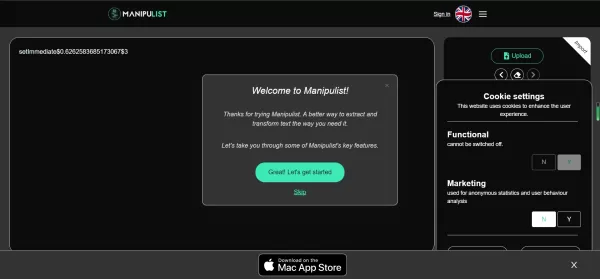
Manipulist Screenshot



Discover the 2026 best AI data cleaning tools for Excel on XIX.AI. Our curated, top-rated list features powerful solutions to automate spreadsheet workflows and complex regex tasks. Compare free vs paid options with real-world tests. Unlock your data productivity edge today.
 9 tools
 xix.ai


