


 Home
HomeMailEcho
AI Email Filtering for Clutter-Free Inboxes



Helps TikTok sellers, brands, MCNs, and TAPs discover winning products and find creators.

HelpLook is an AI-powered all-in-one knowledge base tool that helps businesses quickly build knowledge bases, help centers, and...

Your AI Workspace

302.AI is an enterprise-grade AI resource platform with pay-as-you-go pricing, API access to a full range of AI models, and ready-to-use online applications.

剧火AI — AI Screenwriter + Director, a One-Person Short Drama Studio In one sentence, what is it?

What is Celebrity AI?CelebrityAI revolutionizes digital content creation with its cutting-edge artificial intelligence platform that generates lifelike celebrity videos and voice messages. Using sophisticated technologies including deep neural networ

If you're diving into the world of AI and need a tool to streamline your interactions with models like ChatGPT, Claude, and Gemini, let me introduce you to TaoPrompt. This isn't just another AI tool; it's a professional prompt generator that's designed to
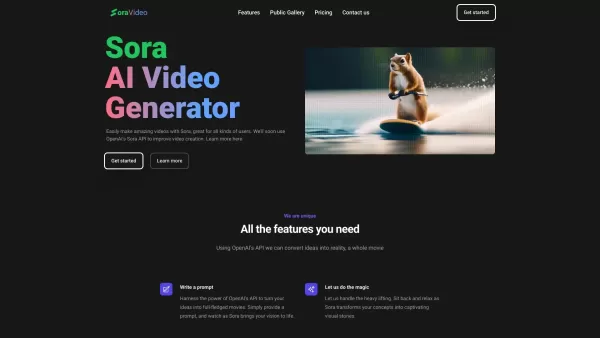
Ever wondered what Sora Video AI is all about? It's like having a magic wand for video creation! This tool, powered by OpenAI's official Sora technology, transforms your text into stunning videos with just a few clicks. Whether you're a creator, marketer,

Ever found yourself staring at a blank screen, struggling to come up with that perfect headline that'll make your content pop? Enter Great Headlines, a game-changer in the world of content marketing and copywriting. This isn't just another tool; it's a powerhouse that blends marketing savvy with the

Ever stumbled upon CapCut and wondered what it's all about? Well, let me tell you, CapCut isn't just another app—it's a powerhouse of creativity fueled by AI. Whether you're on your browser, rocking a Windows or Mac, or using your Android or iOS device, C
MailEcho Product Information
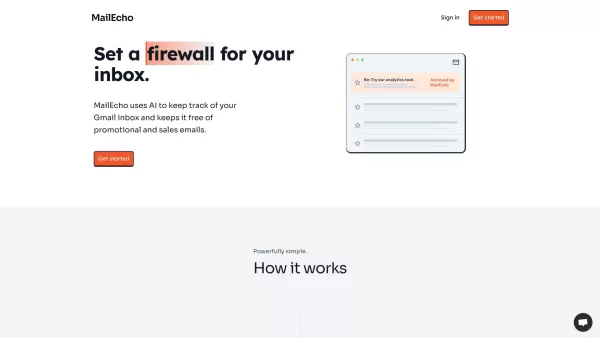
Ever felt like your inbox is just a chaotic mess of endless sales pitches and marketing emails? Enter MailEcho, your new best friend in the world of email management. This AI-powered tool is designed to help you reclaim your inbox by smartly sorting out those pesky sales and promotional emails. It's like having a personal assistant who knows exactly what you don't want cluttering up your main view.
How to Use MailEcho?
Getting started with MailEcho is a breeze. All you need to do is connect your Gmail inbox using the secure Oauth2 protocol. Once you're in, you can set up your preferences—customize filters based on topics, senders, or specific keywords. After that, MailEcho gets to work in real-time, automatically labeling and archiving those unwanted sales, marketing, and promotional emails. It's like watching your inbox clean itself up, and who doesn't love that?
MailEcho's Core Features
What makes MailEcho stand out? Let's dive into its core features:
AI-powered Email Filtering
MailEcho uses AI to understand what's important to you and what's not. It's like it reads your mind (but in a non-creepy, totally helpful way).
Automatic Archiving and Labeling
No more manually sorting through your emails. MailEcho does the heavy lifting for you, tucking away those emails you don't need to see right away.
Customizable Filters
You're in control. Set up filters that match your preferences, so you only see what you want to see.
MailEcho's Use Cases
Who can benefit from MailEcho? Let me tell you:
Sales Professionals
If you're drowning in sales emails, MailEcho can help you focus on what's crucial for closing deals.
Marketing Professionals
Keep your marketing emails organized and out of your primary inbox, so you can concentrate on crafting the next big campaign.
Busy Individuals
For those of us juggling a million things, MailEcho is a lifesaver, keeping your inbox manageable and stress-free.
FAQ from MailEcho
- How does MailEcho work?
- MailEcho uses AI to analyze your emails and sorts them based on your preferences, archiving and labeling them accordingly.
- Does MailEcho store my emails?
- No, MailEcho does not store your emails. It processes them in real-time and works directly with your Gmail account.
- How do I get started?
- Just connect your Gmail account using Oauth2, set up your filters, and let MailEcho do the rest.
- How long does the setup take?
- Setting up MailEcho is quick—usually just a few minutes to connect your account and customize your preferences.
- Does MailEcho work with my email provider?
- MailEcho currently supports Gmail. If you use another provider, keep an eye out for future updates!
- What does MailEcho do differently than Gmail's built-in anti-spam filters?
- While Gmail's filters focus on spam, MailEcho goes further by organizing your sales and promotional emails based on your specific criteria.
- Why should I use MailEcho?
- If you're tired of sifting through irrelevant emails, MailEcho helps you focus on what matters by keeping your inbox clean and organized.
- MailEcho Support Email & Customer service contact & Refund contact etc.
Here is the MailEcho support email for customer service:[\[email protected\]](/cdn-cgi/l/email-protection#365f585059765b575f5a53555e59185f59).
MailEcho Login
MailEcho Login Link: https://www.mailecho.io/
MailEcho Sign up
MailEcho Sign up Link: https://www.mailecho.io/
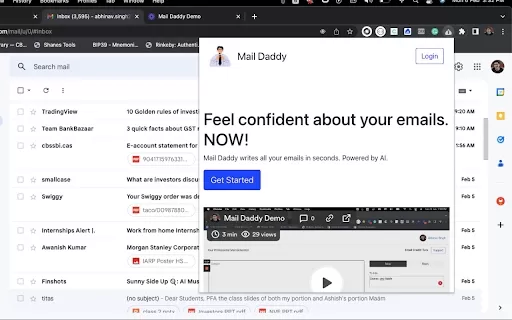
MailEcho Screenshot

2026 Latest Best Manga AI Background Generators Ranked Top-Rated! This curated collection showcases powerful game-changing tools perfect for creating high-quality chapter backgrounds, book covers, and promotional art. Every option has undergone rigorous real-world tests to ensure reliability. Get a free vs paid comparison along with detailed insights. Explore now to discover your perfect tool and unlock your AI edge in manga creation.
 6 tools
 xix.ai

2026 Latest Best Top-rated AI Object Removal Editors for portraits travel product shots! XIX.AI curates a powerful game-changing collection regularly updated with weekly rankings. These tools offer real-world tests to help you quickly remove unwanted elements, boost content quality, and save tons of time without compromising results. Must-try for anyone aiming to unlock their AI creation edge. Explore now!
10 tools
xix.ai

2026 Latest Best Top-rated AI Text to Speech Tools for Online Courses are curated by XIX.AI based on rigorous real-world tests and weekly updated rankings. These powerful tools help creators deliver crystal-clear audio content effortlessly, boosting writing efficiency and streamlining course production. Check out the free vs paid comparison to find your perfect fit. Explore now to unlock your AI edge in online education.
10 tools
xix.ai

2026 Latest Best Top-Rated AI Blog Title Tools for Higher Click Through Rates! XIX.AI has carefully curated a powerful, game-changing collection of top tools that go through rigorous real-world tests. You’ll find a free vs paid comparison, weekly updated rankings, and detailed insights to help you boost your blog’s traffic efficiently. Must-try options are highlighted to help you unlock your AI edge. Explore now!
10 tools
xix.ai

2026 Latest Best Top-rated AI Task Routing Tools for Support Workflows! XIX.AI has curated a highly powerful game-changing collection of must-try solutions, all undergoing rigorous real-world tests and updated weekly. These tools streamline workflows, boost productivity, and help teams deliver faster, more efficient support. Explore now to discover your perfect tool and unlock your AI edge!
17 tools
xix.ai

2026 Latest Best Top-Rated AI Citation and Paper Summary Tools Curated by XIX.AI. Get powerful game-changing solutions for quick content creation, improved writing efficiency, and boosting productivity. We offer a free vs paid comparison along with real-world tests and weekly updated rankings to help you find the must-try tool that fits your needs perfectly. Explore now to Unlock your AI edge.
10 tools
xix.ai


MailEcho is a lifesaver! My inbox was a total mess, but this tool sorts emails like magic. It catches spam and prioritizes important stuff so I don’t miss anything. Super easy to use, though I wish it had a darker theme for late-night scrolling. 😎 Highly recommend!


