


 Home
HomeMail Reader for Gmail
Gmail Reader: Voice-Controlled Email



Helps TikTok sellers, brands, MCNs, and TAPs discover winning products and find creators.

HelpLook is an AI-powered all-in-one knowledge base tool that helps businesses quickly build knowledge bases, help centers, and...

Your AI Workspace

302.AI is an enterprise-grade AI resource platform with pay-as-you-go pricing, API access to a full range of AI models, and ready-to-use online applications.

剧火AI — AI Screenwriter + Director, a One-Person Short Drama Studio In one sentence, what is it?

What is Celebrity AI?CelebrityAI revolutionizes digital content creation with its cutting-edge artificial intelligence platform that generates lifelike celebrity videos and voice messages. Using sophisticated technologies including deep neural networ
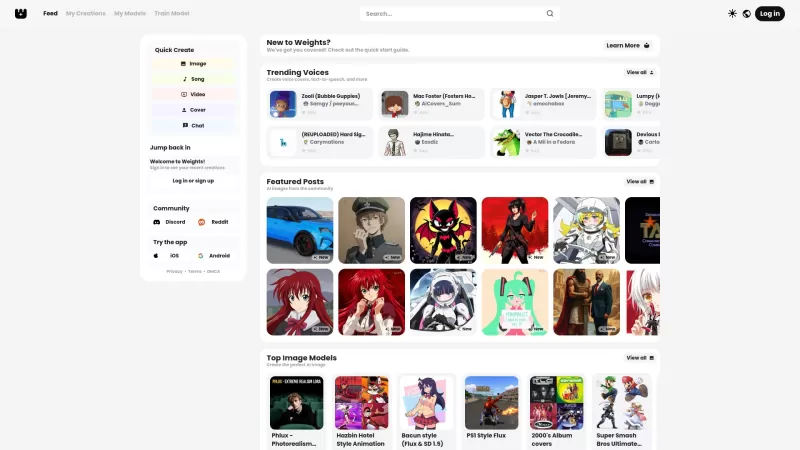
Ever stumbled upon Weights and wondered what it's all about? Well, let me break it down for you. Weights isn't just another AI tool; it's your creative playground where you can whip up AI voice covers, transform text into speech, and conjure up stunning A
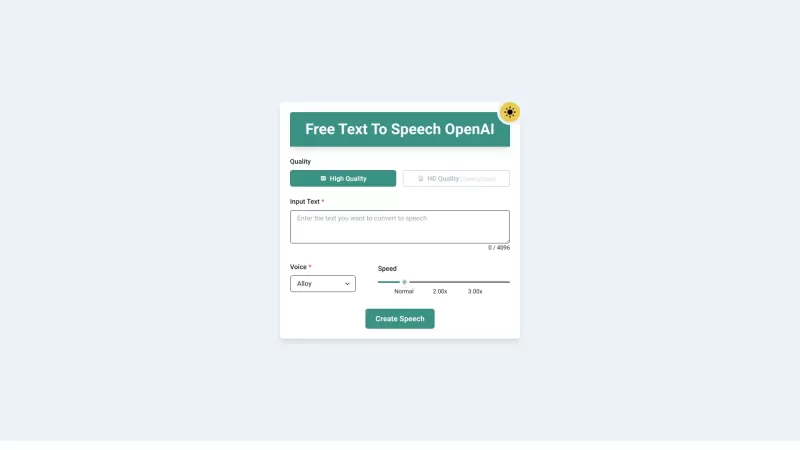
Ever wished you could transform your PDFs and eBooks into something you could listen to while on the go? Well, that's exactly what PDF to Audiobook does—it turns your static text into dynamic audiobooks or MP3 files. Imagine being able to listen to your f
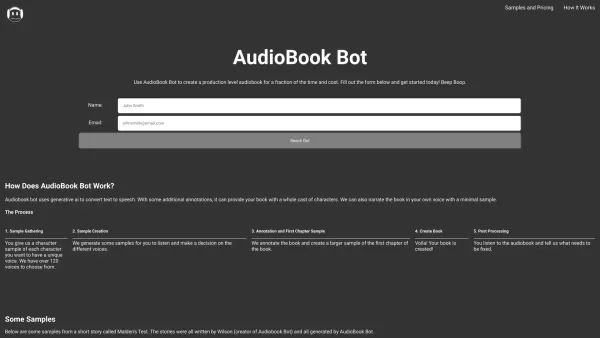
Ever wondered how to transform your written words into captivating audiobooks? Enter AudioBook Bot, your one-click solution to audiobook creation. This nifty software is designed to breathe life into your stories with a variety of voices, making your audi
Ever wondered how to breathe life into your scripts without spending hours in a recording booth? Meet Cugent, your new best friend in the world of AI voiceovers. This nifty tool takes your scripts—whether they're in PDF, Docs, or just plain text—and transforms them into professional, high-quality vo
Mail Reader for Gmail Product Information
What is Mail Reader for Gmail?
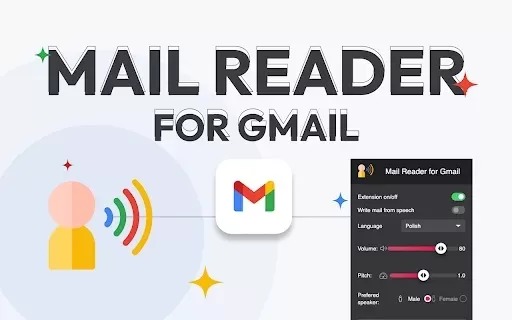
Mail Reader for Gmail is a powerful Chrome extension designed to transform how you handle emails through advanced Text-to-Speech (TTS) technology. This tool lets you dictate emails, hear them read aloud, and personalize the narrator’s voice and settings for a tailored experience. It provides robust dictation and email reading features, turning speech into written text and playing back emails with a voice of your choice. With convenient built-in icons and options to adjust volume and switch between male or female voices, this extension enhances productivity and comfort in managing your inbox.
Who can benefit from Mail Reader for Gmail?
- Business professionals
- Remote workers
- Individuals with visual impairments
- People with demanding schedules
- Anyone seeking to simplify email management
How do I use Mail Reader for Gmail?
- Step 1: Install the Mail Reader for Gmail extension from the Chrome Web Store.
- Step 2: Open Gmail in your Chrome browser.
- Step 3: Activate dictation from the extension's pop-up menu.
- Step 4: Start a new message and speak to dictate your email content.
- Step 5: To listen to an email, highlight the text and select 'Read selected' or click the adjacent email icon.
- Step 6: Tweak narrator settings in the pop-up menu, including volume and preferred voice.
- Step 7: Use the integrated icons near the 'archive' button to read open or selected emails with ease.
Platform
- Chrome
Mail Reader for Gmail's Core Features & Benefits
The Core Features
- Email dictation
- Text-to-Speech email playback
- Customizable narrator options
- Built-in icons for quick access
- Voice command support
The Benefits
- Boosts productivity
- Adds convenience
- Streamlines email management
- Assists users with visual challenges
- Allows hands-free email usage
Mail Reader for Gmail's Primary Applications
- Dictating emails while on the move
- Listening to emails during multitasking
- Providing accessibility for visually impaired users
- Reducing screen exposure
- Improving workflow efficiency
Mail Reader for Gmail FAQs
How do I install Mail Reader for Gmail?
Install the extension by searching for Mail Reader for Gmail in the Chrome Web Store and selecting 'Add to Chrome'.
How do I activate dictation?
Enable dictation from the extension’s pop-up menu, open a new message window, and begin speaking to convert your speech to text.
How can I listen to my emails?
Highlight the desired text, right-click, and choose 'Read selected', or click the icon next to the email.
Can I change the narrator's voice?
Yes—access the pop-up menu to adjust the volume and choose from available male or female voices.
Is Mail Reader for Gmail free?
Yes, it is a free extension available through the Chrome Web Store.
Does the extension support other languages?
Mail Reader for Gmail works with multiple languages, such as English, Spanish, French, German, Polish, Japanese, Korean, and Thai.
Is my data protected with Mail Reader for Gmail?
Absolutely. The extension does not sell or share your data with third parties and is strictly limited to its core functions.
How do I report a problem with the extension?
To report an issue, visit the extension’s page on the Chrome Web Store and click 'Flag concern'.
Can I use the extension offline?
No, an active internet connection is necessary for the extension to work.
How do I remove the extension?
Right-click the extension icon in the Chrome toolbar and choose 'Remove from Chrome'.
Mail Reader for Gmail Company Information
- BestChromeExtensions
- https://bestchromextensions.com
Mail Reader for Gmail Screenshot


2026 Latest Best Manga AI Background Generators Ranked Top-Rated! This curated collection showcases powerful game-changing tools perfect for creating high-quality chapter backgrounds, book covers, and promotional art. Every option has undergone rigorous real-world tests to ensure reliability. Get a free vs paid comparison along with detailed insights. Explore now to discover your perfect tool and unlock your AI edge in manga creation.
 6 tools
 xix.ai

2026 Latest Best Top-rated AI Object Removal Editors for portraits travel product shots! XIX.AI curates a powerful game-changing collection regularly updated with weekly rankings. These tools offer real-world tests to help you quickly remove unwanted elements, boost content quality, and save tons of time without compromising results. Must-try for anyone aiming to unlock their AI creation edge. Explore now!
10 tools
xix.ai

2026 Latest Best Top-rated AI Text to Speech Tools for Online Courses are curated by XIX.AI based on rigorous real-world tests and weekly updated rankings. These powerful tools help creators deliver crystal-clear audio content effortlessly, boosting writing efficiency and streamlining course production. Check out the free vs paid comparison to find your perfect fit. Explore now to unlock your AI edge in online education.
10 tools
xix.ai

2026 Latest Best Top-Rated AI Blog Title Tools for Higher Click Through Rates! XIX.AI has carefully curated a powerful, game-changing collection of top tools that go through rigorous real-world tests. You’ll find a free vs paid comparison, weekly updated rankings, and detailed insights to help you boost your blog’s traffic efficiently. Must-try options are highlighted to help you unlock your AI edge. Explore now!
10 tools
xix.ai

2026 Latest Best Top-rated AI Task Routing Tools for Support Workflows! XIX.AI has curated a highly powerful game-changing collection of must-try solutions, all undergoing rigorous real-world tests and updated weekly. These tools streamline workflows, boost productivity, and help teams deliver faster, more efficient support. Explore now to discover your perfect tool and unlock your AI edge!
17 tools
xix.ai

2026 Latest Best Top-Rated AI Citation and Paper Summary Tools Curated by XIX.AI. Get powerful game-changing solutions for quick content creation, improved writing efficiency, and boosting productivity. We offer a free vs paid comparison along with real-world tests and weekly updated rankings to help you find the must-try tool that fits your needs perfectly. Explore now to Unlock your AI edge.
10 tools
xix.ai


