


 Home
HomeLoremGenie for Figma
Figma Plugin: Real Content for Designers



Helps TikTok sellers, brands, MCNs, and TAPs discover winning products and find creators.

HelpLook is an AI-powered all-in-one knowledge base tool that helps businesses quickly build knowledge bases, help centers, and...

Your AI Workspace

302.AI is an enterprise-grade AI resource platform with pay-as-you-go pricing, API access to a full range of AI models, and ready-to-use online applications.

剧火AI — AI Screenwriter + Director, a One-Person Short Drama Studio In one sentence, what is it?

Midjourney is more than just a tech startup; it's an independent research lab on a mission to push the boundaries of human creativity. They're all about exploring new ways of thinking and boosting our collective imagination. It's like they're trying to gi
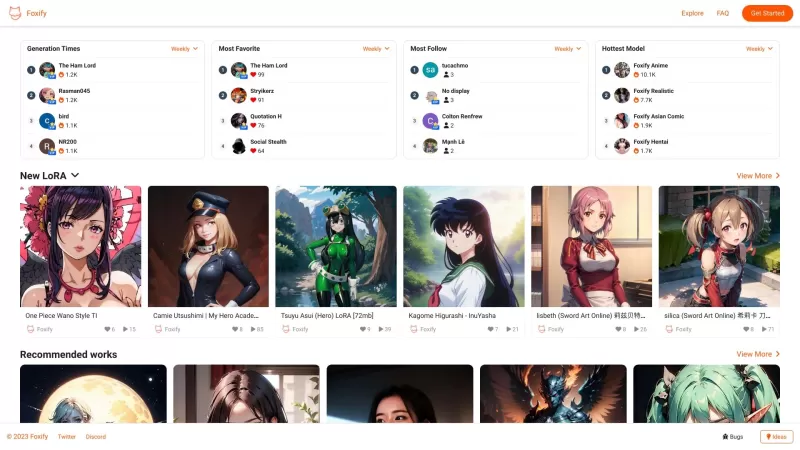
Ever stumbled upon Foxify and wondered what it's all about? Well, let me tell you, Foxify is your go-to online AI image creator, and the best part? It's absolutely free! Whether you're a budding artist or just looking to spice up your social media posts,

Ever found yourself staring at a blank slide or page, wondering how to make it look good without spending hours on design? Enter Gamma App, your new best friend for whipping up stunning presentations, webpages, and documents. Powered by AI, this tool is l
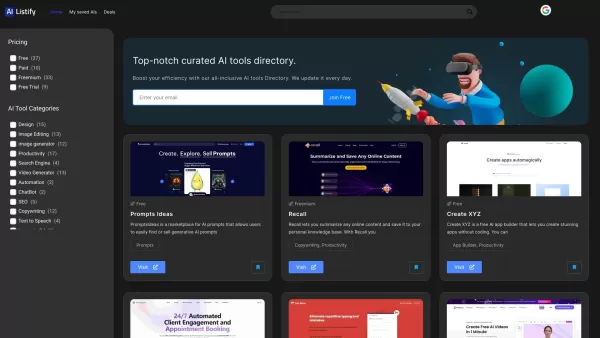
Ever stumbled upon a treasure trove of AI tools that just clicks with your needs? That's AIListify for you—a curated directory designed to catapult your AI journey to new heights. It's like having a personal guide through the ever-evolving landscape of artificial intelligence resources. How to Navi
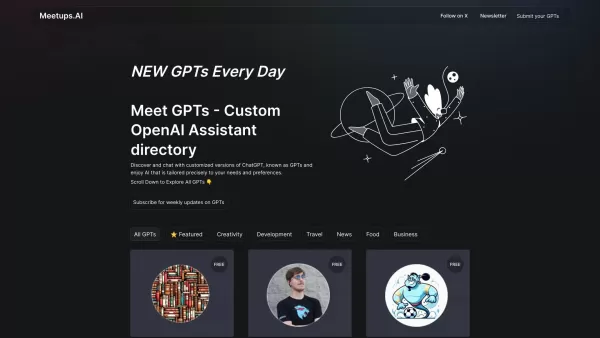
Meetups.AI is your go-to platform for discovering and interacting with specialized versions of ChatGPT, called GPTs. These aren't your run-of-the-mill chatbots; they're fine-tuned to cater to your specific needs and desires. Imagine having an AI that's not just a generic tool but one that understand
LoremGenie for Figma Product Information
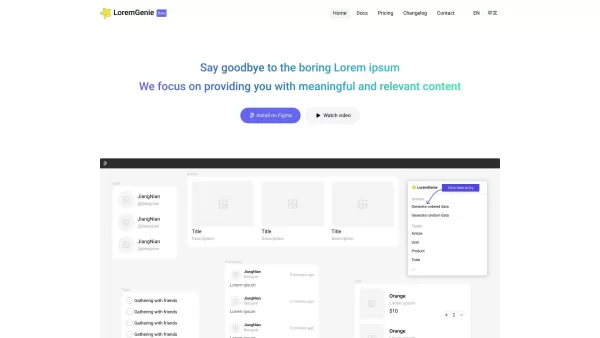
Ever found yourself staring at a screen full of "Lorem ipsum" and wishing for something a bit more... real? Enter LoremGenie for Figma, a game-changer for designers who crave authenticity in their mockups. Instead of the usual placeholder text, LoremGenie fills your designs with dynamic, relevant content—think user profiles, product listings, and customer reviews that look like they could jump right out of a live website.
How to Get Started with LoremGenie in Figma
Getting LoremGenie up and running in Figma is a breeze. First, you'll need to snag the plugin from the Figma marketplace. Once it's installed, you can dive into the Plugins menu and find LoremGenie waiting for you. From there, the world is your oyster—generate data in an orderly fashion or let randomness take the wheel. You can handpick your data or mold it into specific formats to fit your design needs. And don't forget the cherry on top: multiple avatar styles to make your designs pop. Just pick what you need and let LoremGenie do the magic.
Core Features That Make LoremGenie Stand Out
Generate Ordered and Random Data
Whether you want a predictable flow or a splash of spontaneity, LoremGenie has you covered.
Manual Data Selection
Want to be the puppet master of your data? Choose exactly what you want to see in your designs.
Data Transformation
Need your data to fit a specific mold? Transform it into the format that suits your project best.
Multiple Avatar Styles
Give your designs a personal touch with a variety of avatar styles to choose from.
Consistent Style Images
Keep your designs looking sharp and professional with images that match your style consistently.
Real-World Applications of LoremGenie
User Profiles
Make your user interfaces feel alive by populating them with realistic user profiles.
Product Listings
Create product pages that look ready to sell with authentic-looking listings.
Customer Reviews
Enhance your design's credibility with customer reviews that could pass for the real deal.
Data Transformation
Whether you're tweaking data for a specific design or just experimenting, LoremGenie makes it easy.
Frequently Asked Questions
- How do I install LoremGenie for Figma?
- Head over to the Figma marketplace, find LoremGenie, and hit install. Simple as that!
- Can I customize the generated data?
- Absolutely! You can manually select and transform data to fit your project's needs.
- Is there a free trial available?
- Check out the pricing page to see if there's a free trial waiting for you.
- Can I use LoremGenie for Figma in multiple projects?
- Yes, once you've got LoremGenie, you can use it across all your Figma projects.
- Is customer support available?
- Yes, you can reach out to our support team via email or join our Discord community for help.
Want to connect with other LoremGenie users or need some quick support? Hop into our Discord community. For more detailed discussions, click here.
Need to get in touch with our support team? Drop them an email at [email protected].
Curious about the cost? Check out our pricing page to see what fits your budget.
Stay updated with the latest from LoremGenie by following us on Twitter.
LoremGenie for Figma Screenshot


2026 Latest Best Photoshop AI retouch tools for ecommerce apparel, skin cleanup, and color consistency! This top-rated curated list features powerful game-changing solutions that help you boost writing efficiency, streamline content creation, and achieve perfect visual results effortlessly. Each tool has undergone real-world tests through weekly updated rankings, complete with free vs paid comparison details. Backed by XIX.AI, it’s the must-try guide for anyone aiming to unlock your AI edge. Explore now!
 10 tools
 xix.ai

2026 Latest Best Top-Rated AI Prompt Libraries for optimizing all types of ChatGPT workflows. XIX.AI has curated a powerful, game-changing collection that goes through rigorous real-world tests to ensure top performance. You can find detailed free vs paid comparisons and expert rankings to help you choose the must-try tools that boost your productivity and unlock your AI edge. Explore now!
11 tools
xix.ai

2026 Latest Best AI Quiz Builder Platforms for Teachers, Tutors, and Cohort-Based Learning Programs! XIX.AI has curated a top-rated list of powerful game-changing tools that go through real-world tests to deliver accurate rankings. These must-try platforms help boost writing efficiency, streamline content creation, and simplify quiz design across all learning scenarios. Explore now to discover your perfect tool for unlocking your AI edge in teaching!
13 tools
xix.ai

2026 Latest Best AI Pull Request Review Tools for GitHub Teams are here on XIX.AI! This top-rated curated list showcases powerful game-changing solutions that streamline refactoring, bug fixing, and security gap detection across all team workflows. Enjoy a free vs paid comparison along with real-world tests and detailed rankings to help you find the perfect tool that boosts productivity significantly. Explore now to unlock your AI edge!
12 tools
xix.ai

2026 Latest Best Top-rated AI Text to Speech Tools for Natural Voiceovers are here on XIX.AI! This curated list features powerful, game-changing options that deliver crystal-clear voices for every use case, backed by real-world tests and weekly updated rankings. Get a free vs paid comparison to find the must-try solution that boosts your productivity instantly. Explore now to Unlock your AI edge!
11 tools
xix.ai

2026 Latest Best Manga AI Background Generators Ranked Top-Rated! This curated collection showcases powerful game-changing tools perfect for creating high-quality chapter backgrounds, book covers, and promotional art. Every option has undergone rigorous real-world tests to ensure reliability. Get a free vs paid comparison along with detailed insights. Explore now to discover your perfect tool and unlock your AI edge in manga creation.
6 tools
xix.ai


LoremGenie is a lifesaver for Figma users! 😍 No more boring Lorem ipsum—realistic text makes my mockups pop. Super easy to use, but I wish it had more language options. Still, a must-have for designers!


