


 Home
HomeLocalizeBot
LocalizeBot: Multi-Language App Localization



Helps TikTok sellers, brands, MCNs, and TAPs discover winning products and find creators.

HelpLook is an AI-powered all-in-one knowledge base tool that helps businesses quickly build knowledge bases, help centers, and...

Your AI Workspace

302.AI is an enterprise-grade AI resource platform with pay-as-you-go pricing, API access to a full range of AI models, and ready-to-use online applications.

剧火AI — AI Screenwriter + Director, a One-Person Short Drama Studio In one sentence, what is it?
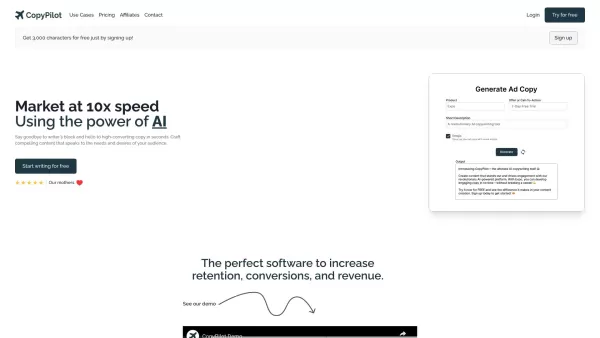
Ever wondered how to jazz up your online content with a touch of AI magic? Enter CopyPilot, the go-to AI copywriting platform that's all about crafting content that not only reads well but also converts like a charm. Whether you're looking to whip up
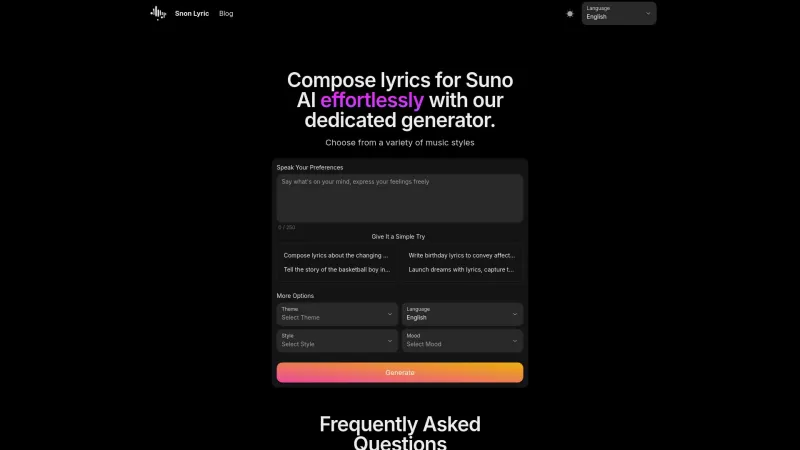
Ever found yourself staring at a blank page, trying to come up with the perfect lyrics for your next big hit? Well, Suno AI might just be the creative spark you need! This AI-powered lyrics generator is like having a personal songwriter in your pocket, ready to craft custom song lyrics in a variety

Voicefy isn't just another tool; it's a game-changer for anyone looking to bring their text to life. Imagine having the power to turn your written words into a symphony of realistic speech, with options in multiple languages and voices that sound so natur

Ever found yourself in need of a quick and accurate transcription of a video or audio file? That's where Video To Text AI comes into play. It's a slick AI-powered tool designed to effortlessly convert your media into text. Whether you're juggling YouTube
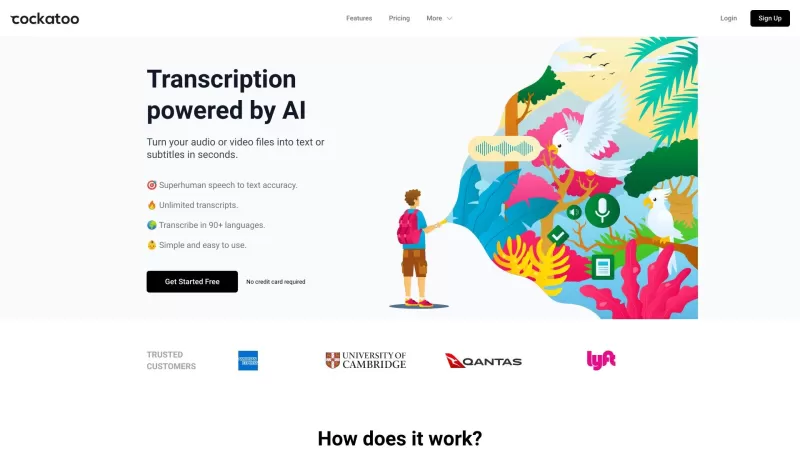
Ever wondered what Cockatoo is all about? Well, let me tell you, it's not just another bird in the tech jungle. Cockatoo is a cutting-edge AI-powered transcription service that turns your audio or video files into text or subtitles in the blink of an eye.
LocalizeBot Product Information
Ever wondered how to make your iOS app speak different languages and reach users around the globe? Enter LocalizeBot, your trusty sidekick in the world of app localization. This nifty tool breaks down the barriers of language, allowing you to easily translate your app into multiple tongues. It's like having a universal translator right at your fingertips, supporting various file formats to make your life easier.
How to Use LocalizeBot?
Getting started with LocalizeBot is a breeze, especially if you're rocking macOS 13.0 or higher. First off, you'll want to download and install the tool. Once it's up and running, you can simply drag and drop your .xliff or .xcloc files into LocalizeBot. With a single click, voilà—all your files are translated! If you're savvy with the Google Cloud Translation API, you can throw in your key and watch LocalizeBot work its magic. It even plays nicely with Xcode's standard workflow, making it a cinch to translate your App Store Connect metadata. It's like having a localization wizard at your service!
LocalizeBot's Core Features
LocalizeBot isn't just about translating; it's about making the process as smooth as silk. It simplifies app localization, supports multiple file formats like XLIFF and XCLOC, and offers drag-and-drop functionality. One-click translation? Check. Integration with the Google Cloud Translation API? You bet. It even translates your App Store Connect metadata and exports translations in a format that Fastlane loves. And if your translations are a bit too wordy, LocalizeBot uses AI to trim them down to size, ensuring they fit within character limits. It's like having a Swiss Army knife for app localization!
LocalizeBot's Use Cases
Imagine being able to translate your iOS app into multiple languages with ease. That's what LocalizeBot does, helping you increase your app's reach and accessibility to users worldwide. It's perfect for optimizing app descriptions and keywords for different markets, making sure your app stands out no matter where it's being viewed. It's like giving your app a passport to the world!
FAQ from LocalizeBot
- How to translate an iOS app using XCLOC file?
- Just drag and drop your XCLOC file into LocalizeBot, and with one click, your app will be on its way to speaking a new language!
- How to get a Google Cloud Translate API key?
- Head over to the Google Cloud Console, set up a project, enable the Translation API, and generate your key. It's easier than you think!
- What file formats are supported by LocalizeBot?
- LocalizeBot supports XLIFF and XCLOC files, making it versatile for your localization needs.
LocalizeBot Screenshot



2026 Latest Best Manga AI Background Generators Ranked Top-Rated! This curated collection showcases powerful game-changing tools perfect for creating high-quality chapter backgrounds, book covers, and promotional art. Every option has undergone rigorous real-world tests to ensure reliability. Get a free vs paid comparison along with detailed insights. Explore now to discover your perfect tool and unlock your AI edge in manga creation.
 6 tools
 xix.ai

2026 Latest Best Top-rated AI Object Removal Editors for portraits travel product shots! XIX.AI curates a powerful game-changing collection regularly updated with weekly rankings. These tools offer real-world tests to help you quickly remove unwanted elements, boost content quality, and save tons of time without compromising results. Must-try for anyone aiming to unlock their AI creation edge. Explore now!
10 tools
xix.ai

2026 Latest Best Top-rated AI Text to Speech Tools for Online Courses are curated by XIX.AI based on rigorous real-world tests and weekly updated rankings. These powerful tools help creators deliver crystal-clear audio content effortlessly, boosting writing efficiency and streamlining course production. Check out the free vs paid comparison to find your perfect fit. Explore now to unlock your AI edge in online education.
10 tools
xix.ai

2026 Latest Best Top-Rated AI Blog Title Tools for Higher Click Through Rates! XIX.AI has carefully curated a powerful, game-changing collection of top tools that go through rigorous real-world tests. You’ll find a free vs paid comparison, weekly updated rankings, and detailed insights to help you boost your blog’s traffic efficiently. Must-try options are highlighted to help you unlock your AI edge. Explore now!
10 tools
xix.ai

2026 Latest Best Top-rated AI Task Routing Tools for Support Workflows! XIX.AI has curated a highly powerful game-changing collection of must-try solutions, all undergoing rigorous real-world tests and updated weekly. These tools streamline workflows, boost productivity, and help teams deliver faster, more efficient support. Explore now to discover your perfect tool and unlock your AI edge!
17 tools
xix.ai

2026 Latest Best Top-Rated AI Citation and Paper Summary Tools Curated by XIX.AI. Get powerful game-changing solutions for quick content creation, improved writing efficiency, and boosting productivity. We offer a free vs paid comparison along with real-world tests and weekly updated rankings to help you find the must-try tool that fits your needs perfectly. Explore now to Unlock your AI edge.
10 tools
xix.ai


LocalizeBot made translating my app a breeze! But, man, the cost adds up quickly. If they could offer more affordable plans, it'd be perfect. Still, it's a solid tool for going global.
LocalizeBotでアプリの翻訳が簡単になりました!でも、コストがすぐに高くなります。もう少し手頃な価格のプランがあれば完璧です。それでも、グローバル展開には良いツールです。
LocalizeBot làm cho việc dịch ứng dụng của mình trở nên dễ dàng! Nhưng, trời ơi, chi phí tăng nhanh quá. Nếu họ có thể cung cấp các gói giá cả phải chăng hơn, thì sẽ hoàn hảo. Nhưng vẫn là công cụ tốt để toàn cầu hóa.
LocalizeBot hizo que traducir mi aplicación fuera un paseo. Pero, hombre, el costo se acumula rápidamente. Si ofrecieran planes más asequibles, sería perfecto. Aún así, es una herramienta sólida para ir global.
LocalizeBot tornou a tradução do meu app muito fácil! Mas, cara, o custo aumenta rápido. Se eles oferecessem planos mais acessíveis, seria perfeito. Ainda assim, é uma ferramenta sólida para ir global.


