


 Home
Homelluminy
AI-Generated Python Docstrings



Helps TikTok sellers, brands, MCNs, and TAPs discover winning products and find creators.

HelpLook is an AI-powered all-in-one knowledge base tool that helps businesses quickly build knowledge bases, help centers, and...

Your AI Workspace

302.AI is an enterprise-grade AI resource platform with pay-as-you-go pricing, API access to a full range of AI models, and ready-to-use online applications.

剧火AI — AI Screenwriter + Director, a One-Person Short Drama Studio In one sentence, what is it?

Ever wondered what Pacely is all about? Well, let me break it down for you. Pacely isn't just another project management tool—it's a game-changer with an AI assistant that dives deep into your GitHub repositories, gets to know your codebase inside and out
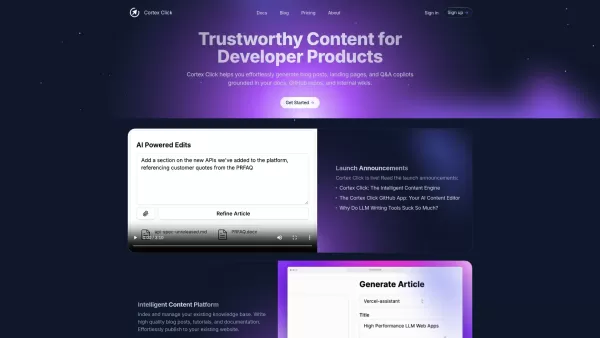
What is Cortex Click?Cortex Click is a smart content platform that enables developers to effortlessly create high-quality blog posts, landing pages, and Q&A assistants. It works by analyzing your existing documentation, GitHub repositories, and inter
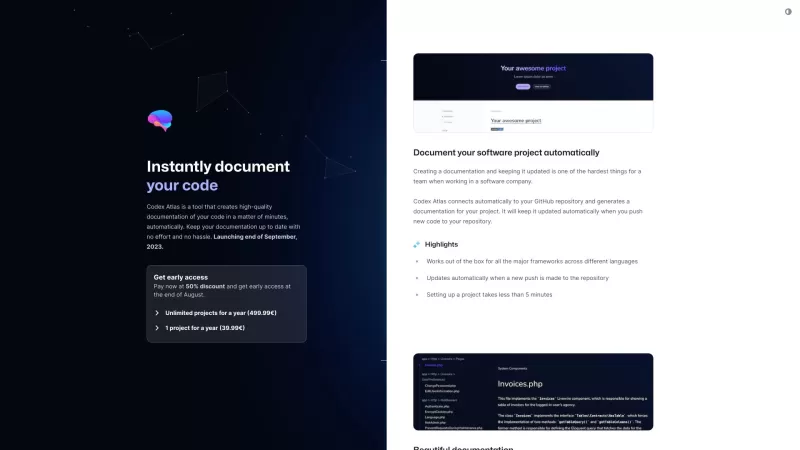
Ever found yourself drowning in a sea of code with no life raft of documentation in sight? Enter Codex Atlas, your new best friend in the world of coding. This nifty tool dives into your GitHub repository and, like magic, pulls out beautifully crafted, up
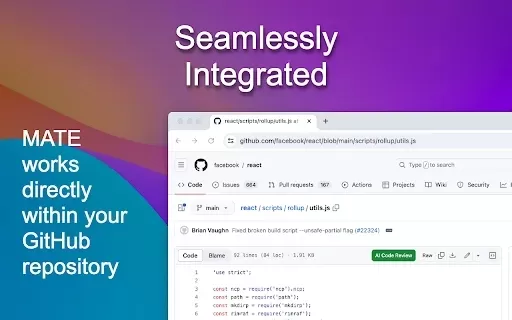
What is MATE: AI Code Review?MATE: AI Code Review is a robust Chrome extension crafted to elevate your coding workflow. It delivers immediate, AI-powered code reviews directly within GitHub, giving developers instant feedback and tailored advice. Off
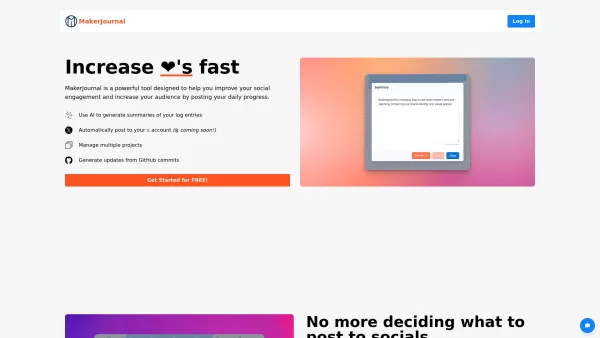
MakerJournal is your go-to tool for boosting your social engagement and expanding your audience, all while documenting your daily progress. It's like having a personal assistant that not only keeps track of your work but also uses AI to whip up summaries
lluminy Product Information
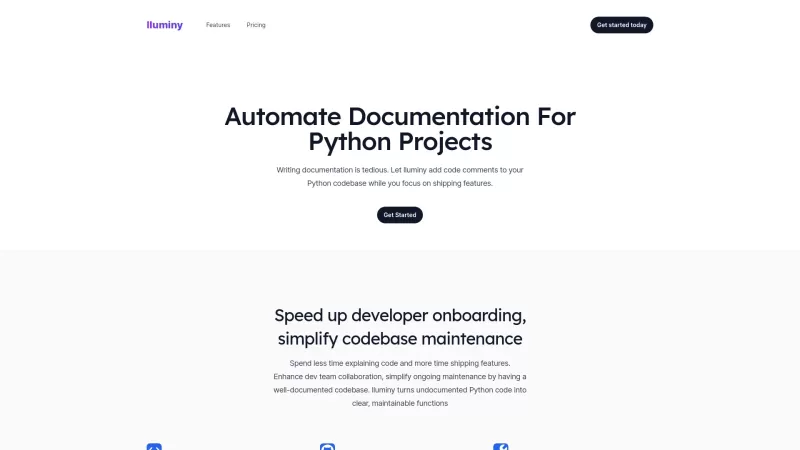
Ever wondered what lluminy is all about? It's a game-changer for Python developers, automating the tedious task of writing documentation. With lluminy, you can say goodbye to the hassle of manually crafting docstrings because it uses AI to do the heavy lifting for you. This means you get to dive straight into coding those cool features you've been dreaming about.
How to Use lluminy?
Getting started with lluminy is a breeze. Just link your GitHub account, pick the repository you want to work on, and voila! lluminy takes over, churning out comprehensive documentation for your codebase. It's like having a super-smart assistant that never sleeps.
lluminy's Core Features
AI-powered Docstring Generation
Imagine an AI that not only understands your code but also knows how to explain it perfectly. That's what lluminy does with its AI-powered docstring generation. It's like having a documentation wizard at your fingertips.
GitHub Integration
Seamless integration with GitHub makes lluminy a must-have for any team using the platform. It's all about making your workflow smoother and more efficient.
Customization Options for Documentation
Not every project is the same, and lluminy gets that. You can tweak the documentation to fit your style or project needs. It's like having a tailor for your code's wardrobe.
Supports Entire Codebases and Individual Files
Whether you're looking to document an entire project or just a few key files, lluminy has you covered. It's versatile and adapts to what you need.
lluminy's Use Cases
Generate Documentation for Python Projects Quickly and Efficiently
Need to whip up documentation in a snap? lluminy is your go-to tool, saving you hours that you can spend on actual coding.
Enhance Team Collaboration with Well-documented Code
Clear documentation means better collaboration. With lluminy, your team can understand and work on the codebase more effectively.
Improve Developer Onboarding Through Better Documentation
New team members can hit the ground running with lluminy's detailed documentation. It's like having a mentor for every line of code.
FAQ from lluminy
- What types of projects can lluminy be used for?
- lluminy is perfect for any Python project, from small scripts to large-scale applications.
- Is lluminy free to use?
- Check out the pricing page to see what plans are available and if there's a free tier that suits your needs.
- Can I choose specific files or functions to document?
- Absolutely, lluminy lets you pick and choose which parts of your codebase you want to document.
Need help or have questions? Reach out to lluminy's support team at [email protected]. For more contact options, visit the contact us page.
The brains behind lluminy? That would be lluminy itself. They're the ones making your coding life easier.
Ready to dive in? Log into lluminy at lluminy login. New to the platform? Sign up at lluminy sign up.
Curious about the cost? Check out the lluminy pricing page to see what fits your budget.
Want to stay updated on lluminy? Follow them on Twitter at lluminy Twitter.
lluminy Screenshot





2026 Latest Best AI Pull Request Review Tools for GitHub Teams are here on XIX.AI! This top-rated curated list showcases powerful game-changing solutions that streamline refactoring, bug fixing, and security gap detection across all team workflows. Enjoy a free vs paid comparison along with real-world tests and detailed rankings to help you find the perfect tool that boosts productivity significantly. Explore now to unlock your AI edge!
 12 tools
 xix.ai

2026 Latest Best Top-rated AI Text to Speech Tools for Natural Voiceovers are here on XIX.AI! This curated list features powerful, game-changing options that deliver crystal-clear voices for every use case, backed by real-world tests and weekly updated rankings. Get a free vs paid comparison to find the must-try solution that boosts your productivity instantly. Explore now to Unlock your AI edge!
11 tools
xix.ai

2026 Latest Best Manga AI Background Generators Ranked Top-Rated! This curated collection showcases powerful game-changing tools perfect for creating high-quality chapter backgrounds, book covers, and promotional art. Every option has undergone rigorous real-world tests to ensure reliability. Get a free vs paid comparison along with detailed insights. Explore now to discover your perfect tool and unlock your AI edge in manga creation.
6 tools
xix.ai

2026 Latest Best Top-rated AI Object Removal Editors for portraits travel product shots! XIX.AI curates a powerful game-changing collection regularly updated with weekly rankings. These tools offer real-world tests to help you quickly remove unwanted elements, boost content quality, and save tons of time without compromising results. Must-try for anyone aiming to unlock their AI creation edge. Explore now!
10 tools
xix.ai

2026 Latest Best Top-rated AI Text to Speech Tools for Online Courses are curated by XIX.AI based on rigorous real-world tests and weekly updated rankings. These powerful tools help creators deliver crystal-clear audio content effortlessly, boosting writing efficiency and streamlining course production. Check out the free vs paid comparison to find your perfect fit. Explore now to unlock your AI edge in online education.
10 tools
xix.ai

2026 Latest Best Top-Rated AI Blog Title Tools for Higher Click Through Rates! XIX.AI has carefully curated a powerful, game-changing collection of top tools that go through rigorous real-world tests. You’ll find a free vs paid comparison, weekly updated rankings, and detailed insights to help you boost your blog’s traffic efficiently. Must-try options are highlighted to help you unlock your AI edge. Explore now!
10 tools
xix.ai


lluminyすごい!Python開発者として、ドキュメント作成が自動化されるのは夢のよう。AIがドキュストリングを書いてくれるなんて、時間の節約になりすぎる😭 でもAIが間違った説明を生成したらどうしよう…ちょっと心配かも。とりあえず試してみる価値ありそう!


