


 Home
HomeLinkedleader



Helps TikTok sellers, brands, MCNs, and TAPs discover winning products and find creators.

HelpLook is an AI-powered all-in-one knowledge base tool that helps businesses quickly build knowledge bases, help centers, and...

Your AI Workspace

302.AI is an enterprise-grade AI resource platform with pay-as-you-go pricing, API access to a full range of AI models, and ready-to-use online applications.

剧火AI — AI Screenwriter + Director, a One-Person Short Drama Studio In one sentence, what is it?
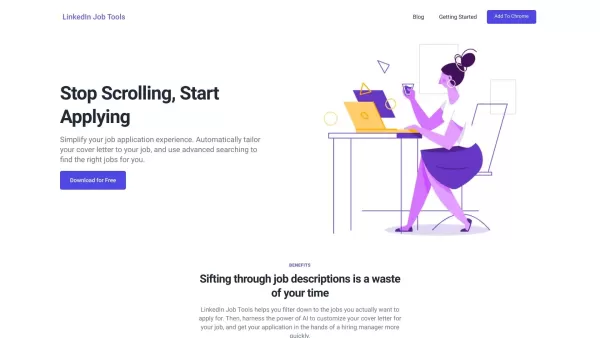
What is LinkedIn Job Tools?LinkedIn Job Tools is an AI-powered platform that streamlines your job search and application process. It provides smart job filters to help you discover the best opportunities faster, and automatically creates personalized
If you're a developer looking to make a splash in the job market, Ninja in Brazil might just be your secret weapon. This isn't your average resume builder; it's tailored specifically for tech professionals, making it a breeze to craft a resume that stands
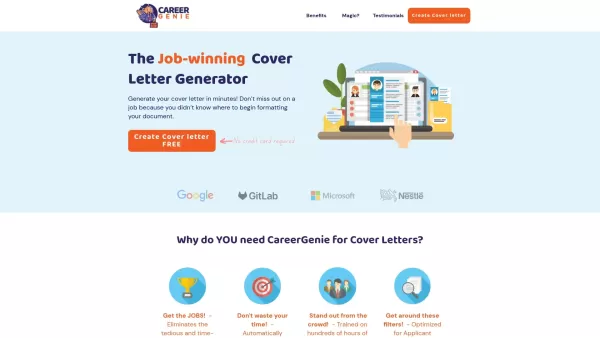
What is CareerGenie.io?Career Genie is an AI-powered platform that simplifies your job search and career growth. It provides personalized resume feedback, interview coaching, and data-driven insights aligned with market trends. You can get custom car
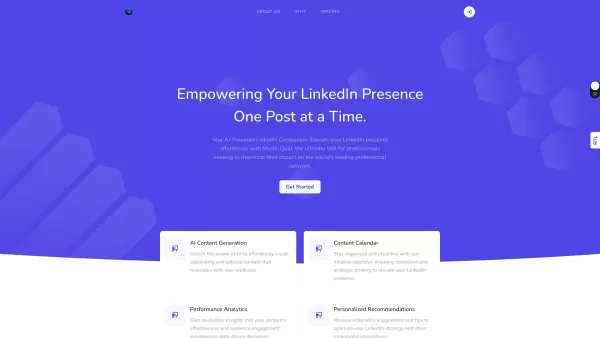
Mystic Quill is an AI-powered tool designed to enhance your LinkedIn presence through innovative features and personalized content generation. It's like having a smart assistant dedicated to making your LinkedIn profile stand out from the crowd. How to Us
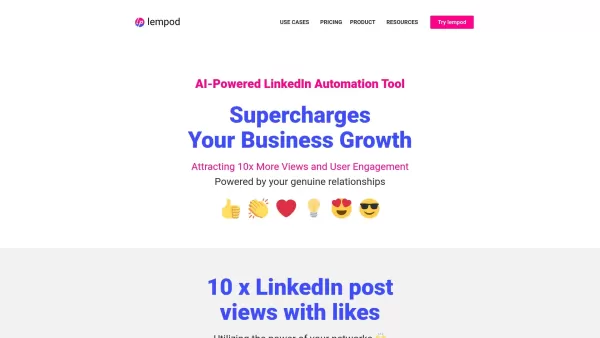
What is lempod.com?Lempod operates as a marketplace for LinkedIn engagement pods where creators collaborate by exchanging likes and comments on each other's posts. Using automation to handle interactions, the service boosts LinkedIn post visibility a
Linkedleader Product Information
What Is Linkedleader?
The LinkedIn Message Helper is a powerful Chrome extension designed as a messaging assistant specifically for LinkedIn users. It leverages advanced AI to generate tailored messages based on user preferences and conversation history. With features to craft messages for connection requests, follow-ups, and professional networking, this extension makes it much easier to engage authentically with connections. The plugin emphasizes efficiency and effectiveness, ensuring every interaction on LinkedIn leaves a positive impression.
Who Will Use Linkedleader?
- Sales professionals
- Job seekers
- Recruiters
- Networkers
- Entrepreneurs
How to Use Linkedleader?
- Step 1: Install the LinkedIn Message Helper Chrome extension from the Chrome Web Store.
- Step 2: Open LinkedIn and navigate to the profile of the person you want to contact.
- Step 3: Click on the message box provided by the extension.
- Step 4: Use the AI features to help draft your message.
- Step 5: Customize the message as desired before sending.
Platform
- Chrome
Linkedleader's Core Features & Benefits
The Core Features
- AI-driven message suggestions
- Personalized messaging templates
- Quick message drafts for various scenarios
The Benefits
- Saves time in crafting messages
- Improves response rates
- Enhances networking opportunities
Linkedleader's Main Use Cases & Applications
- Sending personalized follow-up messages
- Reaching out to new connections
- Engaging with existing contacts
FAQs of Linkedleader
Can It Help with Networking Events?
Yes, it's perfect for reaching out to new contacts post-event.
Enhance Your LinkedIn Outreach with Personalized Message Drafting Using the LinkedIn Message Helper Chrome Extension.
LinkedIn Message Helper — Craft Personalized Messages
Linkedleader Company Information
Website:
https://5-letter-words.comCompany Name:
NASupport Email:
NAFacebook:
NAX (Twitter):
NAYouTube:
NAInstagram:
NATiktok:
NALinkedIn:
NA

2026 Latest Best Top-rated AI Object Removal Editors for portraits travel product shots! XIX.AI curates a powerful game-changing collection regularly updated with weekly rankings. These tools offer real-world tests to help you quickly remove unwanted elements, boost content quality, and save tons of time without compromising results. Must-try for anyone aiming to unlock their AI creation edge. Explore now!
 10 tools
 xix.ai

2026 Latest Best Top-rated AI Text to Speech Tools for Online Courses are curated by XIX.AI based on rigorous real-world tests and weekly updated rankings. These powerful tools help creators deliver crystal-clear audio content effortlessly, boosting writing efficiency and streamlining course production. Check out the free vs paid comparison to find your perfect fit. Explore now to unlock your AI edge in online education.
10 tools
xix.ai

2026 Latest Best Top-Rated AI Blog Title Tools for Higher Click Through Rates! XIX.AI has carefully curated a powerful, game-changing collection of top tools that go through rigorous real-world tests. You’ll find a free vs paid comparison, weekly updated rankings, and detailed insights to help you boost your blog’s traffic efficiently. Must-try options are highlighted to help you unlock your AI edge. Explore now!
10 tools
xix.ai

2026 Latest Best Top-rated AI Task Routing Tools for Support Workflows! XIX.AI has curated a highly powerful game-changing collection of must-try solutions, all undergoing rigorous real-world tests and updated weekly. These tools streamline workflows, boost productivity, and help teams deliver faster, more efficient support. Explore now to discover your perfect tool and unlock your AI edge!
17 tools
xix.ai

2026 Latest Best Top-Rated AI Citation and Paper Summary Tools Curated by XIX.AI. Get powerful game-changing solutions for quick content creation, improved writing efficiency, and boosting productivity. We offer a free vs paid comparison along with real-world tests and weekly updated rankings to help you find the must-try tool that fits your needs perfectly. Explore now to Unlock your AI edge.
10 tools
xix.ai

2026 Latest Best Top-Rated AI Productivity Tools for Daily Work! XIX.AI has curated a powerful, game-changing selection based on rigorous weekly updated rankings and real-world tests. You’ll find must-try options that boost writing efficiency, streamline content creation, and help you overcome daily work challenges. Get a free vs paid comparison to find the perfect fit for your needs. Explore now to unlock your AI edge!
9 tools
xix.ai


