


 Home
HomeLingpad
AI Translator – Translate 120+ Languages Instantly



Helps TikTok sellers, brands, MCNs, and TAPs discover winning products and find creators.

HelpLook is an AI-powered all-in-one knowledge base tool that helps businesses quickly build knowledge bases, help centers, and...

Your AI Workspace

302.AI is an enterprise-grade AI resource platform with pay-as-you-go pricing, API access to a full range of AI models, and ready-to-use online applications.

剧火AI — AI Screenwriter + Director, a One-Person Short Drama Studio In one sentence, what is it?
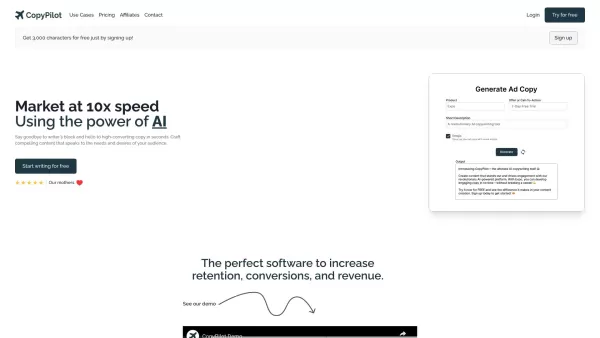
Ever wondered how to jazz up your online content with a touch of AI magic? Enter CopyPilot, the go-to AI copywriting platform that's all about crafting content that not only reads well but also converts like a charm. Whether you're looking to whip up
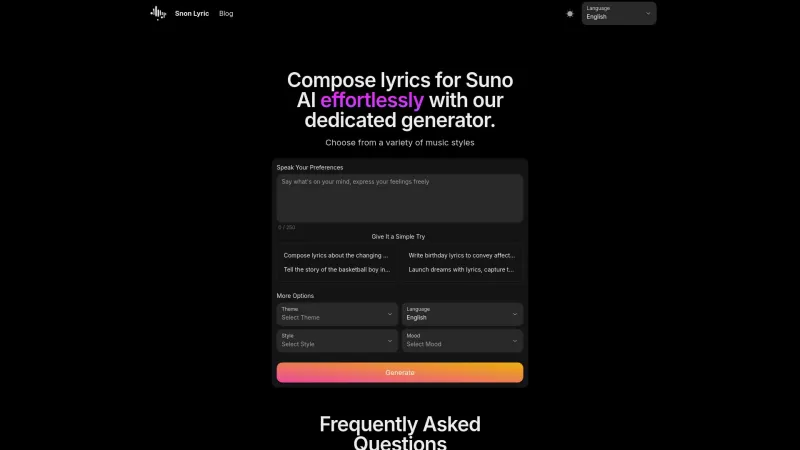
Ever found yourself staring at a blank page, trying to come up with the perfect lyrics for your next big hit? Well, Suno AI might just be the creative spark you need! This AI-powered lyrics generator is like having a personal songwriter in your pocket, ready to craft custom song lyrics in a variety

Voicefy isn't just another tool; it's a game-changer for anyone looking to bring their text to life. Imagine having the power to turn your written words into a symphony of realistic speech, with options in multiple languages and voices that sound so natur
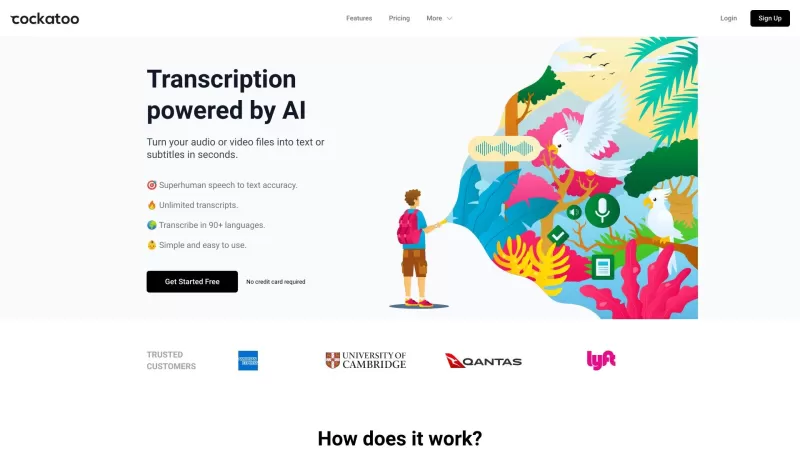
Ever wondered what Cockatoo is all about? Well, let me tell you, it's not just another bird in the tech jungle. Cockatoo is a cutting-edge AI-powered transcription service that turns your audio or video files into text or subtitles in the blink of an eye.

Ever found yourself in need of a quick and accurate transcription of a video or audio file? That's where Video To Text AI comes into play. It's a slick AI-powered tool designed to effortlessly convert your media into text. Whether you're juggling YouTube
Lingpad Product Information
What is Lingpad?
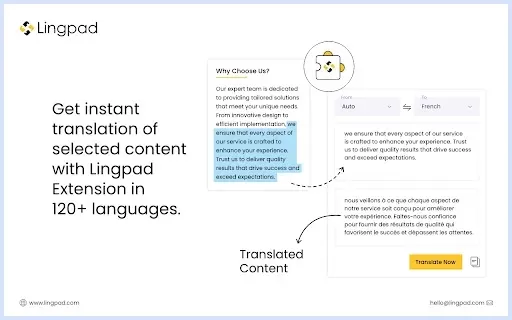
The Lingpad AI Translate Chrome extension enables instant localization of any web content into more than 120 global languages. Powered by advanced AI that understands context, it delivers highly accurate and relevant translations. This user-friendly tool eliminates the need to switch pages or manually copy and paste text. Its unique contextual translation feature assists with resolving customer inquiries, translating foreign-language material, supporting communication in native languages, and sharing translated content effortlessly. By integrating with your existing Lingpad translation memories and glossaries, it guarantees consistency with your specific terminology.
Who uses Lingpad?
- Content Creators
- Customer Support Agents
- Business Professionals
- Multilingual Communicators
- Global Marketers
How to use Lingpad
- Step 1: Install the Lingpad AI Translate extension from the Chrome Web Store.
- Step 2: Go to any webpage you wish to translate.
- Step 3: Click the Lingpad icon in your browser's toolbar.
- Step 4: Choose the source and target languages from the dropdown menu.
- Step 5: Optionally, configure any translation settings or preferences.
- Step 6: View the translation overlaid directly on the original page.
Platform
- Web
- Chrome
Lingpad's Core Features & Benefits
The Core Features
- Instant Translation
- 120+ Supported Languages
- AI-Powered Contextual Translation
- Secure & Relevant Translations
- Integration with Lingpad TM & Glossaries
The Benefits
- Improve Communication
- Boost Productivity
- Enhance Customer Support
- Ensure Translation Accuracy
- Seamless User Experience
Lingpad's Main Use Cases & Applications
- Translating Web Content
- Customer Support
- Content Localization
- Multilingual Content Sharing
- Real-Time Browser Translation
FAQs about Lingpad
How do I install the Lingpad AI Translate Chrome extension?
Go to the Chrome Web Store, search for 'Lingpad AI Translate', and click 'Add to Chrome' to install it.
What languages does the extension support?
It supports translation for over 120 languages worldwide.
Is the translation secure?
Yes, the extension keeps your translations secure and does not share them with third parties outside of approved scenarios.
How accurate are the translations?
Translations are highly accurate, utilizing advanced AI algorithms that grasp context and linguistic nuances.
Can I integrate my existing translation memories?
Yes, the extension integrates with your current Lingpad translation memories and glossaries.
Do I need to leave the page to see the translation?
No, translations appear inline on the webpage, so you never have to navigate away.
Is the extension free?
Pricing and availability details can be found on the Chrome Web Store listing.
Can I use it for customer support?
Absolutely. It is ideal for customer support, providing instant translations to improve communication.
How do I change the target language?
Simply select your preferred target language from the dropdown menu in the extension's interface.
Where can I get support for the extension?
For assistance, feedback, or troubleshooting, please visit the developer's official support site.
Lingpad Company Information
Lingpad Screenshot


2026 Latest Best Top-rated AI Object Removal Editors for portraits travel product shots! XIX.AI curates a powerful game-changing collection regularly updated with weekly rankings. These tools offer real-world tests to help you quickly remove unwanted elements, boost content quality, and save tons of time without compromising results. Must-try for anyone aiming to unlock their AI creation edge. Explore now!
 10 tools
 xix.ai

2026 Latest Best Top-rated AI Text to Speech Tools for Online Courses are curated by XIX.AI based on rigorous real-world tests and weekly updated rankings. These powerful tools help creators deliver crystal-clear audio content effortlessly, boosting writing efficiency and streamlining course production. Check out the free vs paid comparison to find your perfect fit. Explore now to unlock your AI edge in online education.
10 tools
xix.ai

2026 Latest Best Top-Rated AI Blog Title Tools for Higher Click Through Rates! XIX.AI has carefully curated a powerful, game-changing collection of top tools that go through rigorous real-world tests. You’ll find a free vs paid comparison, weekly updated rankings, and detailed insights to help you boost your blog’s traffic efficiently. Must-try options are highlighted to help you unlock your AI edge. Explore now!
10 tools
xix.ai

2026 Latest Best Top-rated AI Task Routing Tools for Support Workflows! XIX.AI has curated a highly powerful game-changing collection of must-try solutions, all undergoing rigorous real-world tests and updated weekly. These tools streamline workflows, boost productivity, and help teams deliver faster, more efficient support. Explore now to discover your perfect tool and unlock your AI edge!
17 tools
xix.ai

2026 Latest Best Top-Rated AI Citation and Paper Summary Tools Curated by XIX.AI. Get powerful game-changing solutions for quick content creation, improved writing efficiency, and boosting productivity. We offer a free vs paid comparison along with real-world tests and weekly updated rankings to help you find the must-try tool that fits your needs perfectly. Explore now to Unlock your AI edge.
10 tools
xix.ai

2026 Latest Best Top-Rated AI Productivity Tools for Daily Work! XIX.AI has curated a powerful, game-changing selection based on rigorous weekly updated rankings and real-world tests. You’ll find must-try options that boost writing efficiency, streamline content creation, and help you overcome daily work challenges. Get a free vs paid comparison to find the perfect fit for your needs. Explore now to unlock your AI edge!
9 tools
xix.ai


