


 Home
HomeLingocloud - Web Translation Extension
LingoCloud Chrome Translation Extension



Helps TikTok sellers, brands, MCNs, and TAPs discover winning products and find creators.

HelpLook is an AI-powered all-in-one knowledge base tool that helps businesses quickly build knowledge bases, help centers, and...

Your AI Workspace

302.AI is an enterprise-grade AI resource platform with pay-as-you-go pricing, API access to a full range of AI models, and ready-to-use online applications.

剧火AI — AI Screenwriter + Director, a One-Person Short Drama Studio In one sentence, what is it?
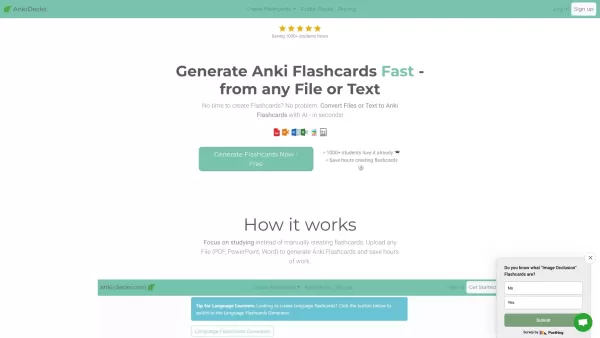
What is anki-decks.com?Anki Decks is an AI-powered platform that creates Anki flashcards from various content sources like YouTube videos, PDFs, and text documents. It saves users considerable time spent on manual flashcard creation. Designed to
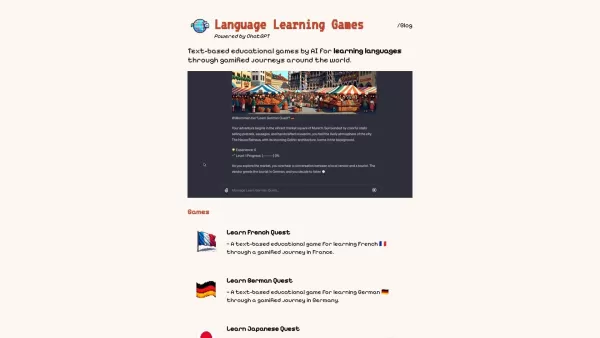
What Are Language Learning Games?LangLearnGames offers a fun and unique approach to language learning by blending educational lessons with interactive gameplay. Users engage with a variety of games designed to build vocabulary, improve grammar, and p

Ever wished you had a language teacher right in your pocket, ready to chat whenever you are? Well, meet Teacher AI—your personal language coach on the go! It's not just about learning; it's about engaging in real conversations in over 25 languages, making your language journey fun and effective, all
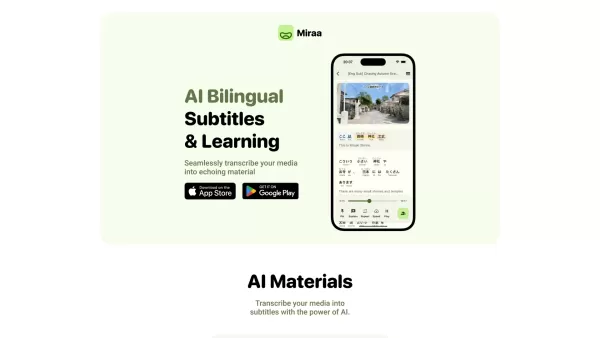
Ever wondered how you could level up your language learning game? Say hello to Miraa AI, brought to you by Myoland! This innovative tool transforms any video into a bilingual learning experience, complete with subtitles, real-time translations, shadowing
Atomic Learning is an innovative online platform that revolutionizes the way people learn languages. It uses AI to generate daily audio challenges, making language acquisition as easy as spending just a minute a day on it. Whether you're a beginner or a native speaker, the platform offers a plethora
Lingocloud - Web Translation Extension Product Information
What is LingoCloud - Web Translation Extension?
LingoCloud is a bilingual web translation extension that enables effortless multilingual browsing. With a single click, it translates entire web pages into your chosen language. This tool effectively breaks down language barriers and enhances understanding by delivering instant translations. It supports numerous languages, making it perfect for everyday users and language enthusiasts alike. LingoCloud provides a more immersive and accessible internet experience for everyone.
Who will use LingoCloud - Web Translation Extension?
- Students
- Travelers
- Language Learners
- Researchers
- Professionals
How to use the LingoCloud - Web Translation Extension?
- Step 1: Install the LingoCloud extension from the Chrome Web Store.
- Step 2: Click the LingoCloud icon in your browser's toolbar.
- Step 3: Select your desired target language.
- Step 4: Go to any webpage you wish to translate.
- Step 5: Click the LingoCloud icon again to translate the entire page.
Platform
- Chrome
LingoCloud - Web Translation Extension's Core Features & Benefits
The Core Features
- Real-time webpage translation
- Bilingual browsing support
- Simple language selection
- User-friendly interface
The Benefits
- Improves understanding of international content
- Saves time with full-page translation
- Aids language learning and practice
- Provides access to diverse global information
LingoCloud - Web Translation Extension's Main Use Cases & Applications
- Reading websites in foreign languages
- Language study through authentic texts
- Travel planning using local sites
- Conducting multilingual research on global topics
FAQs of LingoCloud - Web Translation Extension
What languages does LingoCloud support?
LingoCloud supports multiple languages, including English and Chinese.
Is LingoCloud free to use?
Yes, LingoCloud is a free browser extension.
Can I use LingoCloud on mobile devices?
Currently, LingoCloud is only available as a desktop browser extension.
How do I set my preferred language?
Set your preferred language directly within the extension's settings panel.
Does it work offline?
No, LingoCloud requires an active internet connection to translate content.
Can LingoCloud translate PDF documents?
No, LingoCloud is specifically designed to translate live web pages.
Where can I find technical support?
Support resources are available on the extension's Chrome Web Store page.
Is there a mobile app for LingoCloud?
There is no dedicated mobile application for LingoCloud at this time.
Can I customize LingoCloud settings?
Yes, you can customize various settings, such as your language preferences.
How does LingoCloud protect my privacy?
LingoCloud follows strict privacy policies to protect user data and browsing activity.
LingoCloud - Web Translation Extension Company Information
Website:
https://lingocloud.comCompany Name:
Beijing ColorfulClouds Technology Co., LtdSupport Email:
Facebook:
https://www.facebook.com/lingocloudapp/X(Twitter):
NAYouTube:
NAInstagram:
NATiktok:
NALinkedIn:
https://www.linkedin.com/company/lingocloud
Lingocloud - Web Translation Extension Screenshot
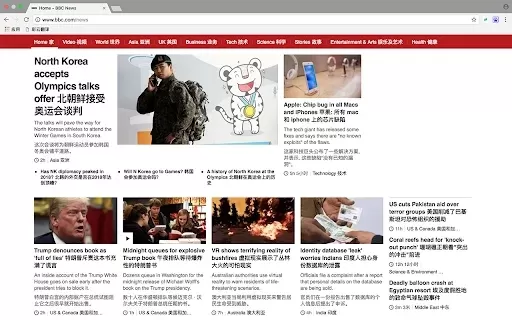
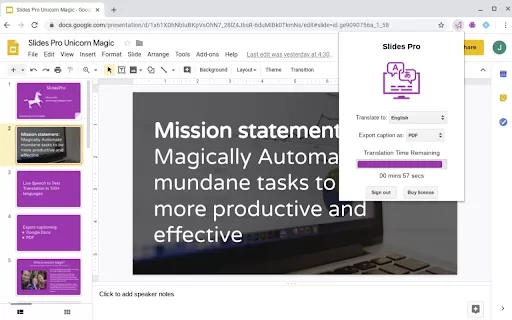

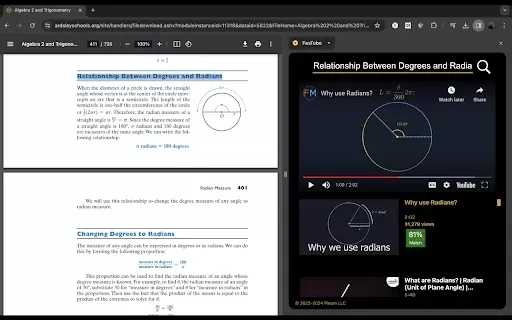

2026 Latest Best AI Vocal Demo Tools for Songwriters, Hook Creators, and Multi-Language Content Teams! XIX.AI has curated a top-rated list of powerful game-changing tools that go through rigorous real-world tests. You’ll find detailed free vs paid comparison data, comprehensive rankings, and must-try options to help you boost writing efficiency and unlock your creative potential. Explore now to discover your perfect tool for all your content needs!
 9 tools
 xix.ai

2026 Latest Best Top-rated AI Competitive Research Tools for Small Businesses! XIX.AI has curated a highly powerful game-changing collection, updated weekly with rigorous real-world tests and detailed rankings. You can find a comprehensive free vs paid comparison to help you identify the must-try tools that boost your productivity and give you a competitive edge. Explore now to discover your perfect tool!
9 tools
xix.ai

2026 Latest Best Photoshop AI retouch tools for ecommerce apparel, skin cleanup, and color consistency! This top-rated curated list features powerful game-changing solutions that help you boost writing efficiency, streamline content creation, and achieve perfect visual results effortlessly. Each tool has undergone real-world tests through weekly updated rankings, complete with free vs paid comparison details. Backed by XIX.AI, it’s the must-try guide for anyone aiming to unlock your AI edge. Explore now!
10 tools
xix.ai

2026 Latest Best Top-Rated AI Prompt Libraries for optimizing all types of ChatGPT workflows. XIX.AI has curated a powerful, game-changing collection that goes through rigorous real-world tests to ensure top performance. You can find detailed free vs paid comparisons and expert rankings to help you choose the must-try tools that boost your productivity and unlock your AI edge. Explore now!
11 tools
xix.ai

2026 Latest Best AI Quiz Builder Platforms for Teachers, Tutors, and Cohort-Based Learning Programs! XIX.AI has curated a top-rated list of powerful game-changing tools that go through real-world tests to deliver accurate rankings. These must-try platforms help boost writing efficiency, streamline content creation, and simplify quiz design across all learning scenarios. Explore now to discover your perfect tool for unlocking your AI edge in teaching!
13 tools
xix.ai

2026 Latest Best AI Pull Request Review Tools for GitHub Teams are here on XIX.AI! This top-rated curated list showcases powerful game-changing solutions that streamline refactoring, bug fixing, and security gap detection across all team workflows. Enjoy a free vs paid comparison along with real-world tests and detailed rankings to help you find the perfect tool that boosts productivity significantly. Explore now to unlock your AI edge!
12 tools
xix.ai


