


 Home
HomeLINER
LINER AI: Find and Learn Reliable Info Fast



Helps TikTok sellers, brands, MCNs, and TAPs discover winning products and find creators.

HelpLook is an AI-powered all-in-one knowledge base tool that helps businesses quickly build knowledge bases, help centers, and...

Your AI Workspace

302.AI is an enterprise-grade AI resource platform with pay-as-you-go pricing, API access to a full range of AI models, and ready-to-use online applications.

剧火AI — AI Screenwriter + Director, a One-Person Short Drama Studio In one sentence, what is it?

If you're diving into the world of AI and need a tool to streamline your interactions with models like ChatGPT, Claude, and Gemini, let me introduce you to TaoPrompt. This isn't just another AI tool; it's a professional prompt generator that's designed to

Ever felt like your YouTube videos could use a bit of a speed boost? Enter Speedtube AI Chrome Extension, a game-changer for those who want to optimize their viewing experience. It uses AI to smartly adjust the playback speed according to the type of cont

If you're looking to level up your typing game, the AI Typing Assistant is your go-to tool. It's like having a personal coach that tailors its advice just for you, based on how you type. Ever wish you could type faster and with fewer mistakes? This a
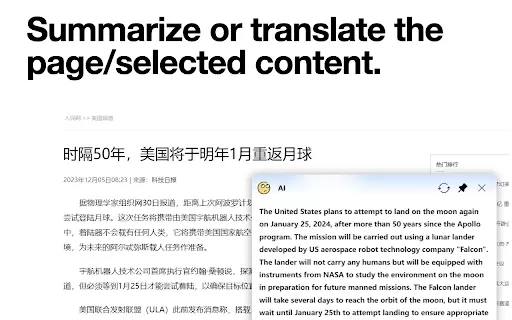
What is the AI小窗 Chrome Extension? AI小窗 is an intelligent browsing assistant compatible with ERNIE Bot, Tongyi Qianwen, and OpenAI. It delivers a smarter and more efficient browsing experience, offering features such as customizable small windows, in
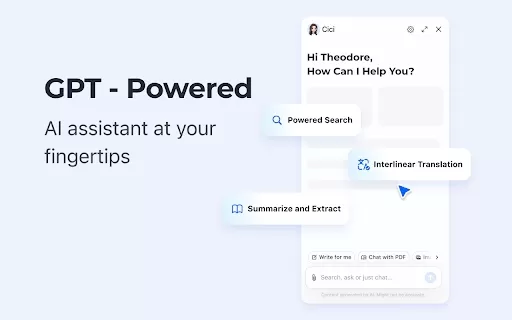
What is the Cici AI Chrome Extension? Cici is your personal browser AI assistant, powered by GPT technology. It can answer any of your questions, summarize complex webpages, provide fast full-text translation, intelligently organize and summarize sea
LINER Product Information
Ever feel overwhelmed by the vast ocean of information online? Enter LINER, your new best friend for navigating the digital world more efficiently. This AI-powered workspace is like having a smart assistant that helps you pinpoint and absorb reliable info at lightning speed. Imagine having the collective wisdom of millions of smart users guiding you to the cream of the web's content. That's LINER for you! It's not just about finding stuff; LINER lets you highlight and annotate web pages and PDFs, making your research or study sessions a breeze.
How to Get Started with LINER?
Ready to dive in? Start by grabbing the LINER browser extension or firing up the PDF highlighter tool. It's super easy to use: just highlight what catches your eye on any webpage or PDF you're reading. You can even jot down notes, add comments, and share your insights with others. And the best part? LINER works seamlessly across all your devices and platforms, so you're never out of the loop.
LINER's Core Features
Web and PDF Highlighting and Annotation
Whether you're browsing the web or diving into a PDF, LINER lets you highlight key points and add your own annotations. It's like turning the entire internet into your personal notebook!
Browser Extension
The LINER browser extension is your gateway to a more organized online experience. Highlight, save, and revisit important info anytime you want.
Cross-Device and Platform Availability
Switching between devices? No problem. LINER keeps your highlights and notes synced across all your gadgets, so you can pick up right where you left off.
Save and Share Highlights
Found something brilliant? Save it for later or share it with your network. LINER makes it easy to spread the knowledge.
Filter Highlights by Intelligent Users
Not sure what's worth your time? Let LINER's community of smart users guide you. Their highlights help you find the most valuable content quickly.
LINER's Use Cases
Research and Information Gathering
Researchers, rejoice! LINER streamlines your hunt for reliable sources, letting you focus on what really matters.
Academic Studying and Note-Taking
Students, this one's for you. Highlight important texts, add notes, and ace your studies with LINER's help.
Professional Document Markup and Analysis
In the professional world, LINER is your go-to for marking up documents and analyzing them in-depth. It's like having a digital pen that never runs out of ink.
Collaborative Highlighting and Knowledge Sharing
Working with a team? Use LINER to highlight and share insights, turning individual learning into a group effort.
Frequently Asked Questions about LINER
- What is LINER?
- LINER is an AI workspace that helps you find and learn reliable information faster, with tools for highlighting and annotating web pages and PDFs.
- How can I use LINER?
- Install the LINER browser extension or use the PDF highlighter tool to start highlighting, annotating, and sharing important information across devices.
- What are the core features of LINER?
- LINER offers web and PDF highlighting and annotation, a browser extension, cross-device and platform availability, the ability to save and share highlights, and filtering by intelligent users.
- What are the use cases for LINER?
- LINER is perfect for research, academic studying, professional document analysis, and collaborative knowledge sharing.
- Is there a pricing for LINER?
- Yes, you can find detailed pricing information on the LINER pricing page at LINER Pricing.
For any support or customer service inquiries, you can reach out to LINER's team. More contact options are available on their contact us page. Curious about the company behind LINER? Visit the about us page for more details. Want to start using LINER? Head over to the login or sign up pages to get started.
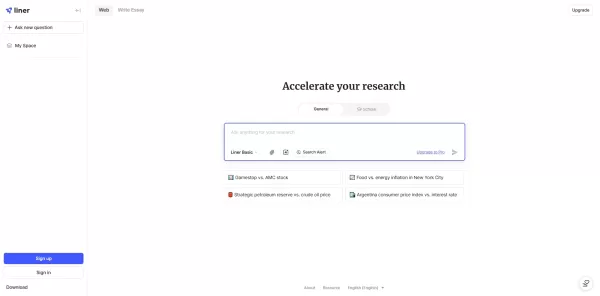
LINER Screenshot
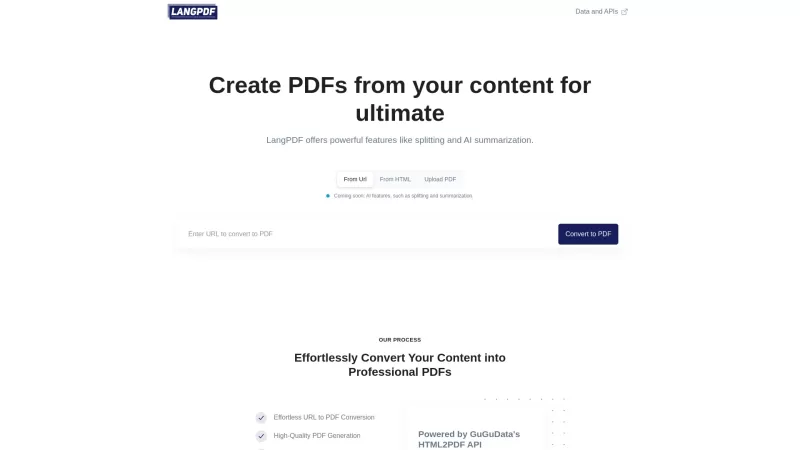

2026 Latest Best Top-rated AI Object Removal Editors for portraits travel product shots! XIX.AI curates a powerful game-changing collection regularly updated with weekly rankings. These tools offer real-world tests to help you quickly remove unwanted elements, boost content quality, and save tons of time without compromising results. Must-try for anyone aiming to unlock their AI creation edge. Explore now!
 10 tools
 xix.ai

2026 Latest Best Top-rated AI Text to Speech Tools for Online Courses are curated by XIX.AI based on rigorous real-world tests and weekly updated rankings. These powerful tools help creators deliver crystal-clear audio content effortlessly, boosting writing efficiency and streamlining course production. Check out the free vs paid comparison to find your perfect fit. Explore now to unlock your AI edge in online education.
10 tools
xix.ai

2026 Latest Best Top-Rated AI Blog Title Tools for Higher Click Through Rates! XIX.AI has carefully curated a powerful, game-changing collection of top tools that go through rigorous real-world tests. You’ll find a free vs paid comparison, weekly updated rankings, and detailed insights to help you boost your blog’s traffic efficiently. Must-try options are highlighted to help you unlock your AI edge. Explore now!
10 tools
xix.ai

2026 Latest Best Top-rated AI Task Routing Tools for Support Workflows! XIX.AI has curated a highly powerful game-changing collection of must-try solutions, all undergoing rigorous real-world tests and updated weekly. These tools streamline workflows, boost productivity, and help teams deliver faster, more efficient support. Explore now to discover your perfect tool and unlock your AI edge!
17 tools
xix.ai

2026 Latest Best Top-Rated AI Citation and Paper Summary Tools Curated by XIX.AI. Get powerful game-changing solutions for quick content creation, improved writing efficiency, and boosting productivity. We offer a free vs paid comparison along with real-world tests and weekly updated rankings to help you find the must-try tool that fits your needs perfectly. Explore now to Unlock your AI edge.
10 tools
xix.ai

2026 Latest Best Top-Rated AI Productivity Tools for Daily Work! XIX.AI has curated a powerful, game-changing selection based on rigorous weekly updated rankings and real-world tests. You’ll find must-try options that boost writing efficiency, streamline content creation, and help you overcome daily work challenges. Get a free vs paid comparison to find the perfect fit for your needs. Explore now to unlock your AI edge!
9 tools
xix.ai


Just tried LINER and it's a game-changer! No more endless scrolling to find key points. The AI highlights are spot-on and save me so much time. Feels like having a research assistant in my pocket. 🚀 Highly recommend for anyone drowning in info!
LINER's a game-changer! It cuts through the online noise like a hot knife through butter. I love how it highlights key info and saves me hours of scrolling. 😎 Sometimes it feels too smart, though—makes me wonder if it knows my thoughts!


