


 Home
HomekeyNote - web,youtube & pdf AI summarizer



Helps TikTok sellers, brands, MCNs, and TAPs discover winning products and find creators.

HelpLook is an AI-powered all-in-one knowledge base tool that helps businesses quickly build knowledge bases, help centers, and...

Your AI Workspace

302.AI is an enterprise-grade AI resource platform with pay-as-you-go pricing, API access to a full range of AI models, and ready-to-use online applications.

剧火AI — AI Screenwriter + Director, a One-Person Short Drama Studio In one sentence, what is it?
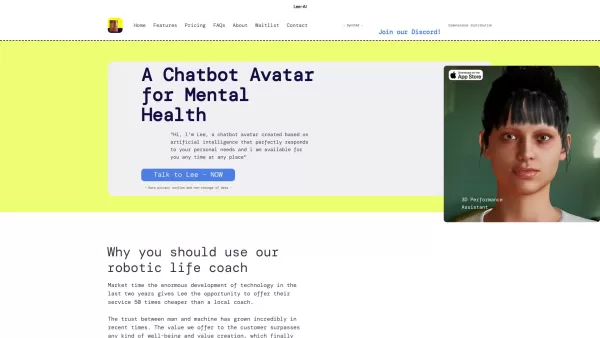
Ever wondered what Lee-AI is all about? Let me tell you, it's not just another chatbot. Lee-AI is your personal AI avatar, designed to cater to your unique needs with responses that feel like they're made just for you. And the best part? It's always there
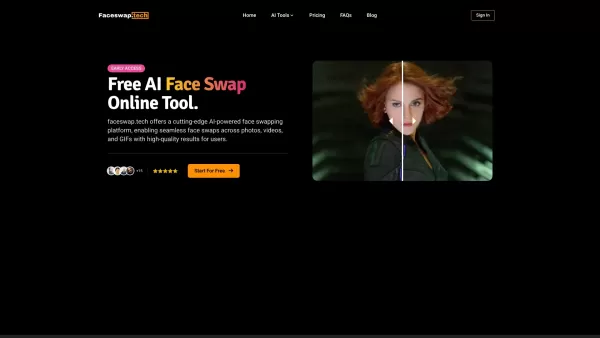
Ever wondered what it would be like to see your face on your favorite movie star or perhaps swap faces with your pet for a laugh? That's where Faceswap.tech comes into play, offering a cutting-edge AI-powered platform that lets you do just that with stunn

Ever wondered how businesses can harness the power of AI to communicate and analyze data in a way that feels uniquely tailored to their needs? Enter ZBrain, a dynamic AI platform designed to do just that. Imagine having your very own personalized ChatGPT
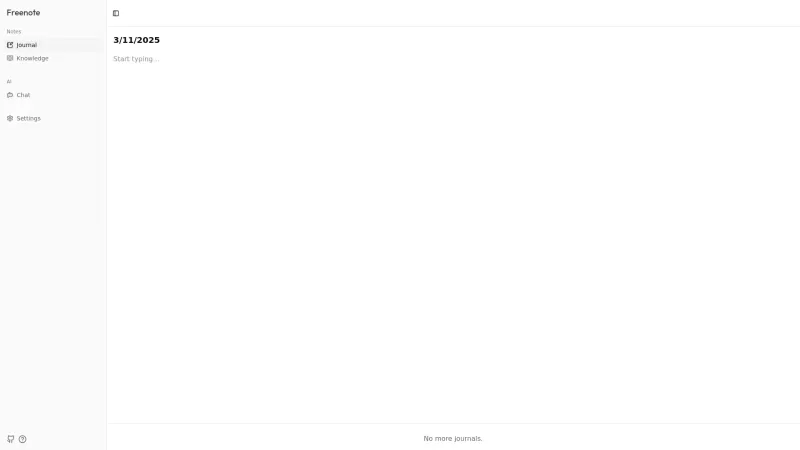
Ever heard of Freenote? It's not just another note-taking app; it's your personal, open-source AI journal that lets you jot down your thoughts and ideas with a twist. Imagine having an AI buddy that not only helps you find your old musings but also gives
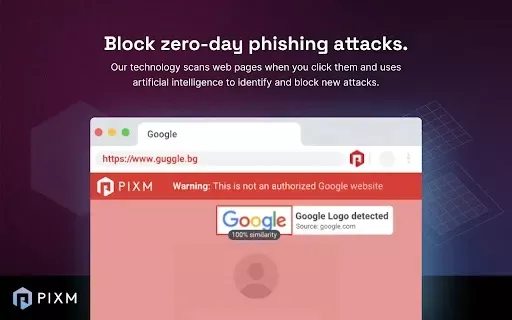
What is PIXM Phishing Protection?PIXM Phishing Protection is a browser extension that leverages artificial intelligence to offer real-time defense against phishing attacks. It inspects the visual elements of websites to immediately detect hazardous o
keyNote - web,youtube & pdf AI summarizer Product Information
What is keyNote - web, YouTube & PDF AI summarizer?
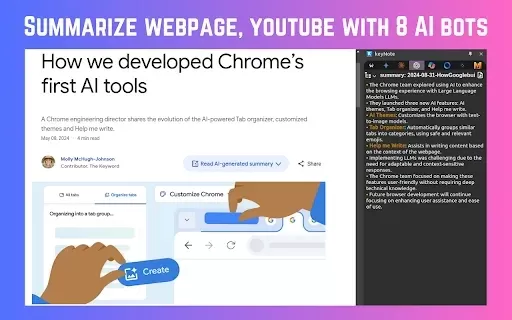
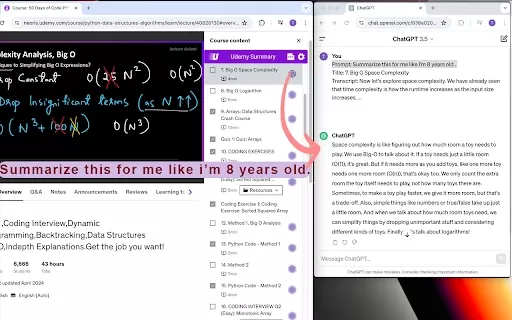
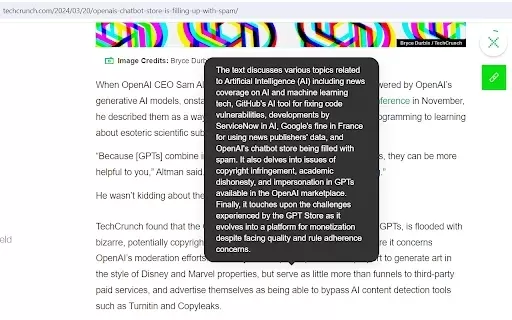
KeyNote is a smart Chrome extension that uses advanced AI like ChatGPT, Claude, and Gemini to create summaries of web pages, YouTube videos, and PDFs. It helps you quickly grasp key information by generating concise summaries, mind maps, and highlights. Enjoy free, unlimited use with no sign-up required. Edit summaries in markdown, export to Notion or Obsidian, and use handy keyboard shortcuts—all while keeping your data private and untracked.
Who will use keyNote - web, YouTube & PDF AI summarizer?
- Students
- Researchers
- Professionals
- Content creators
- Educators
- Lifelong learners
How to use the keyNote - web, YouTube & PDF AI summarizer?
- Step 1: Install the KeyNote extension from the Chrome Web Store.
- Step 2: Go to the web page, YouTube video, or PDF you wish to summarize.
- Step 3: Press 'Alt+S' to start the AI summarization.
- Step 4: Review the generated summary, mind map, and highlights.
- Step 5: Make any edits to the summary if needed.
- Step 6: Export your notes to Notion or Obsidian, or copy/download them.
Platform
- Web
- Chrome
keyNote - web, YouTube & PDF AI summarizer's Core Features & Benefits
The Core Features
- Summarize web pages, YouTube videos, and PDFs
- Access 8 different AI bots including ChatGPT, Claude, and Gemini
- Generate mind maps and highlights
- Edit summaries in markdown format
- Export directly to Notion and Obsidian
- Free with unlimited usage
- No account or sign-up needed
- Keyboard shortcuts for fast, easy access
The Benefits
- Save time and boost productivity
- Learn and remember information more effectively
- Create and export well-organized notes
- Experience a clean, ad-free tool that respects your privacy
keyNote - web, YouTube & PDF AI summarizer's Main Use Cases & Applications
- Quickly understanding long online articles
- Pulling key insights from YouTube videos for study or reports
- Condensing lengthy PDF documents for faster review
- Building mind maps for project planning or educational purposes
FAQs of keyNote - web, YouTube & PDF AI summarizer
How do I install KeyNote?
Find 'keyNote - web, PDF & YouTube AI summary' in the Chrome Web Store and click 'Add to Chrome' to install.
Is KeyNote free to use?
Yes, KeyNote is completely free with unlimited use and no premium paywalls.
Do I need to sign up to use KeyNote?
No sign-up is required. You can start using KeyNote immediately after installation.
How do I summarize a web page?
Open the web page you want to summarize and press the 'Alt+S' shortcut.
Can I edit the summarized content?
Yes, you can edit the AI-generated summary in markdown format before saving or exporting.
How do I export summaries to Notion?
Use the export option inside the KeyNote extension to send your summary directly to Notion.
Is my data tracked or sold?
No. KeyNote does not track, sell, or misuse your data. Your privacy is protected.
What AI bots are used in KeyNote?
KeyNote uses 8 powerful AI models, including ChatGPT, Claude, and Gemini, for summarization.
Can I use keyboard shortcuts with KeyNote?
Yes. Use shortcuts like 'Alt+S' to summarize and 'Alt+N' to open your notebook quickly.
What platforms are supported?
KeyNote is a Chrome extension designed for use on web platforms.
keyNote - web, YouTube & PDF AI summarizer Company Information
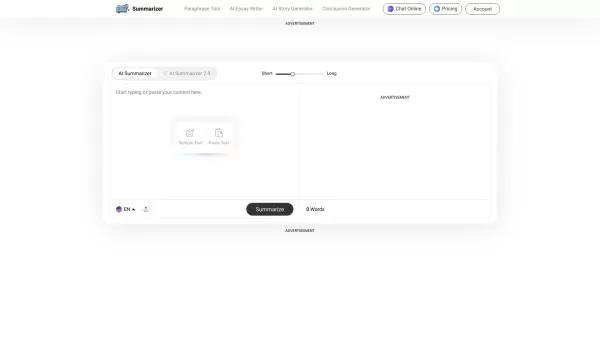
keyNote - web,youtube & pdf AI summarizer Screenshot

2026 Latest Best Top-rated AI Object Removal Editors for portraits travel product shots! XIX.AI curates a powerful game-changing collection regularly updated with weekly rankings. These tools offer real-world tests to help you quickly remove unwanted elements, boost content quality, and save tons of time without compromising results. Must-try for anyone aiming to unlock their AI creation edge. Explore now!
 10 tools
 xix.ai

2026 Latest Best Top-rated AI Text to Speech Tools for Online Courses are curated by XIX.AI based on rigorous real-world tests and weekly updated rankings. These powerful tools help creators deliver crystal-clear audio content effortlessly, boosting writing efficiency and streamlining course production. Check out the free vs paid comparison to find your perfect fit. Explore now to unlock your AI edge in online education.
10 tools
xix.ai

2026 Latest Best Top-Rated AI Blog Title Tools for Higher Click Through Rates! XIX.AI has carefully curated a powerful, game-changing collection of top tools that go through rigorous real-world tests. You’ll find a free vs paid comparison, weekly updated rankings, and detailed insights to help you boost your blog’s traffic efficiently. Must-try options are highlighted to help you unlock your AI edge. Explore now!
10 tools
xix.ai

2026 Latest Best Top-rated AI Task Routing Tools for Support Workflows! XIX.AI has curated a highly powerful game-changing collection of must-try solutions, all undergoing rigorous real-world tests and updated weekly. These tools streamline workflows, boost productivity, and help teams deliver faster, more efficient support. Explore now to discover your perfect tool and unlock your AI edge!
17 tools
xix.ai

2026 Latest Best Top-Rated AI Citation and Paper Summary Tools Curated by XIX.AI. Get powerful game-changing solutions for quick content creation, improved writing efficiency, and boosting productivity. We offer a free vs paid comparison along with real-world tests and weekly updated rankings to help you find the must-try tool that fits your needs perfectly. Explore now to Unlock your AI edge.
10 tools
xix.ai

2026 Latest Best Top-Rated AI Productivity Tools for Daily Work! XIX.AI has curated a powerful, game-changing selection based on rigorous weekly updated rankings and real-world tests. You’ll find must-try options that boost writing efficiency, streamline content creation, and help you overcome daily work challenges. Get a free vs paid comparison to find the perfect fit for your needs. Explore now to unlock your AI edge!
9 tools
xix.ai


